Perdre des fichiers importants peut être stressant, surtout lorsqu'on ne dispose pas d'une sauvegarde récente.
Des photos peuvent disparaître d'une carte SD, des documents peuvent être supprimés accidentellement ou un disque dur externe peut devenir soudainement inaccessible. Les logiciels de récupération de données sont conçus pour vous aider dans ces situations.
EaseUS Data Recovery Wizard et Disk Drill sont deux solutions populaires pour récupérer des fichiers perdus ou supprimés. Ces deux outils sont conçus pour les utilisateurs novices ; nul besoin d’être un expert technique pour lancer l’analyse d’un disque.
Cependant, des différences existent au niveau de leur interface, de leurs versions gratuites, de leurs outils de récupération, des appareils compatibles et de leur approche globale.
Dans ce comparatif EaseUS vs Disk Drill, nous examinerons les deux programmes individuellement avant de comparer leurs fonctionnalités, leur facilité d'utilisation, leurs options de récupération, leur politique tarifaire, leurs avantages, leurs inconvénients et leurs utilisateurs idéaux.
Qu'est-ce que l'assistant de récupération de données EaseUS ?
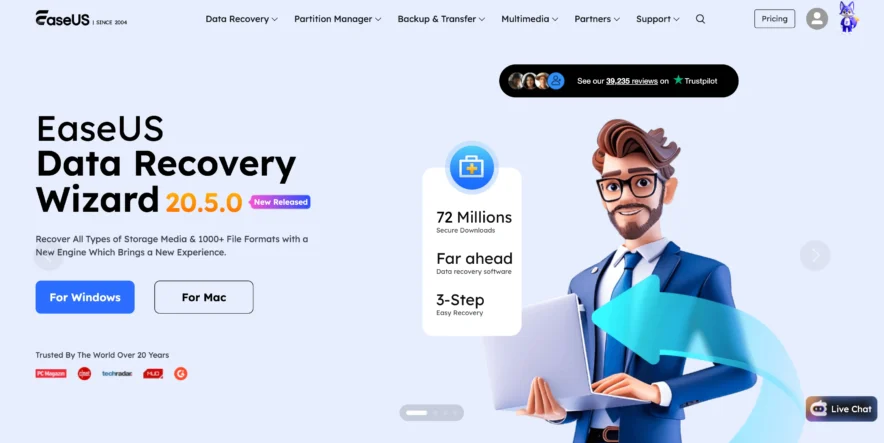
EaseUS Data Recovery Wizard est un programme de récupération de données conçu pour récupérer des fichiers supprimés, formatés, perdus ou inaccessibles sur différents périphériques de stockage.
Il est disponible pour Windows et macOS et est principalement conçu pour les utilisateurs qui souhaitent un processus de récupération graphique simple.
Que peut récupérer EaseUS ?
EaseUS peut rechercher de nombreux types de fichiers courants, notamment :
- Photos
- Vidéos
- Documentation
- Fichiers audio
- Emails
- Archives
- Autres formats de fichiers courants
Il peut analyser les disques internes ainsi que les périphériques de stockage externes compatibles.
Quels appareils sont compatibles avec EaseUS ?
En fonction du système d'exploitation et du format de stockage, EaseUS peut fonctionner avec des appareils tels que :
- Disques durs
- SSD
- les lecteurs flash USB
- Disques durs externes
- Cartes SD
- Les cartes mémoire
- Autres supports de stockage pris en charge
Cela le rend utile aussi bien pour les utilisateurs d'ordinateurs que pour les personnes qui utilisent fréquemment un stockage portable.
Comment fonctionne EaseUS ?
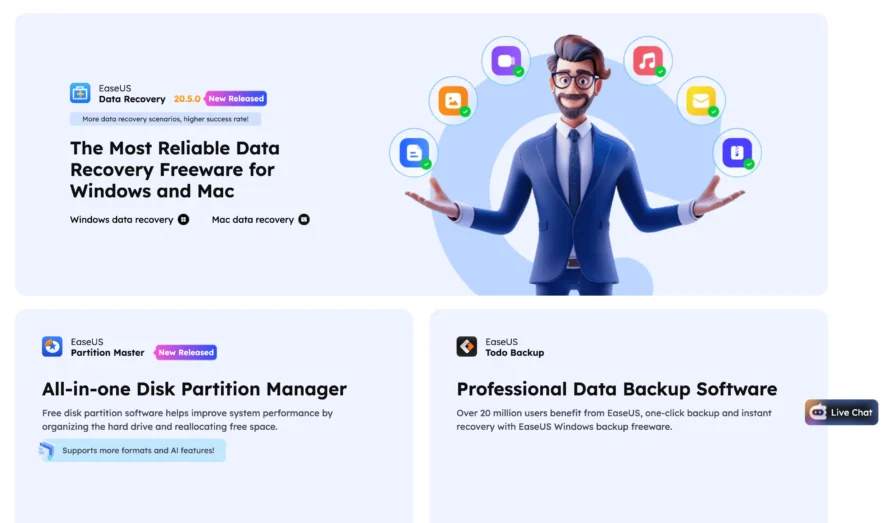
Utiliser EaseUS est assez simple.
Commencez par sélectionner le lecteur ou l'emplacement où se trouvaient les fichiers manquants. EaseUS analyse ensuite cet emplacement et affiche les fichiers potentiellement récupérables.
Vous pouvez ensuite utiliser des filtres et des outils de recherche pour trouver des fichiers spécifiques. Les fichiers compatibles peuvent également être prévisualisés avant la récupération.
Une fois que vous avez trouvé les fichiers dont vous avez besoin, sélectionnez-les et récupérez-les dans un emplacement de stockage sûr.
Qu'est-ce qu'une perceuse à disque ?
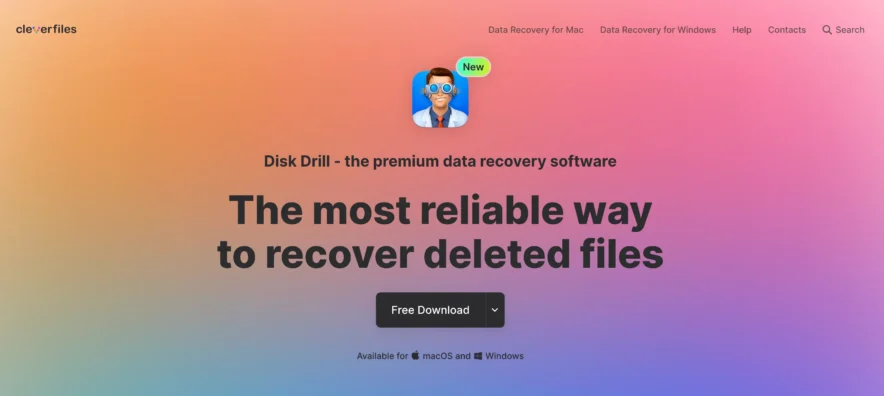
Disk Drill est une autre application de récupération de données bien connue. Développée par CleverFiles, elle est disponible pour Windows et macOS.
À l'instar d'EaseUS, Disk Drill s'attache à rendre la récupération de données accessible aux utilisateurs qui ne possèdent pas forcément de connaissances techniques avancées.
Que peut récupérer une perceuse à disque ?
Disk Drill peut rechercher une grande variété de fichiers supprimés ou perdus, notamment :
- Images
- Vidéos
- Documentation
- Audio
- Archives
- Autres formats de fichiers pris en charge
La possibilité réelle de récupérer un fichier dépend de l'état du périphérique de stockage et du fait que les données originales aient été écrasées ou non.
Quels appareils sont compatibles avec Disk Drill ?
Disk Drill peut fonctionner avec plusieurs types de périphériques de stockage, tels que :
- disques durs internes
- Disques durs externes
- SSD
- les clés USB
- Cartes SD
- Les cartes mémoire
La prise en charge des périphériques et des systèmes de fichiers peut varier selon que vous utilisiez la version Windows ou macOS.
Comment fonctionne une perceuse à disque ?
Disk Drill suit un processus similaire à celui d'EaseUS.
Vous choisissez le périphérique de stockage, lancez l'analyse, examinez les fichiers découverts et récupérez les fichiers dont vous avez besoin.
Il offre également des fonctions de prévisualisation et de filtrage pour faciliter la recherche de données spécifiques parmi un grand nombre de résultats d'analyse.
Comparaison rapide entre EaseUS et Disk Drill
| Fonctionnalité | EaseUS | Disk Drill |
|---|---|---|
| Support de Windows | Oui | Oui |
| Prise en charge de macOS | Oui | Oui |
| Récupération de fichiers supprimés | Oui | Oui |
| Récupération de disque formaté | Oui | Oui |
| Aperçu du fichier | Oui | Oui |
| Récupération de la carte SD | Oui | Oui |
| Récupération USB | Oui | Oui |
| Version gratuite | Oui | Oui |
| Débutant sympathique | Oui | Oui |
| Recherche et filtrage | Oui | Oui |
À première vue, les deux programmes se ressemblent beaucoup. Les différences deviennent plus marquées lorsqu'on examine les préférences d'interface, les limites de récupération gratuite, les tarifs et les outils supplémentaires.
EaseUS vs Disk Drill : Facilité d'utilisation
La facilité d'utilisation est importante car la plupart des personnes qui recherchent un logiciel de récupération de données sont déjà confrontées à une situation stressante.
Interface EaseUS
EaseUS utilise une interface simple centrée sur la sélection d'un emplacement de stockage.
Normalement, vous sélectionnez le lecteur, lancez l'analyse, puis consultez les résultats.
Le processus de récupération ne nécessite pas de commandes compliquées, ce qui rend EaseUS adapté aux débutants.
Interface de forage de disque
Disk Drill possède également une interface épurée.
Les périphériques de stockage disponibles sont clairement affichés, et vous pouvez sélectionner un périphérique et commencer à rechercher des données perdues sans passer par une configuration compliquée.
Sa conception pourrait séduire les utilisateurs qui souhaitent des fonctionnalités de récupération et des outils supplémentaires liés aux disques dans la même application.
Lequel est le plus facile ?
Les deux sont adaptés aux débutants.
EaseUS propose un flux de travail de récupération très direct, tandis que Disk Drill rend également le processus d'analyse facile à comprendre.
Pour la récupération classique de fichiers supprimés, aucune des deux options ne nécessite un apprentissage approfondi.
Comparaison entre EaseUS et Disk Drill : fonctionnalités de récupération
L'élément le plus important de tout programme de récupération est la capacité à gérer différents types de situations de perte de données.
Fonctionnalités de récupération d'EaseUS
EaseUS est conçu pour aider dans des situations telles que :
- Suppression accidentelle
- Disques formatés
- Cloisons perdues
- Photos et vidéos supprimées
- perte de données sur clé USB
- perte de données sur carte SD
- Stockage inaccessible
- Autres situations logiques de perte de données
Le logiciel peut effectuer une analyse détaillée lorsque les fichiers sont difficiles à localiser.
Fonctionnalités de récupération des perceuses à disque
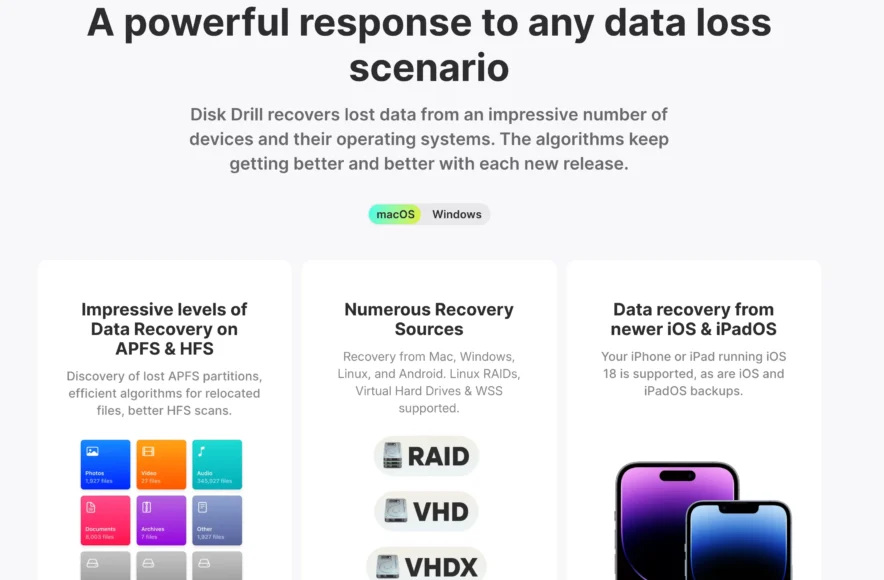
Disk Drill peut également rechercher les données perdues à cause de :
- Suppression accidentelle
- formatage
- Problèmes de partition
- Problèmes de système de fichiers
- perte de données sur carte SD
- perte de données sur clé USB
- Problèmes de disque dur externe
Disk Drill combine des capacités de récupération avec certaines fonctionnalités supplémentaires de gestion de disques et de protection des données, bien que leur disponibilité puisse varier selon les systèmes d'exploitation.
Lequel offre une meilleure récupération ?
Il n'existe pas de réponse universelle.
Un programme qui retrouve un fichier supprimé en particulier peut ne pas parvenir à en récupérer un autre. Les résultats dépendent fortement du périphérique de stockage, du système de fichiers, du type de suppression et du fait que de nouvelles données aient écrasé le fichier d'origine.
C’est pourquoi il peut être utile d’effectuer une analyse avec une version gratuite avant d’acheter l’un ou l’autre programme.
Comparaison entre EaseUS et Disk Drill : analyse et aperçu
Les disques durs de grande capacité peuvent produire des milliers de résultats, l'organisation est donc importante.
Numérisation EaseUS
EaseUS recherche automatiquement les fichiers perdus sur le lecteur sélectionné.
Pendant ou après la numérisation, vous pouvez utiliser les filtres disponibles pour affiner les résultats.
Par exemple, vous pouvez vous concentrer sur les photos si vous récupérez des images à partir d'une carte SD plutôt que de vérifier chaque document et archive.
Numérisation par forage de disque
Disk Drill propose un processus de numérisation guidée similaire.
Après avoir sélectionné un périphérique de stockage, le logiciel recherche les fichiers récupérables et organise les résultats en catégories.
Vous pouvez utiliser les filtres et aperçus disponibles pour identifier les données dont vous avez besoin.
Aperçu du fichier
Les deux programmes offrent une fonction de prévisualisation pour les formats de fichiers pris en charge.
Ceci est particulièrement utile pour les images et les documents, car cela permet de confirmer qu'un fichier est lisible avant sa récupération.
EaseUS contre Disk Drill : Version gratuite
Les deux entreprises proposent des options gratuites, mais les limitations sont importantes.
Version gratuite d'EaseUS
EaseUS Data Recovery Wizard Free permet aux utilisateurs d'analyser les périphériques de stockage et de récupérer une quantité limitée de données.
Les conditions exactes de remboursement et les modalités de l'offre peuvent varier ; il est donc recommandé de vérifier les conditions en vigueur avant utilisation.
Pour un petit nombre de documents ou de photos supprimés, l'édition gratuite peut suffire.
Version gratuite de la perceuse à disque
Disk Drill propose également une version gratuite.
Cependant, les limites et les fonctionnalités de récupération diffèrent entre Windows et macOS ; les utilisateurs doivent donc vérifier la version actuelle pour leur système d’exploitation.
Même si la version gratuite ne permet pas de récupérer tout ce dont vous avez besoin, elle peut tout de même être utile pour vérifier si Disk Drill détecte vos fichiers perdus.
Comparaison des prix entre EaseUS et Disk Drill
Le prix peut être important car de nombreuses personnes n'ont besoin d'un logiciel de récupération de données qu'une seule fois.
Tarification EaseUS
EaseUS propose des versions gratuites et premium.
Les options payantes peuvent inclure différentes durées d'abonnement ou formules de licence en fonction de votre système d'exploitation et de votre région.
Avant d'acheter, vérifiez :
- Prix actuel
- Période d'abonnement
- Conditions de renouvellement
- Limites de récupération
- Nombre d'ordinateurs couverts
Ne choisissez pas un forfait uniquement parce qu'il semble moins cher au premier abord. Vérifiez s'il est renouvelé automatiquement.
Tarification de la perceuse à disque
Disk Drill propose une version gratuite et des licences payantes.
Son approche en matière de licences payantes peut différer de celle d'EaseUS, notamment en ce qui concerne l'abonnement par rapport aux licences à plus long terme.
Là encore, les prix peuvent changer, il est donc préférable de vérifier l'offre officielle en vigueur avant d'acheter.
Qu'est-ce qui offre le meilleur rapport qualité/prix ?
Cela dépend de la fréquence à laquelle vous avez besoin d'un logiciel de récupération.
Pour une récupération ponctuelle, l'important est de savoir si le programme peut effectivement retrouver vos fichiers manquants. Pour une utilisation répétée, les conditions de licence et le coût à long terme deviennent plus importants.
EaseUS ou Disk Drill pour la récupération de cartes SD
Ces deux programmes sont généralement utilisés pour récupérer des fichiers sur des cartes SD.
EaseUS pour cartes SD
EaseUS peut analyser les cartes SD et les cartes mémoire compatibles à la recherche de photos, vidéos, documents et autres fichiers supprimés.
Cela peut s'avérer utile pour les photographes ou les utilisateurs ayant formaté accidentellement une carte mémoire.
Perforateur à disque pour cartes SD
Disk Drill prend également en charge la récupération de données sur carte mémoire et peut rechercher les fichiers perdus suite à une suppression ou un formatage.
Pour les deux outils, cessez d'utiliser la carte SD dès que vous constatez que des données sont manquantes.
Prendre d'autres photos ou copier de nouveaux fichiers sur la carte peut écraser les données récupérables.
EaseUS vs Disk Drill : avantages et inconvénients
Avantages d'EaseUS
- Interface simple pour les débutants
- Prend en charge de nombreux formats de fichiers courants
- Peut récupérer à partir de plusieurs types de stockage
- Fonctionnalités de filtrage utiles
- Aperçu disponible pour les fichiers pris en charge
- Édition gratuite disponible
- Adapté aux situations de récupération courantes
EaseUS Cons
- La récupération gratuite est limitée
- La version payante peut s'avérer coûteuse pour les utilisateurs occasionnels.
- Les numérisations de grande taille peuvent prendre du temps.
- La guérison n'est jamais garantie.
Les pros de la perceuse à disque
- Interface propre et conviviale pour les débutants
- Prend en charge différents périphériques de stockage
- Bonnes options de numérisation et de filtrage
- Prise en charge de l'aperçu des fichiers
- Outils supplémentaires liés aux disques
- Édition gratuite disponible
Perceuse à disque Cons
- Les capacités de récupération gratuite varient selon la plateforme
- La récupération complète peut nécessiter une licence payante
- Les analyses de grande taille peuvent renvoyer de nombreux résultats
- Les fichiers gravement endommagés ou écrasés peuvent être irrécupérables.
Qui devrait choisir EaseUS ?
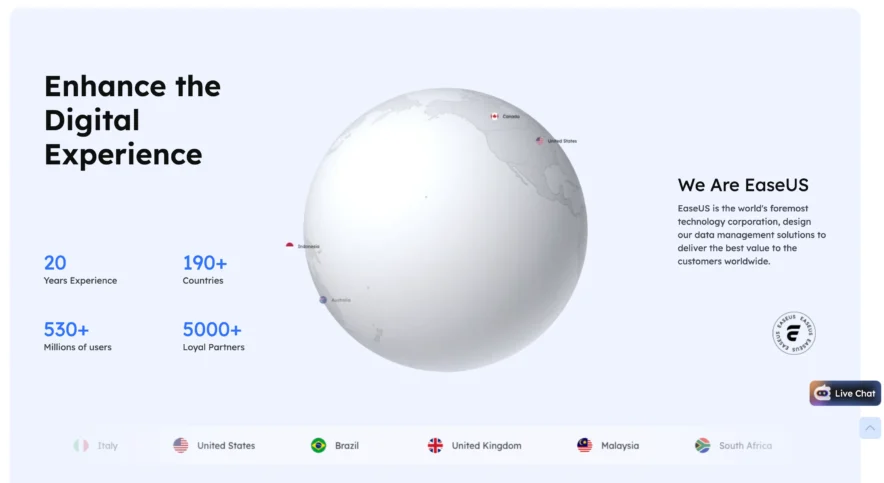
EaseUS pourrait mieux vous convenir si vous recherchez un programme de récupération simple avec un flux de travail étape par étape.
Choisissez EaseUS si :
- Vous préférez une interface très simple.
- Vous devez récupérer des documents ou des photos supprimés.
- Vous avez formaté accidentellement un périphérique de stockage.
- Vous avez besoin d'une carte SD ou d'une clé USB de récupération.
- Vous souhaitez analyser les fichiers avant de payer.
- Vous ne souhaitez pas de paramètres de récupération compliqués.
Il est particulièrement utile pour les utilisateurs qui souhaitent sélectionner un lecteur, lancer une analyse et commencer rapidement à consulter les résultats.
Qui devrait choisir une perceuse à disque ?
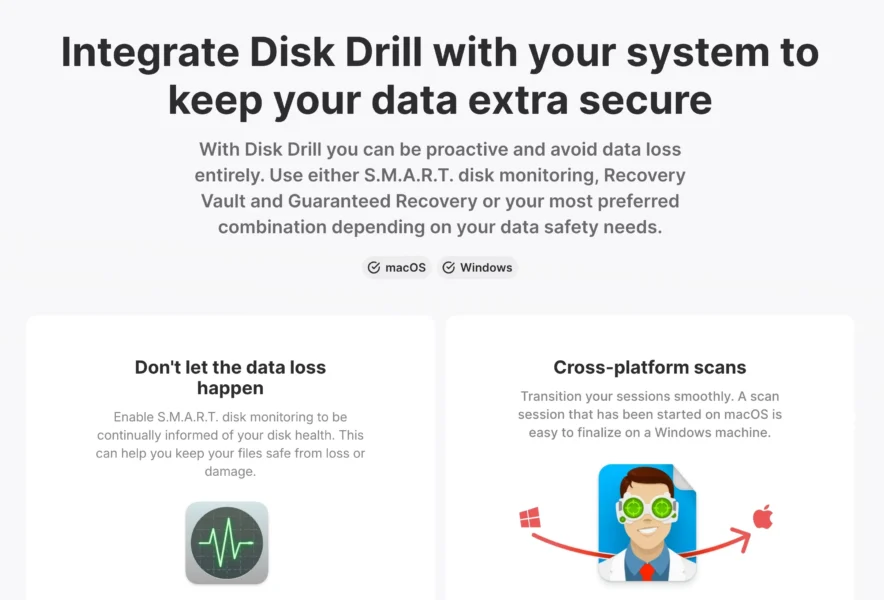
Disk Drill pourrait davantage séduire les utilisateurs qui recherchent un logiciel de récupération de données associé à des fonctionnalités supplémentaires liées au stockage.
Choisissez la perceuse à disque si :
- Vous souhaitez un outil de récupération facile à utiliser pour les débutants.
- Vous utilisez régulièrement un stockage externe.
- Vous souhaitez des outils de disque supplémentaires en plus de la récupération.
- Vous devez récupérer des photos ou des vidéos à partir de cartes mémoire.
- Vous préférez la structure de licences de Disk Drill.
- Son analyseur trouve des fichiers qu'un autre programme de récupération ne peut pas localiser.
Effectuer une analyse avec la version gratuite peut vous aider à vous décider avant d'acheter.
EaseUS ou Disk Drill peuvent-ils tout récupérer ?
Non. C'est l'un des points les plus importants à comprendre concernant les logiciels de récupération de données.
Les données écrasées sont difficiles à récupérer
Lorsque vous supprimez un fichier, ses données peuvent rester temporairement sur le périphérique de stockage. Toutefois, cet espace de stockage peut être utilisé ultérieurement pour de nouvelles informations.
Une fois les anciennes données écrasées, le logiciel risque de ne plus pouvoir restaurer le fichier d'origine.
Les dommages physiques sont différents
Ni EaseUS ni Disk Drill ne doivent être considérés comme un substitut à un laboratoire de récupération de données professionnel lorsqu'un disque dur présente des dommages physiques importants.
Si un disque dur émet des cliquetis, des grincements, se déconnecte de manière répétée ou ne tourne pas correctement, son utilisation continue peut potentiellement aggraver le problème.
EaseUS contre Disk Drill : Verdict final
EaseUS et Disk Drill sont deux outils de récupération de données performants conçus pour faciliter la récupération de fichiers pour les utilisateurs d'ordinateurs réguliers.
EaseUS se distingue par sa simplicité d'utilisation pour la récupération de données. C'est une solution idéale pour ceux qui souhaitent récupérer des fichiers supprimés, des données de disques formatés, des photos, des vidéos, des documents ou des fichiers depuis un support de stockage externe sans avoir à se soucier de paramètres techniques complexes.
Disk Drill est également facile à utiliser et propose un ensemble performant d'outils d'analyse et de récupération. Ses fonctionnalités supplémentaires liées aux disques pourraient le rendre plus attractif pour les utilisateurs qui recherchent plus qu'une simple récupération de fichiers.
Au lieu de choisir uniquement en fonction de la marque, commencez par les versions gratuites. Analysez le périphérique de stockage concerné et vérifiez quel programme peut trouver et prévisualiser les fichiers dont vous avez besoin.
Si EaseUS repère plus facilement vos fichiers importants, il pourrait être le meilleur choix. Si Disk Drill offre de meilleurs résultats ou propose une licence adaptée à vos besoins, il pourrait être plus judicieux.
Surtout, cessez d'utiliser le disque concerné dès que vous constatez une perte de données. Moins il y a de nouvelles données écrites sur le périphérique de stockage, meilleures sont vos chances de récupérer les fichiers originaux.