Thinkific gives educators, coaches, and entrepreneurs a way to turn their expertise into paid online courses. You can create lessons, build a course website, accept payments, and manage students without developing a learning platform yourself.
Depending on your subscription, you can also sell memberships, digital downloads, coaching programs, and other educational products.

Thinkific is an online course builder that lets creators design, sell, and host lessons on their own branded site. It suits coaches, educators, and businesses that want full control of their learning experience.
फ़ायदे
- Builds and sells courses without writing code.
- Keeps platform transaction fees at zero on paid plans.
- Lets you test the platform with a free trial.
- Combines courses, communities, and memberships in one place.
- Offers custom branding for a polished look.
नुकसान
- Lower plans limit advanced design customization.
- Stripe or PayPal processing fees still apply to each sale.
The catch is the price. Thinkific is no longer a small expense for someone experimenting with an online business.
Its paid plans range from $54 per month for Basic to $219 per month for Grow, while the higher-level Expand plan costs $499 per month. Annual billing lowers the average monthly rate, but it requires an upfront payment.
So, does Thinkific deliver enough to justify the expense, or are there limitations that could make another platform a better choice?
In this Thinkific review, we’ll examine its pricing, course-building tools, selling features, student management options, and drawbacks. We’ll also look at who should consider Thinkific, who might find it too expensive, and which alternatives deserve a place on your shortlist.
What Is Thinkific and Who Is It For?
Thinkific is an online learning platform that lets individuals and businesses create, publish, and sell educational content. It brings course delivery, student access, website tools, and sales features into one dashboard, reducing the need to connect several separate services.
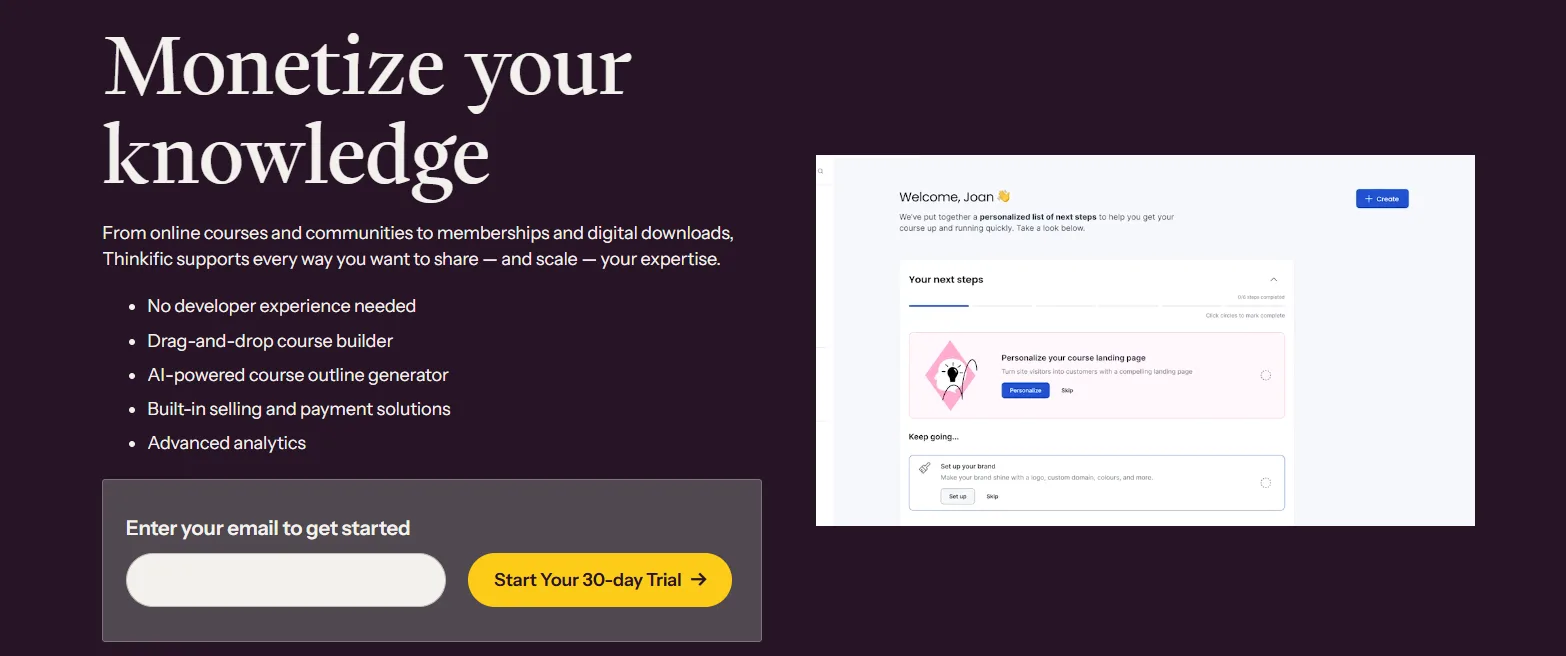
You can use it to build self-paced courses, organize scheduled learning programs, host live lessons, offer memberships, and create a community around your subject. Businesses can also use the platform to educate customers or deliver training programs.
Thinkific may suit:
Course creators: People who want to sell lessons about business, technology, design, fitness, or other subjects.
कोच और सलाहकार: Professionals who want to package their expertise into structured programs.
छोटे व्यवसायों: Companies that need educational content for customers or employees.
Membership businesses: Creators who want to charge for ongoing access to lessons and learning resources.
Training organizations: Teams that need to deliver courses to larger groups of learners.
Thinkific is less appealing if you only need a simple website, want to publish a handful of free lessons, or have not yet confirmed that people will pay for your course. The platform provides the tools to run an education business, but it doesn’t guarantee sales or replace the work involved in creating good content.
Thinkific Pricing: What Will You Pay?
Thinkific offers four main plans for different business needs. The price depends on your billing schedule and the features your business requires.
योजना | मासिक बिलिंग | वार्षिक बिलिंग | वार्षिक लागत |
|---|---|---|---|
बुनियादी | $ 54 / माह | लगभग 40 डॉलर/माह | $ 475 / वर्ष |
प्रारंभ | $ 109 / माह | लगभग 82 डॉलर/माह | $ 978 / वर्ष |
आगे बढ़ें | $ 219 / माह | लगभग 164 डॉलर/माह | $ 1,968 / वर्ष |
विस्तार | $ 499 / माह | Thinkific से पुष्टि करें | Thinkific से पुष्टि करें |
1. Basic: $54 Per Month
Basic is Thinkific’s entry-level paid plan. It offers the main tools needed to create courses, organize lessons, manage students, and sell educational products.
Included features cover unlimited courses, video lessons, quizzes, discussions, one community, a custom domain, sales tools, and student dashboards. The plan also supports digital product sales and features such as coupons and checkout options.
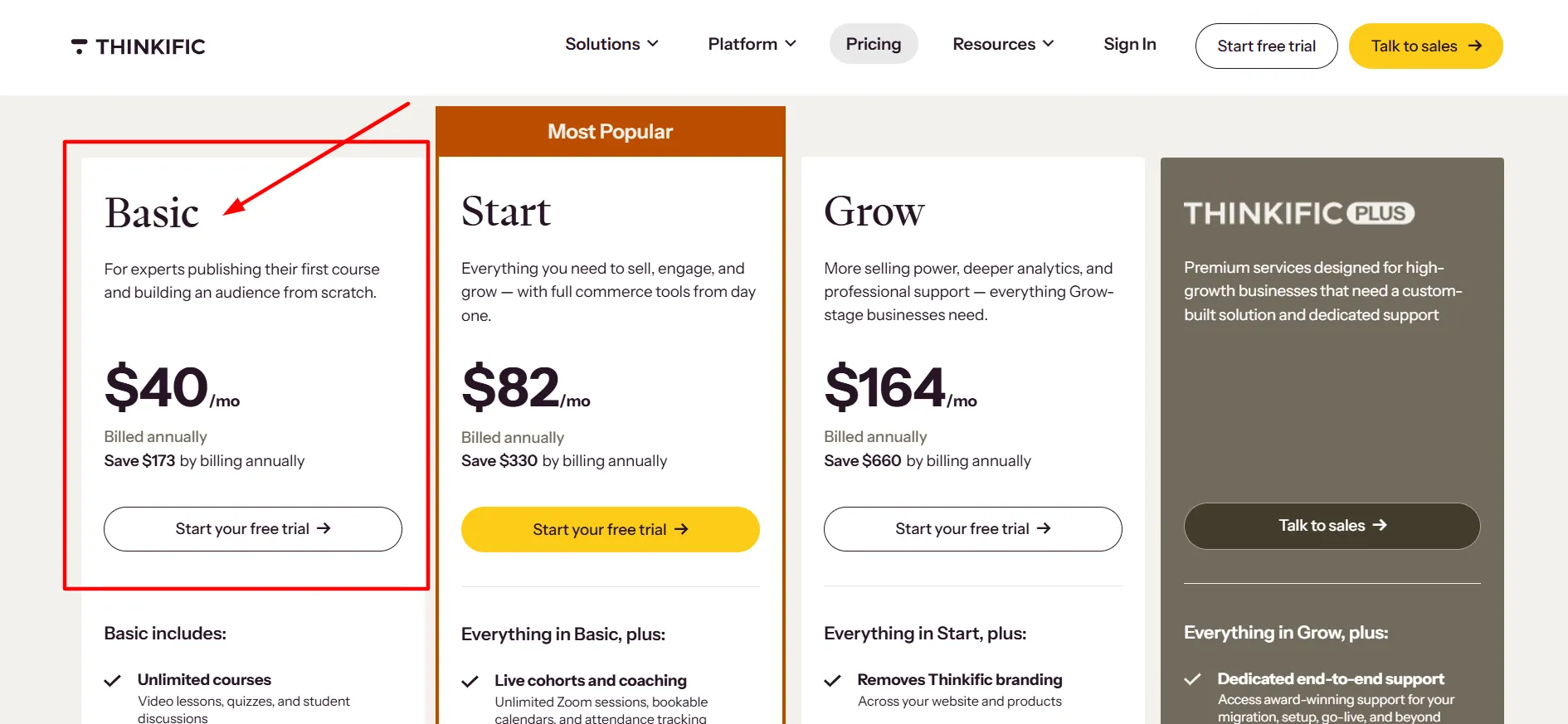
For someone launching a first course, Basic may provide enough functionality to get started. You can build a course catalog and start selling without paying for all the administrative and business features found in higher tiers.
The drawback is that you may need to upgrade once your business requires additional selling options or more advanced tools. Before subscribing, check whether the features you expect to use are included in Basic.
2. Start: $109 Per Month
Start builds on Basic with tools for creators who want to offer more than individual course purchases. Its listed features include live cohorts, coaching, assignments, completion certificates, bundles, upsells, payment plans, memberships, and subscriptions.
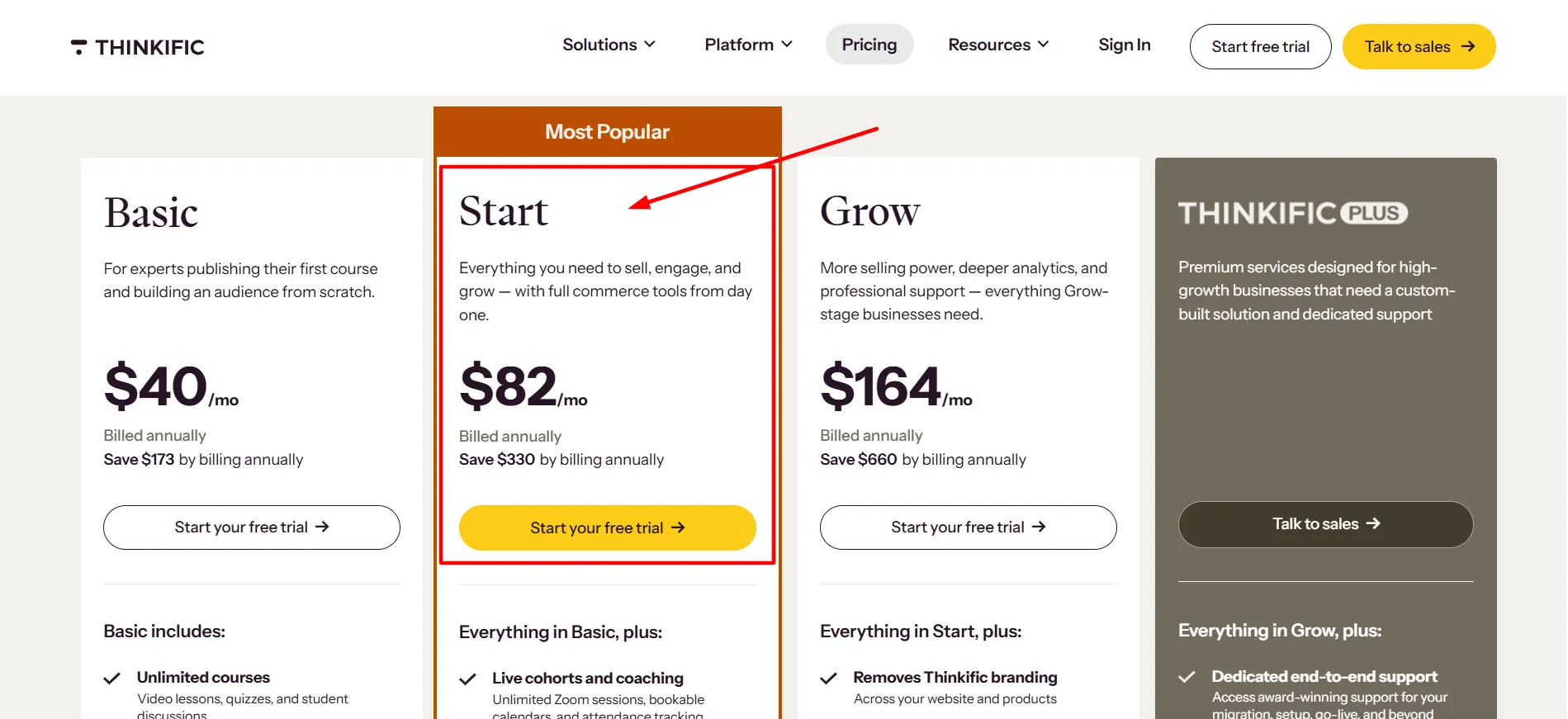
These additions can help you create different ways for customers to learn and pay. For example, a consultant could sell a course and offer a paid membership for ongoing guidance. A fitness instructor might combine a training program with recurring access to new lessons.
Start costs $109 per month or $978 per year. That is a noticeable jump from Basic, so the extra expense makes sense mainly when you need its additional features.
If your business relies on selling self-paced courses without memberships or more involved learning programs, Basic may be the more sensible choice.
3. Grow: $219 Per Month
Grow targets businesses that have moved beyond a small course setup. It includes Start features and adds tools for managing a larger operation.
Thinkific lists options such as removing Thinkific branding, running up to three communities, group orders, business-to-business sales, invoicing, API access, webhooks, student engagement reports, and priority support.
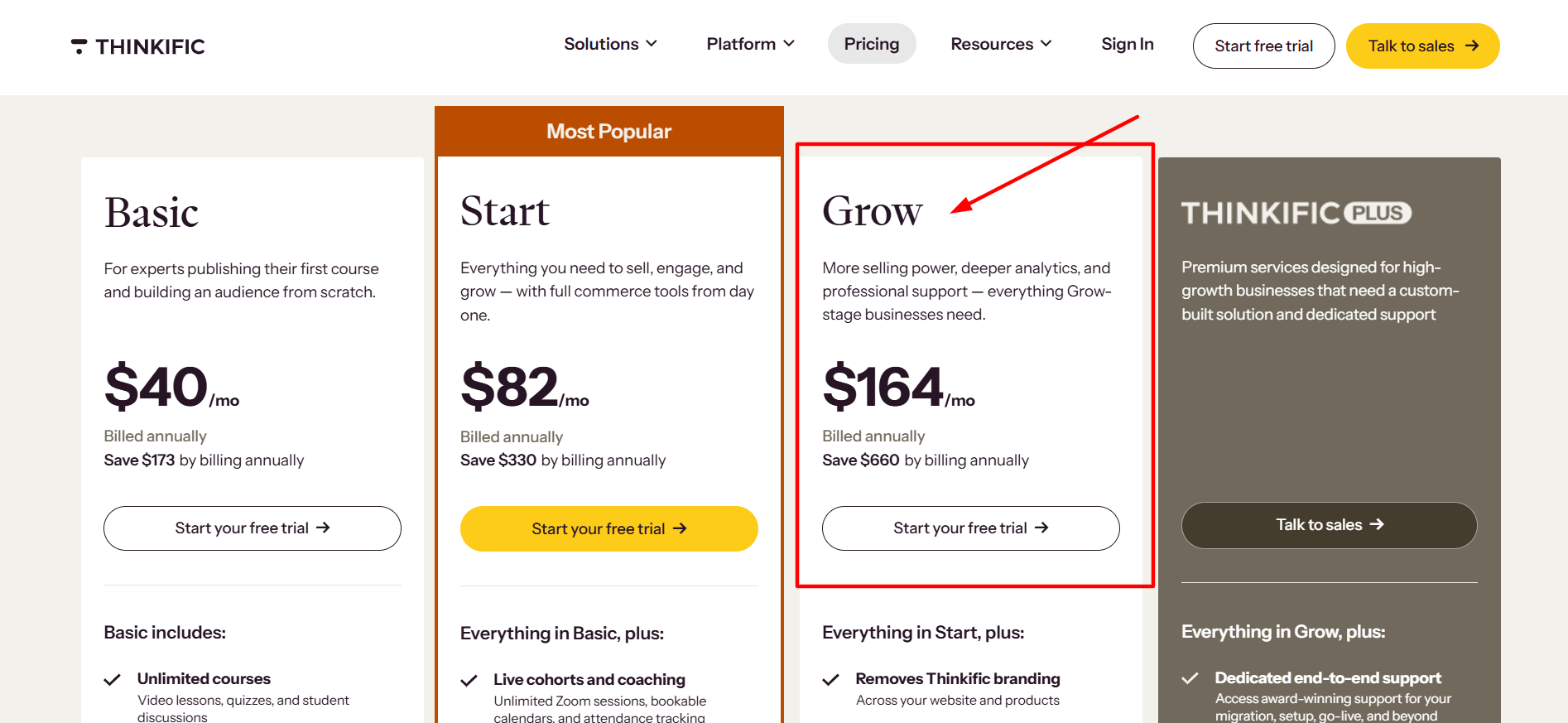
These tools can help a training company manage customers, coordinate its course business, and connect Thinkific with other systems. They may also benefit businesses that sell training packages to organizations rather than individual students.
Grow costs $219 per month or $1,968 per year. For an independent creator with a few courses, that price may be difficult to justify. It becomes more reasonable when the added features support your daily operations or help you manage business sales.
4. Expand: $499 Per Month
Expand is designed for organizations with more advanced learning and administration needs. Its published monthly price is $499, and you should contact Thinkific to confirm the current plan terms and included features before purchasing.
Higher-level offerings may include single sign-on, learning paths, SCORM support, custom roles, advanced analytics, dedicated support, and other features based on the agreement.
This tier is unlikely to make sense for a new course creator. It is aimed more at businesses that need a larger learning environment, specific integrations, or additional control over their training programs.
Is Thinkific Expensive?
Thinkific’s price depends on what you compare it with and how much revenue your courses generate. Basic can be manageable for an established creator, but even the entry-level subscription represents a recurring business expense.
Annual billing reduces the average monthly price of Basic, Start, and Grow. The trade-off is that you pay for the year upfront. If you’re still testing a course idea, committing to an annual plan may be premature.
Remember to budget for more than the subscription. Payment processing, marketing software, course production, and other services can increase your total operating costs.
Thinkific Features: What Works Well?
Pricing tells you how much you’ll spend, but the platform’s tools determine whether that money is well spent. Here are the main features worth examining.
1. Course Builder and Lesson Creation
Thinkific lets you organize course material into chapters and lessons. You can use video, text, images, audio, PDFs, downloads, and presentations to explain your subject in different ways.
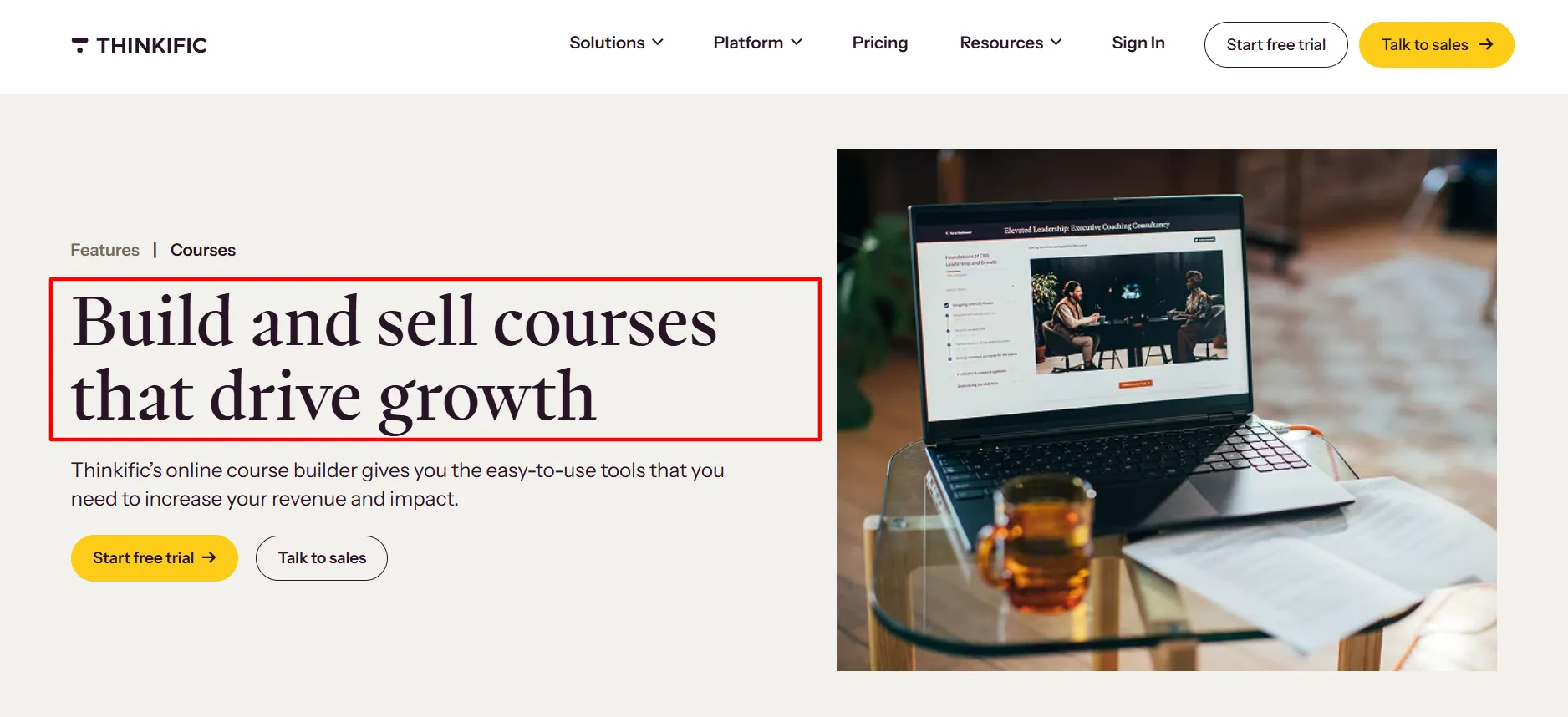
The platform also offers tools to help structure courses, including an AI course outline generator. AI-assisted quiz creation can help you prepare assessment questions, although you’ll still need to check their accuracy and relevance.
This flexibility is useful when a subject needs more than video lessons. You could combine demonstrations, reading materials, downloadable worksheets, and quizzes to give students different ways to learn.
इसमें कमी कहाँ है: Course creation still takes time. Thinkific can organize your material, but you must prepare the content, check the lessons, and make sure the learning sequence makes sense. Some creators may also want more control over course design than the available customization options provide.
2. Website Design and Branding
Thinkific includes tools for creating a website where visitors can learn about your courses and purchase them. You can present your products, explain what students will learn, and direct customers to checkout.
A custom domain helps your course business establish its own identity. You can also use Thinkific alongside an existing website instead of moving your entire online presence to the platform.
इसमें कमी कहाँ है: Thinkific’s website tools are primarily intended to support your educational business. If you need a highly customized website with unusual layouts, advanced content features, or extensive design control, you should examine the available options before committing.
You may prefer a dedicated website builder or WordPress if complete control over your site’s structure is a priority.
3. Checkout and Sales Features
Thinkific includes commerce tools that let you sell courses and related products. Depending on your plan, you can offer coupons, bundles, upsells, order bumps, payment plans, memberships, and subscriptions.
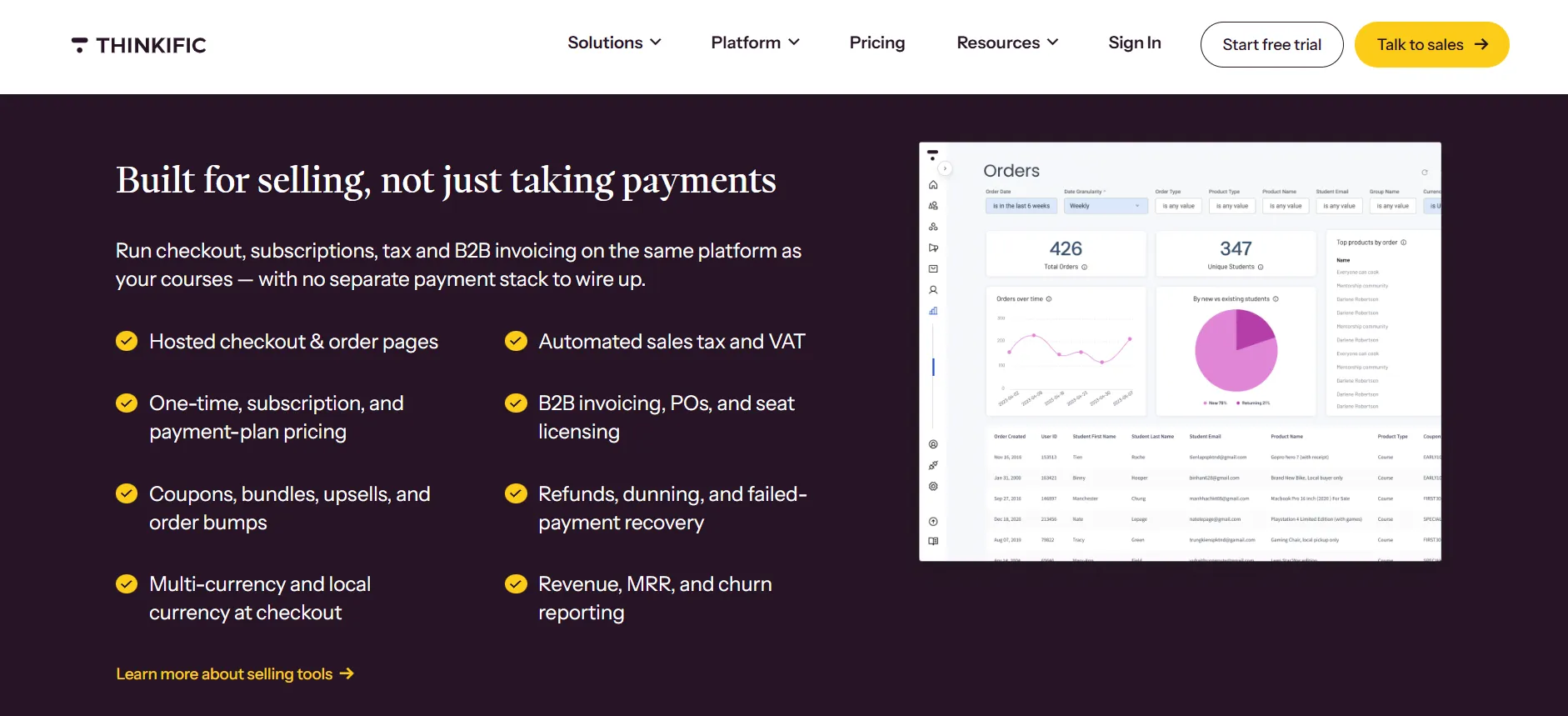
These features give you more flexibility in how you package your expertise. For instance, you could sell a course with a downloadable workbook or bundle several courses into one offer.
A subscription model can provide recurring revenue if you regularly publish new learning materials.
इसमें कमी कहाँ है: Not every sales feature is available on every plan. If you choose a lower tier and later need more advanced selling options, your monthly expense may increase after upgrading. Payment processing costs can also reduce your margins.
Before choosing a plan, list the ways you intend to sell your products and confirm that the required tools are included.
4. Student Management and Reporting
Thinkific provides tools to manage enrolments and review student activity. Depending on your subscription, dashboards and reports can help you understand course engagement and monitor the performance of your educational business.
Quizzes, assignments, discussions, and completion certificates can also support the student experience. These features give learners more ways to interact with course material and demonstrate what they’ve learned.
Reports can help you spot problems. If many students stop at the same lesson, for example, you might need to simplify the explanation or add a practical demonstration.
इसमें कमी कहाँ है: Reporting options vary by plan, so you should check whether the information you need is available at your chosen price. Businesses with complex reporting requirements may need a higher tier or additional tools.
5. Communities and Memberships
Thinkific supports communities that let students interact, ask questions, and stay connected with your business. Memberships and subscriptions can provide ongoing access to educational content rather than limiting your business to one-time course sales.
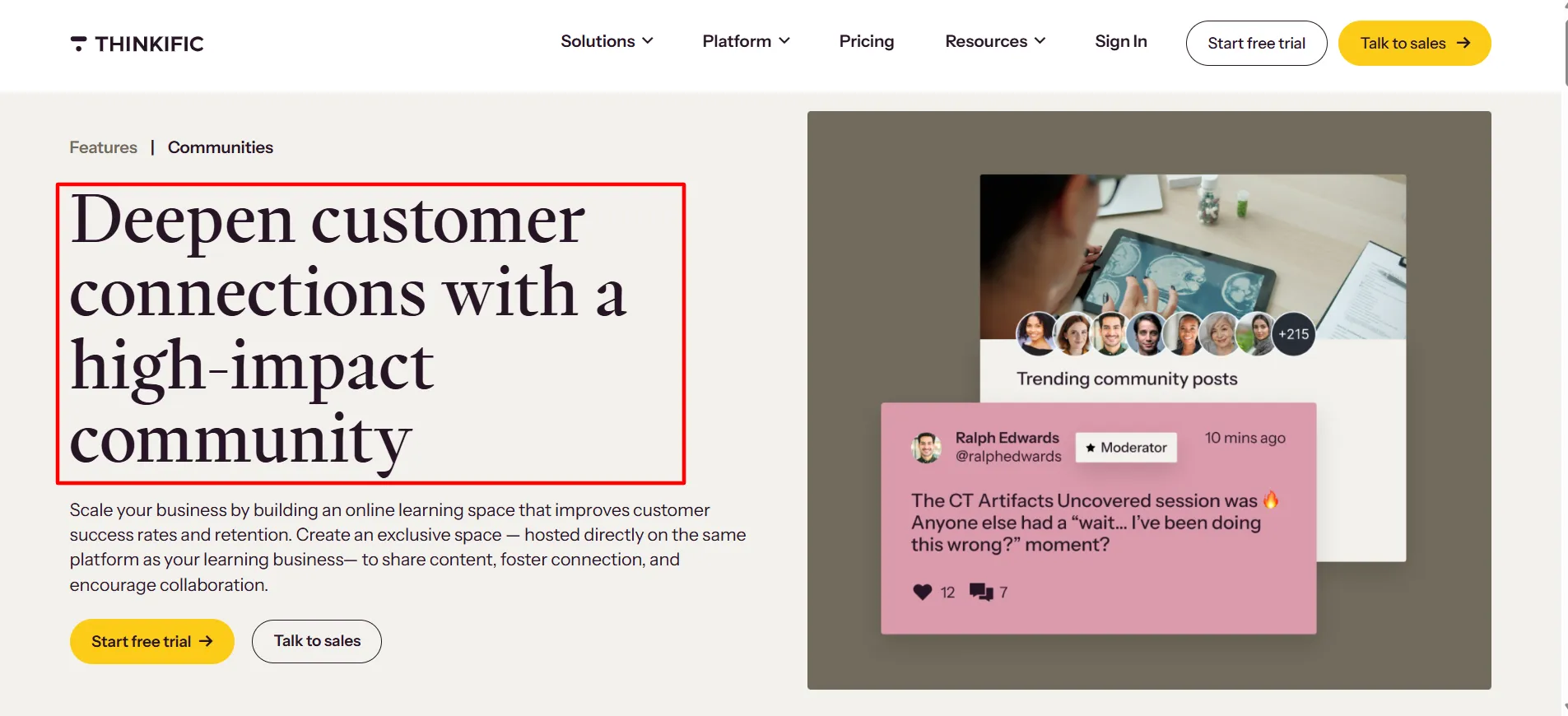
This setup may work well for coaches, professional educators, and creators who regularly publish new material or offer continued support.
इसमें कमी कहाँ है: These features aren’t necessary for every course business. If you only want to sell a single course, paying for a higher plan to access additional membership tools may not be worthwhile.
You should also consider how much time you can dedicate to managing a community. A membership can create recurring revenue, but learners expect ongoing value in return.
6. Integrations and AI Tools
Thinkific supports integrations that connect your course business with other services. Depending on your plan, API access and webhooks can provide more options for connecting systems and automating certain workflows.
Its AI features can help with course outlines, quiz creation, and some learner-support tasks. These tools may reduce the time needed to prepare course materials or organize information.
इसमें कमी कहाँ है: An integration may require a separate subscription, adding to your total cost. AI-generated material also needs careful review.
It can make mistakes, overlook context, or produce generic questions that don’t test students’ understanding properly.
Treat AI as an assistant during course production, not as a replacement for your expertise.
Pros and Cons: Thinkific Review
Thinkific brings many parts of an online course business together, but the subscription model and feature restrictions deserve attention.
फ़ायदे
- Course creation in one place: Organize lessons and learning materials without building a custom platform.
- Multiple ways to earn: Sell courses, downloads, memberships, and other educational products.
- Useful checkout features: Eligible plans support offers such as bundles, upsells, coupons, and payment plans.
- Student management tools: Keep track of enrolments and use available reports to review engagement.
- Beginner-friendly setup: You don't need advanced coding skills to publish a course website.
- Options for growing businesses: Higher plans add features for larger teams and more involved training operations.
नुकसान
- Subscription costs add up: Even Basic requires a recurring payment.
- Higher plans are expensive: Start and Grow cost significantly more than the entry-level option.
- Annual billing requires upfront payment: The lower average monthly price comes with a larger initial charge.
- Feature access depends on your plan: Some sales, reporting, and administrative tools require an upgrade.
- Customization may not meet every need: Businesses with specialized website requirements should compare other solutions.
- Other business expenses remain: Payment processing and third-party services can increase your overall costs.
Is Thinkific Easy for Beginners?
Thinkific is designed to help people build and sell courses without needing to code a learning platform. Course creation, product settings, website management, and student administration are handled through its dashboard.
Still, launching a course isn’t a one-click process. You’ll need to plan the lessons, record or write the material, set a price, prepare your sales page, and test the experience from a student’s perspective.
A practical way to get started is to create a small course before building a large library. This helps you learn the platform and check whether your audience is interested in the subject before investing heavily in production.
Thinkific’s support documentation can help you learn the tools, though the level of support available may depend on your plan.
Thinkific Alternatives Worth Considering
Thinkific isn’t the only option for selling online courses. Depending on your budget and priorities, another platform may provide a better fit.
पढ़ाने योग्य: Consider it if you want a platform focused on selling courses and coaching products.
लर्नवर्ल्ड्स: Worth exploring if interactive learning experiences are a priority.
काजाबी: May suit creators who want courses alongside broader marketing and digital-business tools.
WordPress with an LMS plugin: Offers greater control over your website, but you may need to manage hosting, updates, plugins, and integrations yourself.
Compare the current plans before deciding. A cheaper subscription isn’t automatically the least expensive option if you need paid add-ons to get the features you want.
On the other hand, paying for a higher Thinkific plan makes little sense if a simpler platform already covers your requirements.
Who Should Use Thinkific, and Who Should Avoid It?
Thinkific is worth considering if you want to build a dedicated online learning business and need course creation, checkout, and student management in one place.
यह इनके लिए उपयुक्त हो सकता है:
Creators who already have an audience and want to sell educational products.
Coaches who need a structured way to deliver paid programs.
Businesses that sell training to customers or other organizations.
Educators who want to combine courses with memberships or communities.
Thinkific may be a poor fit if you haven’t tested your idea, have a very limited budget, or only need a simple website with a few resources. You may also want to compare alternatives if you need advanced website customization or specialized learning features that aren’t included in your preferred plan.
The deciding factor should be your actual workflow, not the number of features listed on the pricing page.
Is Thinkific Worth the Cost?
Thinkific can justify its price when you use its tools to run a real course business. It combines lesson delivery, website features, selling options, and student management in one service, which can reduce the effort involved in assembling a system from separate products.
Basic is a reasonable starting point for many independent creators. Start may make sense if memberships, subscriptions, or additional teaching formats are central to your offer.
Grow is better suited to businesses that need more administrative and reporting tools, while Expand is intended for larger operations.
The main concern is the ongoing expense. If your course has not generated sales yet, even the Basic subscription can put pressure on your budget. Higher tiers need a clear business reason, particularly when you also have to pay for marketing, content production, and payment processing.
My recommendation is to begin with the lowest plan that covers your current requirements. Use the trial to test course creation, checkout, and the student experience. Estimate your total costs before choosing annual billing, and upgrade only when you need features that your current plan doesn’t provide.
FAQs: Thinkific Review
Thinkific's current pricing page advertises a 30-day free trial rather than a permanent free plan. Check the latest trial terms to confirm which features you can test and when billing begins.
The published US monthly prices are $54 for Basic, $109 for Start, $219 for Grow, and $499 for Expand. Annual billing is available for the main plans at $475, $978, and $1,968 per year for Basic, Start, and Grow, respectively. Taxes and other applicable charges may apply.
Yes, Thinkific can work for beginners who want to create and sell courses without building their own learning platform. You'll still need to prepare lessons, set up your product, and attract customers.
Basic is worth considering if you need the core course creation and selling tools. Start may suit businesses that need memberships or subscriptions, while Grow is aimed at businesses that require additional administrative and reporting features. Expand is intended for larger training operations.
Payment processing fees can apply, depending on your payment method and location. Additional charges may apply to certain third-party payment gateway arrangements. Check the latest Thinkific payment terms and calculate these costs before setting your course prices.
Yes. Thinkific can manage your courses and educational products while you continue using an existing website for other parts of your business. Review its integration options to make sure your planned setup will work.
Paid customers can manage their subscriptions through the Thinkific admin dashboard. You can review available plan changes, but check the new price and feature differences before confirming. Moving to a lower tier may mean losing access to some tools.
त्वरित सम्पक:
Final Verdict: Thinkific Review
Thinkific offers a practical way to create, market, and deliver online courses without developing a learning platform from scratch. Its course builder, checkout tools, student management features, and membership options can support a range of education businesses.
Its main weakness is the cost of access. The entry-level plan already requires a monthly subscription, and the price rises considerably if you need advanced sales, reporting, or administrative tools.
Annual billing can reduce the average monthly cost, but it also asks you to commit more money upfront.
For creators with an established audience and a clear plan for selling courses, Thinkific is worth a look. For someone who is still testing an idea or needs extensive customization on a tight budget, comparing alternatives first is a sensible move.
तल - रेखा: Thinkific is a capable course platform, but it isn’t automatically the right choice for every creator. Choose a plan based on the features you’ll use today, calculate the full cost of running your course business, and test the platform before making a longer commitment.