Canonical URLs boost SEO by helping websites maintain strong search rankings and avoid duplicate content problems. These simple HTML tags signal to search engines which version of a page should be treated as the main one, consolidating authority and link equity. When used correctly, canonical URLs improve site visibility, strengthen technical SEO, and create a cleaner experience for both users and crawlers. In this guide, you’ll learn how to implement canonical URLs effectively and steer clear of common mistakes that can hold back your rankings.
Master Canonical URLs Boost SEO for Better Search Performance
Canonical URLs boost SEO as they act like traffic directors, pointing search engines to the “master” version of a page when multiple similar versions exist. They consolidate ranking signals, ensuring the right page ranks. Without them, search engines guess, which can hurt your visibility. Here’s how to implement canonical URLs correctly and why they matter.
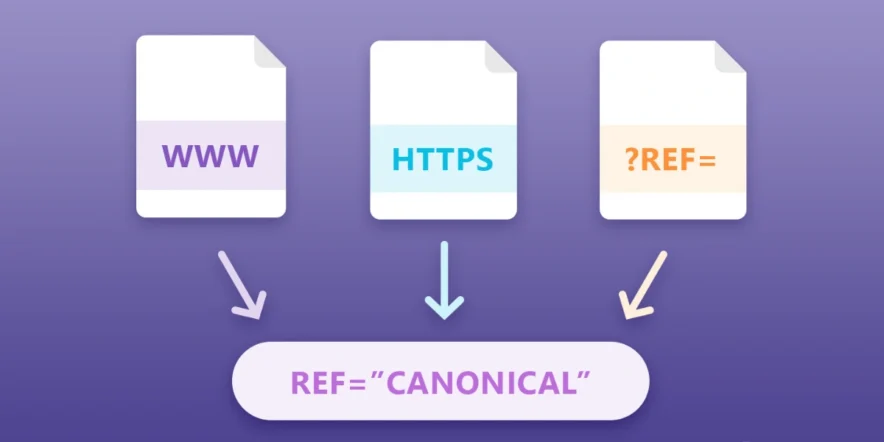
- Why Canonical URLs Are Critical:
- Prevent duplicate content from confusing search engines.
- Consolidate ranking signals to boost the preferred page.
- Support complex site structures with filtered or syndicated content.
- Avoid indexing issues that harm search visibility.
- How to Implement Canonical URLs:
- Add <link rel=”canonical” href=”https://example.com/preferred-url”> in the page’s head section.
- Use absolute URLs, not relative ones.
- Ensure all duplicate pages point to the same canonical URL.
- Align canonicals with redirects, sitemaps, and internal links.
- Check for conflicts in Google Search Console to avoid errors.
Also Read: ZeroGPT Review– The Best Tool to Spot AI-Written Content
- Common Mistakes to Avoid:
- Using relative URLs instead of absolute ones.
- Pointing internal links to non-canonical pages.
- Including non-canonical URLs in XML sitemaps.
- Setting redirects that contradict canonical tags.
- Ignoring slow-loading canonical pages, as user experience matters.
- Key Insights:
- Canonical tags are signals, not commands—Google may override them based on links or user behavior.
- Align canonicals with other SEO elements like internal links and hreflang tags.
- Misaligned signals can trigger “Google selected different canonical” warnings.
- Regularly audit your site to ensure consistent canonical implementation.
By mastering canonical URLs, you control how search engines view your site’s structure. A holistic approach, aligning all technical SEO elements, prevents conflicts and maximizes rankings. Use tools like Google Search Console to monitor and fix issues, ensuring your canonical strategy supports long-term SEO success.
More News To Read: Ahrefs’ SEO Acquisition: What Changes Will User See?