Losing important files can happen without warning.
You might accidentally delete your work documents, format an SD card, lose photos from an external drive, or discover that a partition is no longer accessible. When there is no backup available, data recovery software may help.
EaseUS Data Recovery Wizard and Stellar Data Recovery are two popular names in the data recovery market.
Both are designed to search storage devices for deleted or inaccessible files and help users recover data without requiring advanced technical knowledge.
However, EaseUS and Stellar are not exactly the same. Their interfaces, editions, recovery features, pricing structures, and additional tools can differ.
In this EaseUS vs Stellar Data Recovery comparison, we will look at both programs, their main features, recovery process, supported devices, pricing, advantages, disadvantages, and which type of user each tool is better suited for.
What Is EaseUS Data Recovery Wizard?
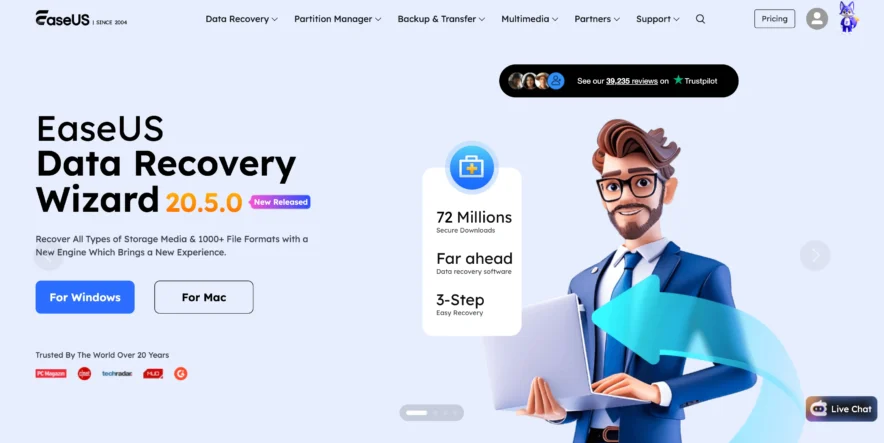
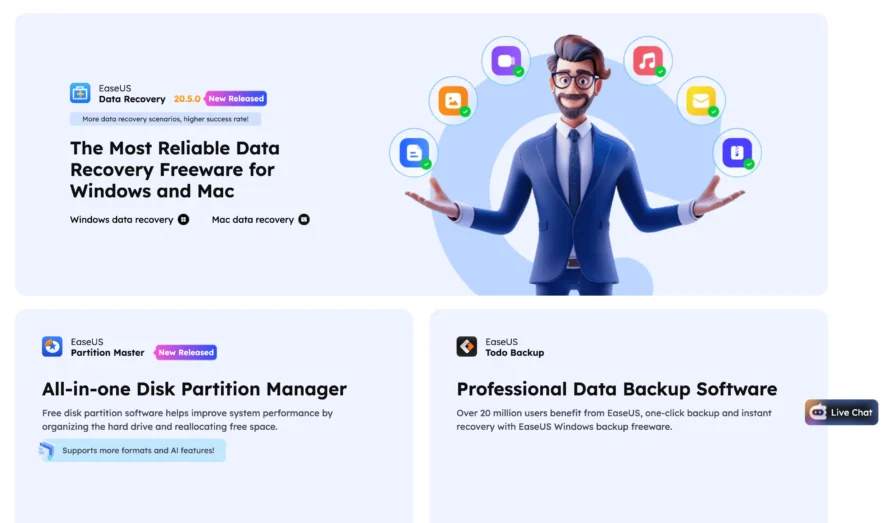
EaseUS Data Recovery Wizard is software designed to recover deleted, formatted, or inaccessible files from different types of storage devices.
What Can EaseUS Recover?
EaseUS can search for many common types of files, including:
- Photos
- Videos
- Documents
- Audio files
- Emails
- Archives
- Other supported file formats
The software is available for Windows and Mac, although specific features can vary between the two versions.
Which Devices Does EaseUS Support?
EaseUS can scan different storage devices, including:
- Internal hard drives
- SSDs
- External hard drives
- USB flash drives
- SD cards
- Memory cards
- Supported storage partitions
This makes it useful for both regular computer users and people working with external storage.
How Does EaseUS Work?
The basic recovery process is simple.
Choose the storage device where the files were lost and start scanning. EaseUS searches the selected device and displays files that may be recoverable.
You can filter the scan results, search for filenames, preview supported files, and select the files you want to restore.
What Is Stellar Data Recovery?
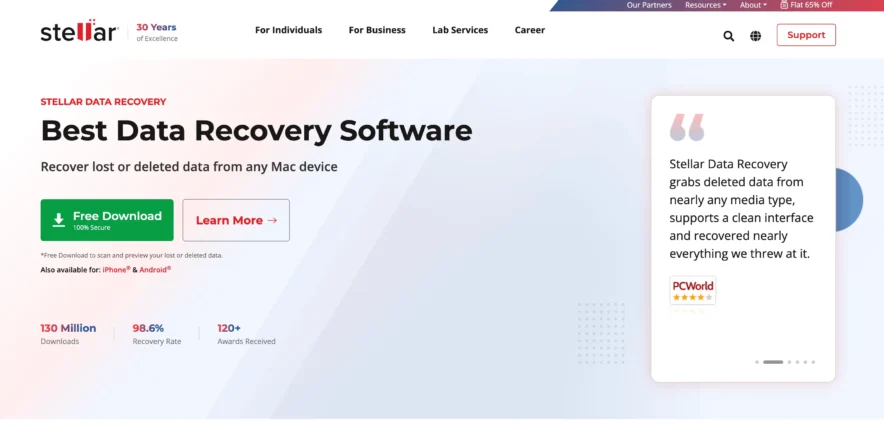
Stellar Data Recovery is another established data recovery application. It provides recovery software for Windows and macOS and offers different editions depending on the features required.
What Can Stellar Recover?
Stellar is designed to search for several types of lost data, including:
- Documents
- Photos
- Videos
- Audio
- Emails
- Folders
- Other supported file formats
It can be used for common situations such as accidental deletion, formatting, lost partitions, and inaccessible storage.
Which Devices Does Stellar Support?
Stellar can work with supported:
- HDDs
- SSDs
- USB drives
- External drives
- SD cards
- Memory cards
- Storage partitions
Exact capabilities can depend on the edition you purchase.
How Does Stellar Work?
Stellar follows a guided recovery process.
You select the type of data you want to recover, choose the storage location, and start scanning.
After the scan, you can review the results and select files for recovery. Preview support is also available for many common file formats.
EaseUS vs Stellar Data Recovery: Quick Comparison
| Feature | EaseUS | Stellar |
|---|---|---|
| Windows support | Yes | Yes |
| Mac support | Yes | Yes |
| Deleted file recovery | Yes | Yes |
| Formatted drive recovery | Yes | Yes |
| Partition recovery | Yes | Yes |
| SD card recovery | Yes | Yes |
| USB recovery | Yes | Yes |
| File preview | Yes | Yes |
| Free version | Yes | Yes |
| Beginner friendly | Yes | Yes |
| Multiple paid editions | Yes | Yes |
Both tools cover the main features most users expect from data recovery software.
The bigger differences appear when looking at the interface, additional features, edition structure, and pricing.
EaseUS vs Stellar: Ease of Use
A data recovery tool should be simple because many people using it are not IT professionals.
EaseUS Ease of Use
EaseUS has a clean interface that focuses on available storage locations.
You normally select a drive and start scanning. The software then displays the files it finds.
Filters can help you narrow the results based on file type and other available information.
For beginners, this straightforward process is one of EaseUS’s biggest advantages.
Stellar Ease of Use
Stellar also uses a beginner-friendly process.
It normally asks you what type of files you want to recover before you select the storage location.
For example, you can choose to search for photos, videos, documents, or all data.
This can be helpful if you already know exactly what you have lost.
Which Is Easier to Use?
Both tools are easy enough for beginners.
EaseUS feels slightly more focused on choosing the drive first and immediately starting recovery, while Stellar provides additional choices before scanning.
The better interface mainly comes down to personal preference.
EaseUS vs Stellar: Data Recovery Features
Both programs can handle many common data-loss situations.
EaseUS Recovery Features
EaseUS can help search for data lost because of:
- Accidental deletion
- Recycle Bin deletion
- Drive formatting
- Lost partitions
- SD card formatting
- USB data loss
- External drive problems
- Certain file-system issues
It can scan the storage location and organize discovered files into categories.
Stellar Recovery Features
Stellar can also search for files affected by:
- Accidental deletion
- Formatting
- Lost partitions
- Inaccessible partitions
- External storage problems
- Memory card data loss
- USB drive data loss
Some higher Stellar editions may include additional recovery or repair features.
Which Has Better Recovery Features?
For standard deleted-file recovery, both products provide similar core functions.
Stellar offers several editions aimed at different needs, while EaseUS generally keeps the normal recovery workflow relatively simple.
Neither program can guarantee successful recovery.
The result depends on the condition of the storage device and whether deleted data has already been overwritten.
EaseUS vs Stellar: Scanning Options
Scanning quality is an important part of recovery software.
EaseUS Scanning
EaseUS searches the selected storage device for lost files and displays results while the scan progresses.
You can then filter results based on the type of file you need.
For example, if you only want deleted photos, you can focus on image files instead of checking thousands of unrelated documents.
Stellar Scanning
Stellar also provides scanning options for locating deleted or inaccessible data.
Users can select the type of files they want to find before scanning.
For more difficult recovery situations, deeper scanning options may be available.
Which Scan Is Better?
There is no guaranteed winner.
One tool may identify a particular file while another may have trouble finding it.
If the files are important, testing the free versions of both programs can be useful before paying.
EaseUS vs Stellar: File Preview
Finding a deleted file does not automatically mean it is usable.
EaseUS File Preview
EaseUS allows users to preview many supported file formats before recovery.
This is particularly useful for:
- Photos
- Documents
- Videos
- Other supported formats
A successful preview can provide some indication that the file is readable.
Stellar File Preview
Stellar also provides preview functionality for supported files.
This helps users check scan results before choosing which files to recover.
Previewing is especially helpful when original filenames or folder structures are missing.
EaseUS vs Stellar: Free Version
Both EaseUS and Stellar provide free editions, but they have limitations.
EaseUS Free Version
EaseUS Data Recovery Wizard Free allows users to scan storage devices and recover a limited amount of data.
It can be useful if you only need to restore a few files.
More importantly, the scan allows you to check whether EaseUS can locate your missing files before purchasing the full version.
Stellar Free Version
Stellar also provides a free data recovery option with restrictions.
It can be used to scan for lost files and may allow a limited amount of recovery depending on the current version and platform.
Free recovery allowances can change, so always check the current terms before relying on a specific limit.
EaseUS vs Stellar: Pricing
Price is an important consideration because some people only need data recovery software once.
EaseUS Pricing
EaseUS usually offers multiple licensing options depending on the operating system and subscription period.
Paid plans provide greater recovery capacity and additional features compared with the free version.
Before buying, check:
- Current subscription cost
- Renewal terms
- Recovery limits
- Supported computers
- Refund policy
- Technical support
EaseUS pricing can change, so checking the latest plan details is recommended.
Stellar Pricing
Stellar offers different editions of its recovery software.
Depending on the platform, these may include versions aimed at basic file recovery as well as higher editions with additional capabilities.
The higher editions can cost more because they may include extra tools.
EaseUS vs Stellar Pricing Comparison
| Pricing Factor | EaseUS | Stellar |
|---|---|---|
| Free edition | Yes | Yes |
| Paid editions | Yes | Yes |
| Multiple license choices | Yes | Yes |
| Recovery limits on free plan | Yes | Yes |
| Advanced editions | Available | Available |
| Best approach | Scan before buying | Scan before buying |
Since pricing and promotions change, compare the current plans directly before purchasing.
EaseUS vs Stellar for Photo Recovery
Photos are among the most common files people try to recover.
EaseUS Photo Recovery
EaseUS can search for deleted or lost photos from:
- Hard drives
- External drives
- SD cards
- USB drives
- Memory cards
Its filtering system makes it easier to focus on image files after a scan.
Stellar Photo Recovery
Stellar can also recover supported photo formats from different storage devices.
Stellar additionally has products and editions aimed specifically at photo and media recovery.
Photographers may find these specialized options useful depending on their needs.
Which Is Better for Photos?
For basic deleted-photo recovery, both can be useful.
If you need straightforward recovery, EaseUS is easy to understand. If you want more specialized media-focused recovery options, Stellar’s broader product range may be worth checking.
EaseUS vs Stellar for SD Card Recovery
Both programs support common memory-card recovery situations.
EaseUS SD Card Recovery
EaseUS can scan supported SD cards for deleted photos, videos, documents, and other files.
It can be useful when an SD card has been accidentally formatted or files have been deleted.
Stellar SD Card Recovery
Stellar can also scan memory cards and search for deleted or inaccessible data.
Its media-focused recovery products may appeal to photographers and video creators.
Regardless of which program you use, stop using the memory card immediately after noticing data loss.
New photos and videos could overwrite old data.
EaseUS Pros and Cons
EaseUS Pros
- Simple interface
- Good for beginners
- Supports multiple storage devices
- Deleted-file recovery
- Formatted-drive recovery
- File filtering
- Preview support
- Free version available
- Works with Windows and Mac
EaseUS Cons
- Free recovery is limited
- Premium plans can be expensive for one-time users
- Large scans may take time
- Not every deleted file can be recovered
- Subscription terms should be checked carefully
Stellar Data Recovery Pros and Cons
Stellar Pros
- Beginner-friendly recovery process
- Windows and Mac support
- Multiple recovery editions
- Supports external storage
- SD card recovery
- File preview support
- Free version available
- Specialized options for certain recovery needs
Stellar Cons
- Different editions can make choosing a plan confusing
- Advanced features may require more expensive versions
- Free recovery has limitations
- Scanning large drives may take time
- Recovery cannot be guaranteed
Who Should Choose EaseUS?
EaseUS is a good choice for people who want a straightforward recovery tool without too many complicated options.
EaseUS Is Better Suited For:
- Beginners
- Home users
- Students
- Office workers
- Users recovering accidentally deleted files
- Users recovering data from USB drives
- People recovering files from SD cards
- Users who prefer a simple interface
The basic workflow is easy to understand, making it suitable for someone trying data recovery software for the first time.
Who Should Choose Stellar Data Recovery?
Stellar may be a better fit for users who want more choices between recovery editions.
Stellar Is Better Suited For:
- Users who want multiple product editions
- Photographers
- Users working with photos and videos
- People recovering external storage
- Users who want additional advanced features
- Windows and Mac users
Stellar’s wider range of editions can be useful, although you should carefully check which features are included before buying.
EaseUS vs Stellar: Important Recovery Tips
Regardless of which software you choose, your actions after losing data can affect the recovery result.
Stop Using the Storage Device
Do not continue saving new files to the affected drive.
New data can overwrite deleted files and make recovery impossible.
Do Not Install Recovery Software on the Affected Drive
Whenever possible, install the recovery program on another drive.
Installing new software creates data and could overwrite the files you are trying to restore.
Save Recovered Files Somewhere Else
Recover files to another drive or external storage device.
Avoid restoring them directly to the same drive you are scanning.
Do Not Ignore Physical Drive Problems
If a hard drive is making unusual noises, disconnecting repeatedly, or failing to appear correctly, software recovery may not be the safest approach.
Important data on a physically damaged drive may require professional recovery services.
EaseUS vs Stellar Data Recovery: Final Verdict
EaseUS and Stellar Data Recovery are both established tools for recovering accidentally deleted, formatted, or inaccessible files.
EaseUS is particularly attractive for users who want a simple recovery process. Its interface makes it easy to select a storage location, start scanning, filter the results, preview files, and recover the required data.
Stellar Data Recovery also provides an easy recovery process, but its larger selection of editions can be useful for users who need more specialized features.
Photographers and users working heavily with media files may find some of Stellar’s specialized recovery options interesting.
For basic file recovery, there is no need to choose based only on the brand name.
Install the appropriate free edition, scan your storage device, and see whether the software can find and preview the files you actually need.
If EaseUS produces better results, its paid version may make more sense. If Stellar finds your files more successfully or provides the specific advanced features you require, Stellar may be the better choice.
Most importantly, remember that neither EaseUS nor Stellar can guarantee recovery. Stop using the affected storage device as soon as possible and avoid writing new data to it.
That simple step can be more important than the recovery software you eventually choose.