Choosing the right Thinkific pricing plan can make a real difference to your online business budget. If you’re planning to sell online courses, offer coaching, or build a membership community, you need a platform that supports your goals without eating into your profits.
Thinkific offers several subscription options, from a starter plan for independent creators to higher-tier plans for established businesses and larger training teams.
The right choice depends on what you’re building. A new creator may be happy with the tools in Basic, while someone selling memberships or managing a growing course catalog may benefit from Start or Grow. Larger organizations can also explore Thinkific’s Expand offering.
Thinkific updated the prices of several plans in August 2026, so older pricing articles may no longer reflect the current rates. Below, we’ll look at the latest published prices, compare the plans, explain additional expenses, and help you decide which option makes sense for your business.
Thinkific Plans and Pricing at a Glance
Thinkific offers monthly and annual billing on its main self-service plans. Annual subscriptions lower the average monthly cost, but require an upfront payment for the full year.
Plan | Monthly price | Annual monthly equivalent | Total annual cost |
|---|---|---|---|
Basic | $54/month | About $40/month | $475/year |
Start | $109/month | About $82/month | $978/year |
Grow | $219/month | About $164/month | $1,968/year |
Expand | $499/month | Confirm with Thinkific | Confirm with Thinkific |
Expand remained at its published monthly price of $499 during that update.
The difference between these plans isn’t just the price. Each one targets a different type of business, so it’s worth checking the features carefully before deciding.
1. Thinkific Basic: $54 Per Month
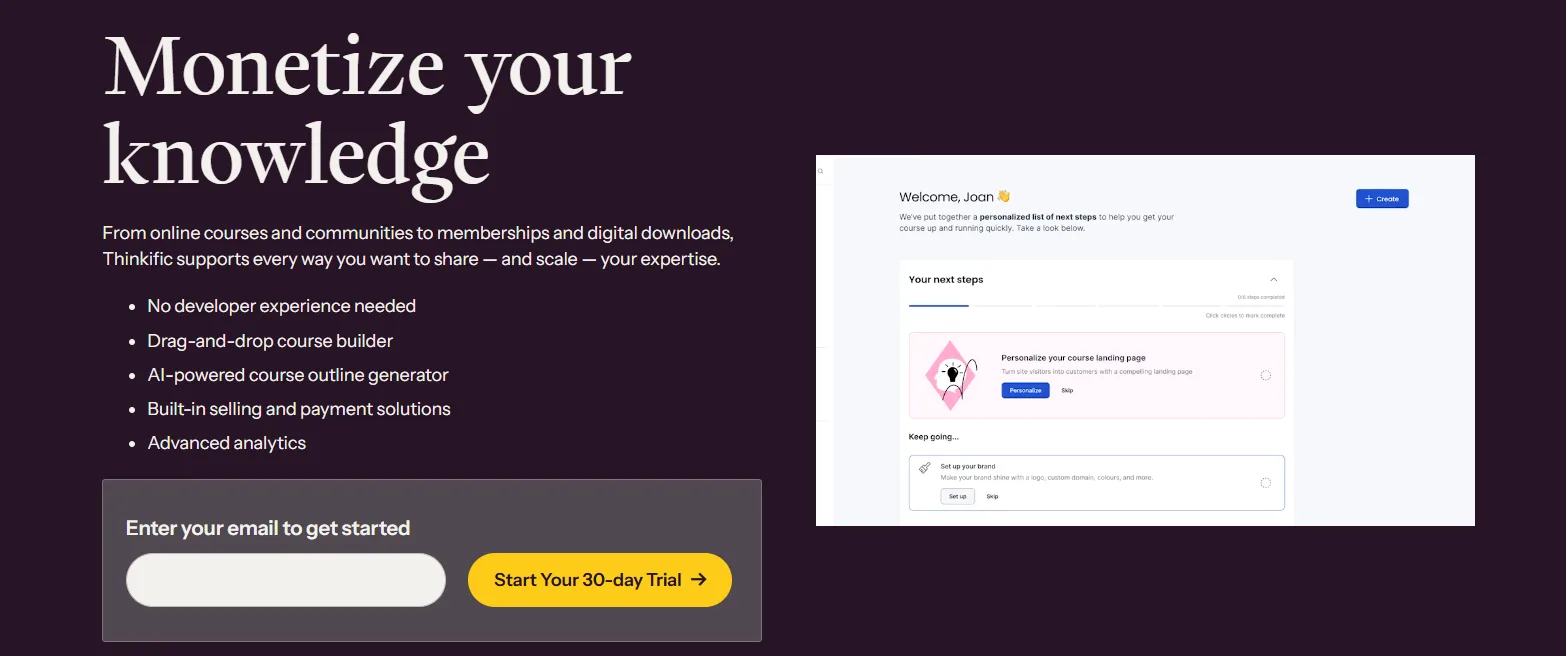
Basic is designed for people who want to start selling online courses without taking on the cost of a more advanced subscription. It gives creators a starting point for building a course business and delivering learning content online.
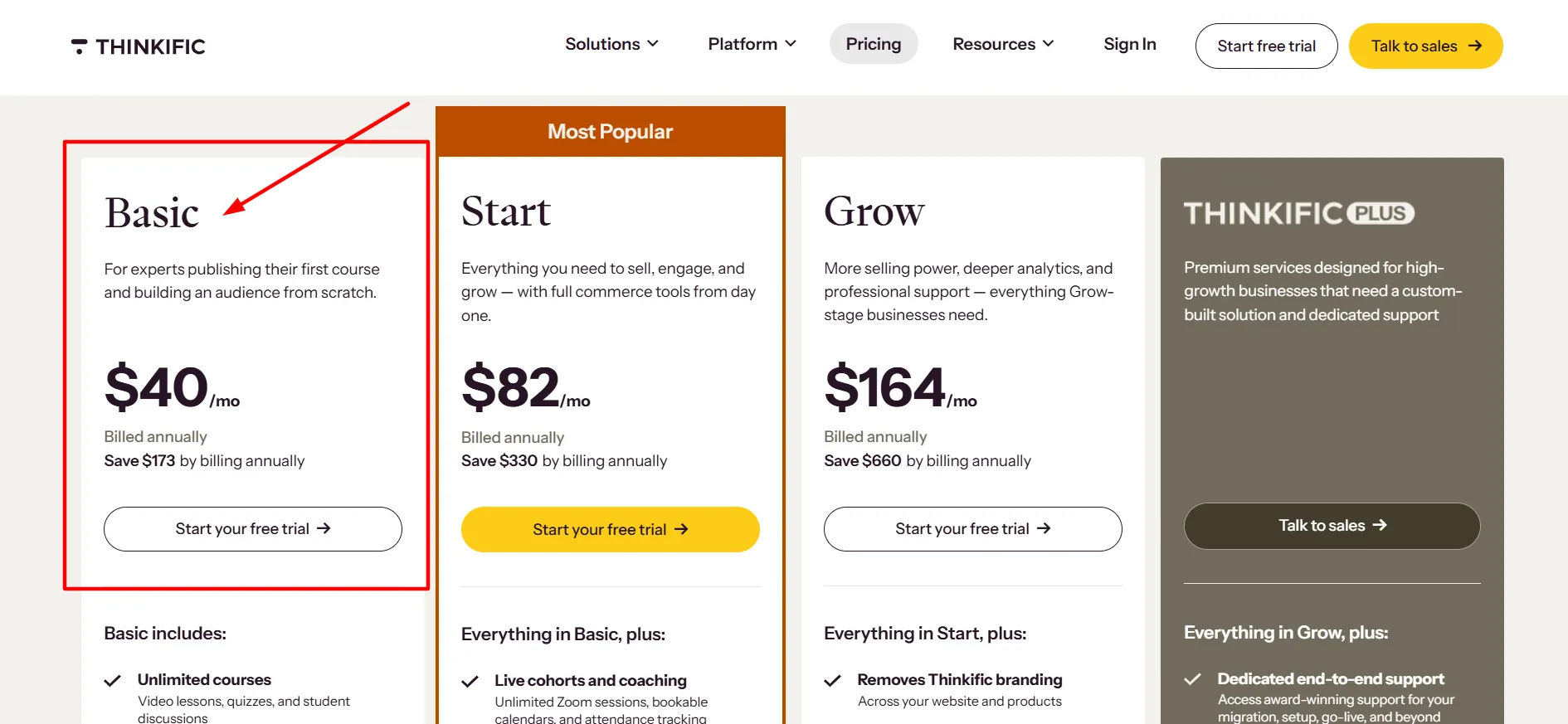
You can organize lessons, create an online learning experience, manage students, and sell educational products. For someone launching a first course, these tools may cover most of the initial requirements.
Who Is Basic Best For?
Basic is worth considering if you’re:
Launching your first online course.
A coach or consultant turning your expertise into a paid program.
An independent educator with a small course catalog.
A small business that wants to sell training content online.
For example, a marketing consultant could create a course on social media strategy and sell access through a course website. A language teacher could organize lessons into modules and let students work through the material at their own pace.
Basic can also be a sensible choice if you already have an audience and simply need a platform to deliver your content. You can keep your subscription costs down while spending more of your budget on improving the course and attracting customers.
Is Basic Good Value?
With monthly billing, Basic costs $54 per month. Annual billing costs $475, bringing the average monthly expense to about $40.
Paying month by month for a full year would cost $648, so the annual plan saves $173 at the listed prices.
That saving is useful if you know you’ll continue using Thinkific for the year. If your course is still in development or you’re testing whether people will pay for it, monthly billing gives you more freedom to change direction.
One thing to keep in mind is that Basic may not cover every need as your business grows. If you plan to sell memberships, build a paid community, or give more people access to manage your learning business, compare the higher plans before subscribing.
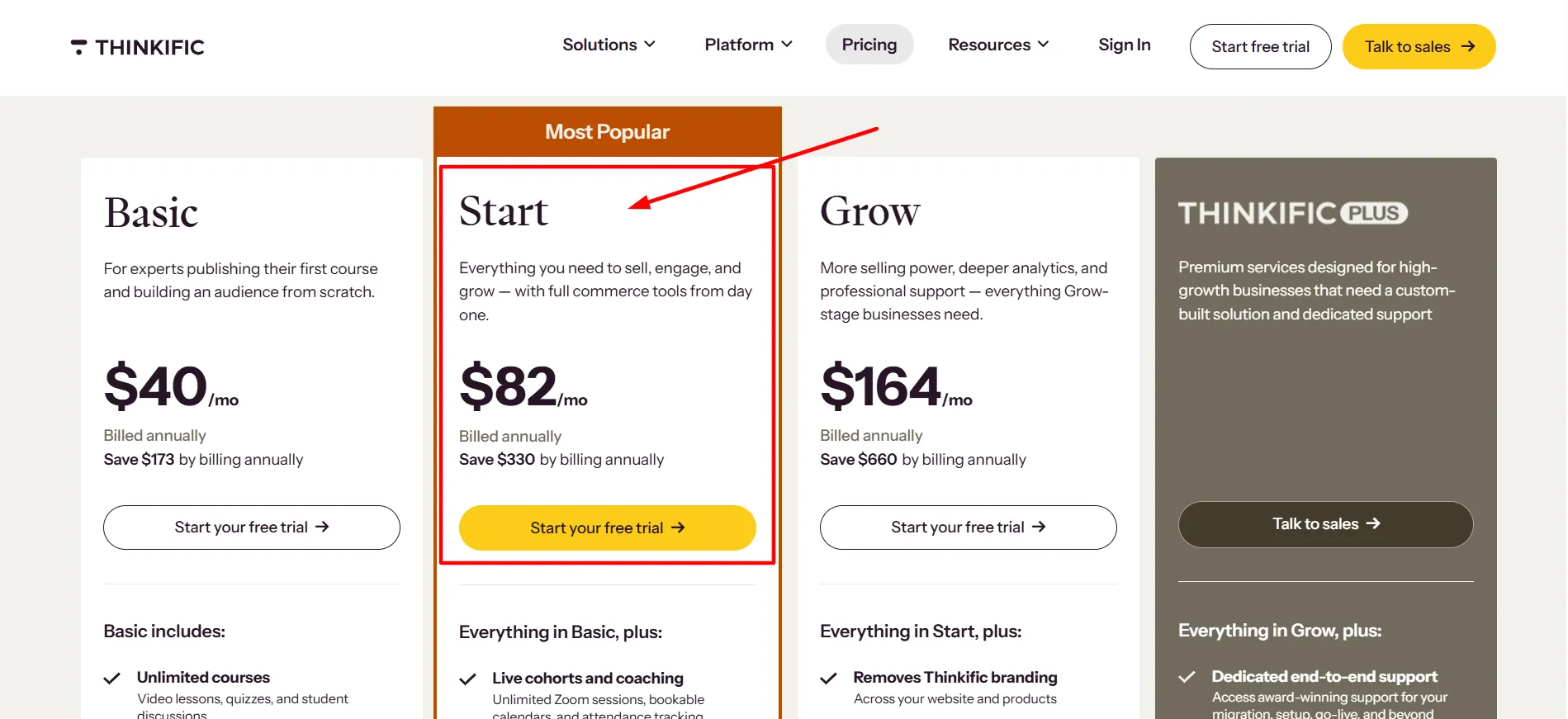
2. Thinkific Start: $109 Per Month
Start is aimed at creators who need more than a straightforward course setup. It can suit a business that’s adding new products or looking for ways to build an ongoing relationship with students.
Depending on the current plan inclusions, Start offers additional capabilities for memberships and community-based learning. These features can help creators develop recurring revenue rather than relying only on one-time course purchases.
Imagine a fitness instructor who sells a workout course and also wants to offer members ongoing programs. Or consider a business coach who wants to sell a course alongside a private learning community. A plan with the right membership and engagement tools may make these offers easier to manage.
Who Should Choose Start?
Start may be a better match for:
Creators planning to sell paid memberships.
Coaches who offer continuing programs.
Educators expanding into different learning products.
Businesses that need more engagement options than a single course provides.
Does Start Justify the Higher Price?
Start costs $109 per month or $978 per year with annual billing. The annual option works out to about $82 per month.
Compared with Basic’s annual price, Start costs an additional $503 per year. That extra amount makes sense when you need the tools that come with the upgrade. If your business model depends on recurring memberships or community access, those features may support the way you earn revenue.
If you’re only planning to sell one or two self-paced courses, though, you may not need to pay more yet. Review Thinkific’s current plan comparison and make sure the features you want are included before moving up.
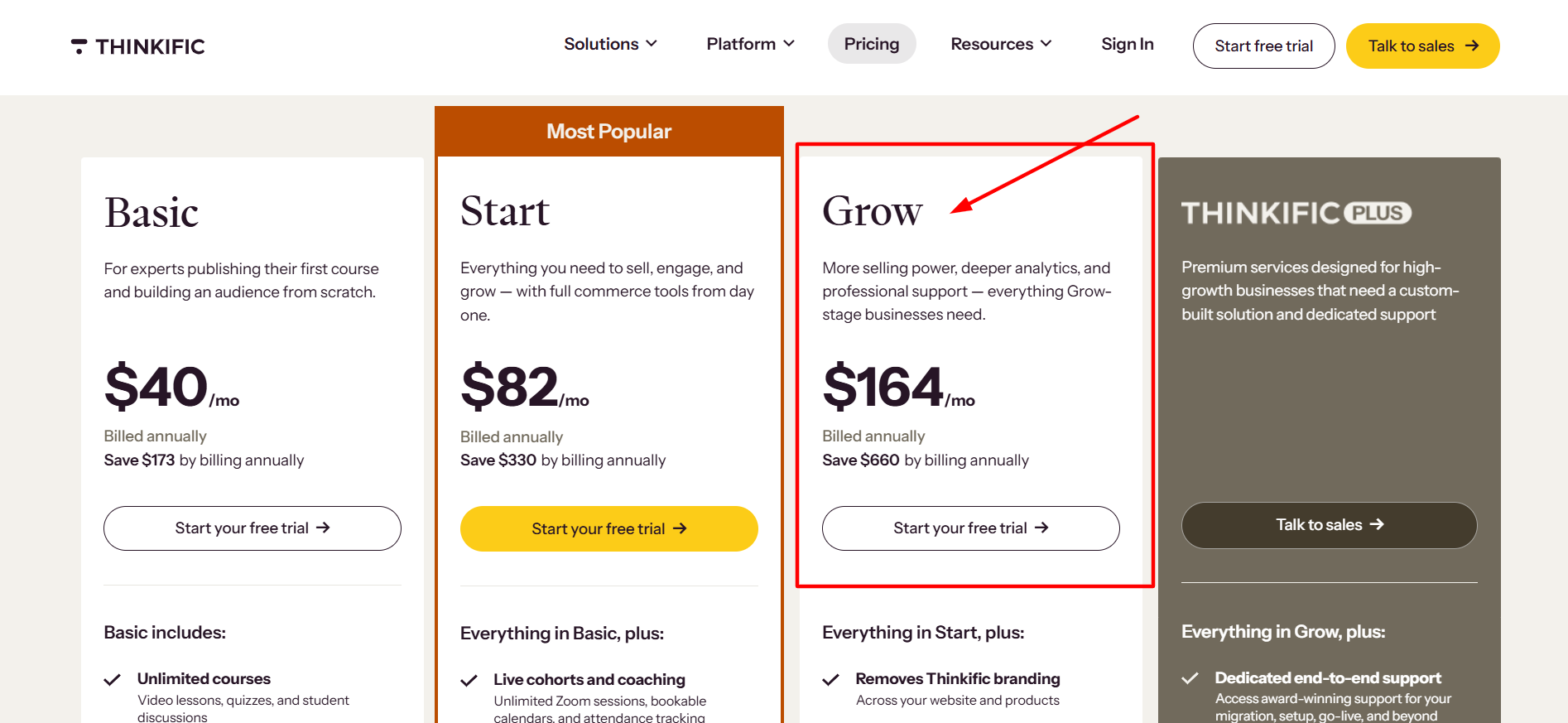
3. Thinkific Grow: $219 Per Month
Grow is built for businesses that need more room to manage their learning operations. It’s more suitable for established creators and teams than for someone testing an idea for the first time.
As a course business expands, managing students, products, administrators, and day-to-day tasks can become more involved. A higher-tier subscription may offer additional administrative capacity and other features that support a larger operation.
Who Is Grow Best For?
Consider Grow if you’re:
Running an established online course business.
Managing several courses or learning products.
Working with a team that needs administrative access.
Looking for additional capacity or more advanced tools.
A business with several instructors, for example, may need more people to help manage its courses. A creator with a growing catalog may also benefit from tools that make day-to-day administration easier.
Is Grow Worth the Cost?
Grow costs $219 per month or $1,968 per year when billed annually. The annual price works out to about $164 per month.
At this level, the subscription is a sizeable business expense. Before choosing Grow, identify the specific features that justify the extra cost. If it helps your team manage a larger operation or gives you access to tools you genuinely need, the price may be reasonable.
If you’re upgrading mainly because you expect to grow in the future, consider waiting. Starting with Basic or Start and upgrading when the need becomes clear can keep your expenses under control while you build your customer base.
4. Thinkific Expand: $499 Per Month
Expand is the higher-priced option for organizations with more advanced learning and administration needs. At $499 per month, it’s aimed at businesses that require more than a standard setup for selling courses.
It may be relevant for larger training operations, companies running several learning programs, or organizations that need additional support for their online education activities.
Who Should Consider Expand?
Expand may be worth exploring if you:
Run a larger training or education business.
Manage learning programs across teams.
Have administrative needs that exceed the standard plans.
Need to discuss a more involved platform setup with Thinkific.
Before committing, contact Thinkific to confirm the features, billing arrangements, and terms available for your organization. Don’t assume that every advanced feature is included automatically just because the plan costs more.
For individual creators and smaller businesses, Basic, Start, and Grow are generally the more relevant plans to compare first.
Monthly or Annual Billing: Which Is Better?
Your billing choice can affect how much you spend over the year. Thinkific’s main annual plans offer savings of around 25% compared with paying monthly at the listed rates.
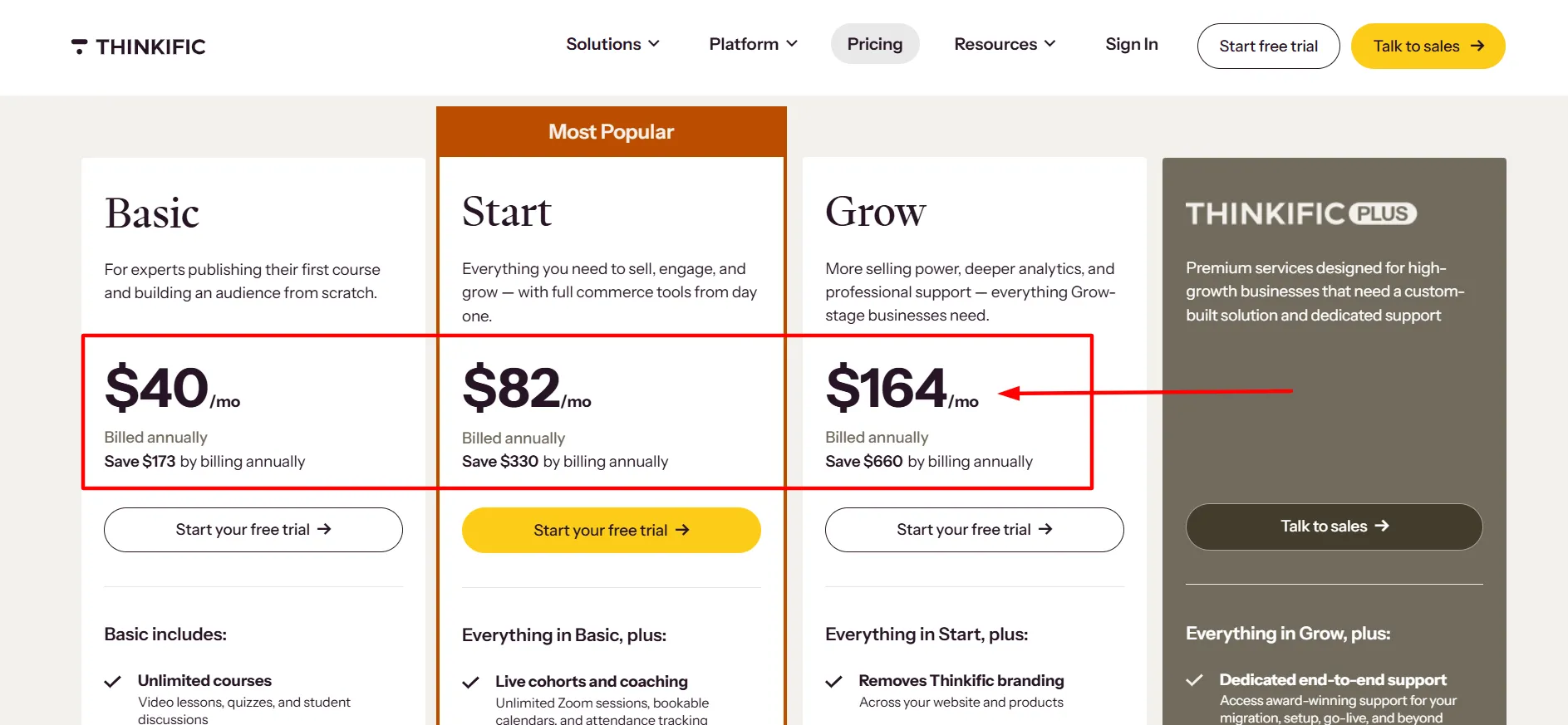
Here’s the difference for Basic, Start, and Grow.
Plan | Total for 12 monthly payments | Annual subscription | Amount saved |
|---|---|---|---|
Basic | $648 | $475 | $173 |
Start | $1,308 | $978 | $330 |
Grow | $2,628 | $1,968 | $660 |
Annual billing is generally cheaper if you’re certain you’ll use the platform for the next 12 months. The downside is that you need to pay the whole subscription fee upfront.
Monthly billing may be more suitable if you’re still building your first course, haven’t tested demand, or want to make sure Thinkific fits your workflow. You pay more over a full year, but you don’t have to commit as much money at the start.
Before choosing annual billing, check your cash flow. You still need funds for marketing, course production, customer support, and any other services your business uses. A lower monthly equivalent isn’t much help if the upfront payment leaves you short of operating money.
Extra Costs to Include in Your Thinkific Budget
Your subscription is only one part of the cost of running an online learning business. Payment processing, taxes, and third-party tools can all affect your final expenses.
1. Payment Processing
When a student buys a course, the payment provider may charge a processing fee. Thinkific’s published documentation explains that rates depend on your location and payment method. A common card-processing rate may be around 2.9% plus $0.30 per transaction, but the exact charge can differ.
For example, if you sell a course for $100, a fee calculated at 2.9% plus $0.30 would be $3.20. That’s separate from your Thinkific subscription.
Check the rates that apply to your payment setup before estimating your profit margins.
2. Third-Party Payment Gateway Fees
Thinkific’s help documentation describes additional transaction fees for some creators using third-party payment gateways in certain regions.
The published schedule lists 5% for Basic, 2% for Start, and 1% for Grow for eligible transactions in the United States, Canada, the United Kingdom, and EU countries, subject to the terms and exclusions.
The documentation also states that these fees apply to the first $1 million in annual sales and are waived beyond that threshold. Creators using Thinkific Payments do not incur this additional third-party gateway fee.
Payment rules can change and may differ by location, so check the latest terms for your account before choosing a payment provider. These additional fees should not be treated as universal charges for every Thinkific customer.
3. Taxes and Currency Conversion
The amount shown on the pricing page may not include every tax that applies to your purchase. Depending on your location, sales tax, VAT, or other applicable charges may be added at checkout.
If your account is billed in a currency different from your bank account, your card provider may also charge a foreign transaction fee or apply its own exchange rate. Check the final checkout total and your bank’s terms to avoid surprises.
4. Other Business Software
You may need tools for email marketing, analytics, graphic design, video editing, or customer management. Thinkific integrations can connect the platform with some external services, but those services may have their own subscription fees.
Make a list of the software you need before deciding how much you can spend on your learning platform. That gives you a more realistic picture of your total monthly or annual business expenses.
Which Thinkific Plan Should You Pick?
Your best option depends on what you’re selling, how many people help run your business, and which features you need right now.
Your business needs | Plan to consider | Reason |
|---|---|---|
Launching a first online course | Basic | A starting point for course creation and sales |
Selling memberships or ongoing community access | Start | More suited to recurring learning offers |
Managing a growing course business or team | Grow | Better suited to more involved operations |
Running a larger training organization | Expand | Intended for advanced business requirements |
If you’re still uncertain, start with a list of must-have features. Avoid choosing a plan simply because it has a longer feature list. If you won’t use the additional tools, they may not justify the extra subscription cost.
Think about revenue, too. A course business needs to cover its platform subscription, payment fees, marketing expenses, and production costs before it can make a profit. Choose a plan that supports your current business model rather than one based only on future expectations.
Is Thinkific Worth the Money?
Thinkific can be a good investment if you want one platform for course delivery, student management, website tools, and selling educational products. It can reduce the effort involved in connecting several different services and help you focus on creating content and finding customers.
Basic is often the most sensible choice for a solo creator starting out. Start may be worth the additional cost if memberships or community features are part of your offer. Grow suits businesses with more advanced management needs, while Expand is intended for larger organizations.
The main downside is the recurring expense, especially before your course starts generating steady sales. You should also factor in processing fees, taxes, and any third-party services your business needs.
Thinkific is worth considering when its tools match your way of teaching and selling. Compare the plan details, work out your full costs, and choose the lowest tier that supports your current goals. You can revisit the decision when your business grows.
FAQs: Thinkific Pricing
Basic is Thinkific's lowest-priced main plan. It costs $54 per month with monthly billing or $475 per year with annual billing, which works out to about $40 per month.
Yes. Annual billing on the main plans offers savings of around 25% compared with paying month by month at the listed rates. The annual amount is charged upfront.
Basic is a sensible starting point for new creators who need course-building and selling tools. If you plan to sell memberships or need community features, compare Start before subscribing.
Payment processing fees depend on your location and payment method. Additional third-party gateway fees may apply to eligible transactions in certain regions. Review Thinkific's current payment documentation to confirm the fees that apply to your account.
Eligible paid customers can manage plan changes through the subscription settings in their admin dashboard. Check the new price and feature changes before confirming an upgrade or downgrade.
Not necessarily. Prices may be displayed in different currencies, and taxes or bank fees can affect the final amount you pay. Check the official pricing page and checkout total for your location.
Quick Links:
Final Thoughts: Thinkific Pricing
Thinkific pricing starts at $54 per month for Basic, followed by Start at $109, Grow at $219, and Expand at $499 per month. Annual billing can lower the cost of the main plans, although you need to pay the full year upfront.
For new creators, Basic is a practical place to begin. Start may be a better fit if memberships are part of your business, while Grow offers more room for established operations. Larger organizations can discuss Expand with Thinkific.
Before you subscribe, check the current feature list, include payment processing and tax costs in your budget, and decide whether monthly flexibility or annual savings suits you better. The right plan should support your business without making your operating costs harder to manage.