
Amalyzer stands out as a powerful Amazon analytics platform that helps sellers uncover keywords, track competitors, and spot growth opportunities with clarity. Its clean interface, actionable data, and reliable insights make daily optimization easier and more confident for brands aiming to scale profitably long term.
- Accurate keyword tracking
- Clear competitor insights
- User friendly interface
- Helpful profit analytics
- Fast data updates
- Learning curve initially
Price: 0
When I first started selling on Amazon and running PPC (Pay-Per-Click) campaigns, I quickly realized that managing and analyzing advertising data was one of the most frustrating and time-consuming parts of my business.
I would spend hours downloading reports from Amazon Seller Central, manipulating Excel spreadsheets, and trying to figure out which keywords were profitable and which ones were draining my budget.
Then I discovered Amalyzer, and it completely changed how I manage my Amazon advertising.
After using this tool extensively for several months, I want to share my complete experience, show you exactly how to use it, and explain why it has become an essential part of my Amazon selling toolkit.
The Problems Amalyzer Solves
Before I explain how to use Amalyzer, let me tell you about the specific problems it solved for me. Understanding these will help you appreciate why this tool is so valuable.
Problem 1: Amazon’s 60-Day Data Limit
This is the biggest issue. Amazon Seller Central only shows you detailed advertising data for the last 60 days.
After that, the granular keyword-level and search term-level data disappear forever. Amazon archives it to save server resources, but this creates a massive problem for sellers.
Why does this matter? Because you cannot effectively:
- Plan for seasonal campaigns when you have lost last year’s data
- Track long-term trends in keyword performance
- Understand which strategies worked during Q4 when you are planning for the next year
- Build a historical database of what actually works for your products
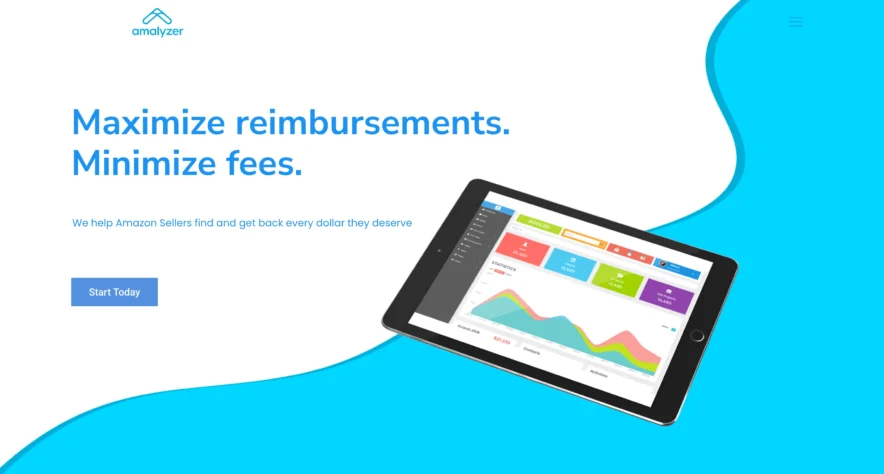
Amalyzer solves this by automatically downloading your advertising data every day and storing it permanently in your private dashboard. Once you sign up, you will never lose data again.
Problem 2: Endless Clicking and Navigation
Analyzing campaigns in Amazon Seller Central requires constant clicking through different screens.
If you want to compare multiple campaigns, check different date ranges, or drill down from campaigns to ad groups to keywords to search terms, you end up clicking dozens of times and opening multiple browser tabs.
I used to spend 15-20 minutes just navigating Seller Central whenever I wanted to check campaign performance.
Problem 3: Excel Spreadsheet Hell
Many Amazon sellers (including me before Amalyzer) download Amazon’s bulk reports and try to analyze them in Excel or Google Sheets.
These reports often contain 10,000+ rows of data, and manipulating them is incredibly time-consuming.
I would spend 2-3 hours every week just cleaning up spreadsheet data, creating pivot tables, and identifying trends. It was exhausting and took time away from the actual optimization of my campaigns.
Problem 4: Cannot See the Full Picture
Amazon’s interface shows you data in isolated silos.
You can see campaign data, drill into ad groups, then into keywords, and finally into search terms, but you cannot easily compare everything side-by-side or see how changes in one area affect others.
This makes it very difficult to understand what is actually driving your results.
Pricing and Trial Information
One of the things I appreciate about Amalyzer is the transparent, straightforward pricing.
7-Day Free Trial
You can try Amalyzer completely free for 7 days with full feature access. No credit card required during the trial, which I really appreciated. This gives you a full week to connect your account, explore the features, and see if it fits your needs.
Subscription Pricing
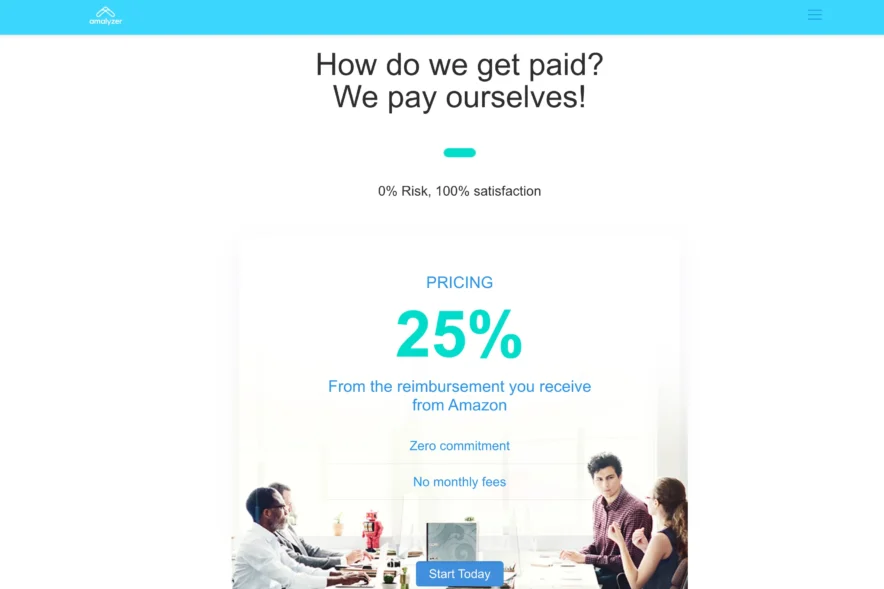
After researching various sources, Amalyzer appears to offer flat-fee pricing: basic plans start at $16-20 per month, and business plans start at $80-100 per month.
The exact pricing may vary based on your account size and needs.
What I like about this pricing is that it includes unlimited campaigns, unlimited search terms, and unlimited ASINs.
You pay one flat fee regardless of how much data you have, unlike some tools that charge based on ad spend or number of products.
Value Proposition
Compared to the time I save (easily 2-3 hours per week) and the wasted ad spend I have eliminated (over $2,000 in my first month), the subscription cost pays for itself many times over.
How to Use Amalyzer? Complete Step-by-Step Guide
Now let me walk you through exactly how to set up and use Amalyzer. I will explain each step in detail so even if you have never used a tool like this before, you can follow along easily.
Step 1: Sign Up and Create Your Account
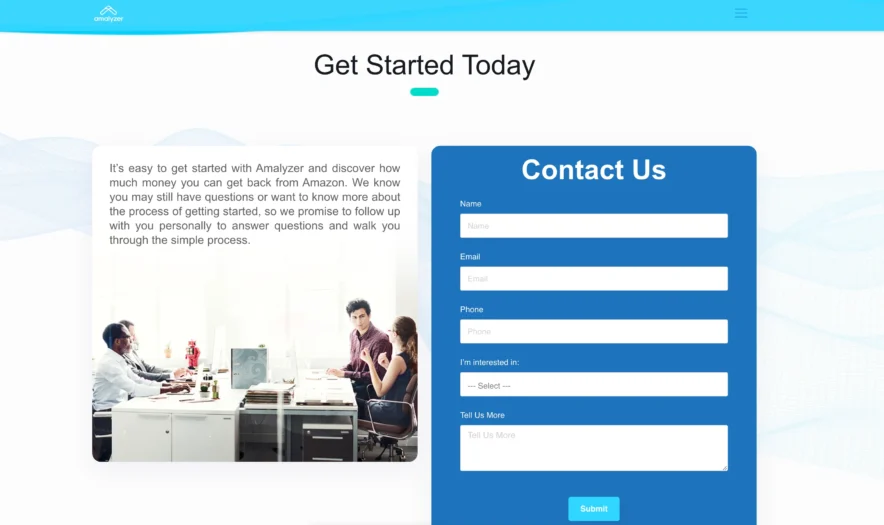
- Go to https://amalyzer.adrazor.net/
- Click the “Start 7-Day Free Trial” button
- Enter your email address and create a password
- Confirm your email address (you will receive a verification email)
The entire registration process takes about 2 minutes.
Step 2: Connect Your Amazon Advertising Account
This is the most important step, but Amalyzer makes it very straightforward:
- After logging in, you will see a setup wizard
- Click “Connect Amazon Account”
- You will be redirected to Amazon’s official authorization page
- Log in with your Amazon Seller Central credentials
- Amazon will ask you to authorize Amalyzer to access your advertising data
- Click “Authorize” to grant permission
Important: This connection is secure and goes through Amazon’s official API. Amalyzer never sees your Amazon password and can only access advertising data, not your inventory or financial information.
Step 3: Initial Data Download
Once connected, Amalyzer will automatically start downloading your advertising data:
- The system retrieves the last 60 days of campaign data from Amazon
- This initial download usually takes 5-15 minutes, depending on how much advertising data you have
- You will see a progress indicator showing the download status
- Once complete, your dashboard will populate with all your campaigns, ad groups, keywords, and search terms
You can navigate away from this scree,n and the download will continue in the background. You will receive an email when it is complete.
Step 4: Understanding the Main Dashboard
When the data download finishes, you will see the main Amalyzer dashboard. Let me explain each section:
Top Overview Cards
At the top of the dashboard, you will see summary cards showing:
- Total Spend: How much you have spent on advertising in the selected time period
- Total Sales: Revenue generated from your ads
- ACoS: Your overall Advertising Cost of Sales percentage
- Impressions, Clicks, and Orders: Key performance metrics
These cards update based on the date range you select, giving you instant insights into overall performance.
Performance Trend Charts
Below the overview cards, you will see line charts showing how your key metrics trend over time. You can view:
- Spend trends
- Sales trends
- ACoS trends
- Click-through rate (CTR) trends
Hovering over any point on the chart shows the exact values for that specific date.
Campaign List View
The main data table shows all your campaigns with key metrics:
- Campaign name
- Campaign type (Sponsored Products or Sponsored Brands)
- Impressions
- Clicks
- CTR (Click-Through Rate)
- Spend
- Sales
- ACoS
- Orders
Each campaign is color-coded by ACoS performance relative to your target.
Step 5: Setting Your Target ACoS
Before you start analyzing data, you should set your target ACoS:
- Click on “Settings” in the top navigation
- Find “Target ACoS” field
- Enter your desired ACoS percentage (for example, 25%)
- Click “Save”
Once set, Amalyzer will use this target to color-code all your data:
- Green: Performing better than target (lower ACoS)
- Yellow: Close to target
- Red: Performing worse than target (higher ACoS)
This makes it incredibly easy to spot problems at a glance.
Step 6: Drilling Down into Campaign Performance
Here is how to analyze a specific campaign in detail:
- Find the campaign you want to analyze in the main list
- Click on the campaign name
- You will see all ad groups within that campaign
- Click on an ad group to see all keywords
- Click on a keyword to see all actual search terms that triggered ads
At each level, you can see:
- Performance metrics for that specific item
- Historical trends showing how performance has changed over time
- Color coding based on ACoS performance
This drill-down capability is incredibly powerful because it lets you identify exactly where problems or opportunities exist.
Step 7: Using Filters to Focus Your Analysis
Amalyzer provides powerful filtering options to zero in on specific data:
Date Range Filter
- Click the date selector at the top of the screen
- Choose from preset ranges (Last 7 days, Last 30 days, Last 90 days, etc.)
- Or select custom start and end dates
- Click “Apply”
Unlike Amazon’s 60-day limit, you can select any date range from when you started using Amalyzer.
Performance Filters
You can filter campaigns, keywords, or search terms by:
- Minimum spend
- Minimum sales
- Maximum ACoS
- Minimum orders
- Date range
For example, you can show only:
- Search terms that have spent more than $50 but have zero sales (waste to eliminate)
- Keywords with ACoS above 50% (expensive terms to optimize)
- Campaigns with at least 10 orders (proven performers to scale)
Step 8: Identifying Wasted Spend
This is one of the most valuable features. Here is how to find keywords and search terms wasting your money:
- Go to the “Search Terms” view
- Set filter: “Minimum Spend = $20” (or any amount you choose)
- Set filter: “Orders = 0”
- Sort by spend (highest first)
You will now see all search terms that have consumed your advertising budget without generating any sales. In my first month, I found over $2,000 being wasted on search terms that would never convert.
You can then:
- Add these as negative keywords in Amazon Seller Central
- Pause campaigns targeting these unprofitable terms
- Adjust bids to reduce spending on low-performers
Step 9: Finding Hidden Opportunities
Conversely, you can find profitable opportunities:
- Go to “Search Terms” view
- Set filter: “Minimum Orders = 3”
- Set filter: “ACoS < Your Target” (for example, ACoS < 25%)
- Sort by sales or orders
These are your winning search terms that you should:
- Increase bids to get more traffic
- Create exact match campaigns targeting these specific terms
- Expand to similar keywords
Step 10: Analyzing Performance Trends Over Time
One of my favorite features is the ability to see long-term trends:
- Select a campaign, keyword, or search term
- Look at the trend chart for that item
- Change the date range to see different time periods
This helps you:
- Identify seasonal patterns
- See if performance is improving or declining
- Understand the impact of bid changes or other optimizations
- Plan for busy seasons based on historical data
Step 11: Comparing Multiple Campaigns
You can compare performance across campaigns:
- In the campaign list view, select the campaigns you want to compare
- Click “Compare Selected”
- View side-by-side metrics and charts
This makes it easy to:
- See which campaign types perform better
- Compare branded vs. non-branded campaigns
- Test different targeting strategies
Step 12: Exporting Data
If you need to share data or perform additional analysis:
- Navigate to any view (campaigns, keywords, search terms)
- Click the “Export” button
- Choose your format (CSV or Excel)
- The filtered data will download to your computer
The exported data includes all columns visible in the current view and respects any filters you have applied.
Results I Achieved With Amalyzer
Let me share specific results from my own experience:
Time Savings
Before Amalyzer:
- 2-3 hours per week on spreadsheet analysis
- 15 minutes each time I wanted to check campaign performance
- Approximately 12-15 hours per month total
With Amalyzer:
- 15-20 minutes per week for routine optimization
- 30 seconds to check campaign performance anytime
- Approximately 2-3 hours per month total
Time saved: 9-12 hours per month
Cost Savings
In my first 30 days with Amalyzer, I identified and eliminated:
- $2,143 in wasted spend on zero-sale search terms
- $847 in overspending on broad match keywords that were not converting
- $512 in duplicate keywords across different campaigns
Total waste eliminated: $3,502 in the first month
Performance Improvements
Within 60 days of using Amalyzer:
- Overall ACoS decreased from 34% to 26%
- Total advertising sales increased by 23%
- Number of profitable campaigns increased from 12 to 19
- Identified 47 new profitable keywords I had not been targeting
Who Should Use Amalyzer?
Based on my experience, Amalyzer is ideal for:
Small to Medium Amazon Sellers
If you manage your own PPC campaigns and do not have a full-time advertising team, Amalyzer gives you professional-level insights without needing professional-level expertise.
Sellers Managing Their Own Ads
Anyone who currently downloads spreadsheets or spends hours clicking through Seller Central will immediately benefit.
Agency-Managed Sellers Who Want Transparency
Even if you have an agency managing your PPC, Amalyzer lets you independently verify their work and catch issues early.
Growing Brands Planning for Scale
As your advertising becomes more complex with more campaigns and products, Amalyzer helps you maintain control and visibility.
Who Might Not Need Amalyzer?
Amalyzer might be unnecessary if:
- You spend less than $500/month on Amazon PPC (the time savings might not justify the cost)
- You use fully automated PPC software that you are completely satisfied with
- You have a dedicated in-house team using enterprise PPC platforms
- You do not actively manage or optimize your campaigns
Potential Limitations and Considerations
To provide a balanced review, here are some limitations:
1. Not an Automation Tool
Amalyzer shows you what to optimize but does not make bid changes automatically. You still need to implement optimizations in Amazon Seller Central manually or through other tools.
2. Requires Some PPC Knowledge
While Amalyzer makes analysis much easier, you still need to understand basic Amazon PPC concepts like ACoS, CTR, and how campaigns are structured.
3. Monthly Subscription Cost
The ongoing cost might not make sense for very small sellers or those just starting with PPC.
4. Only for Amazon PPC
If you sell on multiple platforms, Amalyzer only covers Amazon advertising data.
Final Verdict: Is Amalyzer Worth It?
After several months of daily use, I can confidently say Amalyzer is one of the best investments I have made in my Amazon business.
The combination of:
- Unlimited historical data
- Intuitive visual dashboards
- Massive time savings
- Quick identification of waste and opportunities
- Affordable pricing
…makes it an essential tool for serious Amazon sellers.
The 7-day free trial makes it easy to test without risk. I recommend every Amazon seller running PPC campaigns try Amalyzer for at least a week to see the difference it makes.
For me, the tool paid for itself within the first week by identifying over $2,000 in wasted spend. The ongoing time savings of 9-12 hours per month allow me to focus on growing my business instead of wrestling with spreadsheets.
If you spend more than $1,000 monthly on Amazon PPC and currently struggle with analysis or feel like you are flying blind, Amalyzer will transform how you manage your advertising.
It is one of those tools that, once you start using it, you wonder how you ever managed without it.
Also Read:
- Sellerboard Review: A Simple Tool to Grow Your Amazon Business
- Best Amazon FBA Courses: Which One To Buy? (Actual Seller Review)
End Note
If you decide to try Amalyzer:
- Visit https://amalyzer.adrazor.net/
- Start the 7-day free trial (no credit card required)
- Connect your Amazon account
- Let it download your data
- Spend your first session just exploring the dashboard and getting familiar with the interface
- Set your target ACoS
- Run your first waste analysis to find zero-sale search terms
- Begin your weekly optimization routine
The tool is intuitive enough that you will be finding valuable insights within your first hour of use.
Whether you are a solo seller managing your own campaigns, an agency client wanting transparency, or a growing brand planning to scale, Amalyzer provides the data visibility and analysis speed you need to run more profitable Amazon PPC campaigns.
