
Best For | Kajabi is best for entrepreneurs, coaches, and businesses looking for an all-in-one platform to create, market, and sell online courses, memberships, and digital products. | Thinkific is best for educators and course creators who want a flexible and affordable platform to build and sell online courses without transaction fees. |
Pricing | $71/mo | $36/mo |
Features | -All-in-one platform (course creation, website, marketing, and automation) |
|
Pros | -No need for third-party tools (built-in marketing & automation) | -Free plan available |
Cons | -Higher pricing compared to competitors | -Fewer built-in marketing tools |


- Kajabi Overview
- Thinkific Overview
- Who Should Use Kajabi?
- Who Should Use Thinkific?
- Kajabi Vs Thinkific: Ultimate Features Comparison
- Kajabi Vs Thinkific Course Creation
- Online Communities
- Marketing and Sales Tools
- Customization and Design
- Automation
- Analytics and Insights
- Extra Tools and Support
- Pricing Comparison 🤑
- Security & Hosting
- Student’s Point Of View
- Kajabi Vs Thinkific: Course Updation
- Customer Support
- Kajabi Vs Thinkific Pros and Cons
- ❓FAQ: Kajabi Vs Thinkific
- Conclusion: Kajabi Vs Thinkific 2026
When it comes to creating and selling online courses, Kajabi and Thinkific are often considered leading platforms.
I’ve used both building courses, setting up funnels, managing emails, and here’s what stands out: Kajabi is built for marketing and growth, while Thinkific is all about straightforward course delivery without the higher cost.
But the choice isn’t just about tools or budget. It’s about finding the right fit for your goals and the stage you’re at in your journey. Let’s compare Kajabi Vs Thinkific and see which is a better Platform.
Who Should Use Kajabi?
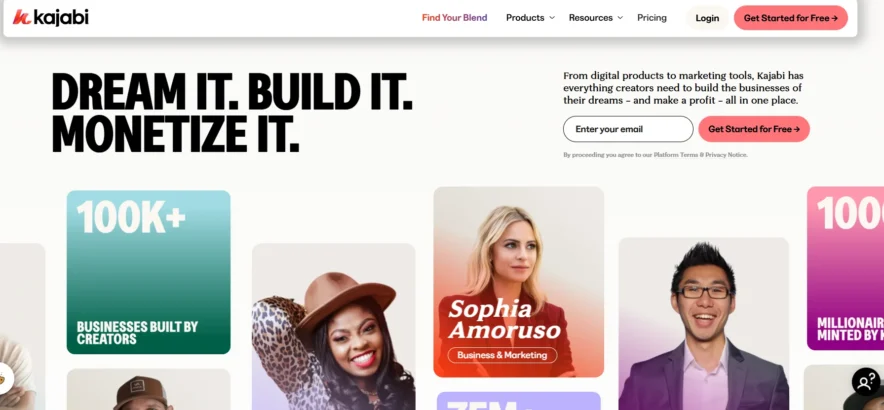
If you want to run your entire online business from one place, Kajabi is for you.
It’s a solid fit if you’re building more than just a course. You’re thinking about email marketing, automations, landing pages, maybe even launching a podcast or membership.
You don’t want to connect five different tools; you want it all in one clean dashboard.
Creators, coaches, consultants, and business owners who are ready to grow and scale fast, Kajabi checks all the boxes.
Who Should Use Thinkific?
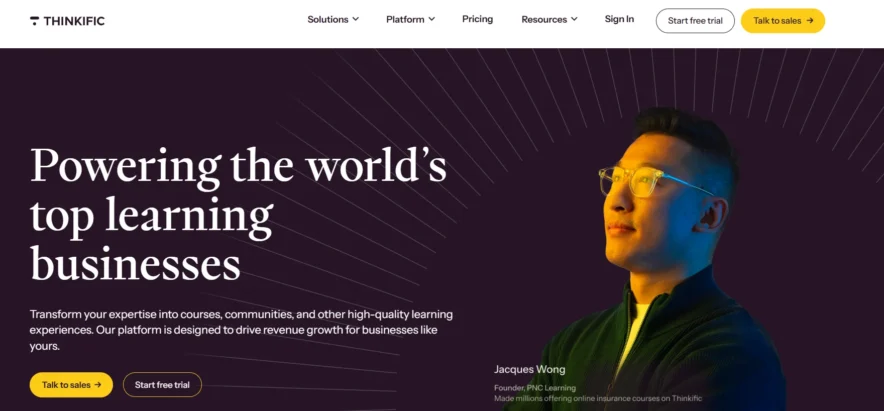
If your main focus is teaching and delivering great course content, and you want to keep things simple, Thinkific is a smart choice.
You’re not worried about fancy funnels or built-in email tools just yet. You want a clean, reliable way to build and sell your courses, and you’re okay using other tools for marketing if needed.
Thinkific is great for educators, trainers, or new creators who want to get started without spending too much.
Kajabi Vs Thinkific: Ultimate Features Comparison
| Feature | Kajabi | Thinkific |
|---|---|---|
| Course Creation | Easy drag-and-drop builder, with video, audio, text, quizzes, and templates | Drag-and-drop builder with video, text, quizzes, surveys, and assignments |
| Content Types | Videos, audio, written content, downloads, and quizzes | Videos, audio, text, quizzes, surveys, presentations, and assignments |
| Marketing Tools | Built-in email system, landing pages, sales funnels, and automation | Basic tools like coupons and sales pages; needs outside tools for full setup |
| Community Features | Full-featured community with posts, events, and group activities | Simple discussion areas; fewer features and customization |
| Coaching Tools | Built-in scheduling and video sessions for 1:1 or group coaching | Needs other apps for booking and video calls |
| Mobile App | Comes with a free app; full branding costs extra | Free app with branding; supports drip notifications |
| Analytics | Shows revenue, page views, and student activity | Tracks student progress, video views, and earnings |
| Integrations | Works with key tools like Stripe, PayPal, and Zapier | Connects with 90+ apps through the Thinkific App Store |
| Customization | More control over design, emails, and site look | Good for branding; more features need third-party apps |
| Pricing | Starts at $69/month, no free plan, trial available | Starts at $49/month, free plan offered, 30-day trial |
| Student Assessment | Simple quizzes and tests | Strong assessment tools with question banks and bulk uploads |
Kajabi Vs Thinkific Course Creation
Let’s start with what matters most building your course.
Kajabi offers a clean, easy-to-use course builder. You can upload videos, audio, text, PDFs, and add quizzes using a simple drag-and-drop system. It gives you a few ready-made templates, which is helpful when you’re getting started.
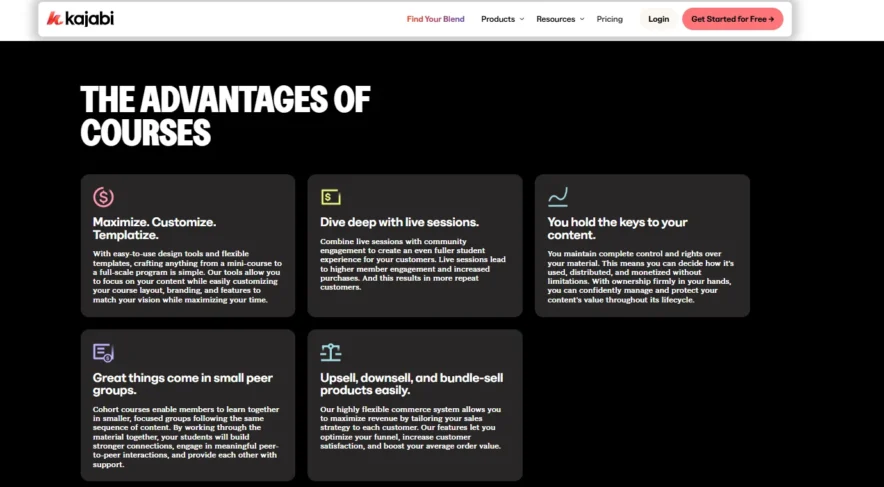
Kajabi also includes AI tools to help you outline lessons or generate quizzes. The biggest advantage is how it connects to everything else your email, funnels, automation without needing extra tools.
But Kajabi isn’t built for deep education features. It lacks things like assignments, detailed quizzes, or SCORM compatibility. If you need a serious learning management system, it might feel a bit basic.
Thinkific, on the other hand, shines when it comes to structured learning. You can build lessons with video, text, surveys, assignments, and presentations.
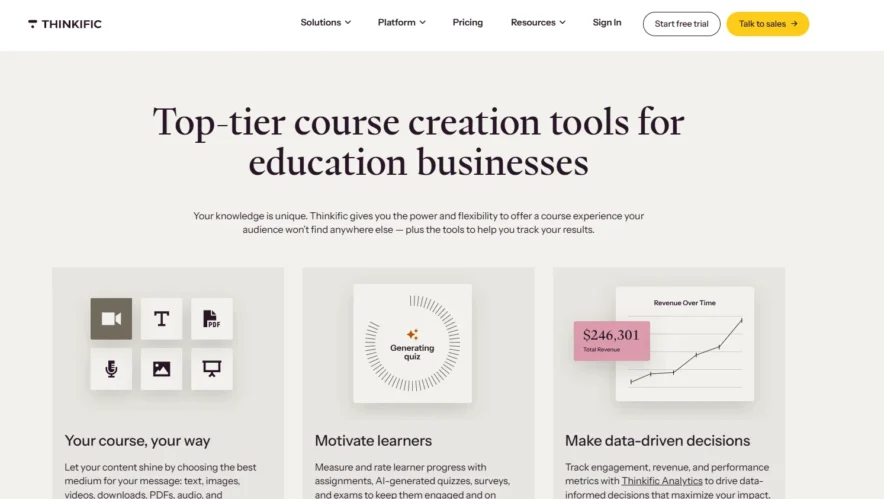
It supports advanced testing, randomized quiz banks, and even lets you run cohort-based courses.
If your focus is on teaching with structure and assessments, Thinkific gives you more tools to work with. But to add marketing and automation, you’ll need to bring in other apps.
Online Communities
Community is where a lot of long-term value comes from.
Kajabi gives you built-in community tools where students can interact, join challenges, attend live sessions, and get updates all without leaving the platform.
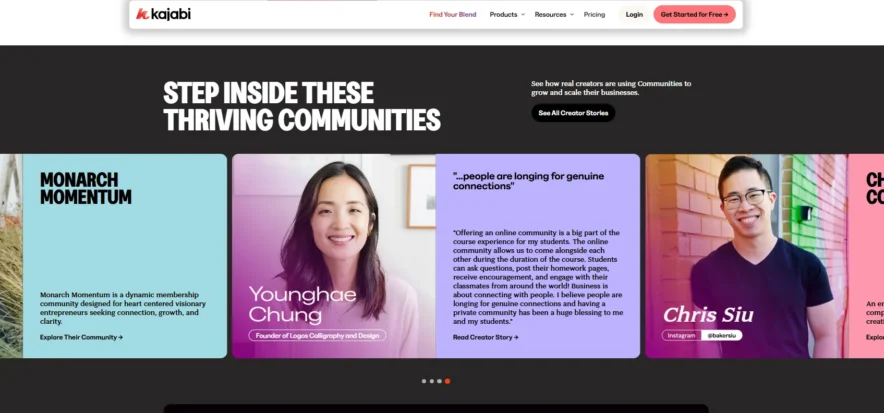
It feels like a private social network, and you can link it directly to your products. It’s great for keeping everything in one place.
Thinkific does offer community features, but they’re more basic. You get a simple discussion area where students can post and comment.
There’s less customization and fewer tools for engagement, so if community is important to your offering, you might need a separate solution like Circle or Discord.
Marketing and Sales Tools
This is where Kajabi pulls ahead by a long shot.
Kajabi comes with built-in email marketing, automation, landing pages, funnels, and checkouts.
You can create full customer journeys, from free lead magnets to paid products to upsells and follow-ups, all inside one platform. It even tracks performance so you know what’s working.
Thinkific sticks to the basics. You get coupons, bundles, order bumps, and a clean checkout experience. But there’s no built-in email marketing or automation.
If you want to send sequences or run a sales funnel, you’ll need to connect tools like Mailchimp or ConvertKit.
Customization and Design
Kajabi offers strong customization. You can build your entire website homepages, blogs, landing pages with a visual editor. There are multiple themes, and you can edit how your site and emails look without touching any code.
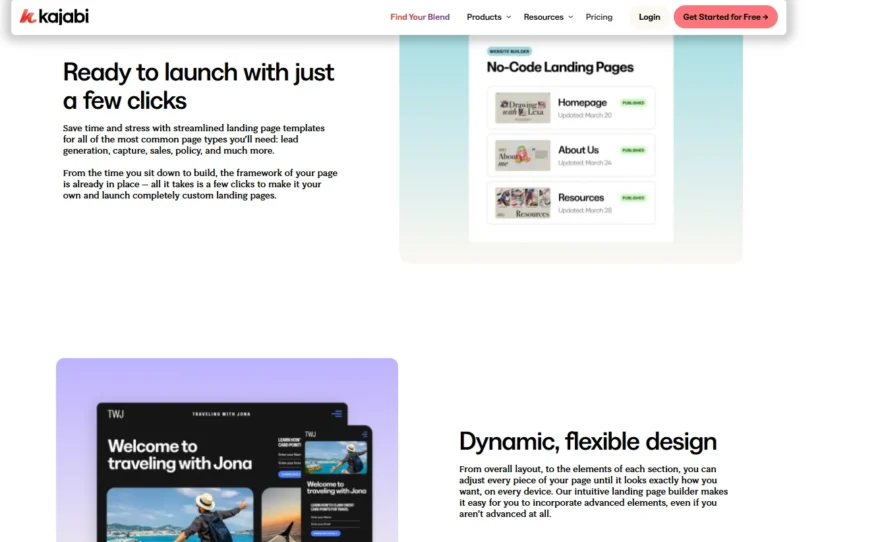
It’s very polished and looks professional out of the box.
Thinkific gives you a site builder with themes and drag-and-drop sections. You can customize colors, fonts, and structure, but the options are a bit more limited.
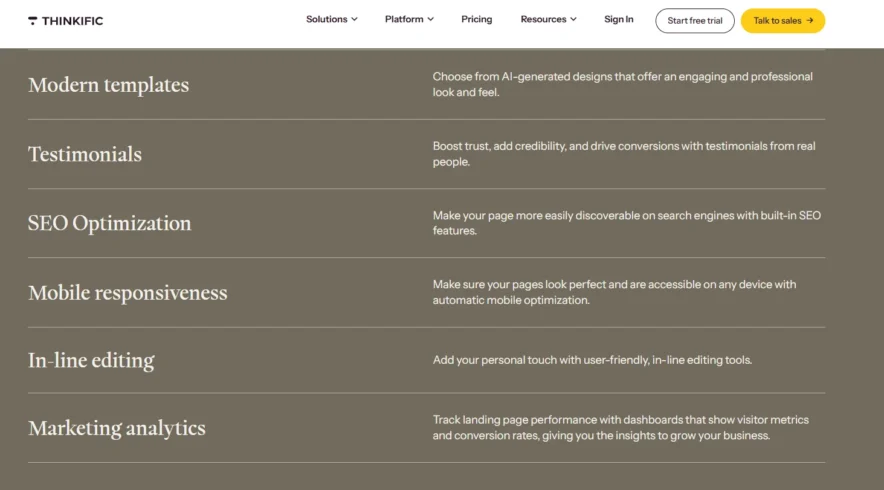
For many creators, it’s enough. But if you want a fully branded site with lots of design freedom, you may hit a wall.
Automation
One of the biggest differences between Kajabi and Thinkific is how they handle automation.
Kajabi gives you built-in automation tools that save a lot of time and effort.
You can set up rules to automatically send emails, tag students based on actions, unlock content after a certain step, or follow up when someone finishes a course.
All of this happens inside Kajabi no need for outside tools or complicated setups. It’s perfect for running a business that scales without constant manual work.
Whether you want to send a welcome sequence, offer a special bonus after lesson completion, or re-engage inactive students, Kajabi handles it smoothly.
Thinkific, on the other hand, offers a simpler automation setup. You can send basic emails when a student enrolls or completes a lesson.
That’s helpful, but if you want to create more advanced flows or link actions to your email platform or CRM, you’ll need to use Zapier or upgrade to Thinkific Plus.
It works fine for basic needs, but you’ll spend more time setting things up and it might not feel as connected. If automation is a big part of how you run your business, Kajabi gives you more flexibility right out of the gate.
Analytics and Insights
Understanding what’s working and what isn’t is key to growing any online business.
Kajabi gives you a full picture of your business performance. You can see your revenue trends, email open rates, product sales, and customer behavior all in one place.
It helps you track not just how many people bought your course, but where they came from, how they interacted with your emails, and what content drives conversions.
For business owners and marketers, this kind of visibility is a huge advantage.
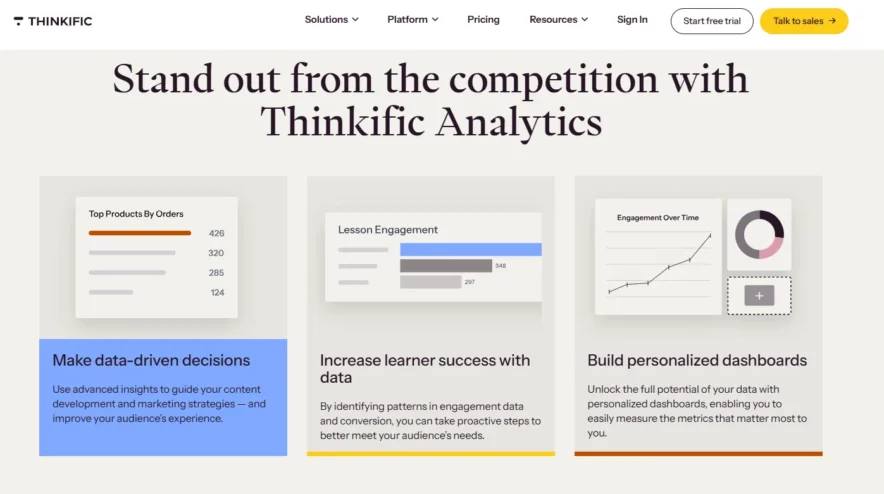
Thinkific focuses more on how students engage with your content. You’ll see detailed reports on course completion rates, quiz performance, video watch time, and student progress.
This is incredibly useful if your priority is creating a better learning experience. But it doesn’t offer the same depth of marketing or sales data you get with Kajabi.
So, if your goal is teaching and improving your course structure, Thinkific gives you solid tools. If you’re more focused on tracking growth and marketing performance, Kajabi takes the lead.
Extra Tools and Support
When it comes to extra features and customer support, both platforms bring something valuable but in different ways.
Kajabi offers 24/7 live chat support, which is a huge relief when you’re launching or running into issues. They also provide access to Kajabi University, filled with training videos, templates, and tutorials to help you use the platform to its fullest.
It’s built so you don’t have to rely on many third-party tools most of what you need is already there. Still, it integrates with key services like Stripe, PayPal, and Zapier, so you can expand when needed.
Thinkific takes a different approach. It offers a growing app store with 90+ integrations, which means you can plug in tools like Shopify, Mailchimp, ActiveCampaign, and more.
This gives you flexibility if you already have favorite tools in your tech stack.
Support is available via email and live chat (depending on your plan), and their help center is detailed and easy to navigate.
It’s a good mix of guidance and freedom, but you might spend more time managing multiple tools compared to Kajabi’s all-in-one approach.
Pricing Comparison 🤑
Kajabi Pricing
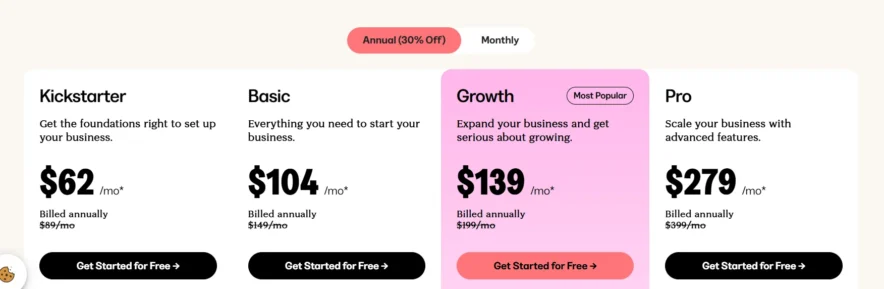
Kickstarter Plan
- $89/month (monthly billing)
- $62/month (billed annually )
This plan is ideal if you’re just getting started and want to set up a single product and basic community. It gives you the essentials 1 product, 1 community, 1 funnel, 250 contacts, and 7,500 marketing emails per month.
You also get landing pages, the Creator Studio, and access to Kajabi’s AI tools. Great for testing the waters without being overwhelmed.
Basic Plan
- $149/month
- $104/month (billed annually)
The Basic plan is for creators ready to turn their ideas into a real business. You can build up to 3 products, have 10,000 contacts, send unlimited emails, and set up 3 funnels.
It includes 1 website, 1 admin user, integrations with third-party tools, and a custom domain. Perfect if you’ve validated your course idea and are now building momentum.
Growth Plan
- $199/month
- $139/month (billed annually )
This is the sweet spot for growing businesses that want to expand and automate. It gives you room for 15 products, 25,000 contacts, and 15 funnels.
You also get up to 10 admin users, advanced automation, affiliate programs, and the ability to remove Kajabi branding.
Ideal for creators scaling their offers or managing multiple digital products.
Pro Plan
- $399/month
- $279/month (billed annually )
The Pro plan is for serious creators, agencies, or businesses managing multiple brands or websites. You get up to 100 products, 100,000 contacts, 100 funnels, and 3 websites.
Includes 25 admin users, custom code editing, and all the power features Kajabi offers. This is your go-to if you need full control, scalability, and advanced customization.
Thinkific Pricing
Basic Plan
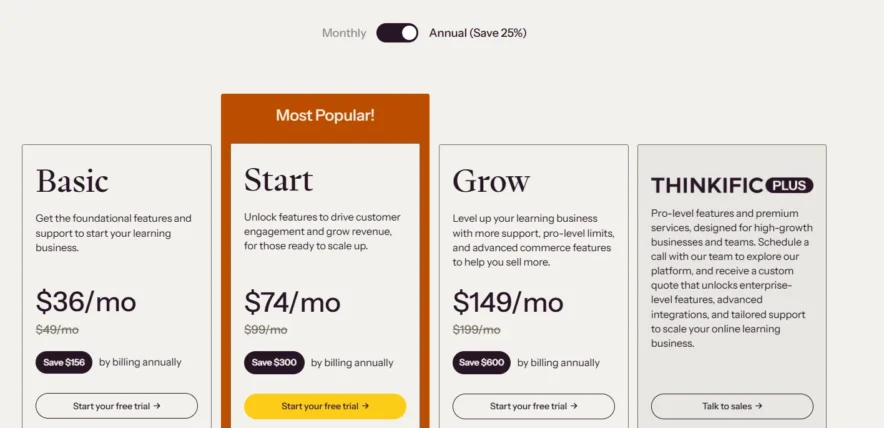
$49/month or $36/month billed annually
This plan is great if you’re just starting out. You get unlimited courses and students, access to 1 community, 5 digital downloads, and 5 live sessions.
It includes email and chat support, basic landing pages, email automation, and instant payouts.
Start Plan
$99/month or $74/month billed annually
Perfect for creators ready to grow and boost engagement. You get everything in Basic, plus unlimited digital downloads, unlimited coaching sessions, and more customization tools.
It adds advanced features like product bundles, SCORM support, and better reporting.
Support includes email and chat.
Grow Plan
$199/month or $149/month billed annually
Best for businesses scaling up their course offerings.You get everything in Start, with increased limits, 3 communities, advanced analytics, and phone + priority support.
This plan helps you run a more complex, pro-level learning business.
Thinkific Plus
Custom pricing (contact sales)
Designed for large teams or enterprise-level creators. you get all features with higher limits, full access to premium tools, advanced integrations, and a dedicated customer success team.
This plan is fully customizable based on your business needs.
Security & Hosting
Here is the comparison of hosting & security between Kajabi vs Thinkific:
Kajabi
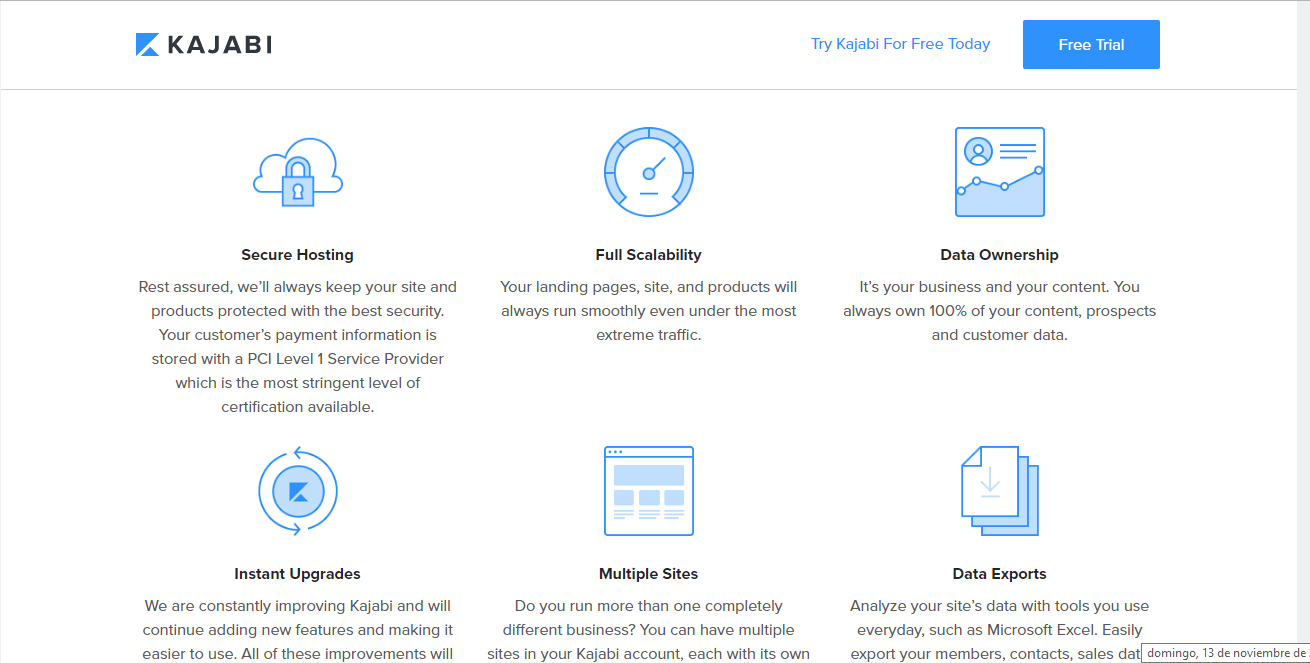
Kajabi’s technology is very easy to use and includes secure hosting, data ownership, data exports, full stability, etc. It provides an all-in-one service, which can save you money when selling online courses.
Thinkific
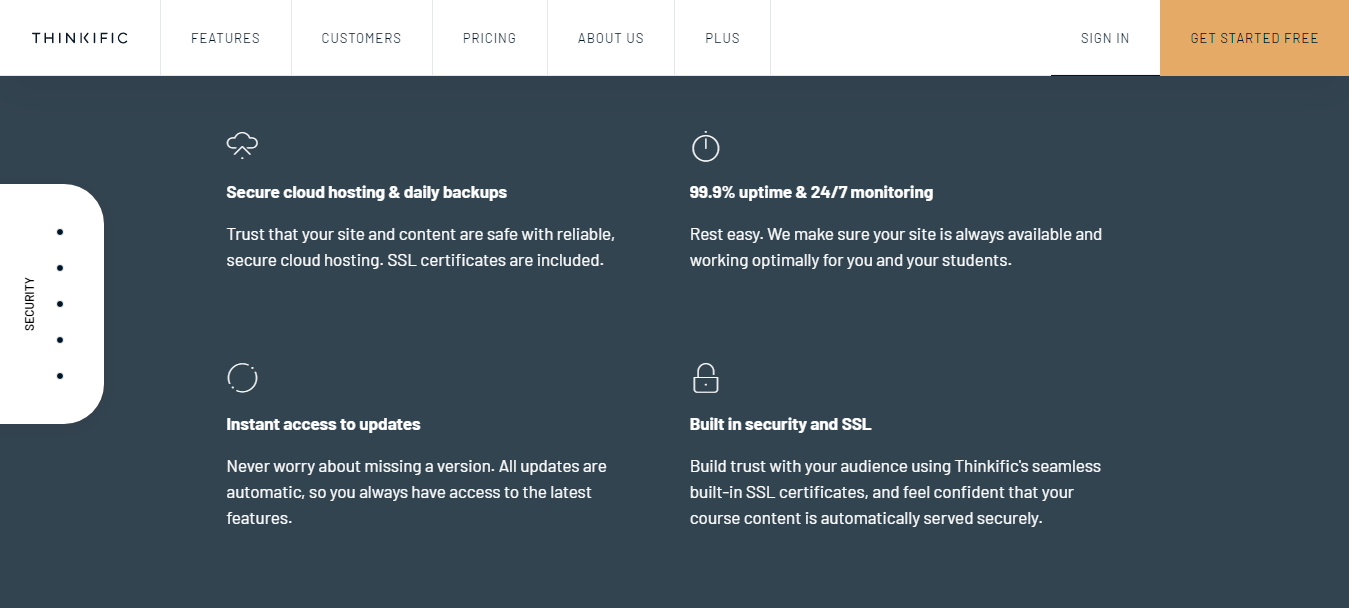
When adding text images or videos to the seller platform or students’ learning program, Thinkific provides full support in the operation.
There is limited public information on Thinkific’s full capabilities of security and hosting.
Student’s Point Of View
- Kajabi has a couple of choices in this section. The comment section at the bottom helps you connect with the author or other participants immediately. You can also start a discussion directly.
- If you want to engage your students more, you can also start a community, which can be clubbed with a lesson or put out separately. This community is a little different than Facebook communities as you can monitor the content that is seen by the participants. They also have a ‘push’ button, which is more or less like the ‘Bell icon’ on YouTube, which notifies you if some new content is uploaded.
- The most important advantage is that they offer a mobile App that helps you when you are on the go.
The Thinkific community is in its early phase, and is not as developed as Kajabi’s. You can start a discussion, which is similar to the comments section on Kajabi, but you have to click on the ‘discussion’ button, which is difficult to find when you are on the go as it is quite small.
The whole experience is much easier if the payment options are well-equipped and easily accessible. You can charge a one-time fee or a recurring fee for your course on both cloud-based platforms.
Kajabi Vs Thinkific: Course Updation
Which one has better course updation, Kajabi or Thinkific
Kajabi
Kajabi has three levels for your course: Lessons (Posts), Modules (categories), and subcategories, which increase your flexibility.
When it comes to uploading a course, you can either upload it through your laptop, Kajabi Vs. Thinkific or use cloud-based platforms like Google Drive or Dropbox.
The process doesn’t stop at designing and uploading a course. The place where you showcase your course (course player) is one of the most important factors, and that is where the students spend the most amount of their time.
Kajabi has 10 different course player themes, and you must choose one based on your course offerings, student base expectations, etc.
Thinkific
Thinkific only has two levels for your course, Lessons and Modules; it does not offer the subcategories feature.
One of the best features of Thinkific is the Video Library. You can add and store videos in the library and use them for different courses.
However, one more major difference is that you cannot import content directly from Google Drive or Dropbox when uploading a course.
When it comes to course player themes, earlier, they were one of its weaknesses, but now they have improved a lot. However, it still only has one theme, which looks quite professional and sleek.
Once you upload your course, you need to monitor the students’ progress, and assessments are the best way to do this.
Customer Support
Both sites are equally good in this feature. The customer support team is prompt and helps you as quickly as possible.
They also offer online training sessions on how to use the platforms, as well as articles and videos, all of which are available on the site.
Kajabi once again offers the added benefit of chat support, which is available 24/7 and can be an immensely useful feature if you need instant help, even on weekends.
Thinkific offers email support, Monday to Friday, 9 AM to 5 PM PST, which can be a problem if you need help outside of working hours or on weekends.
Kajabi Vs Thinkific Pros and Cons
Kajabi
Pros
- All-in-one platform (courses, email, funnels, website)
- Built-in automation and marketing tools
- Strong community features
- Easy to scale your business
- Clean, user-friendly dashboard
Cons
- Higher monthly cost
- Fewer advanced course features (e.g. assignments, SCORM)
- Limited third-party integrations
Thinkific
Pros
- Great for course creation and teaching
- More learning features (quizzes, assignments, SCORM)
- Free plan available
- Lots of app integrations
- Easy to use for beginners
Cons
- No built-in email marketing or funnels
- Fewer automation tools
- Basic community features
❓FAQ: Kajabi Vs Thinkific
👉Are Thinkific and Kajabi only designed for Selling online courses?
Thinkific- For entrepreneurs, speakers, authors, trainers, and companies that are serious about building around online courses. As you grow they support companies with many advanced features, options for integration and customization, and great customer service. Kajabi-For those who want to make a profit selling content online, Kajabi is a moral option for swiftly contenting up for marketing and selling. with individual pieces of content that structured courses Kajabi has been designed and been a great success tool for sales.
👉 Is Thinkific mobile friendly?
Thinkific does not offer an App currently but the website is mobile-friendly as it is designed that way.
🙋♂️ Is Thinkific free?
Thinkific does offer a free plan but it does not consist of enough features.
✌️ Can I easily create a great online course with all of the essential features for a reasonable price? Which platform is Best?
Thinkific is designed mostly for those who want to teach or for a business purpose by creating online courses. On Thinkific, by creating an account, and a new course, users can add chapters which could contain pdfs, text, images quizzes, or even the videos. It’s easy and effective. On Kajabi, a new customer has to take some extra steps to create several content options. Kajabi courses consist of ‘posts’ and ‘categories’ – not exactly innate, not allowing flexibility. If fabricating a course is your first reach, the Thinkific platform was made suited for both user and customer.
Quick Links:
Conclusion: Kajabi Vs Thinkific 2026
Both Kajabi and Thinkific are great platforms it just depends on what you need.
Kajabi is a strong choice if you want to run your full business from one place, with built-in tools for marketing, automation, and community.
Thinkific is ideal if you’re mainly focused on creating and delivering courses, and prefer using your own tools for things like email or sales.
If you want to grow fast with less tech setup, go with Kajabi. If you want to teach well and stay flexible, Thinkific is a solid pick.
