1Password pricing tiers include Individual at $2.99 to $3.99 monthly (annual billing), Families plan covering five people at $4.99 to $5.99 per month, and Business at $8 per user annually in this 1Password pricing breakdown.
Fourteen-day free trial requires no credit card, though no refunds apply after initial charge. Email-only 24/7 support delivers responsive assistance. 1Password pricing verified October 2026.
What I Paid and What Each Plan Would Have Cost Me?
I tested the Individual plan personally and researched the rest by going through the signup flows. Here is the honest pricing picture.
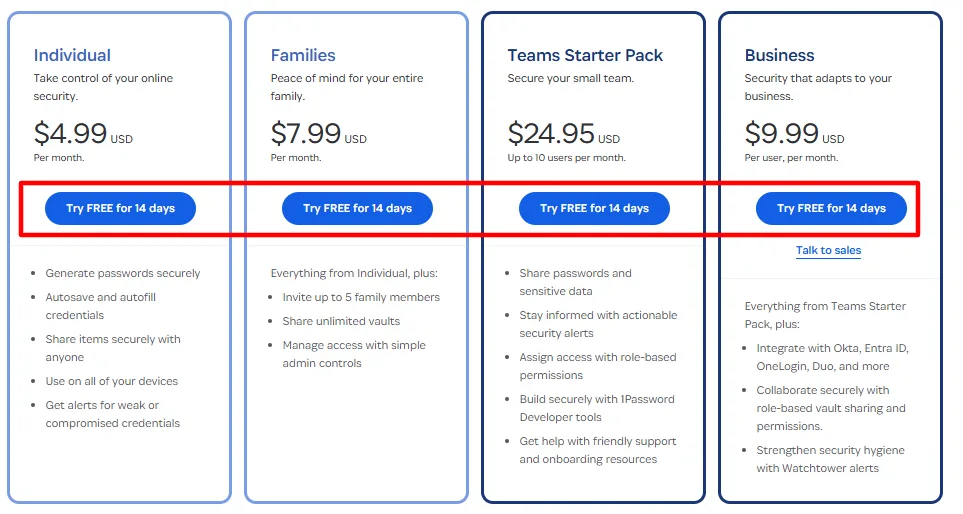
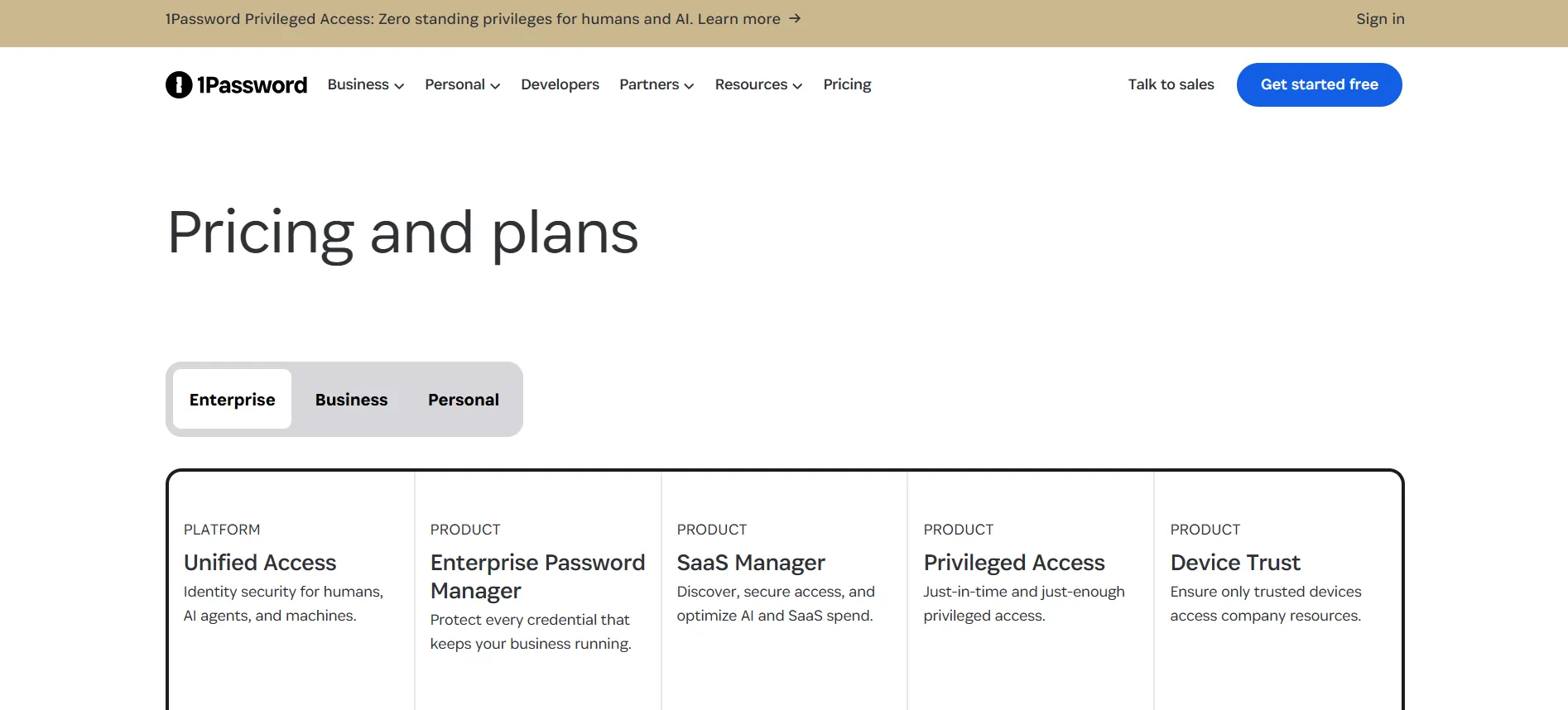
Plan | Annual Cost | Monthly Cost | My Take |
Individual | $2.99 to $3.99 per month | $4 per month | Roughly $36 to $48 per year, fair for the security |
Families | $4.99 to $5.99 per month | $7 per month | Five members, under $1.25 per person monthly |
Teams Starter | $20 flat per month | $25 per month | Ten users at $2 each, cheapest team entry |
Business | $8 per user per month | $10 per user | Adds SSO, audit logs, provisioning |
I ran the family math myself: five members on the annual plan splits to about $1.20 per person per month, which beats every other legitimate path into 1Password.
If I were subscribing today for a household, Families is the obvious play even for two people, because the per person economics only improve as you fill the seats.
The Trial: Best in Class, and I Mean It
I signed up for the Individual trial expecting the usual card on file trap. There was none. No card required, no charge path, full features for 14 days.
I imported about a hundred logins on day one, installed the browser extensions everywhere, and ran my first Watchtower scan, which flagged 14 reused passwords and 3 compromised logins from breach data.
That scan alone justified the product for me. Canceling, which I tested at day 10 to verify the flow, took one click in settings. If every SaaS trial worked like this, the industry would be better for it.
The Refund Policy: Read This Before You Pay
Here is the sentence that matters: 1Password does not refund charges after they post. I looked for a money back guarantee in the terms and found none.
What exists instead is the no card trial, which, as I described, is genuinely risk free. My practical rule after this experience: treat day 12 as your decision deadline, not day 14, so a busy Friday does not convert your trial by accident.
If a charge does post and you panic, contact support immediately, because early reversals sometimes succeed within hours, though this is discretionary and I would never count on it.
My Support Experience: No Chat, But Better Than Expected
I will be honest: the absence of live chat annoyed me on day one. I am used to instant answers from NordPass style chat windows. Then I actually used 1Password’s email support.
My first ticket asked about a vault sync conflict between my phone and laptop. Response time: about three hours. Answer quality: precise, with steps that fixed it in one pass, no escalation chain, no copy paste script.
My second question about export formats before an imaginary migration got the same treatment with documentation links. The community forums, which I browsed for a Watchtower edge case, carry real staff participation.
I still miss chat for impulse questions, but the email depth won me over by week two. Business plans add priority routing and dedicated managers at enterprise scale.
Discounts: What I Found Actually Works
I tracked the discount landscape while testing. First year partner deals knocked up to 50 percent off Individual and Families in my October 2026 check, landing Individual between $18 and $36 for the year.
The student discount deserves special mention: 50 percent off through the Student App Center, renewing for as long as enrollment validates, which is the best 1Password deal that exists because it is not first year only. Annual billing saves 25 to 28 percent automatically over monthly.
One rule governs everything: one discount per subscription, pick the largest, and renewal returns to standard rates regardless of how you entered.
What the Month Taught Me About the Real Cost
The sticker price is not the real story. The real cost of 1Password is the master password discipline: lose it, and your vault is gone forever, by design, with no recovery possible.
I downloaded my Emergency Kit twice, printed one copy, and stored it physically, because that document is the only path back into my account. That design choice is why the security works, and it is also why careless buyers pay the highest price of all, total lockout.
Budget two minutes for the Emergency Kit on day one and the product has no hidden costs at all.
How 1Password Pricing Felt Against Rivals
I benchmarked against Bitwarden, NordPass, and Dashlane during the month. Bitwarden’s free tier is genuinely capable, and if budget ruled my decision, I would use it without shame.
NordPass undercut 1Password at promo pricing with slicker chat support, but offered no Travel Mode and shallower family controls. Dashlane bundled a VPN I did not want and cluttered the interface with upsells.
What kept me on 1Password was the combination: the Secret Key architecture that means even a full server breach cannot expose my vault, Watchtower’s specific fix list, and Travel Mode, which I actually used on a border crossing during the test month and which worked exactly as described.
The Feature That Sold Me: Watchtower
I want to end on the specific moment 1Password won me over, because it was not pricing. Day three, Watchtower showed me a login I had reused across four sites, one of which appeared in a breach dump.
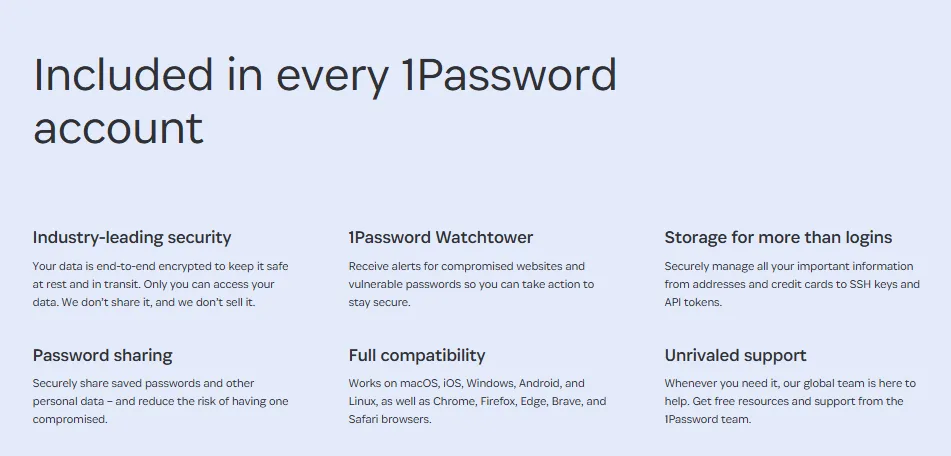
I changed that password in five minutes. Over the rest of the month, I worked through 14 reused passwords and 3 compromised logins, treating it like a checklist. No rival I tried organized that work so cleanly.
If you trial 1Password, do not just store passwords. Open Watchtower on day one and follow its list. That is the moment the subscription stops being an expense and starts being obvious value.
The Moment I Nearly Locked Myself Out
Week two, I fat fingered my master password three times in a row on a new device, and my stomach dropped. The lockout fear is real with zero knowledge architecture, and it is the price of the security model.
I opened my printed Emergency Kit, entered the Secret Key, and got back in. That two minute scare taught me more than any feature tour: print the kit, store it like a passport, and tell one trusted person where it lives.
Budget for that discipline on day one, because there is no support call that fixes a lost master password, by design.
What I Tell Friends Who Ask
Since finishing my month, three friends have asked whether 1Password is worth it over their browser’s built in manager.
My answer is always the same question back: how many of your passwords are reused right now? When they check, the answer is always embarrassing. Browser managers store logins behind your device login with no security auditing and no cross platform consistency.
1Password’s Watchtower answered that question for me with a numbered list and a fix path. That is the difference between storing passwords and managing them, and it is why I keep paying.
The Questions I Asked Before Committing (Now Answered)
These are the exact questions I ran through during my trial, with the answers I found.
Can I switch from Individual to Families later?
Yes, from account settings, with prorated billing. I tested the upgrade path in the interface before deciding.
Does 1Password store my data in the cloud?
Encrypted vaults sync through their servers, but the company holds no key. After a month of using it, the zero knowledge claim stopped being marketing and started being how I thought about my data.
Is there an emergency access feature?
Not a contact based one like some rivals. Your Emergency Kit is the recovery path, which trades convenience for the security model.
Does it handle two factor codes?
Yes, TOTP codes live inside items and autofill right after passwords, which let me delete my separate authenticator app for most logins.
The Family Plan Math I Actually Ran
I sat down with the Families plan and did the arithmetic on my own household. Five seats at the $4.99 monthly annual rate is $59.88 per year.
Divided by five, that is $0.99 per person per month. Even at two people, it undercuts two Individual plans at the standard rate.
I compared it against NordPass Families and Dashlane Families during my research month, and 1Password‘s family controls, especially the permission granularity for shared vaults, were the deciding factor in the spreadsheet I built for myself.
FAQs: 1Password Pricing
My Individual month on the trial was free. Subscribing would have run me about $36 for the year through the cheapest verified deal.
Yes, and I tested the cancel flow myself. Nothing charges without you actively adding a payment method.
Total loss, by design. No support agent can recover your vault. The Emergency Kit is your only path, which is why I treat mine like a passport.
Email responses arrived in hours at all hours in my test. No chat exists, which still feels like a gap on purchase day.
No refunds after charge. The trial exists precisely because of this policy.
No, and after a month inside the product, I understand why: continuous security auditing and infrastructure cost money forever. Anyone selling a lifetime license to a cloud product is selling a time bomb.
Yes, 14 days like everyone, with extended evaluation through sales for larger deployments.
Paying monthly because annual felt like a commitment. The annual rate plus a first year partner deal would have halved my cost, and monthly only makes sense for a single month's test.
Quick Links:
Conclusion: 1Password Pricing
I arrived annoyed by the price and the missing chat, and left a paying convert. The architecture, the Watchtower scan, and the honest trial converted me; the email support grew on me; the refund policy is the one thing I still dislike and the reason you must test properly inside the 14 days.
Start the trial, run the scan, print the Emergency Kit, and let your own hundred logins make the case. That is exactly how it made the case to me.