Best For | Businesses, educators & coaches who want a highly interactive & customizable online course platform. | Course creators & entrepreneurs looking for an easy-to-use platform to sell online courses. |
Price | $24/mo | $36/mo |
Features |
|
|
Pros |
|
|
Cons | No free plan | Fewer customization options |


Looking For Unbiased Comparison Between Learnworlds vs Thinkific. I’ve got you covered.
Picking the right platform for your online course can feel overwhelming, and I totally understand. If you’re caught between Learnworlds and Thinkific in 2026, you’re not alone.
Both platforms offer great features, but they each have something unique that might be better for different needs. Whether you’re just starting out or looking to grow your course business, it’s key to choose the right platform.
In this post, we’ll highlight the main differences between Learnworlds Vs Thinkific to help you pick the one that fits your needs and goals best.
LearnWorlds vs Thinkific: Overview

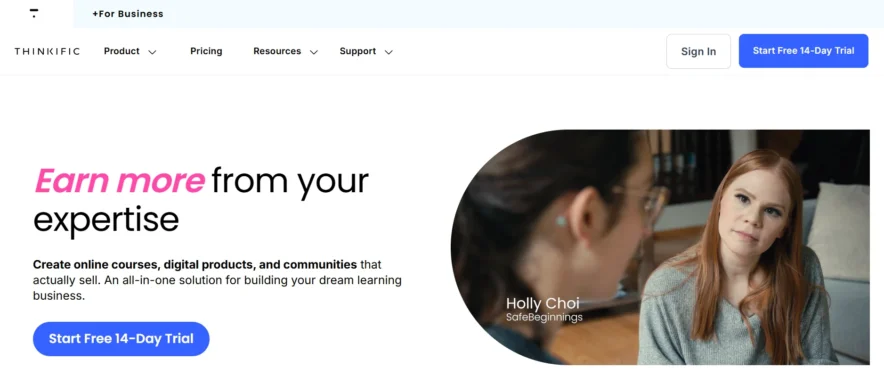
Features Comparison: LearnWorlds vs Thinkific
Key Features of LearnWorlds:
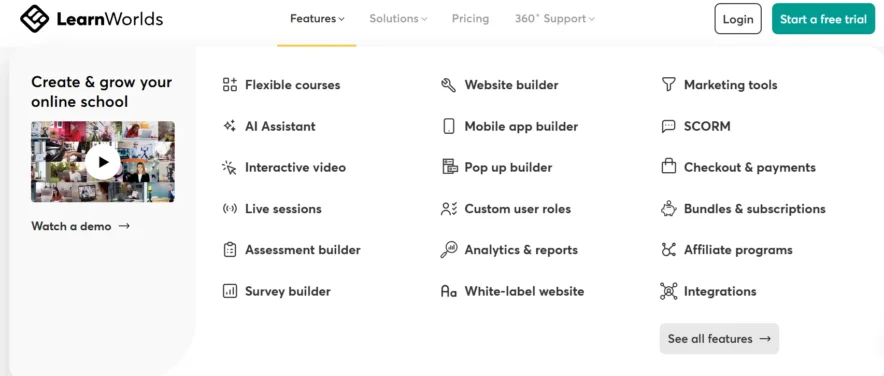
- User-Friendly Interface: Easy to navigate for beginners and experts alike.
- Social Network: Connect with students and other creators.
- White-Labeling: Fully customize your branding and domain.
- Interactive Courses: Create videos, quizzes, and assignments to engage students.
- Testing & Certification: Offer quizzes and certificates to students.
- Multilingual Support: Create courses in different languages.
- SCORM Compliance: Ensure compatibility with industry standards.
- Analytics: Track student progress and course performance.
- Mobile-Friendly: Access courses on any device.
- Flexible Payments: Pay in installments or annually.
- Integrations: Connect with other tools and apps.
- Copyright Protection: Secure your content from unauthorized use.
- Regular Updates: New features and improvements are added regularly.
Key Features of Thinkific:
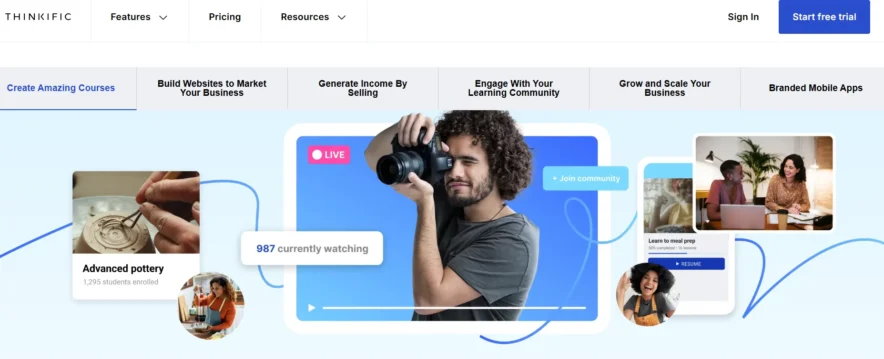
- Drag-and-Drop Builder: Easily create courses without technical skills.
- Course Customization: Personalize your courses and branding.
- Drip Content: Release course content over time.
- Affiliate Program: Allow others to promote your courses for a commission.
- Notifications: Get automated updates for students and admins.
- Video Library: Organize all your video content in one place.
- Membership & Bundles: Offer multiple courses in a package.
- Flexible Pricing: Customize your pricing and subscription plans.
- Student Dashboard: Track student progress in one place.
- Integrations: Easily connect with email tools and payment processors.
- Free Plan: Start with a free plan to test out the platform.
Ease of Use
LearnWorlds:
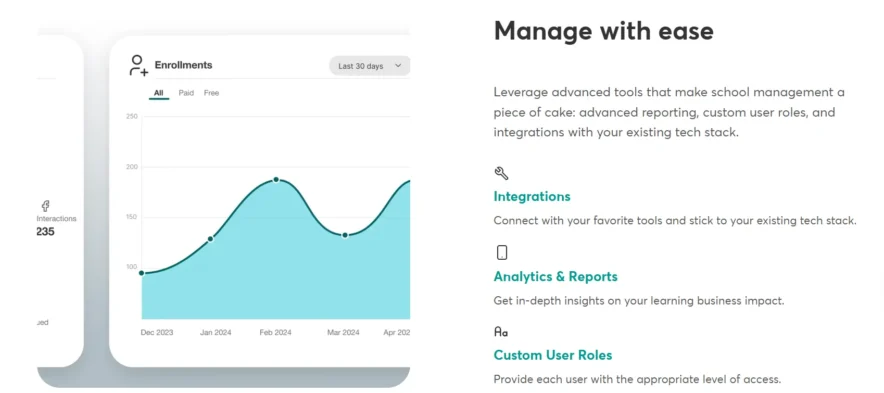
LearnWorlds is a highly intuitive platform, designed for ease of use. It doesn’t matter if you’re a beginner or an experienced course creator; you can easily navigate the interface and access all the features without much hassle.
The platform is detailed but straightforward, so you won’t need professional experience to get started. Its simple design ensures that everyone can make the most of it.
Thinkific:
Thinkific also prides itself on being simple to use. The platform features a drag-and-drop course builder, so creating courses feels intuitive and doesn’t require any technical skills.
Plus, Thinkific provides various templates and easy navigation, making it simple for anyone to get started.
Verdict:
LearnWorlds is great for those seeking rich features and easy setup, while Thinkific is perfect for users who want a simple, quick-to-learn platform. Both are user-friendly, but each caters to different preferences.
Social Networking & Community Building
LearnWorlds:
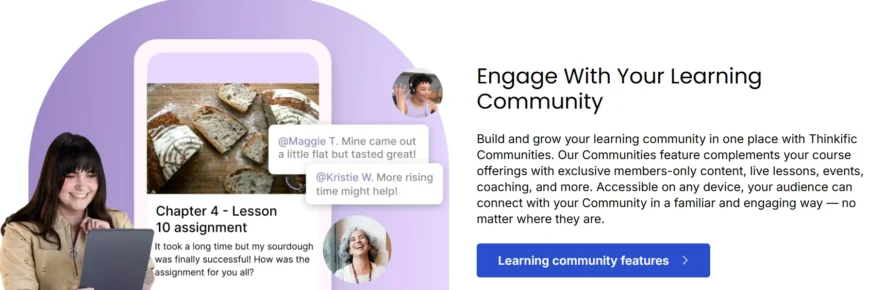
One of LearnWorlds’ standout features is its built-in social network. This allows you to connect with fellow course creators, students, and professionals within the e-learning community.
You can foster personal relationships with your clients, making it easier to promote your courses while building a trusted network. It’s a great way to create a more engaged and loyal audience for your courses.
Thinkific:
While Thinkific does not offer a built-in social network, it allows you to integrate with external platforms like Facebook Groups or Slack, where you can build communities.
This offers flexibility, but it means that the platform doesn’t have an all-in-one social feature built directly into the system.
Verdict: LearnWorlds is ideal if you want to build a community directly on the platform with its built-in social features. If you’re fine using external platforms for community building, Thinkific works well but lacks this integrated option.
White-Labeling

LearnWorlds:
LearnWorlds offers a white-label solution that lets you fully brand your platform, including custom domains, logos, and course designs. This feature is perfect if you want your courses to feel like a part of your brand rather than using a generic platform design.
With complete control over your content and branding, LearnWorlds helps you take your business to the next level without external interruptions.
Thinkific:
Thinkific also allows for white-labeling, letting you brand your site with your logo, domain name, and custom layout. It’s a solid choice for those who want to keep their branding consistent.
However, it’s worth noting that some Thinkific branding may still appear on the free and lower-tier plans.
Verdict: LearnWorlds offers full white-labeling for complete control over your branding, while Thinkific provides solid white-labeling but may show some branding on lower-tier plans. If branding is a priority, LearnWorlds is the better choice.
Course Creation & Customization

LearnWorlds:
LearnWorlds shines in this category with its deep customization options for creating interactive courses. You can design multimedia content like interactive videos, quizzes, and e-books.
The platform offers an intuitive editor, allowing you to easily customize the look and feel of your courses and even integrate interactive features to engage your learners.
Thinkific:
Thinkific also provides a wide range of customization tools, though they are more focused on simplicity. You can create courses using pre-built templates, upload media like videos and files, and easily format your content.
While it doesn’t offer as many interactive features as LearnWorlds, it’s still a solid option for users who want to create straightforward courses quickly.
Verdict: LearnWorlds is ideal for creating interactive, engaging courses with advanced customization options, while Thinkific is better for those seeking a quick and efficient course creation tool. If you need more flexibility and interactivity, LearnWorlds is the better choice.
Testing & Certification
LearnWorlds: LearnWorlds includes an online testing engine, allowing you to create quizzes and assessments for your students. You can award certificates upon course completion, which is a great way to validate your learners’ progress.
This makes the learning process more structured and rewarding.
Thinkific: Thinkific offers quizzes and certificates as well, but its testing capabilities are more basic than those of LearnWorlds. It’s a straightforward approach that works for many course creators, but lacks the depth of LearnWorlds’ features.
Verdict: LearnWorlds is the better choice if you need detailed assessments and certifications to track learning outcomes. While Thinkific offers useful testing features, LearnWorlds provides more robust testing and certification capabilities.
Analytics & Reporting
LearnWorlds:
LearnWorlds provides powerful analytics that track learner performance and engagement. The data is easy to interpret, allowing you to make informed decisions about improving course content and learner experience.
You can track metrics like course completion rates, student progress, and overall course performance.
Thinkific:
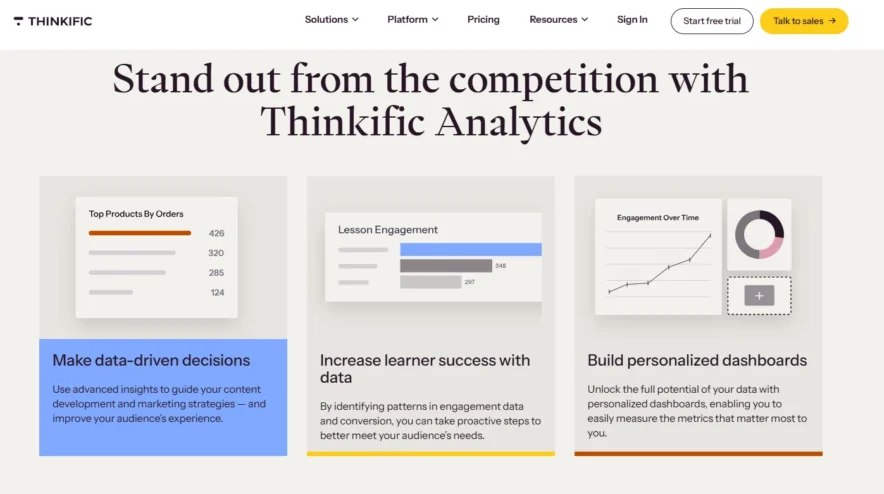
Thinkific also offers basic analytics, such as course completion rates, student progress, and revenue tracking. While useful, the data is not as detailed or visually rich as what LearnWorlds provides.
Verdict: LearnWorlds is perfect for those who need detailed insights and comprehensive analytics to track course effectiveness. While Thinkific’s analytics are sufficient for beginners, LearnWorlds provides a more in-depth reporting system.
Affiliate Programs
LearnWorlds:
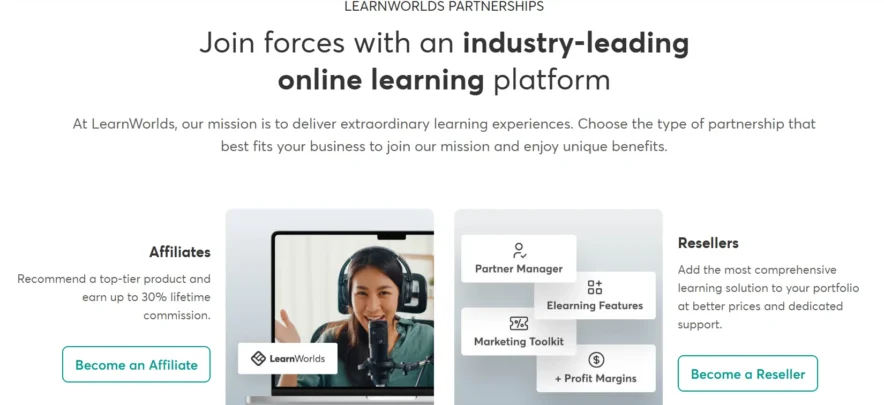
LearnWorlds doesn’t have a built-in affiliate program, but you can integrate third-party affiliate tools to promote your courses and earn commissions. This adds flexibility for users who already use affiliate marketing tools.
Thinkific:
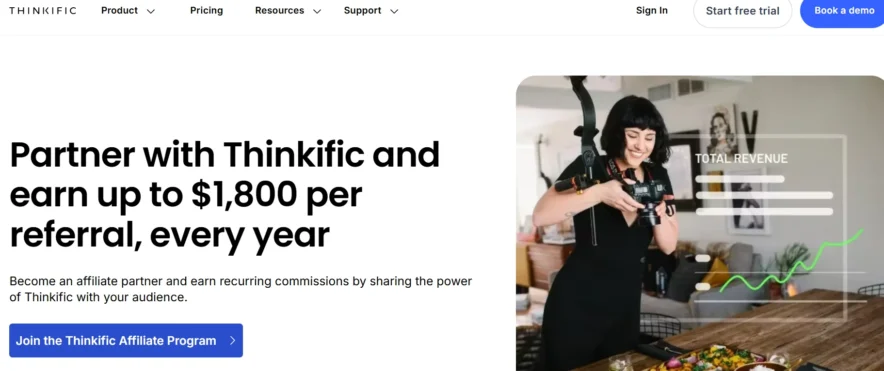
Thinkific includes an integrated affiliate program, allowing you to recruit affiliates to promote your courses and earn commissions on sales.
This feature can help expand your reach and increase sales.
Verdict: If affiliate marketing is crucial for your strategy, Thinkific’s built-in affiliate program gives it an advantage. LearnWorlds lacks an integrated system but offers third-party integrations to fill the gap.
Pricing Comparison: LearnWorlds vs Thinkific
LearnWorlds Pricing :
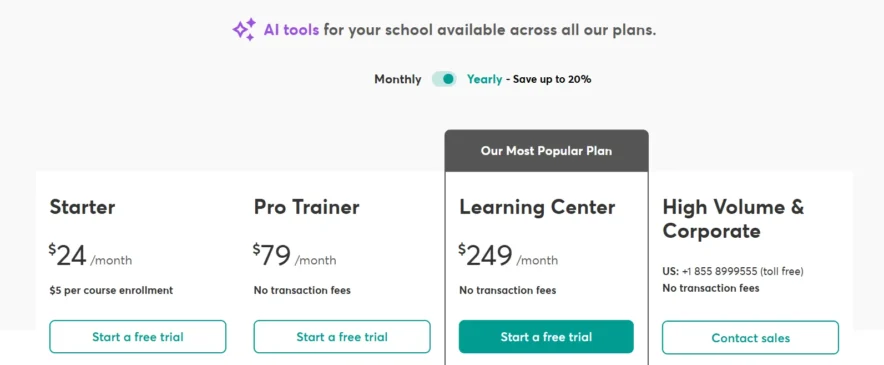
Starter Plan – $24/month:
This plan is great if you’re just starting out. You can create unlimited paid courses, add quizzes, build eBook pages, and manage your site with 1 admin. It also includes basic tools for payments and marketing.
Pro Trainer Plan – $79/month
This plan adds more features like live classes, webinars, and affiliate marketing. You can create free or paid courses, send bulk emails, and have up to 5 admins. It’s good if you’re ready to grow your school.
Learning Center Plan – $249/month
Ideal for larger schools or businesses. It includes everything from the lower plans, plus interactive videos, detailed reports, and more admin access. You can also remove LearnWorlds branding and connect Zoom or Webex.
Corporate Plan – Custom Pricing
This is for big companies. It offers extra data security, dedicated support, and flexible options for admin roles and contracts. You’ll need to contact LearnWorlds for pricing.
Thinkific Pricing:
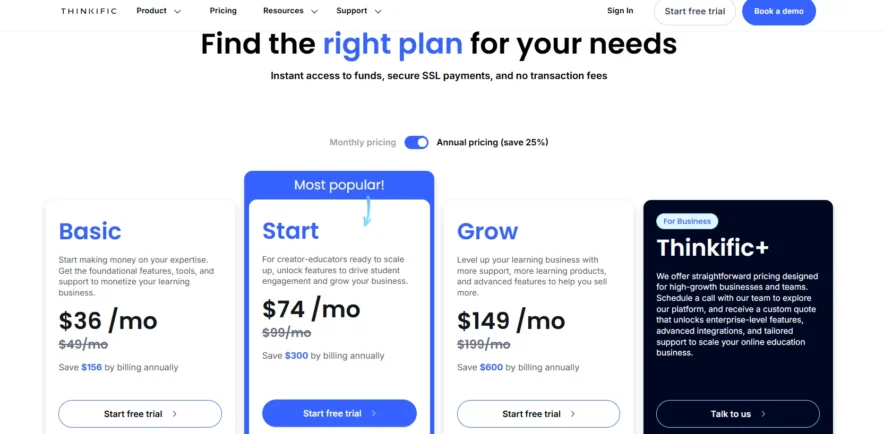
Basic Plan – $36/month (or $49 if paid monthly)
A good starting plan. You can create unlimited courses, set up one community, and host coaching sessions. It includes sales tools like coupons, affiliate links, and email marketing.
Start Plan – $74/month (or $99 if paid monthly)
This plan includes everything in Basic, plus unlimited downloads and coaching, live lessons, and membership options. It’s great for creators looking to grow.
Grow Plan – $149/month (or $199 if paid monthly)
This plan removes Thinkific branding and adds more features like advanced analytics, group orders, and extra communities. It’s for those ready to scale their business.
Thinkific+ – Custom Pricing
For large teams or businesses. You get all the features from Grow, plus custom analytics, CRM tools, SSO, and one-on-one support. Contact Thinkific for a quote.
Verdict:
Go for Thinkific if you’re looking for something simple, easy to use, and more affordable to start. It’s great for individual creators and small businesses.
Go for LearnWorlds if you want more advanced features, interactive tools, and detailed reporting. It’s best for professional educators or training teams.
Pros & Cons: LearnWorlds vs Thinkific
User Reviews of Learnworlds Vs Thinkific
Learnworlds Customer Reviews
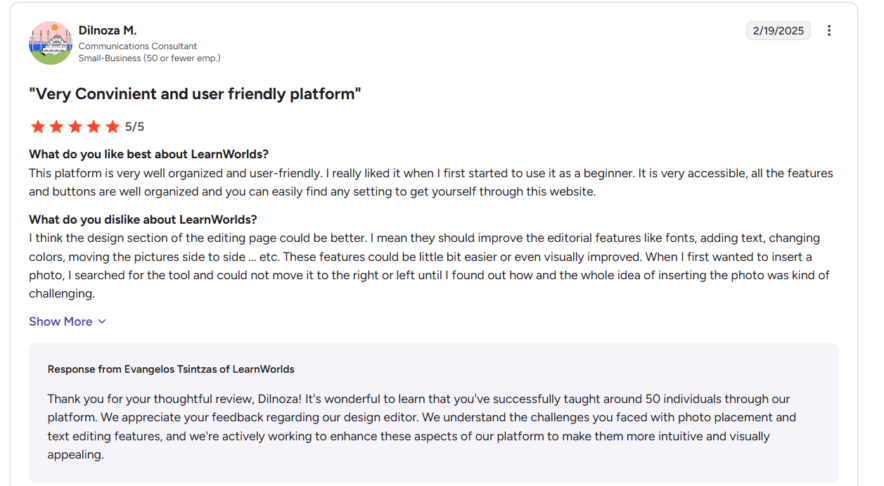
Credit: G2 Reviews
Thinkific Customer Reviews
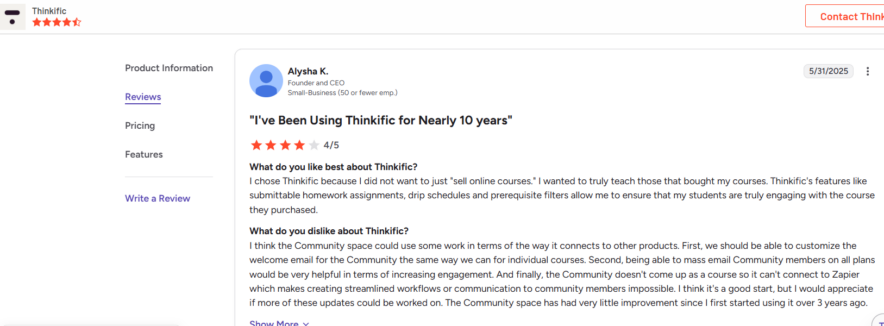
Credit: G2 Reviews
FAQs On LearnWorlds vs Thinkific:
👉 Which software has better integrations?
Both the software has been made in terms of productivity. You can switch to either one of these software, although Thinkific has Zapier that allows good support that automates your working experience.
👉Which software has more customizable options?
Both the platforms have good customizable features to make your courses interactive and engaging whereas LearnWorlds offers a few more customizable options than Thinkific which helps to make the courses interesting.
👉Which platform is more suitable for learning purposes?
Both the software‘s are appropriate for creating and selling online courses for learning. LearnWorlds and Thinkific both provide video tutorials and quizzes to make the topic easy to grasp and understand.
🧐Can we track a student’s progress on LearnWorlds?
Yes! LearnWorlds allows you to keep track of your student's progress from the beginning to the end of the semester. This allows you to identify pupils who may require extra guidance or inspiration. Furthermore, as more students enroll in your program, you will notice areas where candidates are more likely to struggle. While this has piqued your attention, you are well-positioned to identify the necessary changes.
Quick Links:
- Thinkific vs Teachable
- Skillshare Vs Lynda
- Lynda Vs Coursera
- Chegg vs Course Hero
- Kajabi Vs Thinkific
Conclusion: LearnWorlds vs Thinkific 2026
Based on an in-depth comparison, LearnWorlds proves to be a smart and affordable choice for anyone looking to build and grow an online course business.
It offers a strong mix of advanced features and ease of use, making it ideal for both beginners and professionals. From full branding control to powerful course creation tools, LearnWorlds helps you deliver a smooth, engaging learning experience.
With flexible pricing and tools that scale as you grow, it’s a platform that offers real value for the price, a solid pick for creators who want both control and performance.