

On this page9 sections
- 01Active WP Engine Coupon Codes 2026
- 02How to Claim WP Engine Coupon Code
- 03WP Engine Pricing After the Discount
- 04What Is WP Engine?
- 05More Ways to Save on WP Engine
- 06Which WP Engine Deal Should You Choose?
- 07Pros & Cons: WP Engine Coupon Code
- 08FAQs: WP Engine Coupon Code
- 09Final Verdict: WP Engine Coupon Code
- Comments
Why pay the full monthly rate for managed WordPress hosting when the yearly switch already takes a fifth off? Our WP Engine Coupon Code deals cut Essential from $35 to $28 a month, so new customers save 20% from the first bill.
Active WP Engine Coupon Codes 2026
These WP Engine Coupon Code deals work on new Essential plans at checkout. First year pricing and its coupons apply to new customers only, one offer per signup, and they do not stack with other offers, upgrades, or renewals.

Essential Annual Plan: Save Big With WP Engine Coupon Code
Lock in annual savings displayed on the official WP Engine pricing page when you commit to yearly billing. The Essential plan offers the best value for new WordPress sites seeking managed hosting without breaking budget. Perfect entry point for bloggers and small businesses.
First-Year Coupon: Exclusive WP Engine Coupon Code for New Customers
New Essential plan customers qualify for first-year discount coupons that slash your initial bill significantly. This WP Engine coupon code applies only to fresh accounts, making it ideal for budget conscious site owners launching their first managed WordPress site.
Existing Customer Renewal: Standard Terms Apply Without WP Engine Coupon Code
When your plan renews, standard first-year coupon rules do not apply. Renewal pricing reflects regular rates, so factor this into your long-term budget planning. Many users find the service value justifies renewal costs even without an active WP Engine coupon code.
Plan Upgrades: No First-Year Coupon Rules Apply
Upgrading your existing WP Engine account means coupon discounts do not transfer to the higher tier. You'll pay full price for the upgraded features immediately, so confirm the value before moving up from your current plan level.
Multiple Coupons: Cannot Stack WP Engine Coupon Code Discounts
You cannot combine multiple WP Engine coupon codes or stack offers at checkout. Select your single best discount before completing purchase, as only one WP Engine coupon code applies per transaction.
Billing Currencies: Flexible Payment Options With WP Engine Coupon Code
WP Engine accepts billing in USD, GBP, EUR, CAD, and AUD, giving international customers localized pricing. Your WP Engine coupon code discount applies regardless of currency selection, simplifying global checkout for non-US buyers.
How to Claim WP Engine Coupon Code
Claiming a WP Engine Coupon Code deal takes about five minutes. You pick Essential, switch to annual billing, choose your capacity, and confirm the lower total before you pay.
Step 1: Open the WP Engine offer link from any coupon box above. It lands you on the official plans page with the current Essential offer loaded.
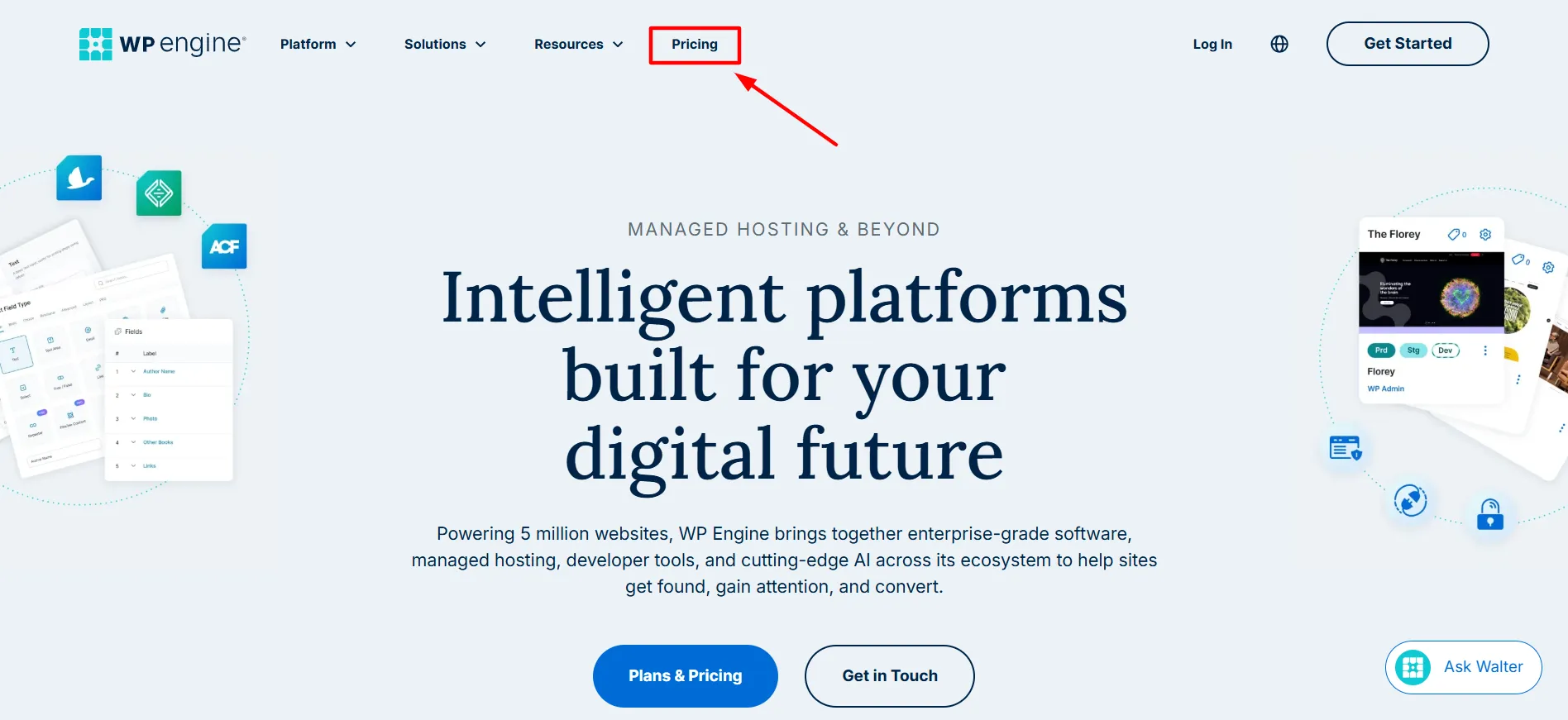
Step 2: Click Build your plan under Essential, then set the billing toggle to Annual. The Essential rate drops from $35 to $28 a month, which is the 20% saving.
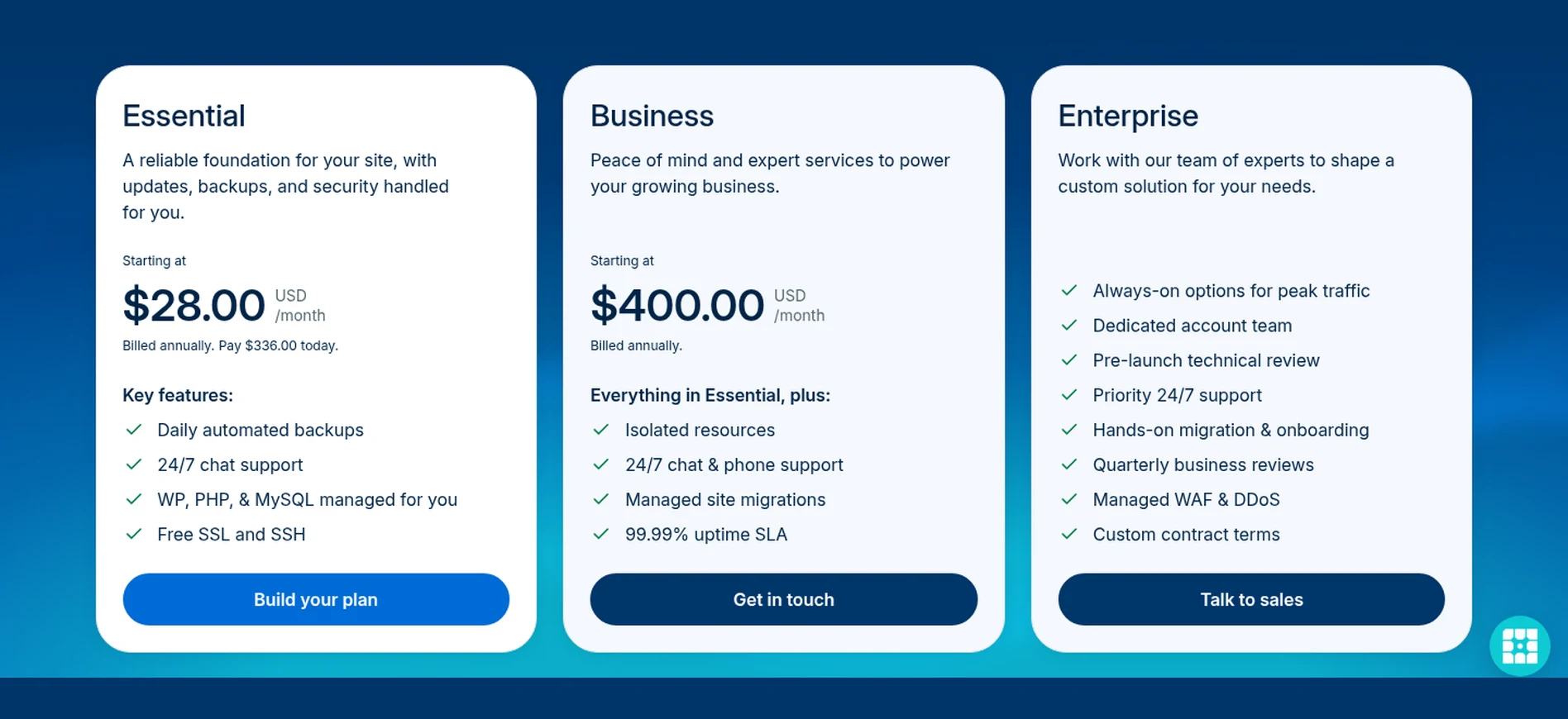
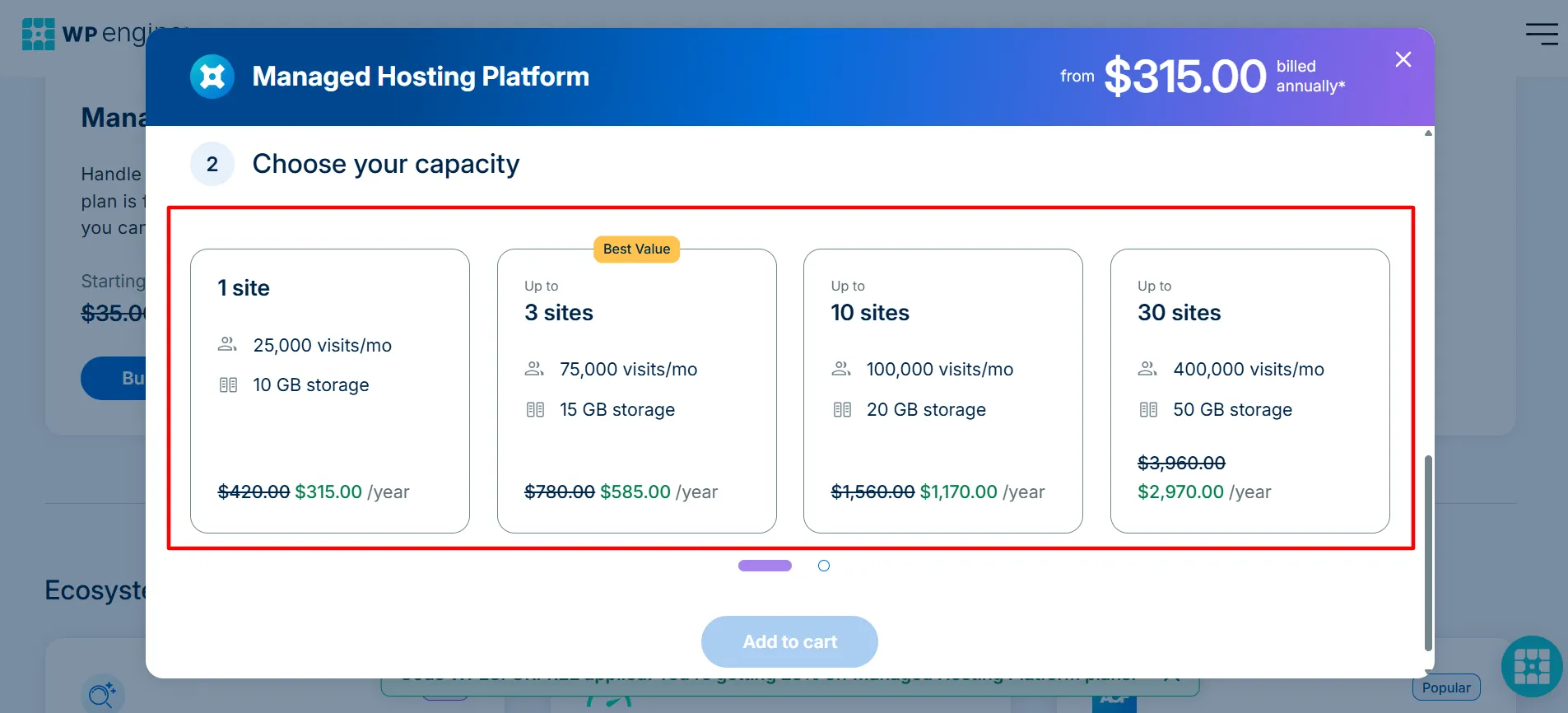
Step 3: Choose your capacity. The starting level covers 1 site, 25,000 visits a month, and 10 GB of storage. Bigger levels go up to 30 sites and 400,000 visits.
Step 4: Open the cart summary and use the Add a discount code field if you have a partner code. Click Apply and wait for the line that confirms the code.
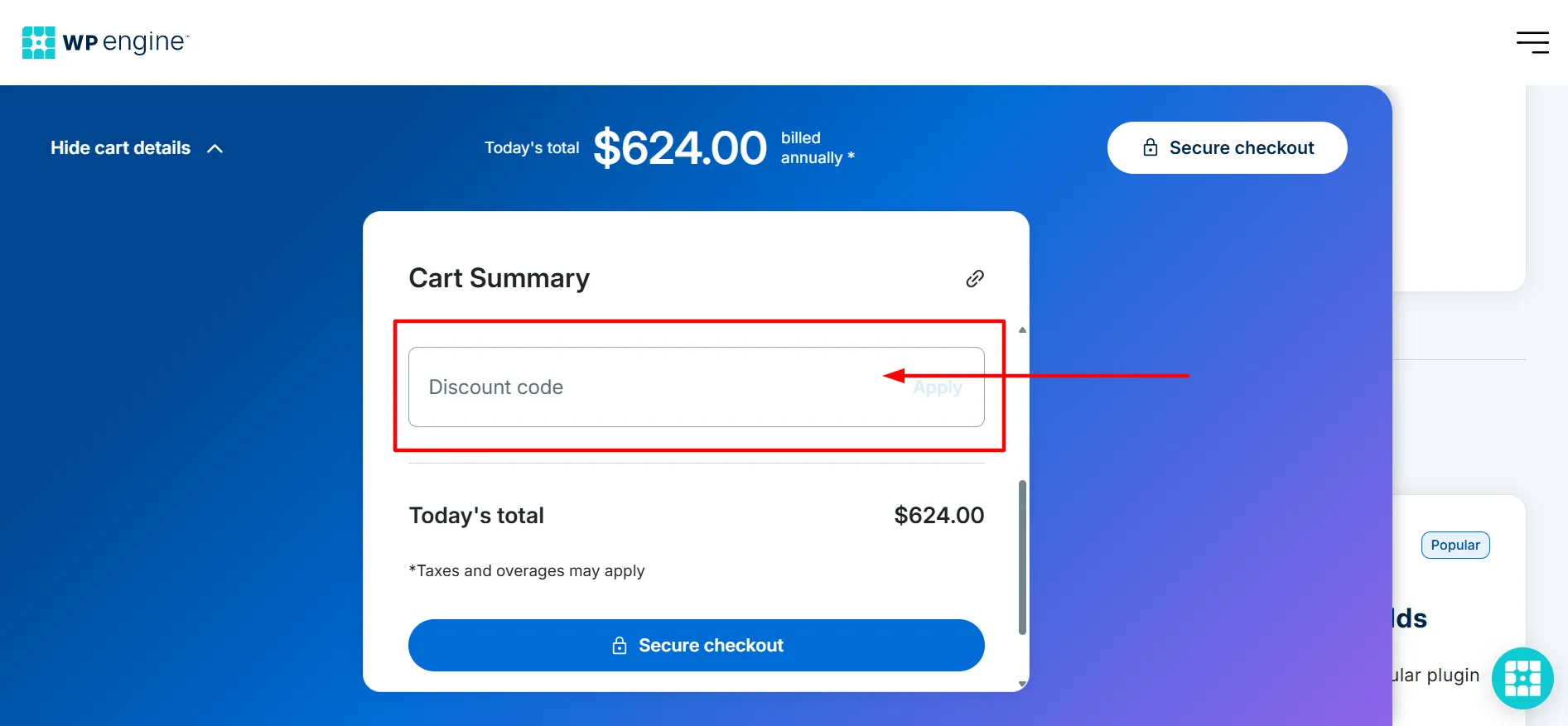
Step 5: Check today’s total before you pay. On the starting Essential level with annual billing, the first year bill is $336 instead of $420 on monthly billing.
Still deciding if managed hosting is right for you? Our hands on WP Engine review walks through speed, support, and the dashboard.
WP Engine Pricing After the Discount
Every Essential level drops by 20% on annual billing, and the WP Engine Coupon Code offers apply on top of that first year price for new customers. For a deeper plan breakdown, see WP Engine pricing explained.
| Essential capacity | Monthly billing | Annual billing | First year total |
|---|---|---|---|
| 1 site, 25,000 visits, 10 GB | $35 a month | $28 a month | $336 |
| Up to 3 sites, 75,000 visits, 15 GB | $65 a month | $52 a month | $624 |
| Up to 10 sites, 100,000 visits, 20 GB | $130 a month | $104 a month | $1,248 |
| Up to 30 sites, 400,000 visits, 50 GB | $330 a month | $264 a month | $3,168 |
Business starts at $400 a month on annual billing and adds isolated resources, phone support, managed migrations, and a 99.99% availability guarantee. Enterprise is quoted by the sales team. The coupon terms cover Essential only, so Business and Enterprise buyers should talk to sales about pricing.
Annual billing is paid up front for the year. Taxes and visitor overages can still apply, so pick the capacity level that matches your real monthly traffic.
What Is WP Engine?
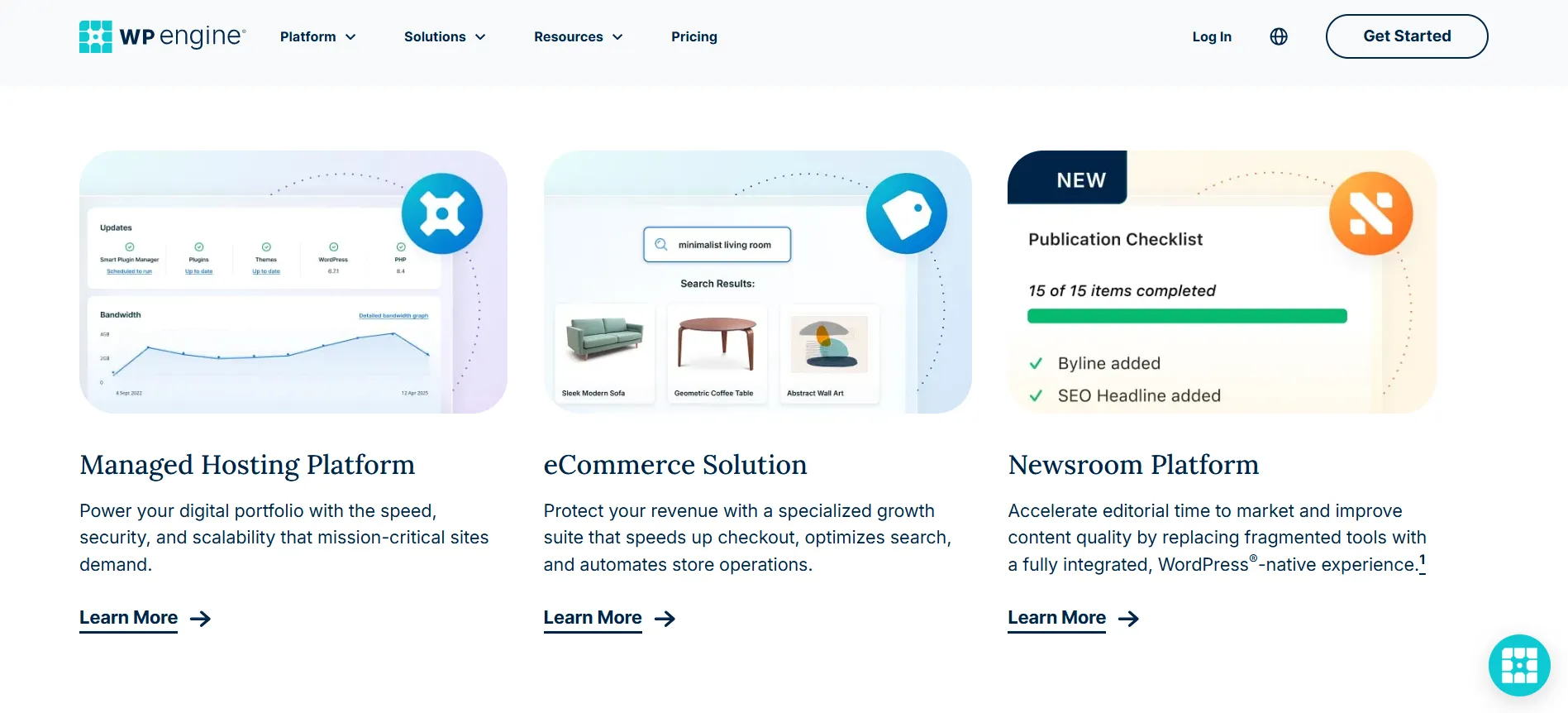
WP Engine is a managed WordPress host that handles updates, backups, security, and speed for you, so you can focus on your site instead of the server.
Every Essential plan includes daily automated backups, 24/7 chat support, managed WordPress, PHP, and MySQL updates, free SSL and SSH, a global CDN, and EverCache. You also get one click staging, 10 premium themes, and free migration tools.
Bloggers, small businesses, and agencies use it when a slow or hacked site costs real money. That is why a WP Engine Coupon Code search makes sense: the platform is premium, and 20% off the first year makes the jump easier.
More Ways to Save on WP Engine
Beyond the coupon boxes, a few simple choices lower the bill even more. Most of them come down to picking the right capacity and billing cycle, and they work alongside any WP Engine Coupon Code you use.
- Pay annually: Annual billing takes 20% off every Essential level, so the starting plan is $28 a month instead of $35.
- Start from the offer link: Open the WP Engine Coupon Code offer so the 20% annual rate is already set when you build your plan.
- Start small: Pick 1 site and 25,000 visits first. You can move up a level later when traffic grows.
- Skip add ons at checkout: Smart Plugin Manager, site monitoring, and NitroPack are optional on Essential. Add them only when you need them.
- Use the free migration plugin: Moving your site yourself costs nothing, so you avoid paying for a managed move.
- Watch your visits: Staying inside your plan limit avoids overage fees on top of the plan price.
Which WP Engine Deal Should You Choose?
The best WP Engine Coupon Code deal depends on how many sites you run and how much traffic they get. Here is a quick way to decide which WP Engine Coupon Code path fits you.
- One blog or business site: Take the starting Essential level on annual billing at $28 a month. It covers 1 site and 25,000 visits.
- A few small sites: The 3 site level at $52 a month annually is the best value step for side projects and small client sites.
- Agencies: The 10 site or 30 site levels keep many sites in one account, with transferable sites for client handoffs.
- High traffic businesses: Business at $400 a month adds isolated resources and the availability guarantee, but it sits outside the coupon terms and is priced by the sales team.
Pros & Cons: WP Engine Coupon Code
Pros
- Annual billing takes 20% off every Essential capacity level.
- The starting plan drops to $28 a month, or $336 for the first year.
- Checkout has a discount code field for partner codes.
- Daily backups, staging, CDN, and SSL come with every plan.
- 24/7 chat support is included from the first plan.
Cons
- First year coupons cover new Essential customers only.
- Renewal pricing can rise after the first year.
FAQs: WP Engine Coupon Code
The best WP Engine Coupon Code deal right now is 20% off Essential with annual billing. The starting plan drops from $35 to $28 a month, which is $336 for the first year instead of $420.
First year pricing and its coupons are for new customers buying an Essential plan. They do not apply to upgrades, renewals, or other products, and they can be redeemed once at signup.
Open the cart summary at checkout and click Add a discount code. Type the code, click Apply, and check that the discount line shows before you pay.
No. The offer terms say the first year coupons cannot be combined with other offers. Pick the single deal that saves you the most and use it at signup.
Essential costs $28, $52, $104, or $264 a month on annual billing, based on the number of sites and visits. Business starts at $400 a month on annual billing.
No. The first year coupons cover Essential plans only. Business and Enterprise buyers get their pricing from the sales team instead.
Yes. Taxes and visitor overages can still apply at checkout and during the year. Pick the capacity level that matches your real monthly visits so the discounted price stays the price you pay.
Quick Links:
- Cloudways Coupon Code
- Hostinger Coupon Code
- InterServer Coupon Code
- VHosting Coupon Codes
- SmarterASP.NET Coupon Codes
Final Verdict: WP Engine Coupon Code
WP Engine Coupon Code deals save you 20% today on Essential when you pick annual billing. The starting plan falls from $35 to $28 a month, and every larger Essential level gets the same cut for the first year.
Best deal: the starting Essential level on annual billing at $28 a month, then move up a capacity level only when your traffic needs it.
Last updated

Affiliate disclosure: In full transparency – some of the links on our website are affiliate links, if you use them to make a purchase we will earn a commission at no additional cost for you (none whatsoever!).



Discussion
Join the conversation
No comments yet. Start the discussion with a question or your own experience.