


On this page11 sections
- 01WP Engine Review: Quick Verdict 2026
- 02WP Engine Pricing in 2026
- 03WP Engine Performance Review
- 04WP Engine Security Review
- 05WP Engine Customer Support Review
- 06WP Engine Ease of Use
- 07WP Engine Migration Experience
- 08Pros and Cons: WP Engine Review
- 09Who Should Use WP Engine?
- 10Is WP Engine Worth It?
- 11WP Engine Review 2026: Final Thoughts
- Comments
WP Engine Review searches often lead to older articles that still use WP Engine’s previous Startup, Professional, Growth, and Scale structure. The current WP Engine website now presents its Managed Hosting Platform around Essential, Core, and Enterprise, with capacity choices based on sites, visits, and storage. That change matters when comparing prices and features in 2026.

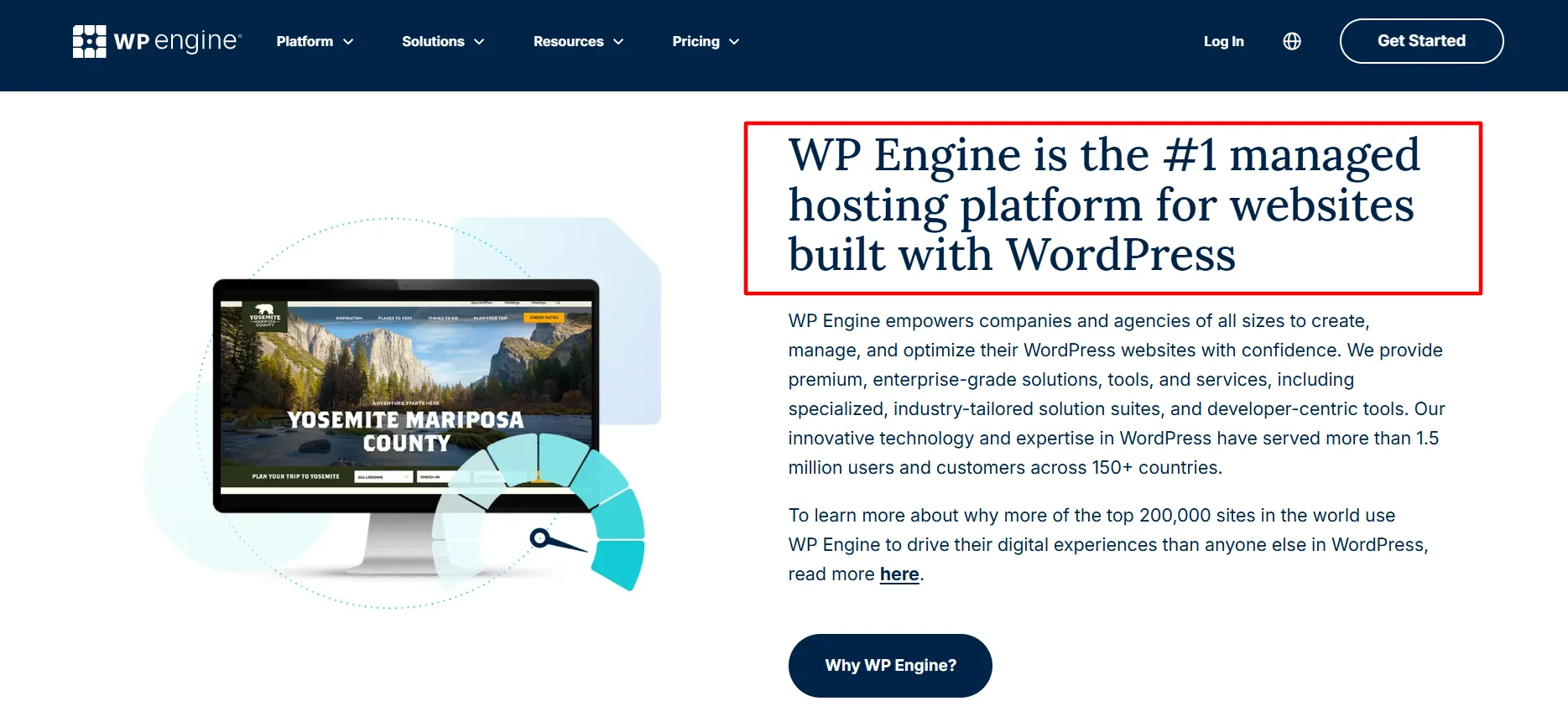
WP Engine is a managed WordPress hosting platform powering 5 million websites. It offers enterprise-grade hosting, eCommerce solutions, newsroom publishing tools, and AI-powered features designed for performance, security, and scalability across businesses, agencies, developers, and media publishers.
Pros
- Exceptional 24/7 support with outstanding first-contact resolution rates and dedicated account managers for enterprise customers.
- All-in-one ecosystem combining managed hosting, eCommerce tools, and publishing platforms to eliminate workflow friction.
- Enterprise-grade security with platform-level defense protecting revenue and reputation across all products.
- High performance at scale delivering fast, reliable experiences during peak traffic and global operations.
- Developer-friendly tools enabling smooth local development to production deployment with zero friction.
Cons
- Premium pricing makes entry costs higher than budget shared hosting alternatives for small bloggers.
- Steeper learning curve for non-technical users unfamiliar with managed hosting dashboards and workflows.
Starting with $26.25/mo
Get Started with WP EngineWP Engine focuses entirely on WordPress hosting, with managed updates, caching, backups, security tools, staging environments, CDN delivery, and 24/7 technical support. Independent reviews also point to strong support and a wide feature set, while raising concerns about price and the learning curve for new users.
So, is WP Engine worth paying for? This review looks at the service from several angles, including pricing, speed, security, support, ease of use, limitations, and the type of website that fits the platform.
WP Engine Review: Quick Verdict 2026
WP Engine is a managed WordPress hosting service aimed at users who want more than basic server space.
It stands out for:
Managed WordPress maintenance
24/7 technical support
Built-in caching through EverCache
Global CDN
Daily and on-demand backups
One-click staging and development environments
Automated WordPress and PHP updates
Security patching and plugin risk scans
DDoS protection
WordPress-focused migration tools
Developer tools such as SSH and GitHub Actions
The trade-off is price. WP Engine costs more than many basic WordPress hosts, and some features that other hosts bundle into their services are not part of the standard package. TechRadar’s 2025 testing also found WP Engine’s entry-level setup slower than some similarly priced competitors in its own benchmark tests.
WP Engine Pricing in 2026
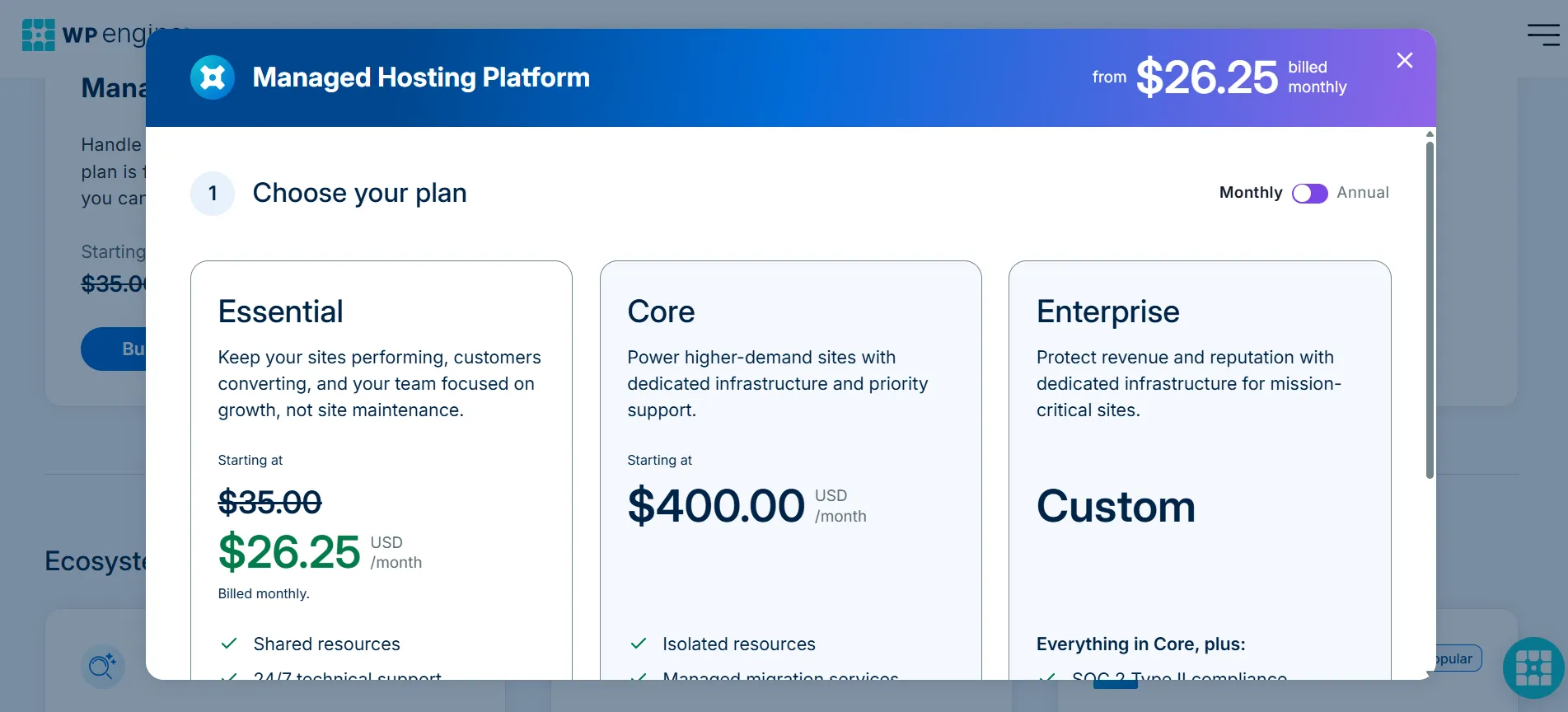
The current WP Engine pricing page lists three Managed Hosting Platform plans:
Plan | Current structure | Sites | Monthly visits | Storage |
|---|---|---|---|---|
Essential | Build your plan | 1-30 | 25,000-400,000 | 10-50 GB |
Core | Starts at $400/month | 30-50 | 400,000-800,000 | 50 GB-2 TB |
Enterprise | Custom | 50+ | 800,000+ | 2 TB+ |
WP Engine’s pricing page currently advertises 20% savings on Essential with annual billing. The Essential capacity selector starts with one site, 25,000 monthly visits, and 10 GB of storage. Customers can also choose higher capacity levels for more sites and traffic.
The site also lists an additional site at $20 per month where applicable. Taxes, overage charges, promotions, and renewal pricing can affect the final bill.
This pricing structure is worth checking directly before purchase because older WP Engine reviews can show prices and package names that no longer match the current checkout.
WP Engine Performance Review
Performance is one of WP Engine’s main selling points.
The platform uses EverCache, server-level caching, and a global CDN to deliver WordPress content. WP Engine says its CDN has more than 200 points of presence around the world. Its platform page also reports 99.99% uptime across the platform, while the current Core plan includes a 99.99% uptime guarantee.
That sounds impressive, but real-world performance depends on the website itself. Your theme, plugins, images, database, third-party scripts, and code can all affect load times.
Independent testing gives a more mixed picture. TechRadar’s August 2025 WP Engine review found its tested entry-level setup reasonably capable but slower than several competing hosts in its benchmark tests. A separate TechRadar comparison from May 2025 also measured slower transaction results than SiteGround in its test environment.
Those results come from specific tests, so they should not be treated as a universal speed result for every WP Engine website.
Performance verdict: WP Engine has strong performance tools built into the platform, but independent test results show that the actual speed advantage depends on the site and test conditions.
WP Engine Security Review
Security is another major part of the service.
WP Engine includes security patching, plugin risk scans, SSL, backups, and DDoS protection. Its platform also supports managed WAF protection, with more advanced security features available depending on the plan or add-ons.
The company says its infrastructure maintains SOC 2 Type II and ISO 27001 compliance. Enterprise customers receive additional security features, including advanced DDoS protection and managed WAF services.
One useful feature is the managed approach to updates. WP Engine handles WordPress and PHP updates, while automated plugin updates can also be added or included depending on the package.
For a business website, this can reduce the amount of routine maintenance you need to handle yourself.
WP Engine Customer Support Review
Support is one area where WP Engine receives consistently positive feedback.
WP Engine provides 24/7 WordPress technical support. Its current support page says the company has WordPress engineers and technical specialists handling support requests, with 90% of cases reportedly solved during the first interaction. That figure is a WP Engine claim rather than an independent test.
G2’s current managed hosting data gives WP Engine an average rating of 4.6 out of 5 from 347 reviews. G2 lists scores of 9.3/10 for quality of support, 9.2/10 for ease of administration, and 9.1/10 for ease of use.
TechRadar’s hands-on review also described WP Engine’s support agents as quick and knowledgeable during its testing.
Support can matter more than a few dollars in monthly hosting fees when a business site suddenly stops working at an inconvenient hour. That is one reason managed hosting appeals to companies that do not want to handle server issues themselves.
WP Engine Ease of Use
WP Engine is designed for WordPress rather than general-purpose hosting.
Creating a WordPress site is straightforward, and WP Engine provides staging and development environments so you can test changes before publishing them. The platform also supports SSH, Git integration, WP-CLI, and GitHub Actions for developers.
New WordPress users may need time to understand some of the platform’s tools.
TechRadar found the interface well organized but noted that the number of features could feel intimidating for beginners. Users familiar with staging, Git, redirects, and WordPress development should have an easier time.
WP Engine Migration Experience
Moving a WordPress site to another host can be stressful, especially for a business website.
WP Engine provides a free automated migration plugin for its Essential plan. Eligible higher-tier plans also include managed migration services. WP Engine says its migration support can cover tasks such as DNS updates, SSL setup, and environment configuration.
TechRadar tested a roughly 500 MB WordPress migration and reported that it completed within a few minutes during its testing.
That does not mean every migration will be trouble-free. Large databases, unusual plugins, custom code, DNS settings, and WooCommerce stores can require extra work.
Pros and Cons: WP Engine Review
Pros
- Strong WordPress-focused hosting
- 24/7 technical support
- Built-in caching and CDN
- Daily and on-demand backups
- Staging and development environments
Cons
- More expensive than many general hosting providers
- Some common services, such as email hosting and domain registration, are not included
Who Should Use WP Engine?
WP Engine makes the most sense for people who want managed WordPress hosting rather than basic shared hosting.
It can suit:
Business websites
High-traffic blogs
Agencies managing client websites
WooCommerce stores
Publishers
Marketing websites
Developers who need staging and Git tools
Companies that want access to WordPress specialists
A small personal blog with light traffic may not need this level of hosting. A basic shared hosting package can cost less if you are comfortable managing more of the website yourself.
Is WP Engine Worth It?
The answer depends on what you expect from your host.
If your main goal is the lowest possible hosting price, WP Engine may feel expensive. Independent testing has also shown that cheaper competitors can produce stronger results in some performance tests.
If your priority is managed WordPress hosting, technical support, built-in security, backups, staging, and performance tools, WP Engine offers a package built around those needs.
The biggest difference is not simply server space. You are paying for a managed WordPress environment and access to people who can help when something goes wrong.
Quick Links:
WP Engine Review 2026: Final Thoughts
This WP Engine Review shows a service built for website owners who want WordPress hosting with a large amount of maintenance handled for them.
Its strongest areas are the WordPress-focused platform, support, security tools, backups, staging, and developer features. Its biggest drawback is cost, especially when compared with lower-priced hosts that provide more basic hosting.
The current Essential, Core, and Enterprise structure also makes it important to check WP Engine’s live pricing page before buying rather than relying on older reviews.
For a business or busy WordPress site where support and managed maintenance matter, WP Engine provides a substantial set of tools. For a simple website where price matters more than managed services, a cheaper host may cover the basics with less monthly spend.
Last updated

Affiliate disclosure: In full transparency – some of the links on our website are affiliate links, if you use them to make a purchase we will earn a commission at no additional cost for you (none whatsoever!).



Discussion
Join the conversation
No comments yet. Start the discussion with a question or your own experience.