


On this page9 sections
- 01SmarterASP.NET at a Glance
- 02SmarterASP.NET Features: What Do You Get?
- 03SmarterASP.NET Pricing and Hosting Plans
- 04The 60-Day Free Trial: A Major Advantage
- 05SmarterASP.NET Performance and Uptime
- 06Pros and Cons: SmarterASP.NET Review
- 07Who Is SmarterASP.NET Best For?
- 08FAQs: SmarterASP.NET Review
- 09Final Verdict: SmarterASP.NET Review
- Comments
Choosing a web host involves more than comparing monthly prices. You need a platform that supports your technology, handles your website’s workload, and gives you the tools to manage your projects without unnecessary hassle.
In this SmarterASP.NET review, we’ll look at what the company offers, how its hosting plans compare, and where it may fall short.

SmarterASP.NET is a hosting company focused on Windows and ASP.NET projects. Its lineup covers shared, VPS, and dedicated servers, with SQL Server available and current .NET releases supported.
Pros
- Designed around ASP.NET and the broader .NET ecosystem.
- Most plans include SQL Server for your database needs.
- New visitors can start with a trial period.
- Longer billing terms bring the monthly price down.
Cons
- Linux-based stacks are not supported, so Windows is required.
- Renewing often costs more than the first-term rate.
SmarterASP.NET has been providing hosting services since 1999, with a strong focus on Windows hosting and Microsoft’s web development technologies. Before paying full price, check out SmarterASP discounts.
Its services cater to developers working with ASP.NET, .NET applications, and supported database systems. The company also offers a 60-day free trial, free SSL certificates for shared hosting, and several ways to deploy website files.
Pricing is another reason developers consider this provider. The three main shared hosting plans have advertised starting rates of $2.95, $4.95, and $7.95 per month. The differences between them include website allowances, database capacity, and selected features.
Of course, an affordable plan isn’t automatically the best fit. Billing terms, application compatibility, support quality, and backup arrangements all deserve a closer look. Let’s examine these areas to help you decide whether SmarterASP.NET deserves a place on your hosting shortlist.
SmarterASP.NET at a Glance
SmarterASP.NET is a hosting company built around websites and applications that use Microsoft technologies. Its service lineup includes shared hosting, VPS hosting, cloud hosting, dedicated servers, and managed hosting options.
The provider supports technologies such as .NET 10, ASP.NET Core 10, ASP.NET 4.8, PHP, and Node.js, depending on the plan and hosting environment. It also supports SQL Server, MySQL, and PostgreSQL databases across its shared hosting lineup.
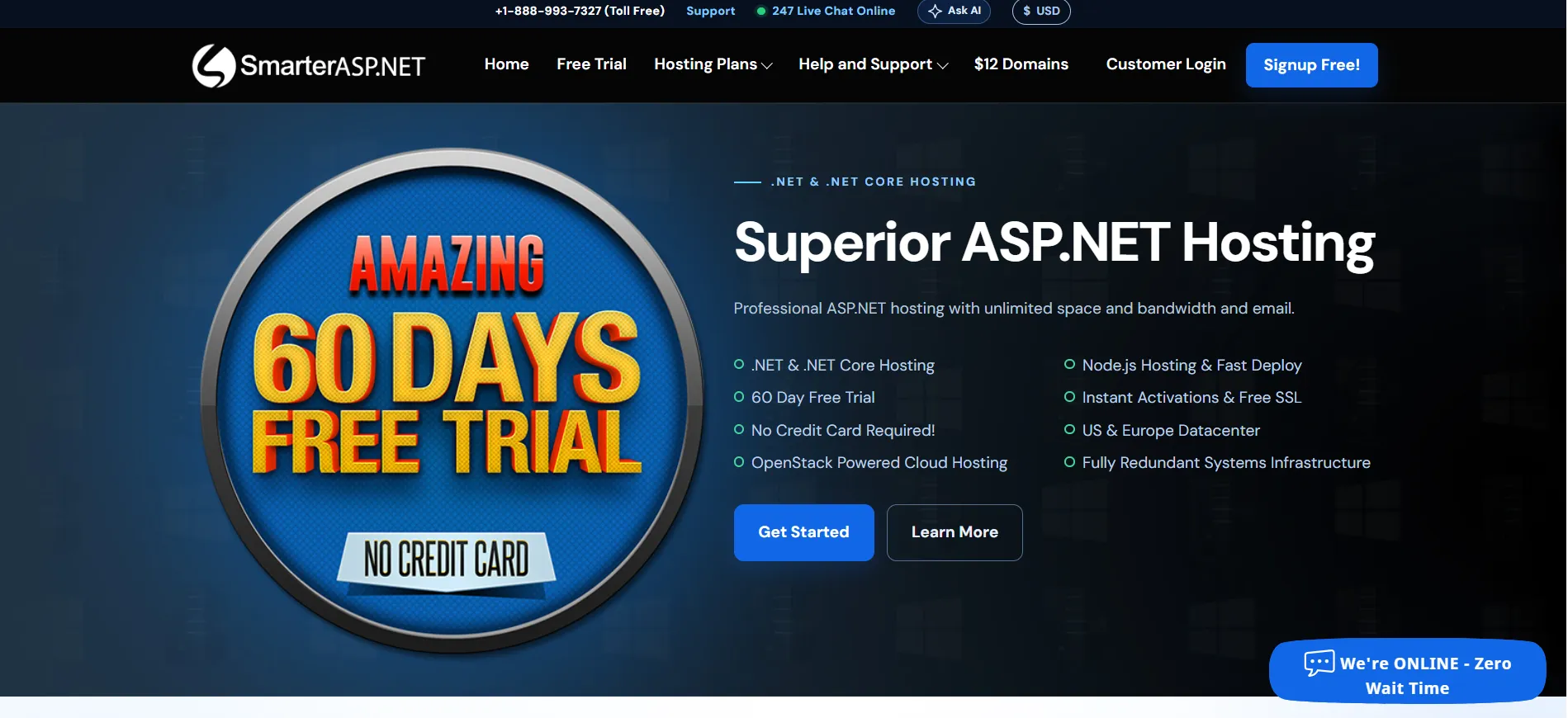
This makes the company particularly relevant to developers who want a Windows-based hosting environment.
If you’re building an ASP.NET application, publishing a project through Visual Studio, or maintaining a website connected to SQL Server, SmarterASP.NET may offer a suitable starting point.
It isn’t necessarily the best match for everyone. People who want a simple drag-and-drop website builder or hosting designed around a different technology stack may prefer another service. Your application’s requirements should guide the decision.
SmarterASP.NET Features: What Do You Get?
The features included with a hosting account can affect development time, website management, and your overall expenses. Here are the main tools and services to consider before choosing a plan.
1. Hosting for ASP.NET and .NET Projects
SmarterASP.NET supports several versions of Microsoft’s web development technologies, including .NET 10, ASP.NET Core 10, and ASP.NET 4.8. Its hosting lineup also includes support for PHP and Node.js.
This range can help developers working on both newer applications and existing websites. For instance, a business might run a customer portal built with ASP.NET, while a developer could use the same hosting account for a smaller project built with another supported technology.
Compatibility still needs attention. An application may rely on a particular runtime, server module, permission, or configuration setting. Before moving an existing website, check the provider’s current specifications and test the application in its hosting environment.
Developers should also confirm that their chosen plan includes the features and resources their application needs. A framework being supported doesn’t mean every possible configuration will work without changes.
2. Database Options for Different Applications
A database often sits at the heart of a website or business application. SmarterASP.NET supports SQL Server, MySQL, and PostgreSQL, giving customers several options depending on how their software stores and retrieves information.
SQL Server can be a natural fit for applications built around Microsoft’s development tools. MySQL and PostgreSQL may suit projects that already use those systems or need a different database setup.
The number of databases and the storage available depend on your selected plan. Smaller websites may work comfortably within the entry-level limits, while applications with large datasets or several separate projects may need a higher tier.
The control panel also provides database management tools, which help customers access database settings and connection details. Before purchasing, compare the listed limits with your current database size and expected growth.
3. Deployment Tools for Developers
Publishing an application should fit the way you build and maintain it. SmarterASP.NET supports deployment through Visual Studio, FTP, and GitHub workflows.
Visual Studio is useful if you already build .NET applications with Microsoft’s development environment. FTP offers a familiar method for transferring files, while GitHub-based deployment can support a repository-driven workflow.
The best option depends on your project. Someone maintaining a small website may be comfortable with FTP, while a developer who updates code frequently may prefer a workflow connected to version control.
These tools can reduce the friction involved in publishing updates, but you should test your deployment process before moving a live website. Confirm that configuration files, database connections, and any required application settings work as expected.
4. Free SSL for Shared Hosting
SmarterASP.NET supports free Let’s Encrypt SSL certificates on its shared hosting plans. An SSL/TLS certificate allows a website to use HTTPS, encrypting data exchanged between the visitor’s browser and the server.
HTTPS is important for websites with login pages, contact forms, customer accounts, or other information submitted by visitors. It also helps prevent browsers from displaying warnings about an unsecured connection.
The certificate is only one part of the setup. You may still need to connect your domain, configure the website, and check that HTTPS works correctly across the pages you publish.
Having free SSL available can help keep hosting expenses down, especially if you manage several websites. Check the current setup instructions if you need help activating a certificate.
5. Control Panel and Account Management
SmarterASP.NET uses its own hosting control panel for account and website management. Customers can access hosting settings, manage databases, and work with other features associated with their plans.
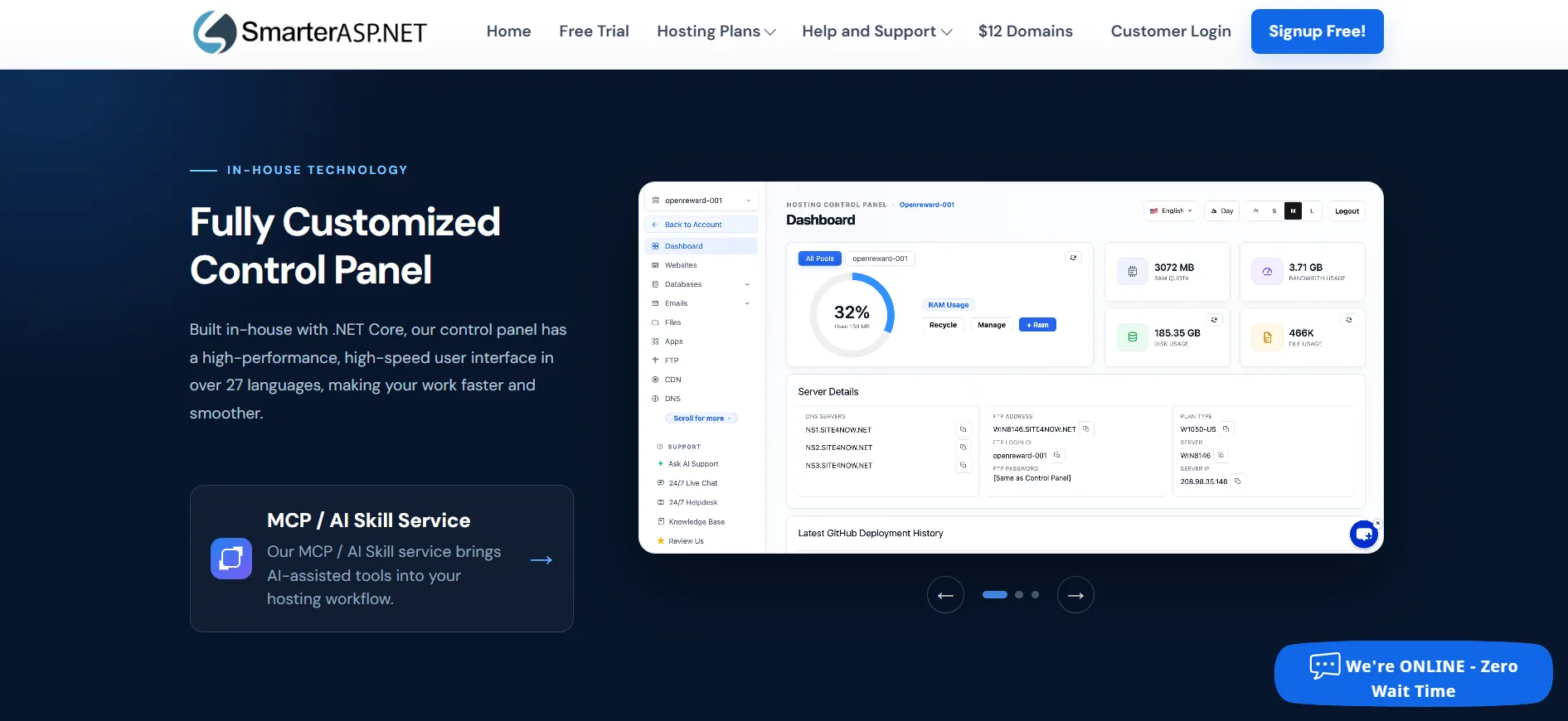
A dedicated control panel brings several hosting tasks together, which can be convenient once you understand where everything is located. Still, anyone moving from another provider may need time to learn the layout.
Use the trial period to explore the interface. Check how easily you can manage files, configure your application, access database information, and find the settings you need regularly.
The experience matters because a low hosting price offers less value if everyday tasks become difficult or time-consuming.
6. Data Center Choices
SmarterASP.NET lists data center locations in regions that include the United States, Europe, Asia, and Australia. Its website also describes its infrastructure as OpenStack-powered and built with redundant systems.
Choosing a server region closer to your main audience may help reduce network latency. For example, a business serving customers in Europe may benefit from hosting its website in a suitable European location.
Location alone doesn’t determine speed. Database performance, application code, caching, server load, and network conditions all influence how quickly a page loads.
If speed matters to your business, run tests during the trial period. Check the pages and application functions that matter most to your visitors instead of relying only on general infrastructure claims.
7. Technical Support
SmarterASP.NET advertises 24/7 technical support, including holiday coverage. This can be helpful when an application stops working outside normal business hours.
Support availability doesn’t tell the whole story, though. The usefulness of a response depends on how well the support team understands your issue and whether it can help you resolve it.
Before committing to a paid plan, submit a question about your framework, deployment method, or database setup. Pay attention to how quickly the company responds and whether the guidance addresses your actual problem.
This small test can give you a better sense of the support experience before you rely on it for a live website.
SmarterASP.NET Pricing and Hosting Plans
SmarterASP.NET offers three main shared hosting plans. Their advertised starting prices are affordable compared with many hosting packages aimed at developers who need Windows-based infrastructure.
Plan | Advertised monthly rate | Website allowance |
|---|---|---|
.NET Basic | $2.95 | 1 website |
.NET Advance | $4.95 | Up to 6 websites |
.NET Premium | $7.95 | Unlimited websites |
These rates are advertised as monthly prices, but the provider’s FAQ says shared hosting is billed quarterly or annually rather than month to month. Your actual payment will depend on the selected billing term and any applicable charges. Confirm the full total on the checkout page.
.NET Basic: For One Website
The Basic plan costs $2.95 per month at the listed rate and supports one website. It may work well for a personal project, portfolio, small business website, or application with modest requirements.
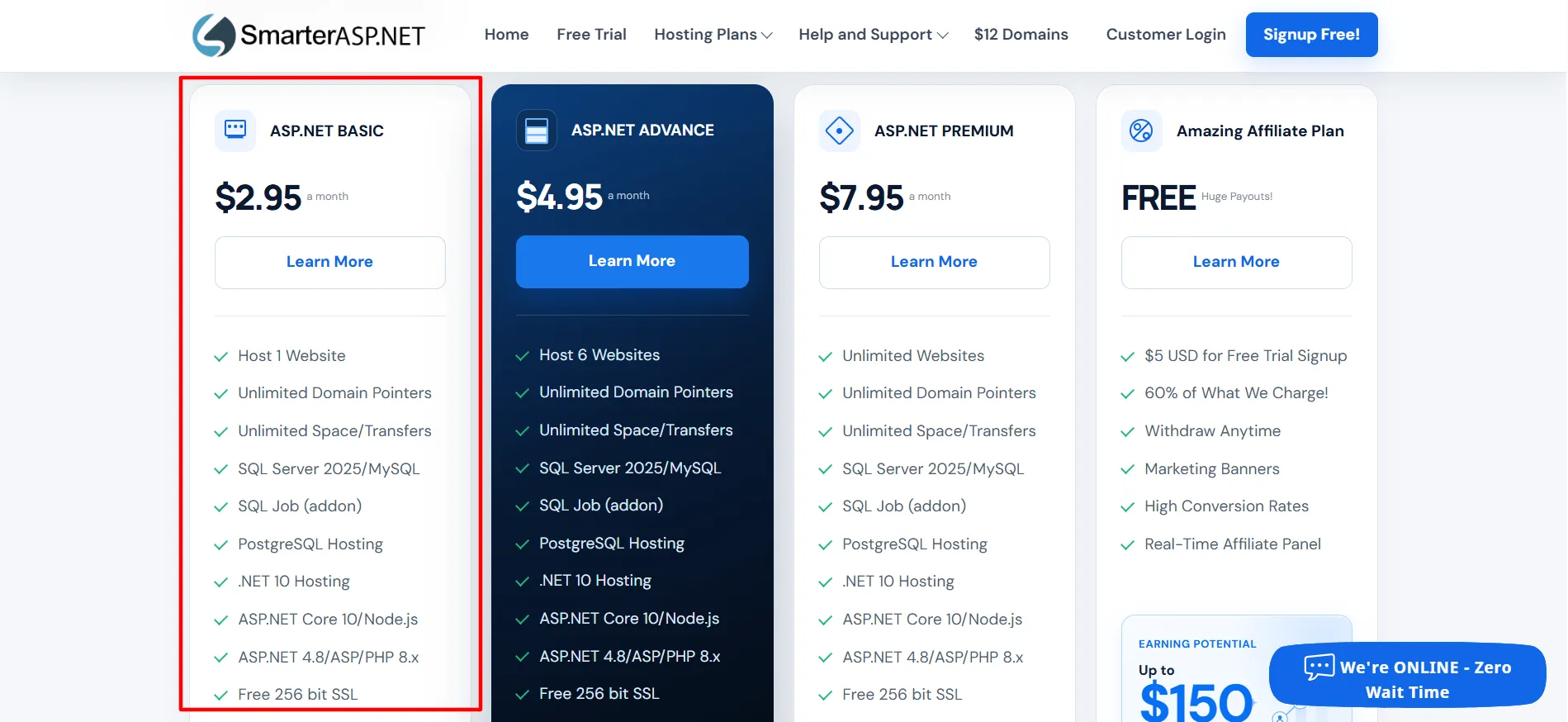
The plan includes access to supported hosting technologies and free SSL. Its database allowances and other limits are more restricted than those of the higher tiers, so check the plan comparison if your application stores a lot of information.
For a single website, Basic may be all you need. Paying for a larger plan makes little sense unless you require its additional capacity or features.
.NET Advance: For Several Projects
Advance costs $4.95 per month and supports up to six websites. This makes it worth considering for freelancers, small businesses, and developers who maintain several projects.
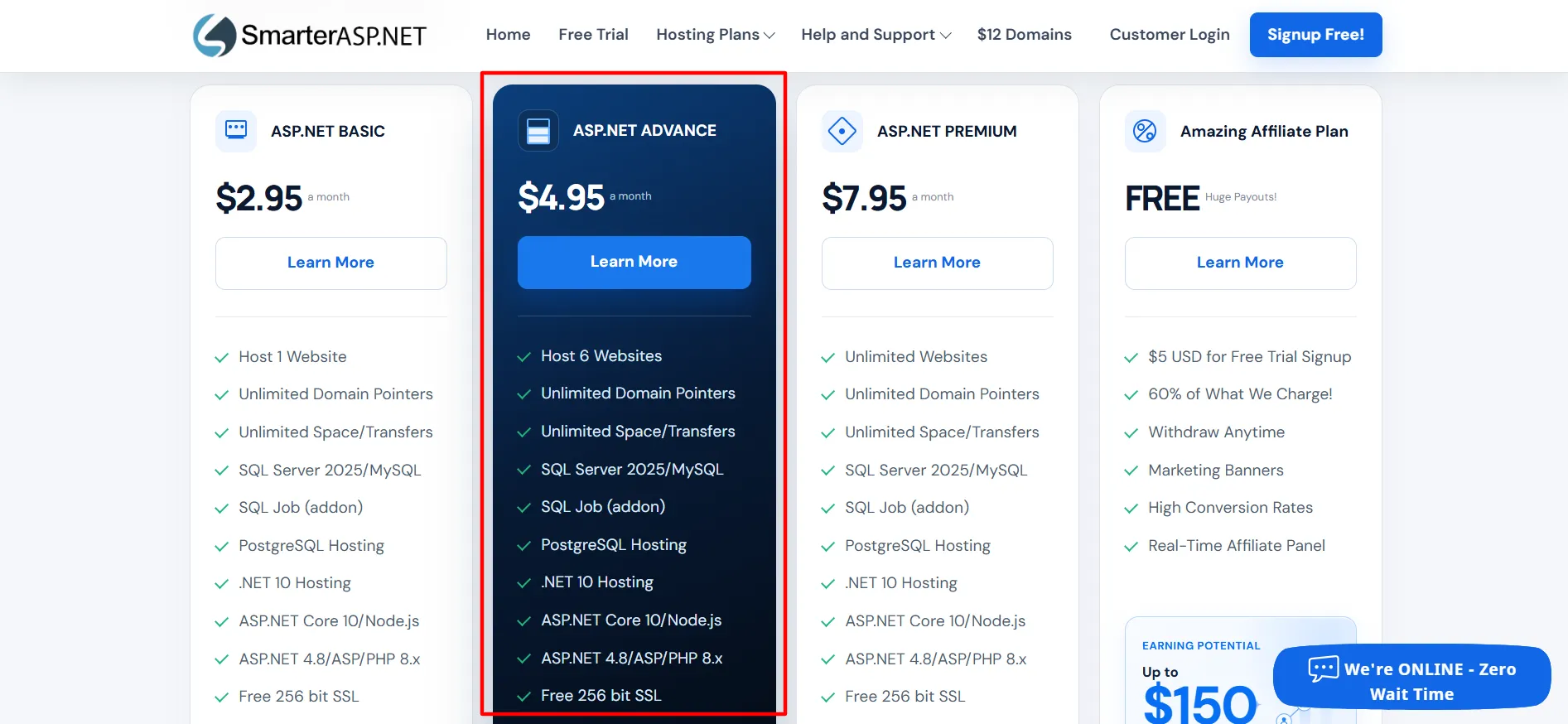
Instead of managing separate hosting accounts for every website, you may be able to keep multiple supported projects under one plan. The extra website allowance can be useful when you manage client websites or operate separate sites for different services.
Compare the database limits and included tools before choosing Advance. The right plan should accommodate your current workload without forcing you to pay for capacity you don’t need.
.NET Premium: For Multiple Websites
Premium is listed at $7.95 per month and supports unlimited websites. The published plan comparison also lists additional features, including scheduled tasks and higher concurrent connection allowances.
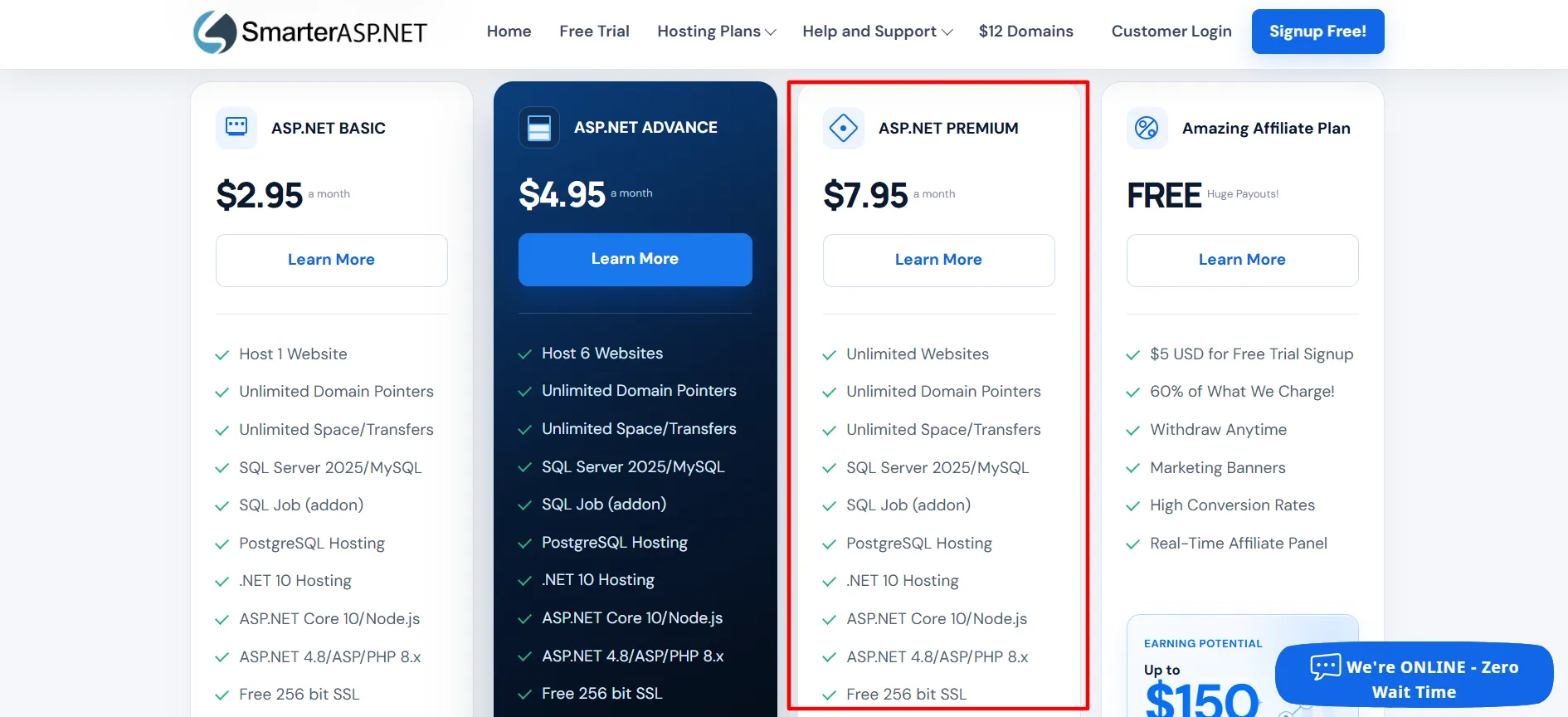
This plan may suit agencies, developers, or businesses that manage many websites from one account. Its larger database allowances may also be helpful if you operate several database-backed projects.
Keep in mind that unlimited websites doesn’t mean unlimited server resources for each site. Usage limits and hosting terms still apply, so demanding applications may need a different hosting arrangement.
The 60-Day Free Trial: A Major Advantage
One feature that makes SmarterASP.NET worth testing is its 60-day free trial. The company says eligible new customers can start without providing credit card information.
That gives you time to evaluate the service before paying. You can deploy a test application, connect a database, explore the control panel, and check whether your website works with the available server configuration.
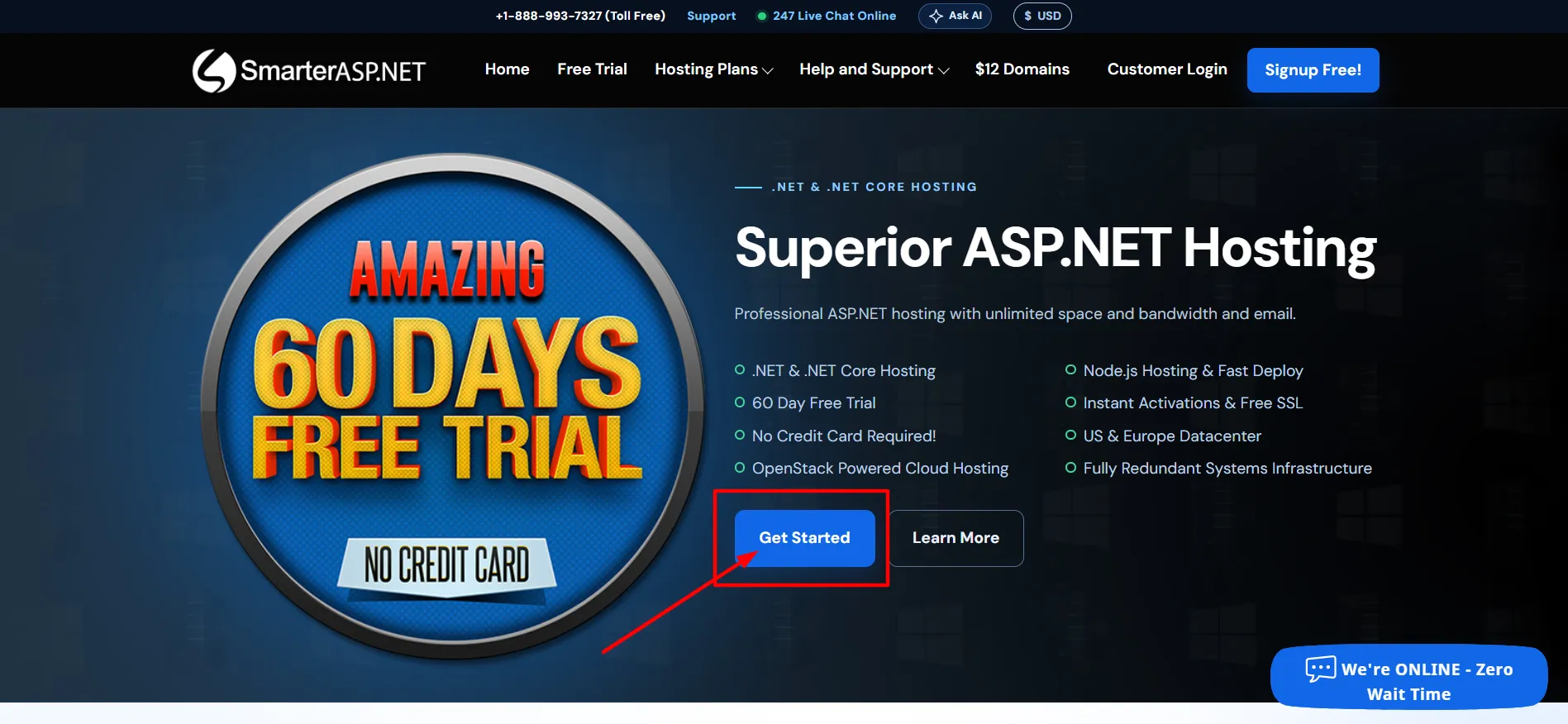
The trial does have restrictions. According to the provider’s FAQ, SMTP services aren’t included with trial accounts, while paid hosting accounts support sending emails through scripts. If your application relies on email notifications, test the available options before upgrading.
SmarterASP.NET also advertises a separate 60-day money-back guarantee for eligible purchases. This guarantee has conditions and exclusions, so don’t assume every payment is refundable.
The published terms restrict the guarantee to the first eligible hosting purchase and annual hosting fees, with exclusions for certain shorter terms, renewals, add-ons, and other charges. Some domain and setup fees are non-refundable.
Read the official terms of service before placing an order. The trial and the refund guarantee are separate offers, and understanding the difference can prevent confusion later.
SmarterASP.NET Performance and Uptime
A hosting company’s performance claims are worth considering, but they don’t replace real-world testing. Your website’s speed depends on the server, application code, database activity, traffic levels, and the distance between the server and your visitors.
SmarterASP.NET advertises a 99.9% uptime guarantee and describes its infrastructure as cloud-based, with redundant systems. These features may be reassuring, but they don’t prove that every website will deliver the same results.
The data center options may help you select a location suited to your audience. For a more reliable assessment, use the trial to test page loading, database response times, deployment, and the functions your visitors use most.
If you’re planning to host a business-critical application, read the uptime guarantee carefully. Check the conditions, exclusions, and remedies available if the service falls short of its stated commitment.
You should also keep independent backups and monitor your own website. That way, you have a record of availability and a recovery option if something goes wrong.
Pros and Cons: SmarterASP.NET Review
SmarterASP.NET offers several useful features for developers, but there are trade-offs to consider before choosing a plan.
Pros
- Low starting price: The Basic shared hosting plan is listed at $2.95 per month.
- 60-day free trial: Eligible new customers can test the hosting service without entering payment details.
- Support for .NET technologies: The platform lists support for .NET 10, ASP.NET Core 10, and ASP.NET 4.8.
- Multiple database systems: SQL Server, MySQL, and PostgreSQL support can suit different application setups.
- Free SSL certificates: Shared hosting supports Let's Encrypt certificates.
- Developer-friendly deployment options: Visual Studio, FTP, and GitHub workflows are available.
Cons
- No monthly billing for shared hosting: Shared hosting customers generally pay quarterly or annually.
- Different website limits: Basic supports one website, Advance supports up to six, and Premium supports unlimited websites.
Who Is SmarterASP.NET Best For?
SmarterASP.NET is most relevant to people who need Windows hosting for supported .NET applications and want to keep their initial hosting costs low.
It may be a good fit for:
ASP.NET developers who need an environment for Microsoft web technologies.
Small businesses running websites built with ASP.NET or related frameworks.
Freelancers who host several client projects under one account.
Development teams that work with SQL Server, MySQL, or PostgreSQL.
Learners and hobby developers who want to test a .NET application before paying for hosting.
It may not be the best option if you need month-to-month shared hosting, want a visual site builder, or rely on a tool that the provider doesn’t support. Applications with demanding resource needs may also require a VPS, dedicated server, or another hosting setup.
Before choosing, write down the framework, database, storage, and deployment requirements of your project. Compare those needs with the plan details instead of choosing solely by price.
FAQs: SmarterASP.NET Review
SmarterASP.NET states that it has provided hosting services since 1999. It offers several hosting types and lists support for a range of development technologies. As with any hosting provider, review the current service terms and test the platform before relying on it for an important website.
The company lists .NET 10 and ASP.NET Core 10 among its supported technologies. Check the current hosting specifications to confirm that the required runtime and configuration are available for your application.
Yes. The published shared hosting plans allow one website on Basic, up to six on Advance, and unlimited websites on Premium. Resource restrictions still apply, regardless of the website allowance.
The company's terms mention daily backups for shared and semi-dedicated hosting, but they are not guaranteed. Keep your own backups and check that you can restore your files and database if needed.
The provider's FAQ says paid hosting accounts support sending email through ASP.NET, PHP, and Classic ASP scripts. SMTP services aren't included with trial accounts, so check your email needs before moving an application to a paid plan.
It can be a suitable choice for a business website built with technologies the provider supports. Test application compatibility, database connections, performance, backups, and support response times before launching. If your website has demanding resource requirements, compare higher-tier hosting options as well.
Quick Links:
Final Verdict: SmarterASP.NET Review
SmarterASP.NET is worth considering if you need affordable Windows hosting for an ASP.NET or .NET application. Its low advertised starting prices, support for several database systems, free SSL, developer deployment options, and 60-day trial give you several reasons to test the service.
The three shared hosting plans provide a straightforward choice based on how many websites you manage.
Basic may be enough for a single project, Advance can suit a small collection of sites, and Premium offers a larger website allowance with additional listed features.
There are a few points to keep in mind. Shared hosting is billed quarterly or annually, add-ons can raise your total, and the backup policy makes it important to keep your own copies of important files and databases.
You should also confirm that your application works with the available runtime versions and server settings.
Our recommendation: Try SmarterASP.NET if your project depends on supported Microsoft web technologies and you want to assess the hosting environment before paying.
Use the trial to test the features you need, review the billing and refund terms, and choose a plan based on your actual workload rather than the lowest advertised rate.
Last updated

Affiliate disclosure: In full transparency – some of the links on our website are affiliate links, if you use them to make a purchase we will earn a commission at no additional cost for you (none whatsoever!).



Discussion
Join the conversation
No comments yet. Start the discussion with a question or your own experience.