WebinarJam review notes from hosts who compared monthly and yearly billing often circle back to one practical question: does locking in a year actually pay off once you factor in the real cost of the tools you stop paying for elsewhere.

WebinarJam is a platform for live and automated webinars. The site says over 75,000 businesses use it. It fits coaches and creators who sell through events. The page is mostly marketing, so check pricing and plan limits yourself.
Pros
- No install needed. Attendees join from a browser or device. Setup stays simple.
- Handles large audiences. The site says it works for small coaching calls and events with thousands of people.
- Automated replays. Replays can keep selling after the live session ends.
- Timed offers. You can schedule offers and follow-ups that run without you.
Cons
- No pricing shown. The homepage text does not list plan costs.
- Marketing-heavy page. Most claims come from the company itself.
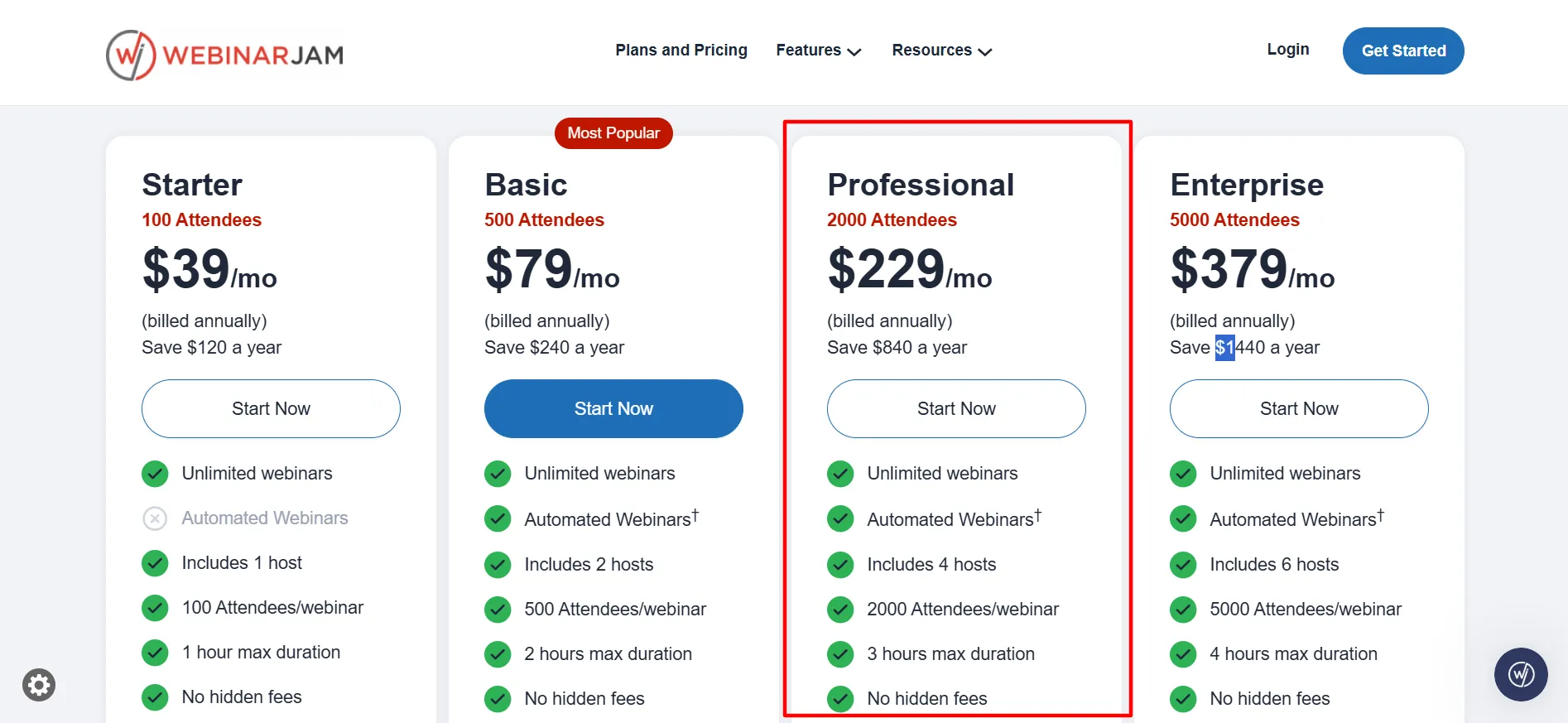
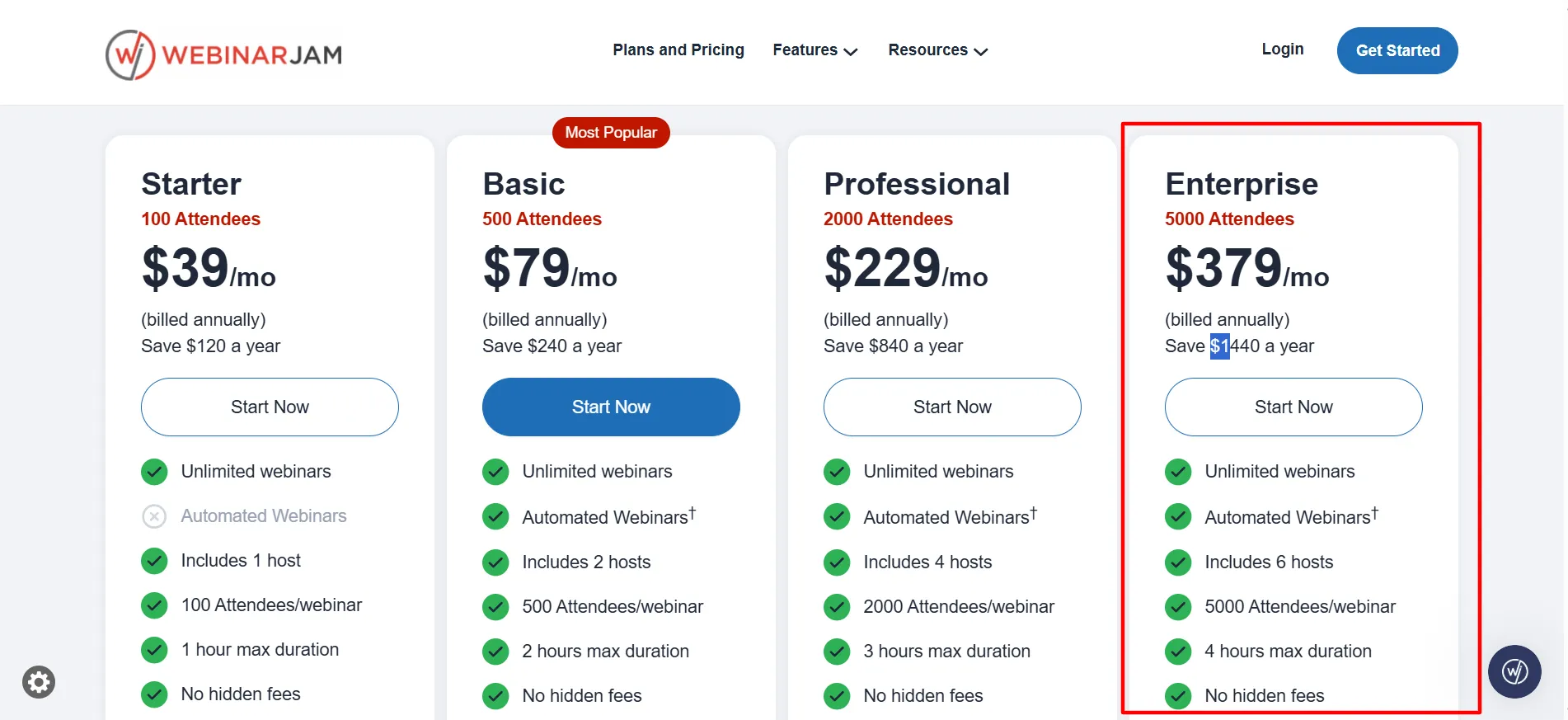
Annual rates drop the effective monthly price to $39 on Starter, $79 on Basic, $229 on Professional, and $379 on Enterprise, which saves $120 to $1,440 over twelve months compared with paying month to month. The $1 trial that lasts 14 days still gives Basic-level access first, so you can run a live session with your own audience before any annual charge begins.
Recent checks place the platform near 3.9 out of 5 on Capterra across hundreds of reviews, with many positive comments tied to the registration and offer tools that stay inside one subscription.
Hosts who already run weekly sessions that sell courses or products usually see the annual option make sense after the trial confirms the features fit. Those who host only a few times a year often stay on monthly billing or look elsewhere once the trial ends.
Current Rates and What Annual Billing Changes
The pricing page lists the same four paid plans whether you choose monthly or annual billing.
Every plan includes unlimited webinars, live chat, polls, surveys, customizable registration pages, email and SMS reminders, and the ability to broadcast to Facebook and YouTube.
Higher tiers add more hosts, longer session limits, and automated webinar support on Basic and above.
Plan | Monthly Price | Annual Equivalent | Attendees | Hosts | Max Duration | Annual Savings |
|---|---|---|---|---|---|---|
Trial | $1 for 14 days | n/a | 500 | 2 | 2 hours | n/a |
Starter | $49 | $39 | 100 | 1 | 1 hour | $120 |
Basic | $99 | $79 | 500 | 2 | 2 hours | $240 |
Professional | $299 | $229 | 2,000 | 4 | 3 hours | $840 |
Enterprise | $499 | $379 | 5,000 | 6 | 4 hours | $1,440 |
Selecting the yearly option at checkout applies the lower rate automatically. No extra code is required. A 30-day money-back guarantee still applies after the paid purchase, so you can request a refund through support within that window if the annual commitment does not fit.
Features That Matter When You Commit for a Year
Attendees join with one click from a browser and never download anything. That step alone reduces the number of people who register but never arrive.
The room includes live chat with moderation, polls and surveys that appear on screen, an on-screen whiteboard, and timed product offers that can display at chosen moments.
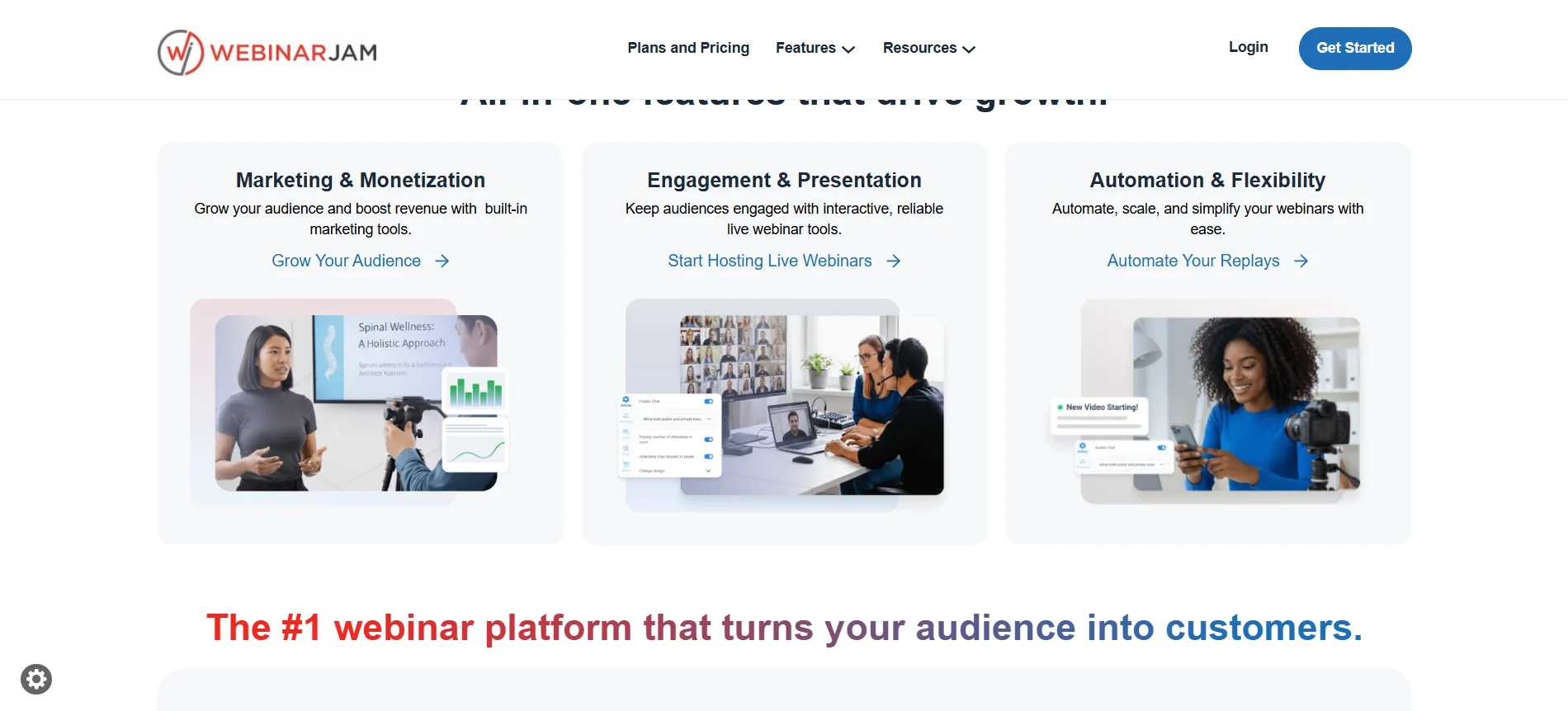
You can also bring an attendee on screen for a quick testimonial. Registration pages use templates you can adjust, and A/B testing lets you compare two versions.
Email and SMS reminders run from the same dashboard and can be scheduled to raise show-up rates.
On Basic and higher plans the automated webinar tools let you turn a recorded session into a version that feels live and continues to run on a schedule. Analytics show which sessions produce the most registrations and purchases.
Integrations connect to popular email platforms and CRMs. These pieces sit together, which means many hosts stop paying for a separate page builder and email service once the webinars move inside the platform.
That consolidation is the main reason the annual rate often feels reasonable after a few successful sessions.
How the Plans Perform Over Time
Starter
It covers short sessions with one host and a one-hour limit for up to 100 people. It includes the core engagement tools but not automated replays.
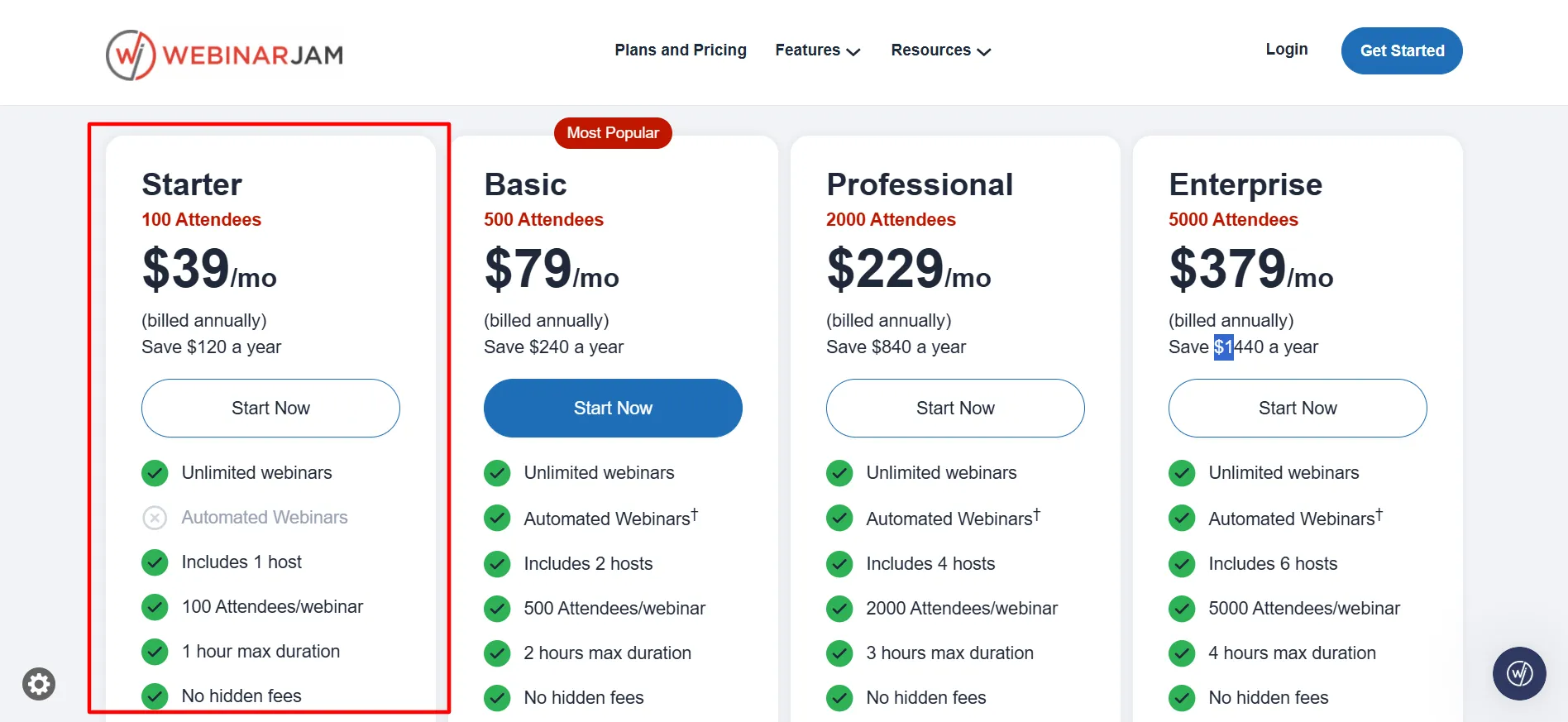
Coaches who run occasional calls sometimes stay here for the first few months while they test demand, then move up if attendance grows.
Basic
It raises capacity to 500 attendees and two hosts with sessions up to two hours. Automated webinar tools are included, along with five additional team seats.
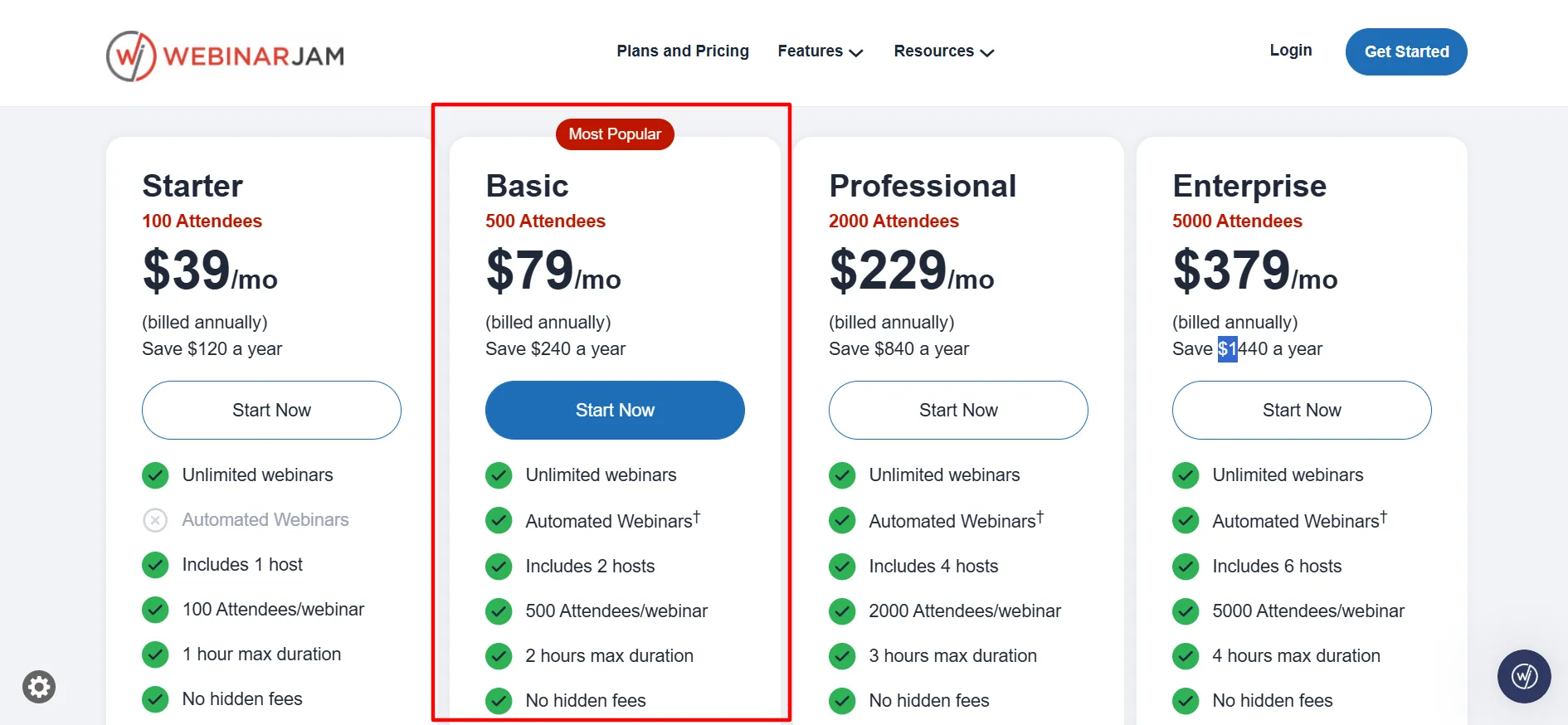
Most hosts who run regular sessions choose this tier because it covers the full path from signup to follow-up without extra subscriptions. The annual rate on Basic saves $240 over a year, which is the amount many users say covers the cost of the tools they no longer need elsewhere.
Professional
It expands to 2,000 attendees, four hosts, and three-hour sessions. The annual savings reach $840. This tier only makes sense when attendance regularly exceeds Basic limits or when you need more hosts for panels.
Enterprise
It supports 5,000 attendees and six hosts. The annual savings of $1,440 only justify the commitment when large launches generate revenue that covers the fee many times over.
When the Annual Lock-In Makes Sense
Hosts who already know they will run at least one webinar most weeks usually find the annual rate pays for itself. The savings compound once you factor in the page builder and reminder tools that replace other paid software.
Small teams that want two hosts without per-person fees also fit the model on Basic. The browser-based setup keeps technical steps low, so non-technical hosts can manage sessions after the first few are built.
Hosts who plan only a handful of sessions per year often prefer monthly billing. The annual commitment locks in the rate, but the money-back window gives 30 days after the paid purchase to request a refund if the volume does not match expectations.
The trial still lets you confirm the tools work with your audience before any yearly charge begins.
User Feedback on Cost and Commitment
Capterra reviews around 3.9 out of 5 frequently mention the registration pages and in-session offers as useful for sales-focused webinars. G2 sits near 3.6 out of 5. Positive comments often note that the annual rate feels fair once the built-in tools replace other subscriptions.
Negative notes commonly point to support response times and an interface that feels dated. Several reviewers suggest running a full session during the trial so any setup questions surface before the annual billing starts.
Pros and Cons: WebinarJam Review
Pros
- Annual billing lowers the effective monthly rate by roughly 20 to 24 percent with no code needed.
- The $1 trial lets you host a real session before any annual charge.
- Registration pages, reminders, chat, polls, and timed offers sit in one place.
- Automated webinar tools are included on Basic and higher plans.
- A 30-day money-back guarantee applies after the paid purchase.
- Cost per attendee improves as capacity increases.
Cons
- No permanent free plan exists.
- Pricing jumps sharply from Basic to Professional.
FAQs: WebinarJam Review
Yes, you pay the yearly total upfront. The 30-day money-back guarantee still applies if you request a refund through support within that window.
Savings range from $120 on Starter to $1,440 on Enterprise compared with monthly billing.
Yes. The $1 trial lasts 14 days with Basic-level access so you can run a live webinar first.
Yes on Basic, Professional, and Enterprise. It is not included on Starter.
Extra charges may apply. Choose a higher tier in advance if you expect to run near the cap.
Quick Links:
Final Verdict: WebinarJam Review
The annual option on WebinarJam is worth considering when you already plan to host regular live sessions that drive sales or enrollments.
The $1 trial lets you confirm the tools work with your audience, and the yearly rate lowers the ongoing cost by about one-fifth once you stop paying for separate page and email tools.
Basic usually delivers the strongest balance for most coaches and small businesses. Higher tiers only justify the commitment when attendance or host needs grow past the lower limits.
The money-back window reduces the risk of testing the annual rate. Run one session during the trial, track the results, and the numbers will show whether locking in a year matches the return you can expect.