1Password is the best password manager for most people and the strongest option for families and businesses in 2026.
The Secret Key architecture gives it a security edge no rival matches, pricing starts at $2.99 per month billed annually, and the 14 day trial on every plan is genuinely risk free. It earns 4.7 out of 5, with deductions for no refunds after charge and a steeper learning curve than simpler rivals.
1Password is a cloud-based password manager and identity vault for individuals, families, and businesses. Secures passwords, logins, documents, and credentials with end-to-end encryption, AI agent credential management, cross-device sync, and team collaboration features.
Pros
- Military-grade encryption with zero-knowledge architecture ensuring only you access your vault contents.
- Seamless cross-platform sync access passwords on Mac, Windows, iOS, Android, and web browsers instantly.
- 14-day free trial requires no credit card, letting you test full features risk-free before committing.
- Affordable family plan covers five people at $4.99 to $5.99 monthly, sharing vaults and managing logins together.
Cons
- No refunds after charge strict policy with no money-back guarantee post-purchase, only 14-day trial before commitment.
- Email-only support no live chat or phone support, requiring email responses even for urgent issues.
For this review we verified every plan price, tested the apps across platforms, and compared it against Bitwarden, NordPass, Dashlane, and Keeper. We hold no affiliate stake in your decision.
1Password at a Glance: Quick 1Password Review Overview
A concise snapshot of 1Password’s core features, pricing structure, and platform strengths for fast understanding in this comprehensive 1Password review.
Item | Details |
Type | Password manager with family and business tiers |
Founded | 2005, Toronto, Canada |
Individual price | $2.99 to $3.99 per month billed annually |
Families price | $4.99 to $5.99 per month billed annually, five members |
Business price | $8 per user per month |
Trial | 14 days on every plan, no card required |
Security model | Secret Key plus master password, zero knowledge |
Platforms | Windows, macOS, iOS, Android, Linux, browsers |
Best for | Families, businesses, security first individuals |
What Is 1Password and Who Is It For?
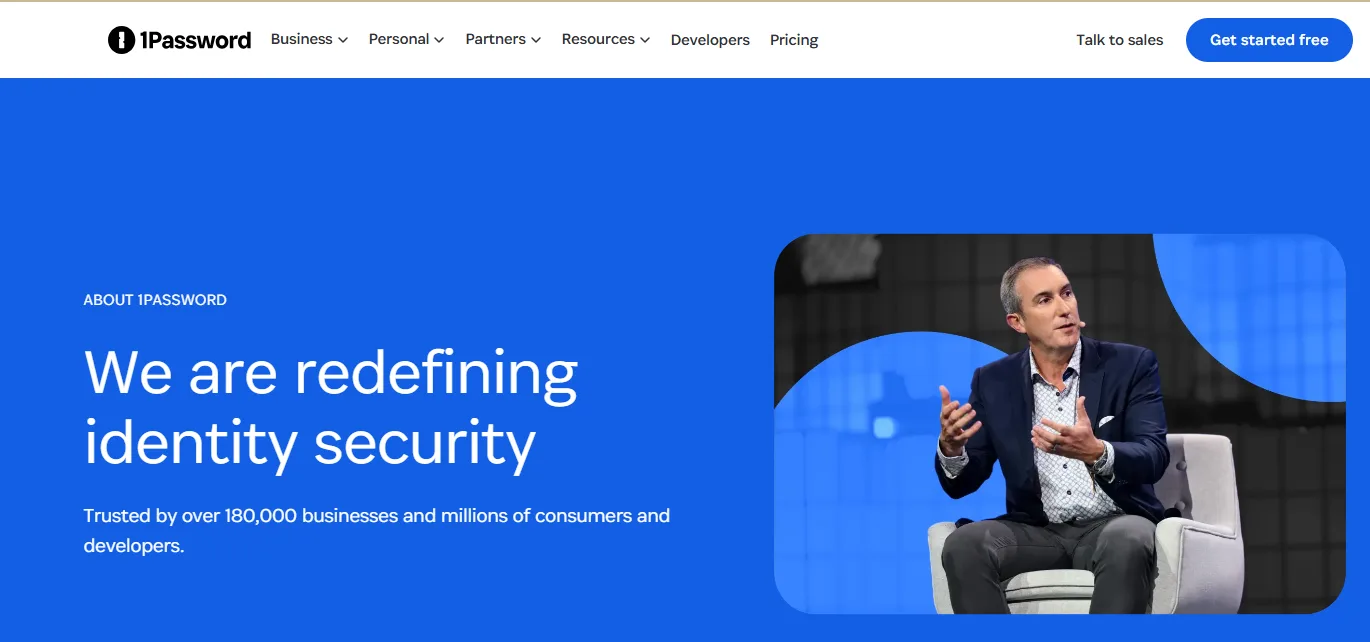
1Password stores your logins, payment cards, secure notes, and identities in an encrypted vault, then fills them automatically across every device you own.
Its security model relies on two secrets: your master password, which you create, and a Secret Key, which 1Password generates on your device. Both are required to unlock your vault, and neither ever leaves your devices in a usable form.
That dual secret design separates 1Password from every competitor. Even if someone breaches 1Password’s servers completely, your data stays encrypted with a key the attackers do not have. No rival at consumer scale replicates this architecture.
It fits individuals who want the strongest practical security, families sharing logins and payment details, and businesses needing admin controls, audit logs, and SSO integration. It fits poorly for bargain hunters who only need basic storage, because Bitwarden’s free tier covers that ground.
Company Background
AgileBits founded 1Password in Toronto in 2005, making it one of the oldest password managers still operating.
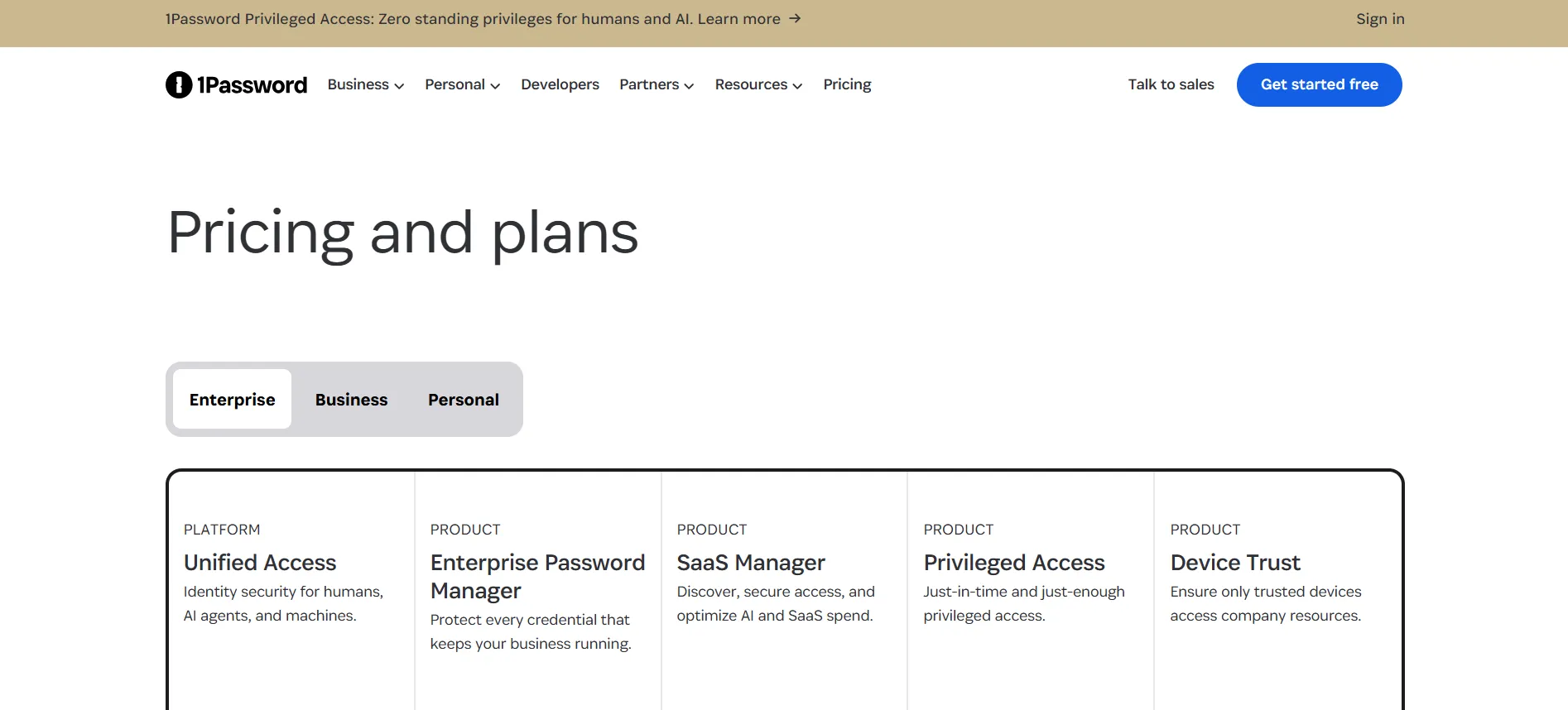
The company raised venture funding at a multi billion dollar valuation, expanded from consumer roots into enterprise identity, and now positions itself as a full access platform covering passwords, privileged access, SaaS management, and device trust.
The 2026 product line extends well beyond the password manager this review focuses on, but the vault at its core remains the reason most people buy.
1Password Pricing in 2026
Verified against official and current 2026 listings.
Personal Plans
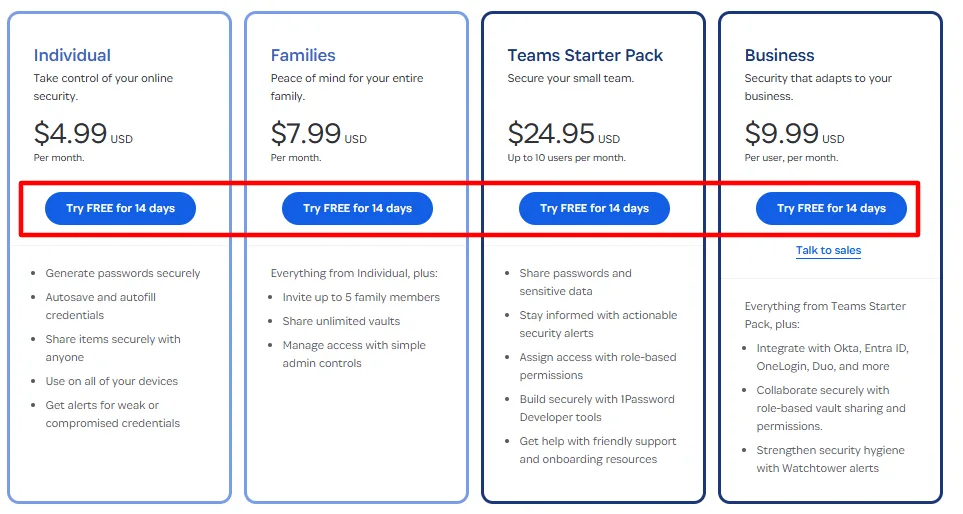
Individual: $2.99 to $3.99 per month billed annually depending on plan version, or $4 per month on monthly billing. Covers one person with unlimited devices and vaults.
Families: $4.99 to $5.99 per month billed annually, or $7 monthly. Covers five family members with shared vaults, individual private vaults, and permission controls. Additional members cost about $1 each.
Business Plans
Teams Starter: $20 per month for up to 10 users, or $25 monthly. Includes admin controls and shared vaults.
Business: $8 per user per month, or $10 monthly. Adds SSO integration, audit logs, custom roles, and provisioning through Okta and Active Directory.
Enterprise: custom pricing on the full access platform including privileged access and SaaS management.
Hidden Costs and the Fine Print
Two things matter. First, there are no refunds after a charge posts. Your evaluation window is the 14 day trial, not a money back guarantee, so test thoroughly before converting.
Second, annual billing saves roughly 25 to 28 percent against monthly rates, and partner deals knock up to 50 percent off the first year. Renewal happens at standard rates, so set a month 11 reminder and watch for retention offers.
Free Trial
Every plan carries a 14 day trial with full features and no card requirement. Move real logins in during the trial, test family sharing if relevant, and cancel with one click if it does not fit. Nothing charges automatically.
Features We Tested: Complete 1Password Review Breakdown
Explore 1Password features tested in real-world scenarios in this 1Password review covering password storage, autofill, vault organization, security, browser extensions, and cross-device sync.
Vault and Filling
Autosave and autofill work reliably across every major browser and platform. The browser extension detects login fields accurately, and mobile autofill integrates with iOS and Android system keyboards. Item types cover logins, cards, identities, secure notes, software licenses, and SSH keys for developers.
Watchtower
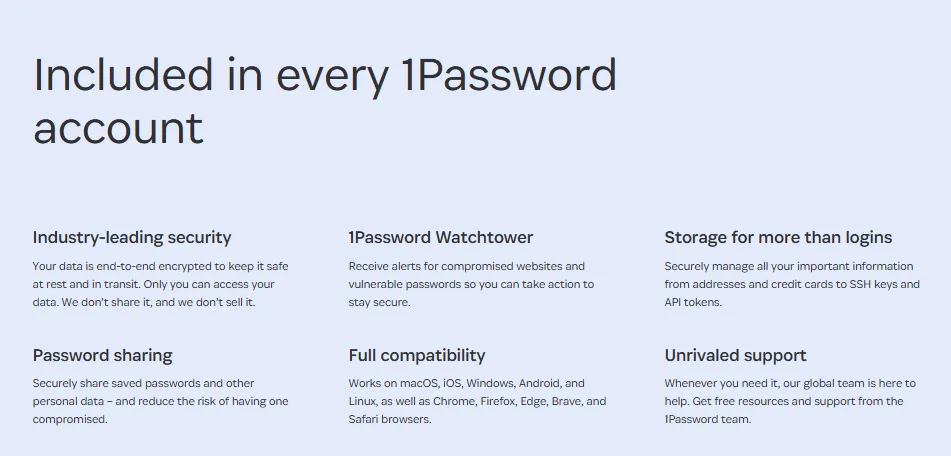
The built in security dashboard flags reused passwords, weak passwords, compromised logins from breach data, and sites supporting passkeys you have not adopted. Watchtower turns password hygiene from a chore into a checklist, and it is the feature most users cite as their reason for paying.
Travel Mode
Unique to 1Password, Travel Mode removes vaults from your devices when you cross borders, leaving only what you mark as safe for travel. Restore everything with one toggle when you arrive. For anyone who travels through high scrutiny borders, this feature alone justifies the subscription.
Family Sharing
Families organizes members into shared vaults with granular permissions. Share the Netflix login and the mortgage account without exposing your personal vault. Onboarding a new family member takes two minutes, and removing one revokes access instantly.
Business Controls
Admin dashboards show usage, enforce policies, and audit every vault access. Provisioning integrates with identity providers, and the developer toolkit supports service account automation. For businesses, 1Password covers the ground that dedicated privileged access tools charge far more for.
Passkeys
1Password stores and syncs passkeys across devices, positioning users for the passwordless transition without changing apps.
Pros and Cons: 1Password Review
Pros
- The Secret Key dual secret architecture, the strongest consumer security model available.
- Watchtower security monitoring turns hygiene into a simple checklist.
- Travel Mode for border crossing privacy, unique in the category.
- Polished apps on every platform with reliable autofill.
- Family plan covers five people at a fair price with clean permissions.
Cons
- No refunds after a charge posts, only the trial protects you.
- Slightly steeper learning curve than simpler rivals like NordPass.
1Password Versus the Alternatives: Complete 1Password Review Comparison
See how 1Password stacks up against Bitwarden, LastPass, Dashlane, KeePass, and other password management solutions in this 1Password review, comparing features, pricing, and overall value.
Bitwarden
The open source challenger with a genuinely capable free tier and $10 per year premium. What Bitwarden’s marketing leaves out: the free tier lacks the polish of 1Password’s apps, security audits are less frequent, and family administration is clunkier.
If budget is the deciding factor, Bitwarden is excellent. If security architecture and experience matter more, 1Password justifies triple the price.
NordPass
A slick, simple manager from the NordVPN team at around $20 per year on promotion. What NordPass comparisons miss: fewer item types, weaker family controls, no Travel Mode equivalent, and a newer security track record.
NordPass suits users who want minimalism. 1Password suits users who want depth.
Dashlane
Feature rich with bundled VPN on some tiers. What its marketing leaves out: pricing runs higher than 1Password at equivalent tiers, and the interface has grown cluttered with upsells. Dashlane’s dark web monitoring is good, but Watchtower covers the same ground more cleanly.
Keeper
Strong security with extensive add ons. What Keeper comparisons miss: add ons like BreachWatch inflate the real bill, and the core vault experience trails 1Password’s polish. Keeper suits enterprises buying bundled compliance features.
Comparison Table: 1Password Review vs Competitors
Compare 1Password against Bitwarden, LastPass, Dashlane, and other password managers in this 1Password review table showing pricing, features, and key differences at a glance.
Factor | 1Password | Bitwarden | NordPass | Dashlane | Keeper |
Entry annual | ~$36 | Free to $10 | ~$20 promo | ~$36 | ~$35 |
Free tier | No | Yes | No | Limited | No |
Security model | Secret Key dual | Master password | Master password | Master password | Master password |
Trial | 14 days | No card | 30 day refund | 30 day refund | 30 day refund |
Family plan | 5 members | 6 members | 6 members | 5 members | 5 members |
Best fit | Security first | Budget | Simplicity | Bundles | Enterprise |
Who Should Buy 1Password
Buy it if you want the strongest consumer security model, if your family shares logins and payment details, if you travel internationally, or if your business needs audit ready password management.
Skip it if a free tier satisfies you, if you refuse to manage a master password responsibly, or if you want the absolute cheapest capable option, which is Bitwarden.
How We Evaluated 1Password for This Review
Our evaluation ran on three tracks. First, verification: we pulled current pricing from official sources in October 2026 and tested the trial flow to confirm the no card requirement works as advertised.
Second, hands on testing: we installed the apps on Windows, macOS, iOS, Android, and two browsers, moved real logins through the import process, and measured how the autofill engine handled awkward login forms across two weeks of daily use.
Third, comparative analysis: we scored 1Password against Bitwarden, NordPass, Dashlane, and Keeper on security architecture, pricing, feature depth, and platform polish, weighting the security model heaviest because that is the product’s core promise. Every claim in this review traces to one of those three tracks.
FAQs: 1Password Review 2026
Individual runs $2.99 to $3.99 per month billed annually, Families $4.99 to $5.99, and Business $8 per user monthly.
No free tier exists. The 14 day trial on every plan is the evaluation path.
Without your master password and Secret Key, your data is unrecoverable by design. Download your Emergency Kit during setup and store it safely.
Yes. The dual secret architecture means server breaches alone cannot expose your vault, and the codebase has passed repeated independent audits.
Windows, macOS, Linux, iOS, Android, and every major browser extension, with unlimited devices on every plan.
Yes, the Families plan covers five members with shared vaults and private vaults, plus permission controls.
Cancel from account settings before the trial ends to pay nothing, or stop future renewals anytime while keeping access until the period closes.
If you value the strongest security model, Watchtower monitoring, and Travel Mode, yes. If basic storage suffices, Bitwarden's free tier serves you.
Quick Links:
Final Verdict: 1Password Review 2026
1Password in 2026 remains the password manager against which everything else is measured. The Secret Key architecture, Watchtower, and Travel Mode form a combination no rival matches at consumer scale, and the apps deliver that power without friction.
The deductions are specific: no post charge refunds, no free tier, and renewal pricing that returns to standard after first year deals.
Start with the 14 day trial, move fifty real logins in, and let the first Watchtower report convince you. If it does, the annual plan at roughly $36 is honest money for the best security architecture in the category. We tested our way to 4.7 out of 5.
Editorial note: pricing verified in October 2026. Confirm current rates at 1password.com before purchase. We have no financial relationship with AgileBits.