


On this page15 sections
- 01Squarespace at a Glance
- 02What Makes Squarespace Different?
- 03Squarespace Review: What Do the Plans Cost?
- 04Design Quality: One of Squarespace’s Biggest Strengths
- 05Is Squarespace Easy to Use?
- 06Blogging and Content Publishing
- 07Squarespace SEO Review: Can It Help You Rank?
- 08Ecommerce: Can You Run an Online Store With Squarespace?
- 09Marketing and Analytics Tools
- 10Squarespace Customer Support
- 11Pros and Cons: Squarespace Review
- 12Squarespace vs. Other Website Builders
- 13Who Should Choose Squarespace?
- 14FAQs: Squarespace Review
- 15Final Thoughts: Squarespace Review
- Comments
Squarespace Review is worth reading if you are looking for a website builder that combines attractive designs with tools for blogging, business websites, and online stores.
In this review, we will examine what Squarespace does well, where it falls short, what its plans cost, and which types of users are most likely to benefit from it. Let’s see whether Squarespace lives up to the hype.

Squarespace lets you build portfolios, blogs, and online shops without touching code. Design templates, hosting, domains, and sales tools all sit in one place. Pricing starts low, and yearly plans bring the cost down.
Pros
- Templates look sharp right out of the box.
- Dragging elements around makes layouts easy to adjust.
- Your hosting, security certificate, and domain come together.
- Selling products and taking payments works without extra apps.
Cons
- Deep custom changes are harder than on open source tools.
- Transaction fees vary depending on your chosen tier.
Squarespace has built a strong reputation among creative professionals and small business owners who want their websites to look polished without hiring a developer to build every page.
The platform gives you templates, hosting, content management, website analytics, and ecommerce features under one roof. You can use it to launch a portfolio, publish articles, promote your services, or sell products online. The main appeal is having these tools in one place instead of managing several separate services.
Still, a good-looking website is only part of the decision. You also need to consider the subscription price, selling fees, customization options, and whether the platform can support your plans as your website grows.
Squarespace at a Glance
Review category | Our rating |
|---|---|
Design and templates | Excellent |
Ease of use | Very good |
Blogging tools | Very good |
SEO controls | Good |
Online store features | Good for many small businesses |
Customization | Good, with limitations |
Value for money | Depends on your needs and plan |
Best suited to | Creators, bloggers, freelancers, and small businesses |
Squarespace stands out for its design quality and the convenience of managing a website through one service. It is a strong option for people who want a professional online presence without dealing with a complicated technical setup.
Its biggest drawbacks are the lack of a permanent free plan, additional costs for some selling features, and less freedom than a fully custom-built website. Whether those trade-offs matter depends on what you want your site to do.
What Makes Squarespace Different?
Squarespace is a hosted website builder. This means the company provides the website editor and hosting service, while you focus on building pages and publishing content. You do not need to arrange separate hosting for a standard Squarespace website.

You can start with a template, add your own text and images, create navigation menus, and adjust the appearance of your pages. The platform also supports blogging, website analytics, domain connections, and online sales.
This setup appeals to people who want fewer technical tasks to manage. A designer can create a portfolio, a restaurant can publish its menu, and a consultant can build service pages without developing an entire website from scratch.
Squarespace also offers services beyond website building, including scheduling and email marketing products. Some of these come with separate fees, so check the cost of any extra service you plan to use.
The main difference between Squarespace and a self-hosted website system is how much technical responsibility you want to handle. Squarespace manages much of the underlying website setup, while a self-hosted system may offer more freedom at the cost of additional maintenance.
Squarespace Review: What Do the Plans Cost?
Squarespace offers plans for people who need a simple website as well as businesses that want more selling tools. Its current annual billing prices are shown below.
Plan | Monthly equivalent with annual billing | Discount shown | Recommended for |
|---|---|---|---|
Basic | $7/month | 30% off | Blogs, personal websites, and portfolios |
Core | $8/month | 30% off | Small businesses that need more features |
Advanced | $12/month | 30% off | Online stores with more demanding selling needs |
Prices are listed in US dollars. Plan availability, promotional terms, taxes, and payment options can vary by country.
These figures are monthly equivalents for annual billing, not necessarily the amount charged each month. Annual subscriptions generally require an upfront payment for the billing term. Make sure you check the total due at checkout before purchasing.
Basic: $7 Per Month
Basic is intended for people who want a website with the tools needed to publish content and present a brand online. It can work well for bloggers, photographers, freelancers, artists, and small businesses that need a professional website without advanced business features.
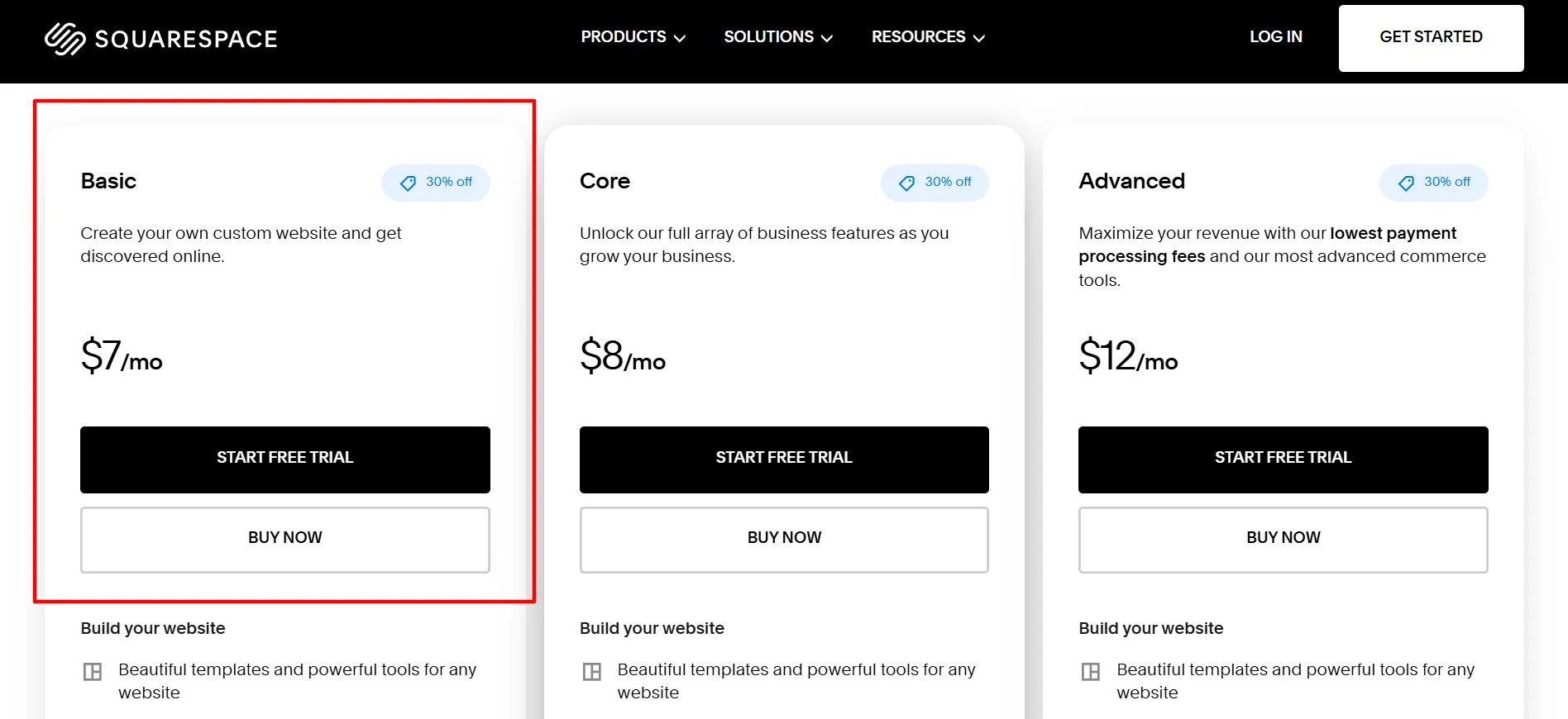
The plan includes website templates, visual editing tools, hosting, blogging features, SEO settings, and website analytics. You can also sell products and services, although the fees attached to those sales deserve attention.
Basic has a 2% Squarespace commerce transaction fee on eligible store sales and a separate 7% fee for digital products under the current fee schedule. Payment processing charges apply as well.
If your website mainly shares information or attracts readers through articles, these selling fees may not affect you much. If you expect regular sales, compare Basic with Core before deciding.
Core: $8 Per Month
Core is intended for businesses that need more control over their websites and additional selling tools. It includes unlimited contributors, custom code options, and more business and commerce features than Basic.
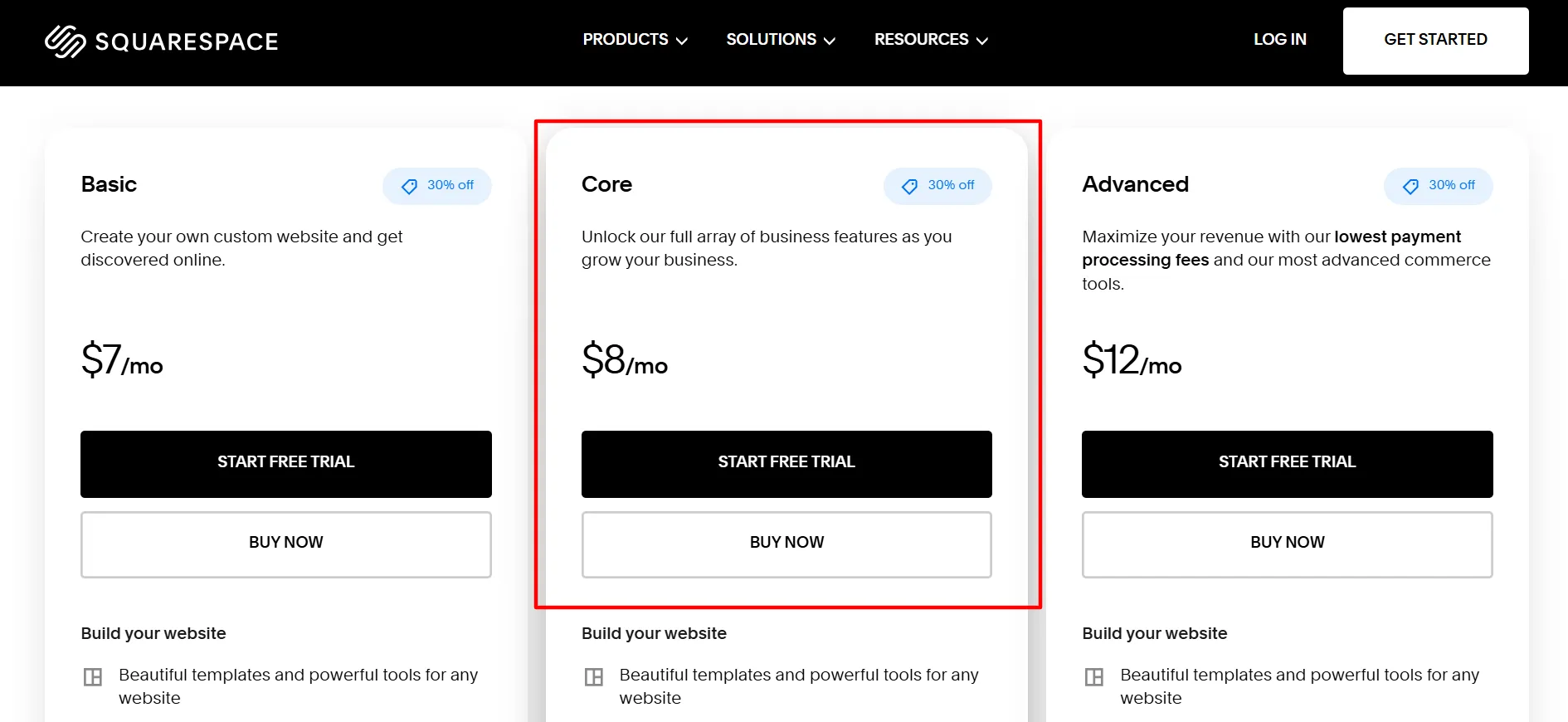
This can be useful when a team shares website management or when you want more freedom to adjust the design. Core also removes the standard Squarespace commerce transaction fee on eligible store sales, although its digital product fee is currently listed at 5%.
At the displayed annual billing rate, Core costs only $1 more per month than Basic. That difference makes it worth comparing the extra features, especially if you are building a business website rather than a personal blog.
The best reason to choose Core is that you need its tools or expect to benefit from its selling fee structure. If Basic already covers your needs, paying for additional features may not offer much benefit.
Advanced: $12 Per Month
Advanced is aimed at businesses that need more extensive ecommerce features. It includes the tools available in the lower plans, along with unlimited video storage and support for connecting your own carrier for carrier-calculated shipping.
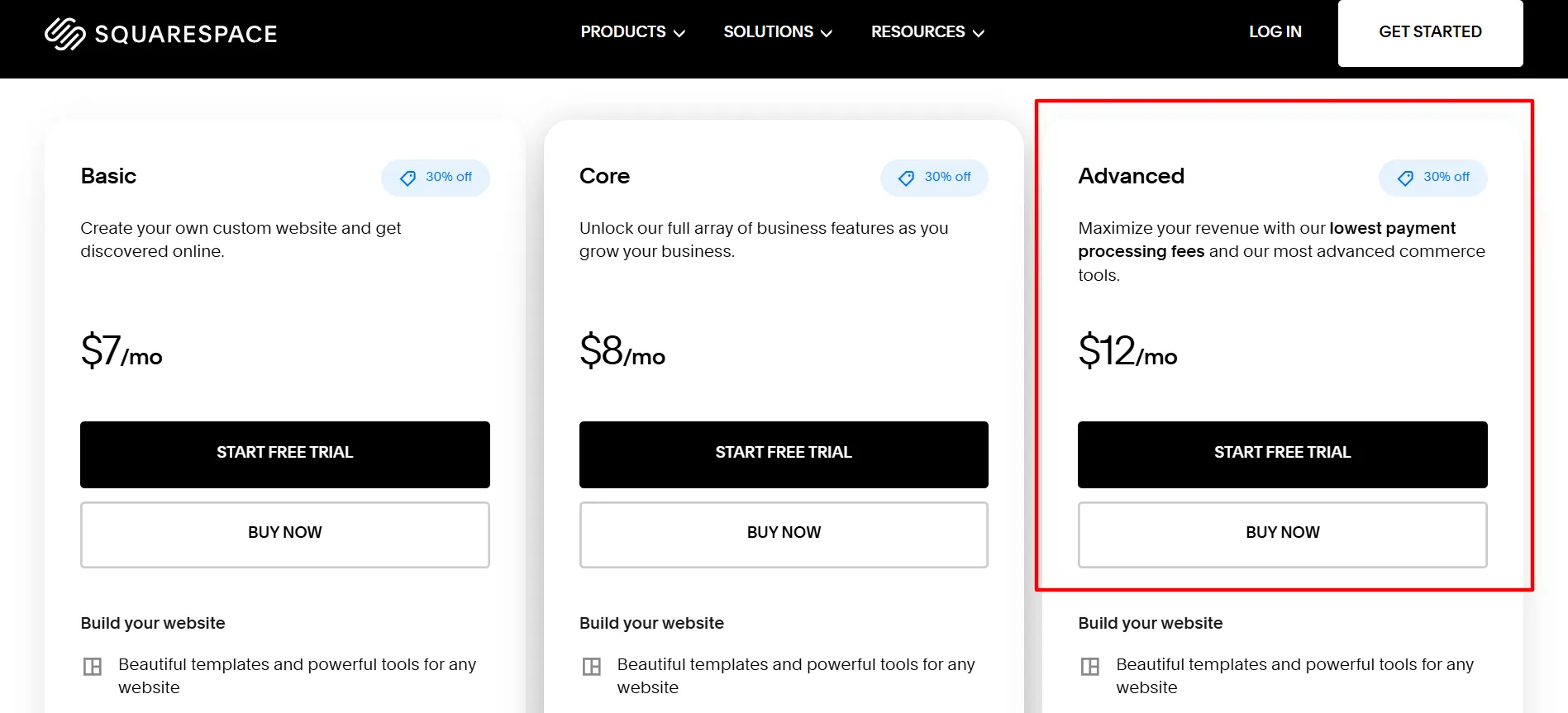
Under the current Squarespace fee schedule, Advanced has no standard commerce transaction fee on eligible store sales and no digital product transaction fee. Payment processing charges still apply, and the rates depend on your country, payment method, and provider.
This plan may suit an established online store or a business that earns a meaningful share of its income from digital products. It may be unnecessary for a website that mainly publishes articles, displays a portfolio, or promotes services.
Our pricing verdict: Basic is suitable for many content-focused websites, Core is worth a look for growing businesses, and Advanced is best considered by sellers who need its extra commerce tools or fee structure.
Design Quality: One of Squarespace’s Biggest Strengths
Squarespace is particularly well known for its visual design options. Its templates offer clean layouts, carefully arranged sections, and space for photography, product images, and written content.
You can build websites for creative portfolios, restaurants, professional services, online stores, and personal brands. The template gives you a starting layout, while the editor lets you adjust text, images, colors, and page sections to suit your business.

This can save time for people who do not want to hire a designer at the beginning of a project. A freelancer can create a portfolio that feels professional, while a small company can build a site that presents its services clearly.
The templates also help keep the design consistent across pages. That matters because a site can feel confusing when every page uses different colors, spacing, or heading styles.
There are limits, though. If you want a completely unusual layout or need precise control over every part of the code, you may find the built-in editor restrictive. Custom code options are available on eligible plans, but advanced changes can require technical knowledge.
Our verdict: Squarespace is an excellent choice for users who value visual presentation and want a good-looking website without starting from a blank page.
Is Squarespace Easy to Use?
Squarespace is designed to help users create websites without writing code for every task. You can select a template, add pages, arrange sections, publish blog posts, and edit your website through a visual interface.
Having hosting, design tools, and content management in the same account also reduces the number of services you need to manage. You can work on your pages and check website activity without moving between several platforms.
New users may still need time to learn the editor. Creating navigation menus, adjusting page layouts, connecting a domain, and checking the mobile version can take some practice. The process becomes more involved when you want a specific design or a store with many products.
It is also worth reviewing every page on a phone before launch. A website should be easy to navigate on a small screen, with readable text, clear buttons, and images that display properly.
Our verdict: Squarespace is beginner-friendly for standard websites. It is not entirely automatic, but most users can learn the main tools without programming experience.
Blogging and Content Publishing
For bloggers and businesses that rely on content, Squarespace provides tools for writing and publishing posts. You can add images, organize articles, edit URLs, and manage page titles and descriptions.
This makes it suitable for personal blogs, company news sections, tutorials, travel articles, and content marketing websites. You can publish useful articles alongside your service pages and product listings, giving visitors more ways to discover your business.
The editor also supports images and other page elements that can make articles easier to read. A well-organized blog can help visitors find related posts and move from an article to another part of your website.
Squarespace may not suit every large publishing operation. Websites with complex editorial workflows, highly specialized content types, or a need for extensive plugin choices may prefer a more flexible content management system.
Our verdict: Squarespace works well for independent bloggers and businesses that want content publishing built into their website. Larger publications should compare its workflow with other platforms before making a long-term commitment.
Squarespace SEO Review: Can It Help You Rank?
Squarespace includes settings that help you prepare your website for search engines. You can edit page titles, meta descriptions, URLs, and image text, while organizing pages and posts into a clear structure.
These tools help you manage many common on-page SEO tasks. SSL security and mobile-friendly layouts also support a good experience for visitors.
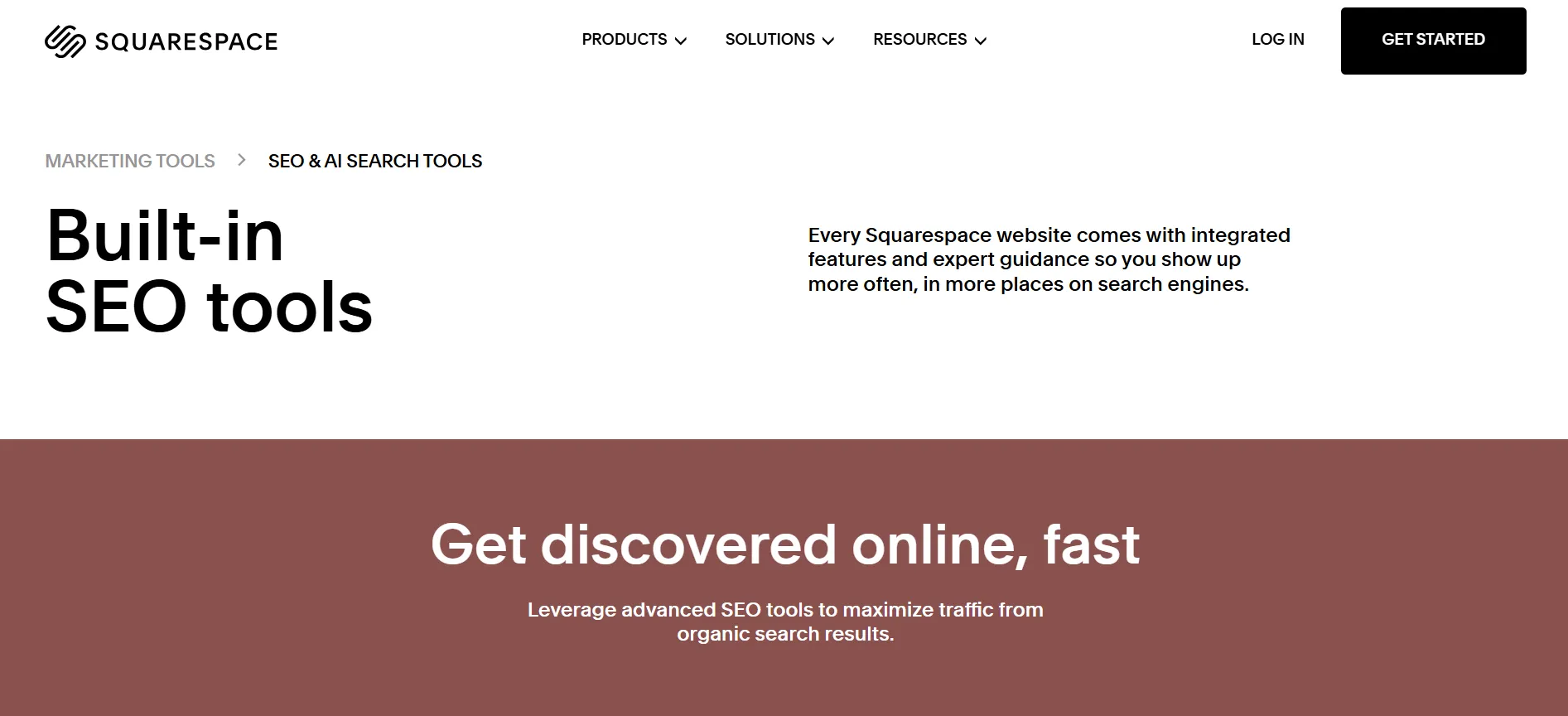
Still, choosing Squarespace does not guarantee search traffic. Rankings depend on the quality and relevance of your content, how well your pages answer search queries, your website structure, competition, links from other sites, and other factors.
If you run a blog, you will still need to research topics, write useful articles, organize internal links, and track performance. Squarespace provides a place to manage the website, but you remain responsible for the content strategy.
Businesses that need specialized SEO workflows may want additional tools to research keywords, audit their sites, or monitor rankings.
Our verdict: Squarespace provides suitable SEO controls for many small businesses and blogs. It can support a good search strategy, but it cannot replace useful content and ongoing SEO work.
Ecommerce: Can You Run an Online Store With Squarespace?
Squarespace supports online selling for physical products, digital downloads, services, courses, and memberships. You can create product pages, present items alongside other website content, and use supported payment options.
This is appealing to smaller brands that want the store to match the rest of their website. An artist can sell prints, a consultant can offer services, and a creator can sell digital products without building a separate site solely for the store.
The plan you select affects the cost of selling. Basic has a 2% commerce transaction fee on eligible store sales. Core and Advanced remove that standard fee for eligible transactions. Digital product fees are separate, with current listed rates of 7% for Basic, 5% for Core, and 0% for Advanced.
Payment processing charges still apply, so a zero commerce transaction fee does not mean every sale is free of fees. Check the rules for your location and payment method before calculating your profit.
Squarespace can be enough for a small or medium-sized store, particularly when design matters as much as selling. A larger shop with complicated inventory, multiple sales channels, or specialized shipping needs should compare the platform with dedicated ecommerce services.
Our verdict: Squarespace is a practical option for smaller online stores. Businesses with more complicated selling needs should check its plan limits and total transaction costs carefully.
Marketing and Analytics Tools
A website needs more than good design. You also need to understand how visitors find it and what they do after arriving.
Squarespace provides analytics that can help you review website traffic, popular pages, referral sources, and store activity. The available reports depend on your plan and the features you use.

Some plans also include business tools such as promotional pop-ups, announcement bars, automatic discounts, and additional commerce reporting. These can help you promote offers and manage parts of the customer experience.
Squarespace offers separate products for functions such as scheduling and email marketing. Those products may involve extra charges, so consider the full cost if you plan to manage several parts of your business through Squarespace.
Our verdict: The included analytics and marketing features are useful for everyday website management. Check which tools are part of your subscription and which require a separate purchase.
Squarespace Customer Support
Squarespace has a Help Center with guides covering website setup, templates, domains, billing, blogging, and ecommerce. These resources can help you solve common problems while building or managing your website.
The company also advertises 24/7 customer support for its website plans. Support methods and response times can vary depending on the issue and the channel available.
The written guides are helpful for users who prefer to work through instructions at their own pace. If you want phone support or a dedicated account representative, check the current support options before choosing the service.
Our verdict: Squarespace offers useful support resources for common website questions. People with a strong preference for phone-based assistance should confirm which contact options are available.
Pros and Cons: Squarespace Review
Pros
- Polished templates: Gives your website a professional starting point.
- Visual editing: Lets you build pages without writing code for every change.
- Hosting included: No separate hosting package is needed for a standard Squarespace website.
- Content tools: Supports blogging, page editing, and common SEO settings.
- Online selling: Offers tools for products, services, and digital content.
Cons
- No permanent free plan: You need a paid subscription after the trial ends.
- Selling fees: Commerce, digital product, and payment processing charges can increase costs.
Squarespace vs. Other Website Builders
Squarespace is not the only way to build a website. The right choice depends on how much design control, flexibility, and technical responsibility you want.
Website platform | What it is best known for | Consider it if |
|---|---|---|
Squarespace | Design-focused websites with built-in tools | You want an attractive site with less technical setup |
WordPress | Flexible content management and a large plugin ecosystem | You want extensive control and are comfortable managing more components |
Shopify | Ecommerce-focused website and store management | Online selling is the main purpose of your business |
Wix | Visual website building with a broad selection of editing tools | You want another hosted builder to compare for design flexibility |
These platforms have different strengths, and their costs depend on the plan and extra services you choose. WordPress, for example, can require separate hosting and paid extensions depending on your setup. Shopify focuses more heavily on selling, while Squarespace places strong emphasis on the overall website design.
Compare the features you need rather than choosing based on brand popularity alone.
Who Should Choose Squarespace?
Squarespace may be a good match if you are:
A blogger: You want publishing tools and an attractive layout for articles.
A freelancer: You need a portfolio and pages that describe your services.
A small business owner: You want to share information and attract potential customers.
A creative professional: You need a visual way to display photography, artwork, or design projects.
A small online seller: You want a store that matches your main website.
A digital creator: You plan to sell downloads, courses, or memberships.
You may want to look elsewhere if you need a permanent free plan, complete control over the site’s code, a large library of specialized plugins, or advanced ecommerce workflows. A different platform may better suit those requirements.
FAQs: Squarespace Review
Squarespace can be worth the cost if you value professional templates, hosting, content tools, and website management in one service. The total cost depends on your plan, billing cycle, selling fees, and any additional services you purchase.
The current annual billing page lists Basic at $7 per month, with a 30% off label. This is a monthly equivalent, so check the upfront annual charge and final checkout price before subscribing.
Yes. Squarespace offers a 14-day website trial. Review the current trial terms when signing up and confirm what happens when the trial period ends.
Yes. It includes tools for page titles, descriptions, URLs, and image text. Search performance still depends on content quality, site structure, competition, and other ranking factors.
Yes. Squarespace supports physical products, digital downloads, services, courses, and memberships. Available features and fees depend on your subscription and payment setup.
Squarespace allows users to change website plans. Before making a change, review the new plan's features, fees, and billing terms to understand how it affects your site.
Yes. Hosting is included for a standard Squarespace website. You do not need to purchase a separate hosting plan for the site itself.
Quick Links:
Final Thoughts: Squarespace Review
Squarespace lives up to much of its reputation as a design-focused website builder. It combines attractive templates, a visual editor, blogging tools, SEO settings, analytics, and online selling features in one service. This makes it appealing to people who want a polished website without handling a complicated technical setup.
Its current annual billing prices are $7 per month for Basic, $8 for Core, and $12 for Advanced, with each plan marked 30% off. Basic is a reasonable starting point for a blog or portfolio, Core offers more business tools, and Advanced is aimed at sellers who need more extensive commerce features.
The main drawbacks are the lack of a permanent free plan, extra fees on some sales, and limits on highly customized websites. These may be minor concerns for a freelancer or blogger, but they deserve more attention if you plan to run a busy online store.
Our final take: Squarespace is worth considering if design quality and ease of website management matter to you. Compare the available features, check the full billing terms, and calculate selling fees before subscribing. Start with the official Squarespace pricing page to confirm the latest offer for your location.
Last updated

Affiliate disclosure: In full transparency – some of the links on our website are affiliate links, if you use them to make a purchase we will earn a commission at no additional cost for you (none whatsoever!).



Discussion
Join the conversation
No comments yet. Start the discussion with a question or your own experience.