DataCamp review of the current features and pricing starts with a free Basic plan that opens the first chapter of every course. Premium is listed at $13 a month when billed annually.

DataCamp is a learning site for data, coding, and AI. Lessons stay short, and you practise as you go. The site also pushes career switchers toward job ready skills. Teams and schools get their own versions too. Pricing isn't on the homepage, so you'll need to look it up before you sign up.
Pros
- Learn by doing: Each lesson ends with a task, so you apply the idea right away.
- Beginner friendly: The site says you can start with zero coding experience.
- Portfolio focus: Real projects give you work to show employers.
- Certificate route: Exams are tied to specific job roles, which helps you target a career.
Cons
- No price list: The homepage doesn't show what each plan costs.
- Big numbers unverified: Claims like the 1M learners and 14K schools come from DataCamp itself.
Teams is listed at $13 per user a month when billed annually for groups of two or more. Enterprise is custom-priced. The yearly option shows a $78 savings on Premium compared with the higher monthly rate. Full access to 790+ courses, projects, certificates, and career tracks requires a paid plan.
The honest verdict is that DataCamp is worth the subscription for learners who finish multiple courses and use the certificates or career tracks. It is less useful if you only sample the opening chapters.
Key Features of DataCamp
Interactive coding environment available on every plan, with deeper exercises once you pay.
Career and skill tracks that guide you through sequences aimed at specific roles.
Projects with downloadable notebooks for hands-on practice.
Certificates of completion and industry certifications on paid plans.
Mobile learning that works across devices.
Skill assessments to check your level before starting a track.
Live code-alongs and competitions included on every plan.
Cheat sheets and tutorials available even on the free plan.
Professional profile you can build and share.
Priority support once you move to a paid plan.
These features form the core of the platform. The free plan lets you sample the style. Paid plans remove the chapter limits and open the certificates and tracks.
Basic Plan Features and Limits
Basic is free. The main features are:
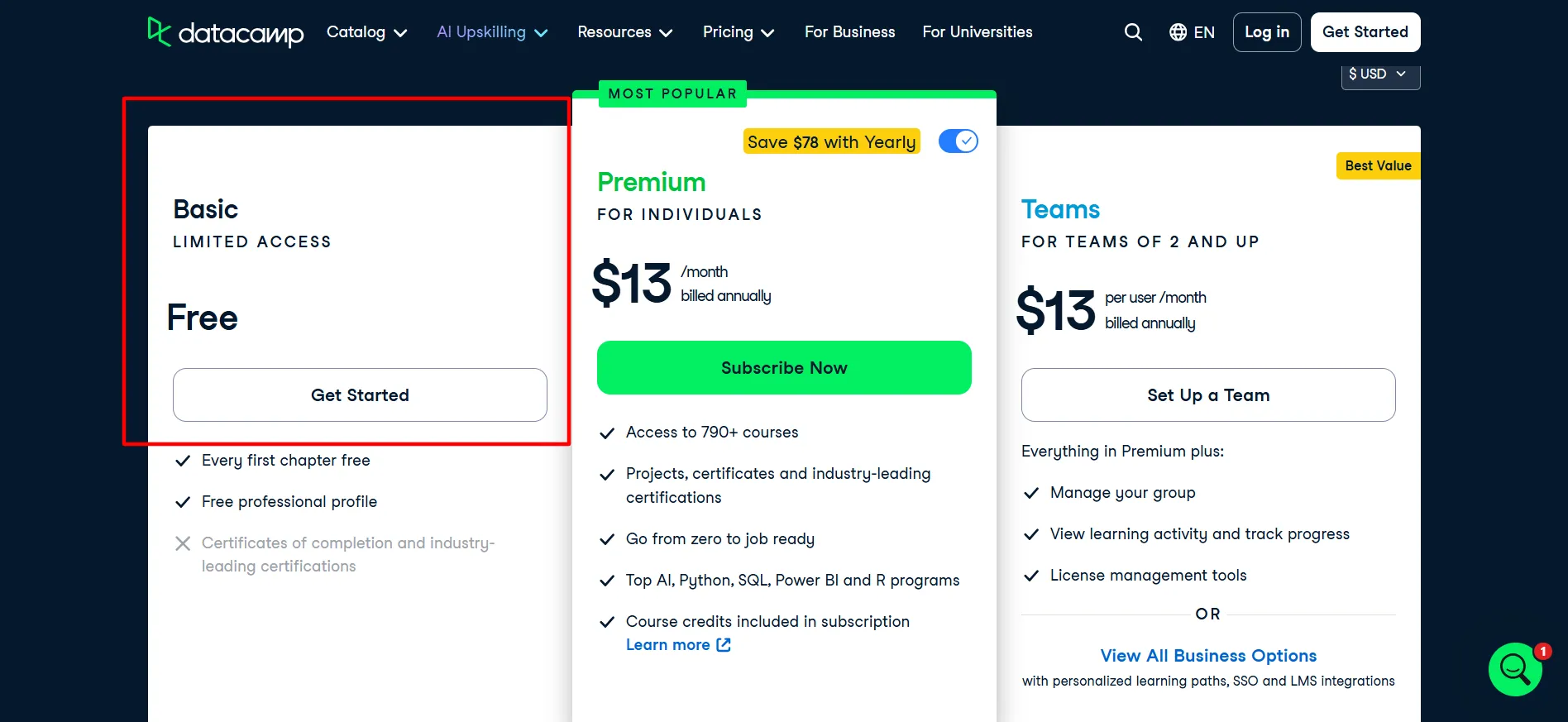
First chapter of every course
Free professional profile
All cheat sheets and tutorials
Mobile learning
Skill assessments
Live code-alongs
Competitions
Limits on Basic include:
No full course completion
No certificates
Limited projects and practice exercises
No career or skill tracks
No priority support
This plan is useful for testing the teaching style. You can finish the opening lessons in Python, SQL, R, Tableau, or Power BI without a credit card. Many people use it for a week or two, then decide.
If the exercises feel clear and you want to keep going past the first chapter, the free access has done its job. If you only ever finish those opening sections, Basic is already enough. There is no time limit, so you can return later.
Premium Plan Features and Pricing
Premium is listed at $13 a month when billed annually. The page shows a $78 yearly saving against the monthly rate. Main features include:
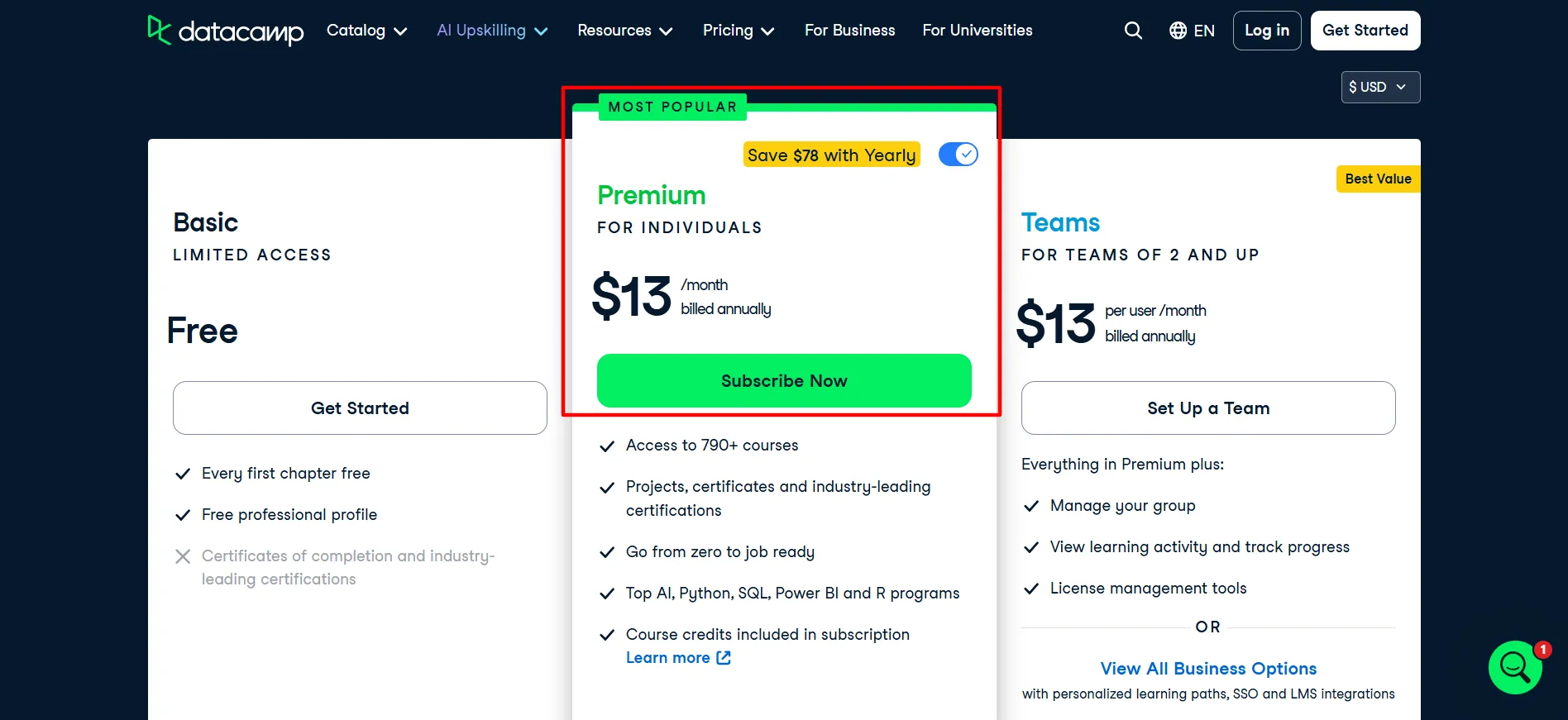
Full access to 790+ courses
Hands-on projects
Course certificates and industry certifications
Career and skill tracks
Everything from Basic
Priority support
Portfolio tools
Course credits
This plan works for people who plan to work through several courses over six months or longer. The annual figure is the lower ongoing cost for steady study. Monthly billing exists but raises the per-month price.
It suits career switchers who want a clear sequence in data skills and working professionals who need targeted practice. Learners who finish a meaningful number of courses and collect certificates usually find the annual rate reasonable.
Learners who complete only one or two courses see a higher effective cost per finished course. Sampling the free chapters first removes most of the guesswork.
Teams Plan Features and Pricing
Teams is listed at $13 per user a month when billed annually for groups of two or more. Main features include:
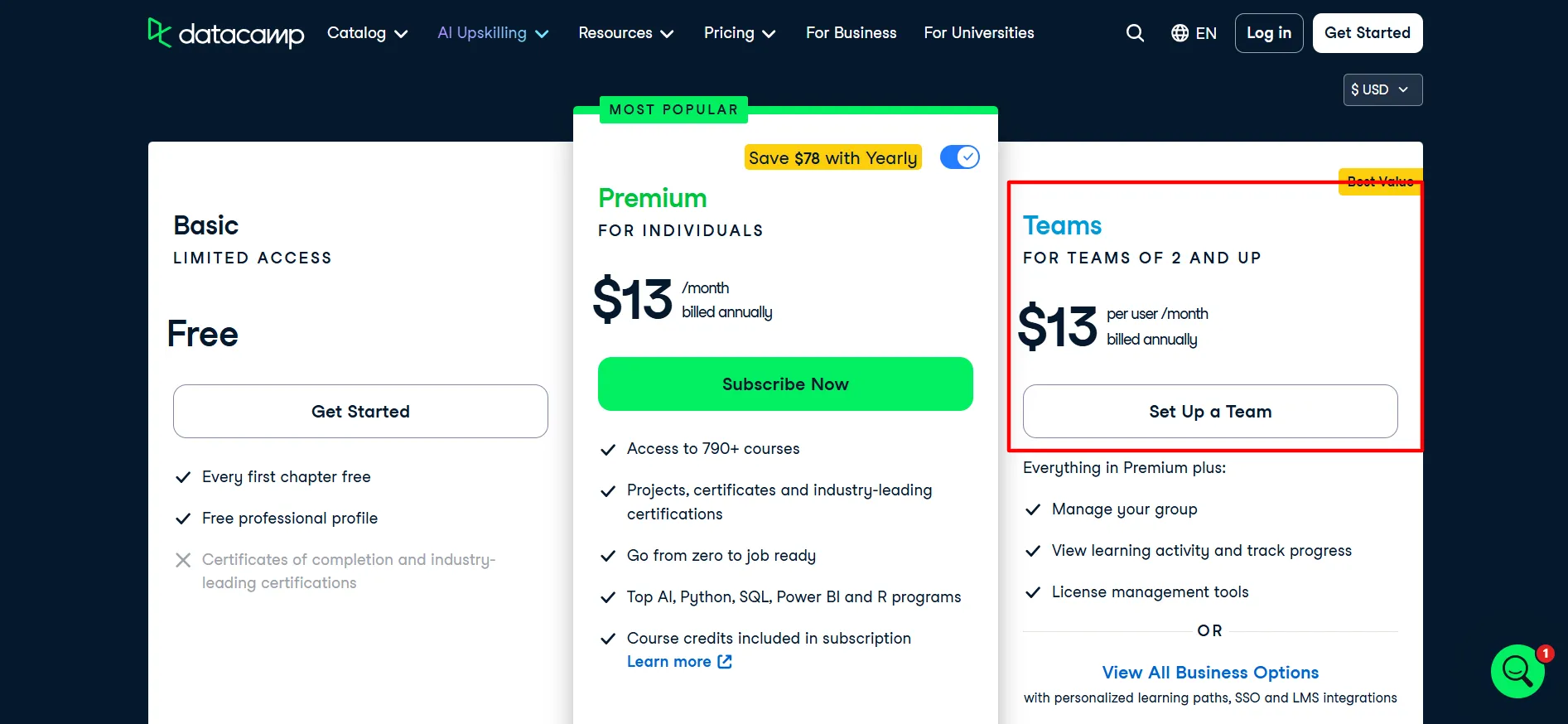
Everything in Premium
Group management
Activity tracking
Progress views
License tools
Admin dashboard
Team reports
Custom tracks remain off-limits until Enterprise. Small groups that want shared visibility usually find this rate practical. An admin can assign material and watch completion without juggling separate personal accounts.
The minimum of two seats keeps it simple for startups or small departments. Once the group grows or needs single sign-on and custom pathways, Enterprise becomes the logical next step. The cost scales directly with the number of seats.
Enterprise Features and Pricing
Enterprise is custom-priced. Additional features include:
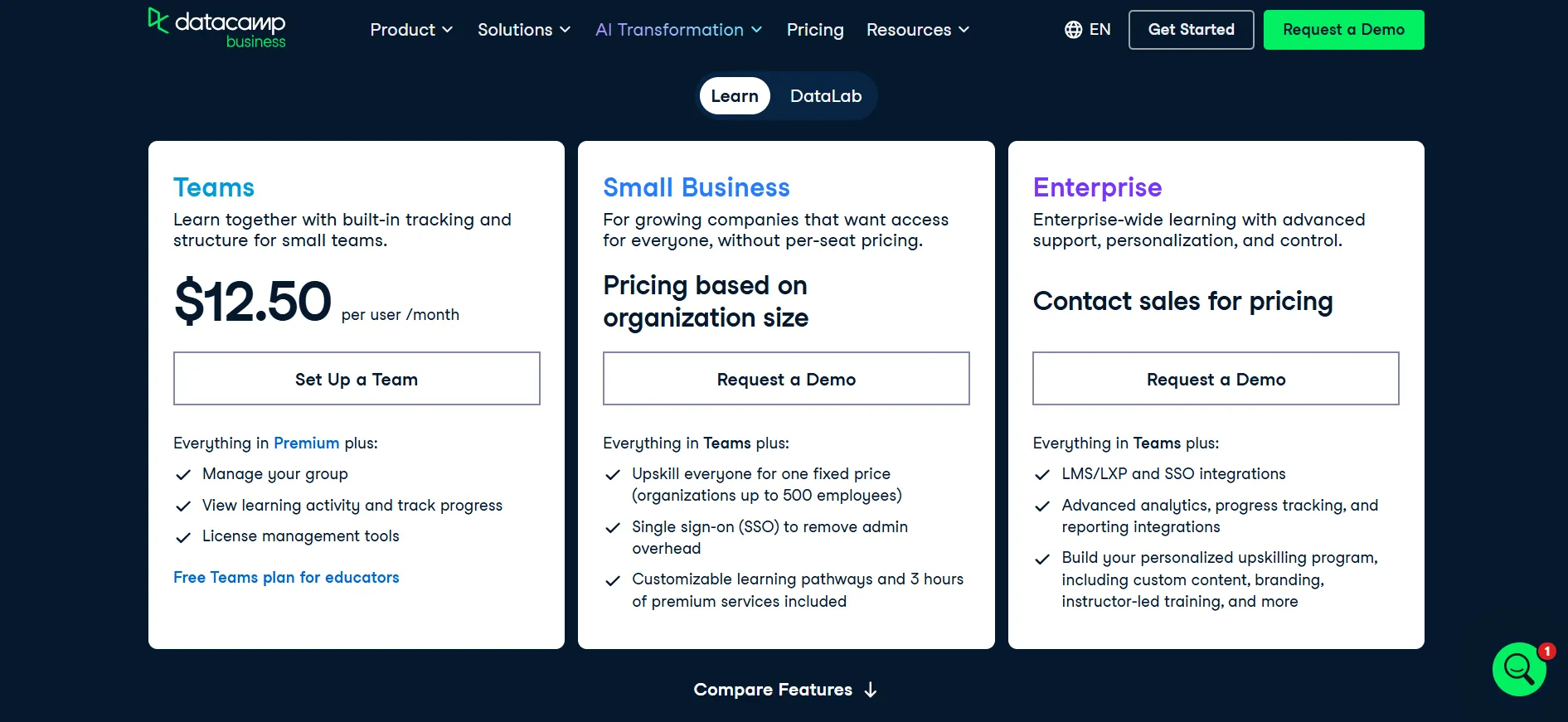
Personalized learning paths
Google and Microsoft SSO
Skill Matrix
SAML SSO
LMS/LXP integrations
Custom report templates
Co-branded landing page
Ability to create custom tracks
Larger organizations that require those controls request a quote. Most individuals and small teams never reach this level. The value appears when compliance rules require single sign-on or when the organization wants custom content.
Student Pricing Option
Eligible college students can claim a discounted Premium rate, often more than half off the standard yearly figure. Verification is required. The content matches regular Premium.
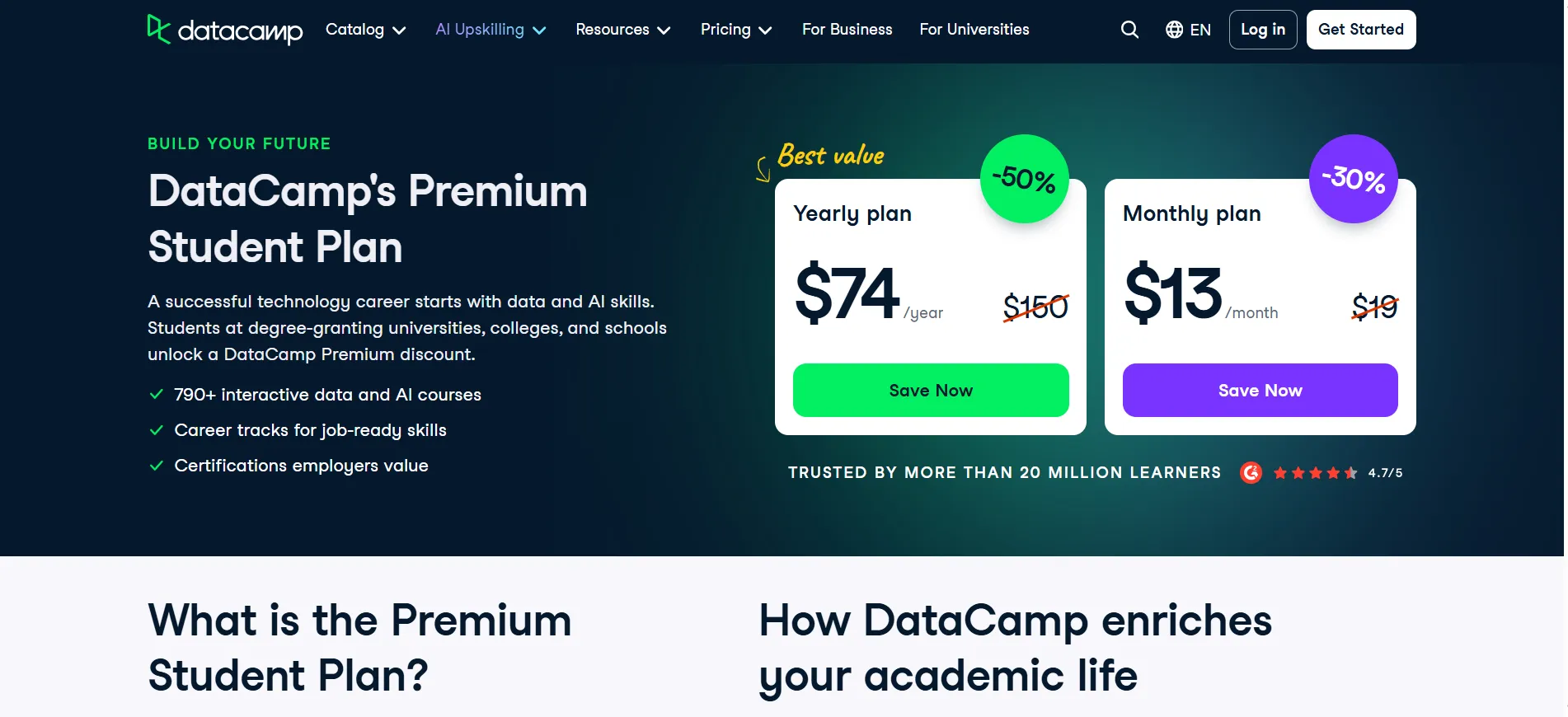
Students who will use the catalog across a semester or two usually see clear value in the lower rate. Check the student page for current eligibility rules.
Honest Verdict on the Value
The platform is worth the subscription when you finish multiple courses and use the certificates or career tracks. Premium at $13 a month on annual billing is the straightforward choice for most individuals who study steadily.
Teams at the same per-user annual rate fits small groups that want basic tracking. Enterprise only fits organizations that need the advanced controls. Basic remains free for sampling.
Annual billing is the lower number compared with monthly options. Use the free chapters to confirm the style, then move to Premium if you plan regular study. Check the pricing page for the exact figures and any current promotions before you subscribe.
For learners who complete a solid number of courses, the annual Premium rate usually lines up with the value they receive. The platform works best when the learning is consistent rather than occasional.
What Affects the Real Cost
Annual billing produces the $13 figure and the $78 saving shown on the page.
Promotions can drop the annual total further for limited periods.
Team size multiplies the Teams cost directly.
Enterprise quotes scale with headcount and feature needs.
The number of courses you actually complete is the largest variable.
Regional pricing can shift the exact dollar amount at checkout.
Taxes are added separately in some countries.
Steady progress over months usually makes the annual Premium rate feel reasonable. Sporadic use makes even the lower annual figure feel expensive.
Pros and Cons: DataCamp Review 2026
Pros
- Free Basic plan lets you sample every course.
- Full library and certificates open on Premium and Teams.
- Annual billing keeps the monthly rate at $13.
- Student discounts available for eligible users.
- Team tracking tools included on Teams.
Cons
- Monthly billing raises the per-month cost.
- Promotional prices change often.
FAQs: DataCamp Review 2026
It is worth the rate when you finish multiple courses and use the certificates or career tracks. It is less useful if you stay on the opening chapters.
Basic is free. Premium is $13 a month billed annually. Teams is $13 per user a month billed annually. Enterprise is custom. Monthly rates are higher when offered.
Yes. The Basic plan is free and opens the first chapter of every course. There is no separate trial for the paid plans.
Certificates are available on Premium, Teams, and Enterprise.
Yes. You can move from Basic to Premium or Teams at any time. Enterprise requires a sales conversation.
On annual billing the rate is fixed for the subscription period. Promotions can change the starting price, so confirm the number at checkout.
Quick Links:
Final Honest Verdict: DataCamp Review 2026
DataCamp review of the features and pricing shows the platform is worth the subscription for learners who plan to finish more than the opening chapters. Premium at $13 a month on annual billing is the straightforward choice for most individuals who study steadily.
Teams at the same per-user annual rate fits small groups that want basic tracking. Enterprise only fits organizations that need the advanced controls. Basic remains free for sampling. Annual billing is the lower number compared with monthly options.
Use the free chapters to confirm the style, then move to Premium if you plan regular study. Check the pricing page for the exact figures and any current promotions before you subscribe.
For learners who complete a solid number of courses, the annual Premium rate usually lines up with the value they receive. The platform works best when the learning is consistent rather than occasional.