


On this page7 sections
- 01Pricing and Plan Overview: Deadline Funnel Review 2026
- 02Core Feature Details: Deadline Funnel Review
- 03Feature Comparison by Plan: Deadline Funnel Review
- 04How Lead Counting Works?: Deadline Funnel Review
- 05Pros and Cons: Deadline Funnel Review 2026
- 06FAQs: Deadline Funnel Review 2026
- 07Final Conclusion: Deadline Funnel Review 2026
- Comments
Deadline Funnel review of the current details, pricing, and features starts with four plans.

Deadline Funnel adds countdown timers to emails, sales pages, and checkouts. Each lead gets a unique deadline that stays in sync across the funnel. The site says it has helped 20,000+ creators generate $100M in sales. It suits course sellers, coaches, and marketers who run launches or evergreen offers. Pricing starts at $39 a month, so check the pricing page for the plan that fits your list size.
Pros
- Unique deadlines: Each lead sees a timer tied to when they joined, which feels more personal.
- Sync across channels: Timers stay consistent across emails, landing pages, and checkout pages.
- AI campaign setup: An AI assistant can build campaigns, write emails, and set deadlines from a short description.
- Wide integrations: The site lists ActiveCampaign, ConvertKit, Kajabi, Mailchimp, GoHighLevel, and Zapier.
Cons
- Pricing depends on list size: The site says cost varies, so the final price may be hard to predict.
- Testimonials are selected: The praise comes from the company's chosen customers, so typical results may differ.
Start is $49 a month or $39 a month on yearly billing. Create is $99 a month or $79 a month yearly. Accelerate is $149 a month or $119 a month yearly. Scale is $199 a month or $159 a month yearly.
Every plan includes a 14-day free trial and a 30-day money-back guarantee. The platform adds real, personalized deadlines to campaigns so each lead receives a unique countdown that cannot be reset.
Pricing differences appear mainly in campaign limits, lead volume, and advanced tools such as social proof and branding removal.
Details of the platform show that the same timer stays consistent across emails, sales pages, and checkout. When the personal deadline ends, access to the offer is restricted.
Features such as multiple campaign types, reporting, and integrations are available across tiers. Most users begin on Start for testing. Growing teams move to Create for unlimited campaigns. Higher-volume operations look at Accelerate or Scale.
Pricing and Plan Overview: Deadline Funnel Review 2026
Deadline Funnel offers a range of plans, each suited to a different stage of growth. Costs rise with the number of campaigns, contacts, and advanced features you need.
The overview below walks through each tier so you can match one to your business. Check the pricing page for current rates before you sign up.
Plan | Monthly | Yearly (per month) | Campaigns | Leads Per Month | Advanced Features | Data History |
|---|---|---|---|---|---|---|
Start | $49 | $39 | 3 | 1,000 | Limited | 90 days |
Create | $99 | $79 | Unlimited | 10,000 | Full set | 6 months |
Accelerate | $149 | $119 | Unlimited | 20,000 | Full set | 6 months |
Scale | $199 | $159 | Unlimited | 50,000 | Full set | 6 months |
Yearly billing reduces the monthly rate by about 20 percent. A lead is counted each time a subscriber enters a campaign. The 14-day free trial is available on every plan. All plans include a 30-day money-back guarantee.
Core Feature Details: Deadline Funnel Review
Unique per-lead deadlines that start when the subscriber enters the campaign.
The same countdown appears in emails, on sales pages, and at checkout.
Access is restricted or the visitor is redirected after the deadline.
Multiple campaign types including evergreen, tripwire, product launch, holiday promo, and flash sale.
Floating bars and email timers that stay in sync.
Social proof on higher plans that shows recent activity.
Portals and custom colors for brand matching.
Advanced customization and branding removal on Create and above.
Reporting that tracks leads, clicks, and sales.
Integrations with major email tools and page builders.
These features form the base of the platform. Most users rely on the consistent personal timer to raise conversion rates on existing traffic.
1. Start Plan Details, Pricing and Features
Start charges $49 a month or $39 a month when billed yearly. The plan includes 3 campaigns and 1,000 leads per month. Support is email and chat.
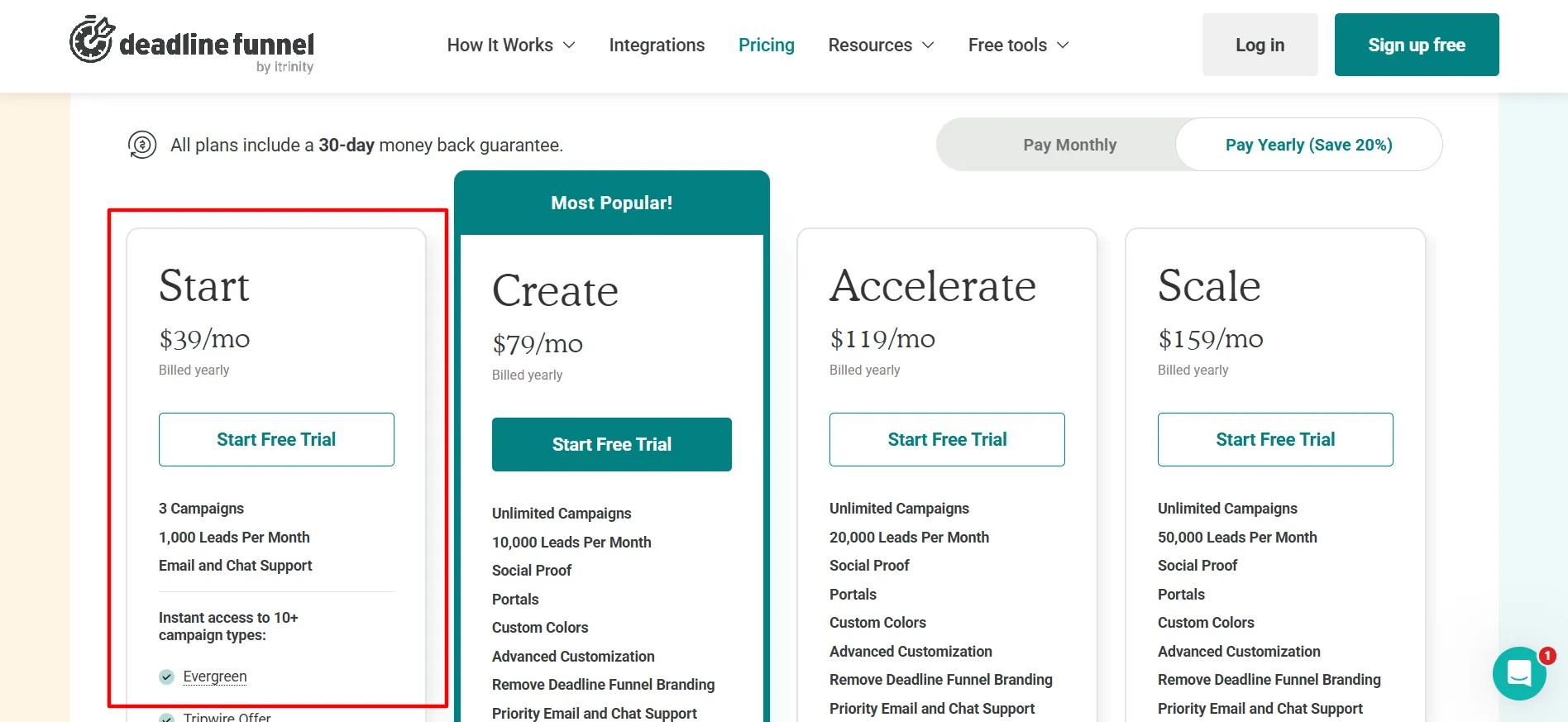
Data history is limited to 90 days. All campaign types are available. Advanced tools such as social proof and branding removal are not included.
This plan fits users who want to test the deadlines on one or two offers. The lower monthly cost keeps the barrier small while results are confirmed.
Yearly billing at $39 a month saves $120 over twelve months of the monthly rate. The free trial lets you set up campaigns and measure the conversion change before the first regular charge.
If volume stays low, Start keeps the cost practical while still delivering real per-lead deadlines.
2. Create Plan Details, Pricing and Features
Create charges $99 a month or $79 a month when billed yearly. The plan includes unlimited campaigns and 10,000 leads per month.
It adds social proof, portals, custom colors, advanced customization, remove Deadline Funnel branding, and priority email and chat support. Data history extends to 6 months. All campaign types remain available.
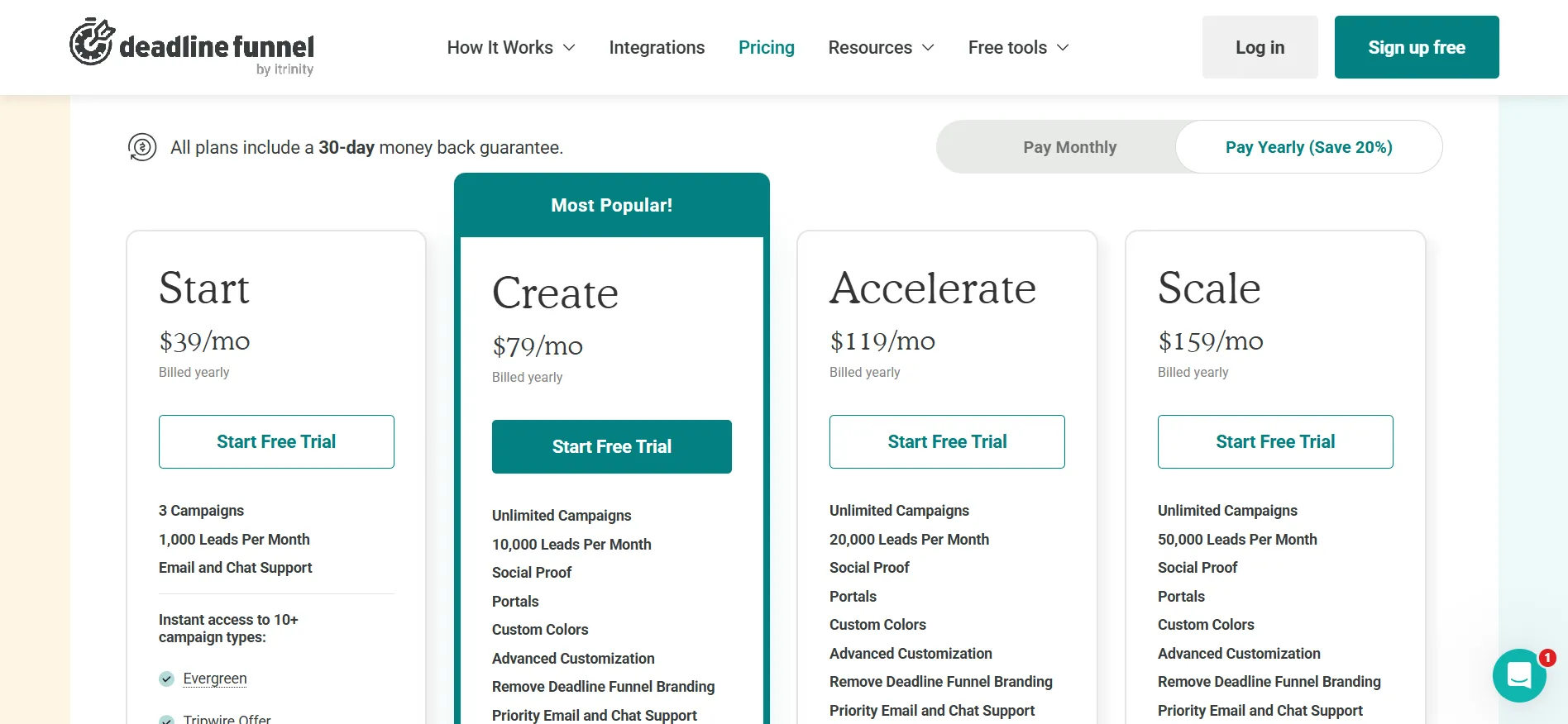
This plan is the most popular choice for most creators. Unlimited campaigns remove the hard limit that exists on Start. The extra tools make the timer feel native and more urgent.
Yearly billing at $79 a month saves $240 over twelve months of the monthly rate. The free trial lets you test social proof and branding removal. If you plan multiple campaigns and want the full feature set, Create is usually the practical next step after Start.
3. Accelerate Plan Details, Pricing and Features
Accelerate charges $149 a month or $119 a month when billed yearly. The plan includes everything in Create plus a higher limit of 20,000 leads per month.
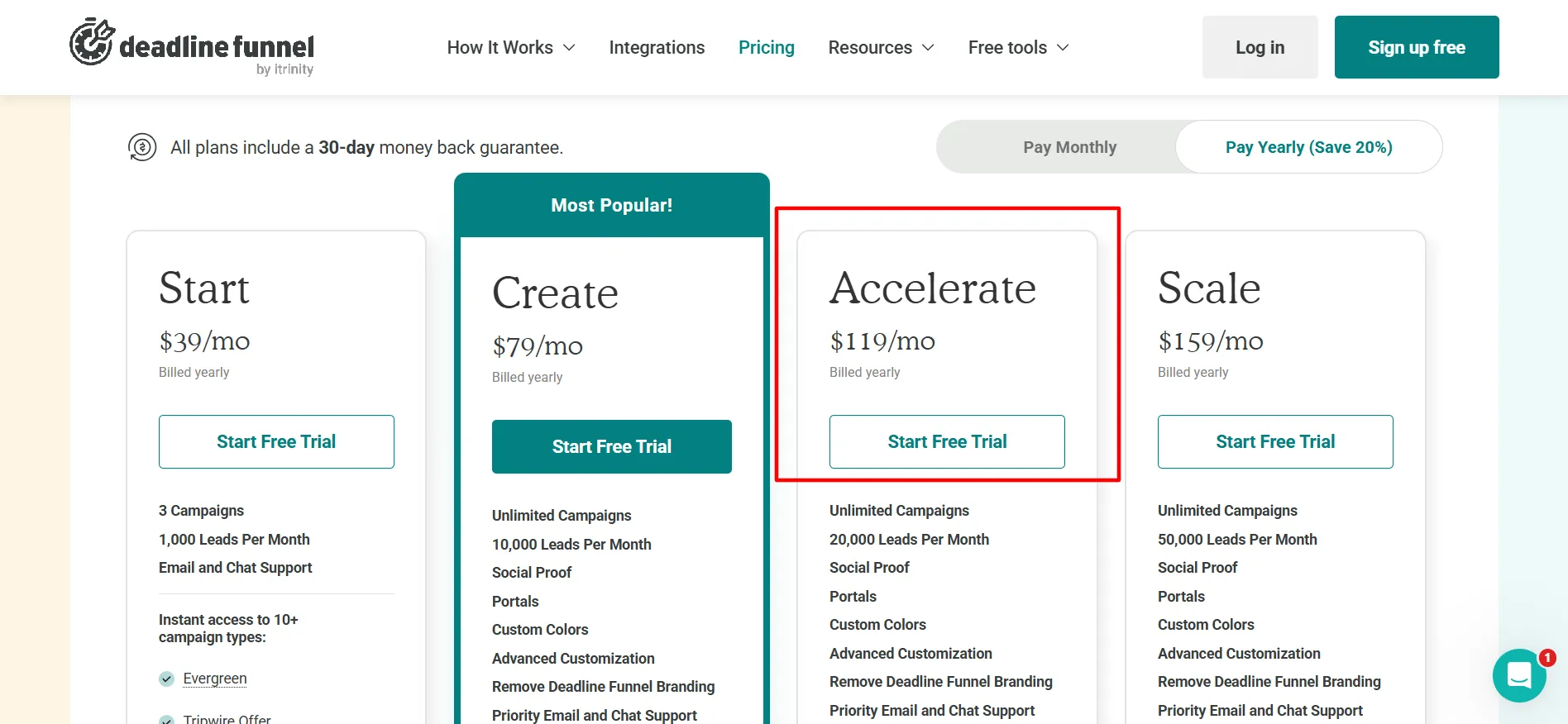
Unlimited campaigns, social proof, portals, custom colors, advanced customization, branding removal, and priority support are all included. Data history is 6 months.
This plan fits growing teams that consistently bring more leads into multiple campaigns. The higher lead limit reduces the chance of hitting a ceiling mid-month.
Yearly billing at $119 a month saves $360 over twelve months of the monthly rate. The free trial lets you confirm that the higher volume and full tools match your traffic.
If your lead count is rising and you already use the advanced features, Accelerate is usually the right step after Create.
4. Scale Plan Details, Pricing and Features
Scale charges $199 a month or $159 a month when billed yearly. The plan includes everything in Create plus the highest limit of 50,000 leads per month.
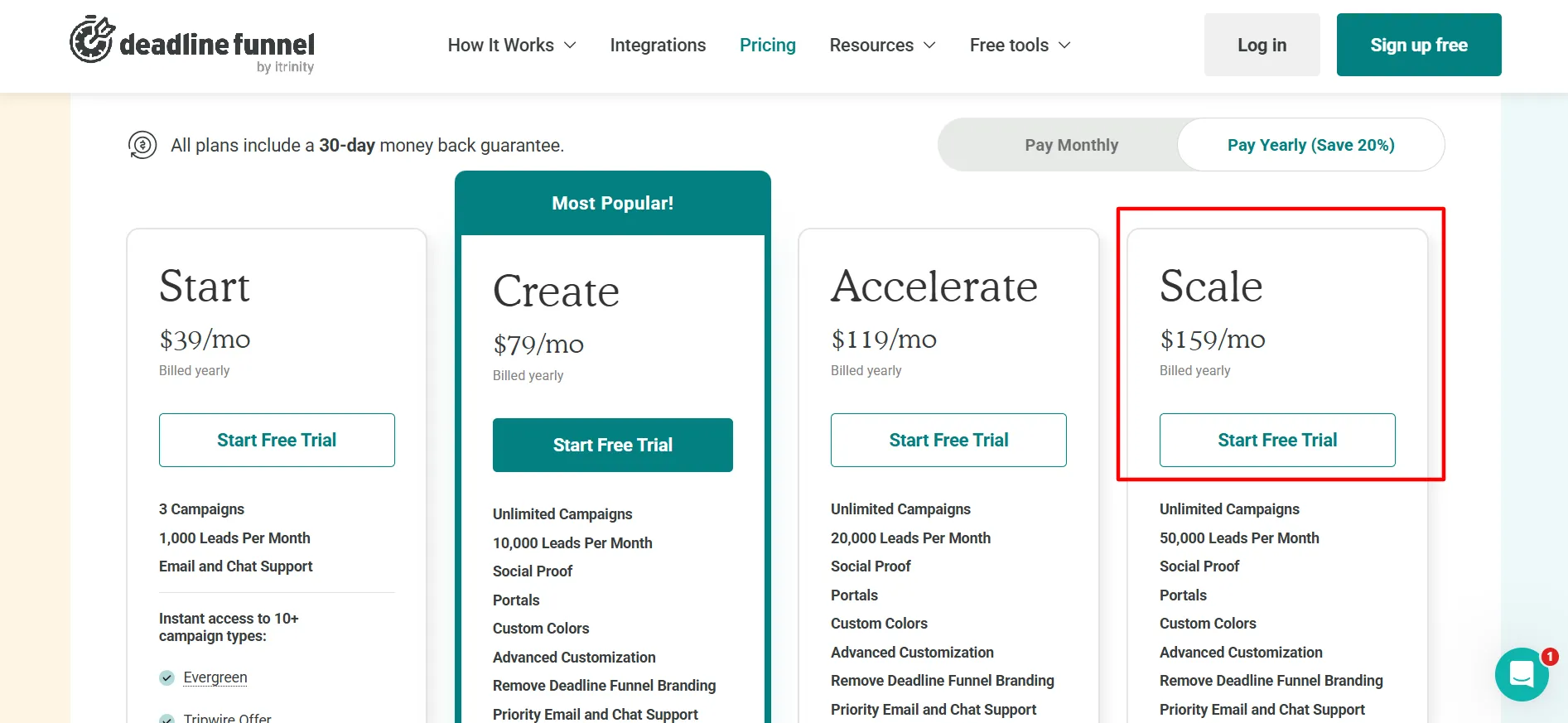
Unlimited campaigns, social proof, portals, custom colors, advanced customization, branding removal, and priority support are included. Data history is 6 months.
This plan fits high-volume businesses and agencies. The 50,000-lead limit supports larger lists and multiple concurrent offers. Yearly billing at $159 a month saves $480 over twelve months of the monthly rate.
The free trial lets you test the full tools at scale. If you manage high traffic or multiple client funnels, Scale is the plan that supports that volume.
Feature Comparison by Plan: Deadline Funnel Review
Here is how each Deadline Funnel plan compares on the features that matter most. The table below shows what each tier includes side by side. Confirm current features and limits on Deadline Funnel’s pricing page before you choose.
Feature | Start | Create | Accelerate | Scale |
|---|---|---|---|---|
Campaigns | 3 | Unlimited | Unlimited | Unlimited |
Leads per month | 1,000 | 10,000 | 20,000 | 50,000 |
Social proof | No | Yes | Yes | Yes |
Portals and custom colors | No | Yes | Yes | Yes |
Remove branding | No | Yes | Yes | Yes |
Priority support | No | Yes | Yes | Yes |
Data history | 90 days | 6 months | 6 months | 6 months |
Free trial | Yes | Yes | Yes | Yes |
How Lead Counting Works?: Deadline Funnel Review
A lead is counted each time a subscriber enters a campaign. If the same person enters three campaigns, that person counts as three leads against the monthly limit.
The count resets each month. This detail affects which plan is needed when multiple offers run at the same time. Planning campaign structure can keep the lead total lower while still capturing the conversion benefit.
Pros and Cons: Deadline Funnel Review 2026
Pros
- Real per-lead deadlines that cannot be reset.
- 14-day free trial on every plan.
- Create unlocks unlimited campaigns and full features.
- Reporting tracks performance.
- Lead limits scale with the plan.
Cons
- Start is limited to 3 campaigns and 1,000 leads.
- Data history is shorter on Start.
FAQs: Deadline Funnel Review 2026
Start is $49 a month or $39 on yearly billing. Create is $99 or $79 yearly. Accelerate is $149 or $119 yearly. Scale is $199 or $159 yearly.
Every plan includes personal deadlines, multiple campaign types, email and page timers, reporting, and integrations. Advanced tools and higher limits differ by plan.
Yes. A 14-day free trial is available on every plan.
Each time a subscriber enters a campaign it counts as one lead. The same person in multiple campaigns counts multiple times.
Yearly billing saves roughly 20 percent on every plan. Start drops from $49 to $39 a month.
Quick Links:
Final Conclusion: Deadline Funnel Review 2026
Deadline Funnel review of the details, pricing, and features shows the platform delivers real per-lead deadlines across four clear plans. Start at $39 a month yearly is the practical entry point for testing.
Create at $79 a month yearly unlocks unlimited campaigns and the full tool set for most users. Accelerate and Scale raise the lead limits for higher volume. Yearly billing lowers the rate on every plan.
A 14-day free trial and 30-day money-back guarantee are available. Start with the plan that matches your expected campaigns and monthly leads, use the trial to confirm the timers work, then choose yearly billing once you know you will stay.
Check the current pricing page for the exact figures before you subscribe. For most creators who run more than a couple of offers, Create delivers the complete platform at a practical yearly cost.
The details and features are consistent across plans, with pricing differences appearing mainly in campaign limits, lead volume, and advanced tools.
Last updated

Affiliate disclosure: In full transparency – some of the links on our website are affiliate links, if you use them to make a purchase we will earn a commission at no additional cost for you (none whatsoever!).

Discussion
Join the conversation
No comments yet. Start the discussion with a question or your own experience.