

On this page12 sections
- 01WordPress Pricing at a Glance
- 02What Is WordPress.com?
- 03WordPress Pricing Plans Explained
- 04How Much Does WordPress.com Cost Per Year?
- 05Extra Costs That Change What You Pay
- 06Can You Get a Refund on WordPress.com?
- 07Is WordPress Pricing Worth It?
- 08Which WordPress.com Plan Should You Choose?
- 09WordPress.com Versus Self Hosted WordPress Costs
- 10Pros & Cons: WordPress Pricing
- 11FAQs: WordPress Pricing
- 12Final Verdict: WordPress Pricing
- Comments
How much does a website really cost before you pick a host? WordPress Pricing on WordPress.com runs from a free plan up to $70 a month, and the billing term you choose changes the number a lot.
This guide covers every plan, the monthly and yearly rates, the payment fees on what you sell, and the refund windows. You will also see which plan fits a blog, a business site, or an online store.
Spoiler: the cheapest way in is not always the smartest one, so stick around for the yearly WordPress Pricing math.
WordPress Pricing at a Glance
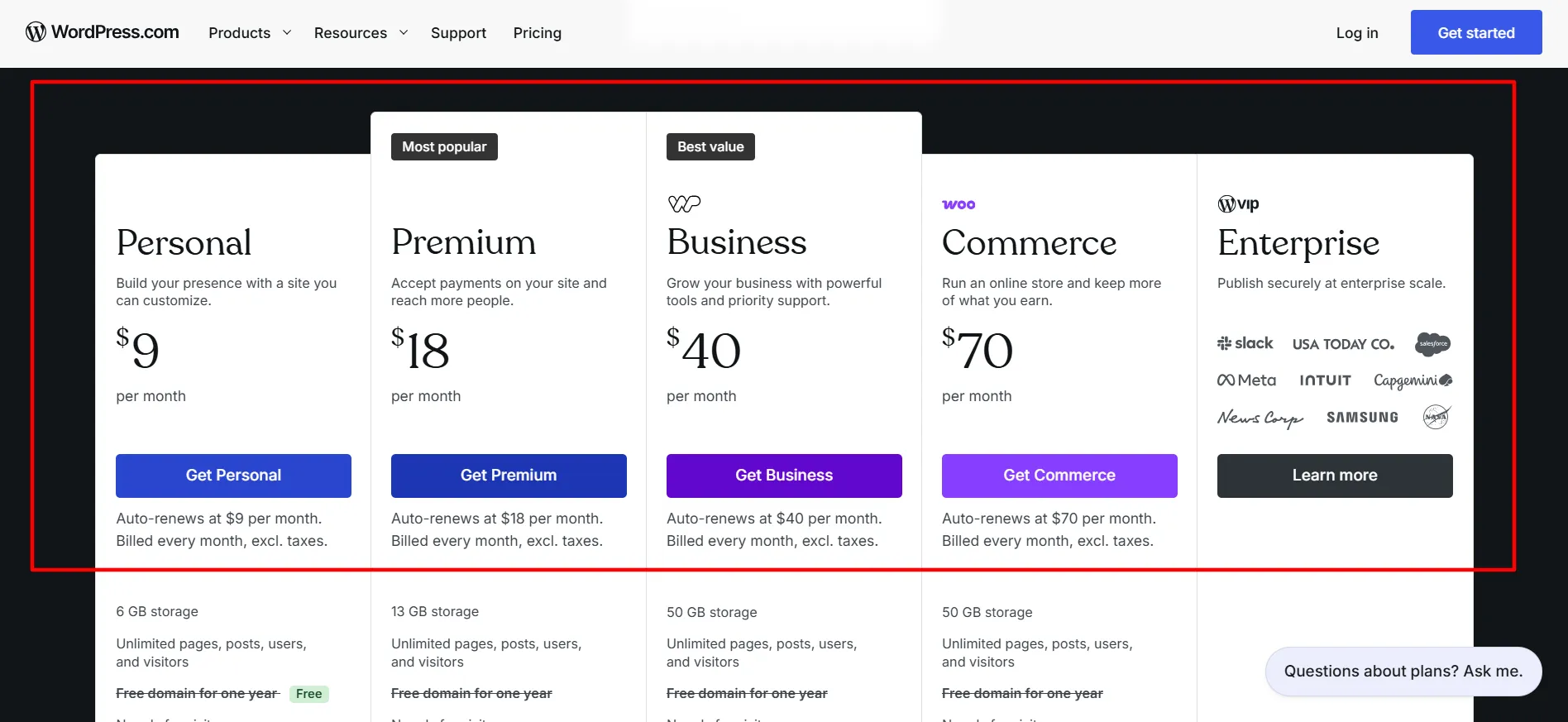
WordPress Pricing covers a free plan and four paid plans, from Personal at $9 a month to Commerce at $70 a month. Paying for one, two, or three years upfront drops the monthly rate by more than half.
| Plan | Monthly billing | Yearly billing | 3 year billing | Best for |
|---|---|---|---|---|
| Free | $0 | $0 | $0 | Trying WordPress with no budget |
| Personal | $9 a month | $4 a month | $2.75 a month | A personal blog with your own domain |
| Premium | $18 a month | $8 a month | $5.50 a month | Creators who want premium themes |
| Business | $40 a month | $25 a month | $17.50 a month | Business sites that need plugins and tools |
| Commerce | $70 a month | $45 a month | $31.50 a month | Online stores that sell every day |
Two year WordPress Pricing sits in between: $3.25 for Personal, $6.50 for Premium, $20 for Business, and $36 for Commerce each month.
What Is WordPress.com?
WordPress.com is the hosted version of WordPress. You get the same site builder millions of sites use, but the hosting, security, and updates are handled for you.
Bloggers, small businesses, and store owners use it when they want a site without managing a server. A full WordPress.com review covers the editor, speed, and support in more depth.
WordPress Pricing follows a simple ladder. Each plan adds storage, design tools, and selling features, and longer billing terms give you a lower monthly rate.
WordPress Pricing Plans Explained
Every plan in the WordPress Pricing ladder above Free includes managed hosting with a global CDN and SSL, DDoS protection, a web application firewall, ad free pages for your visitors, and no limits on pages, posts, users, or visitors. These are the current 2026 rates, and annual and multi year plans also add a free domain for the first year.
1. WordPress.com Free Plan
The Free plan costs nothing and never expires. You get 1 GB of storage and a site on a WordPress.com address, which is fine for testing ideas or a hobby journal. You can upgrade at any time and keep everything you built.
Best for: trying the editor before you spend a dollar.
2. WordPress Pricing for the Personal Plan
Personal costs $9 a month, $4 a month yearly, or $2.75 a month on the 3 year term. It adds 6 GB of storage, a custom domain, ad free pages, and plugin installation.
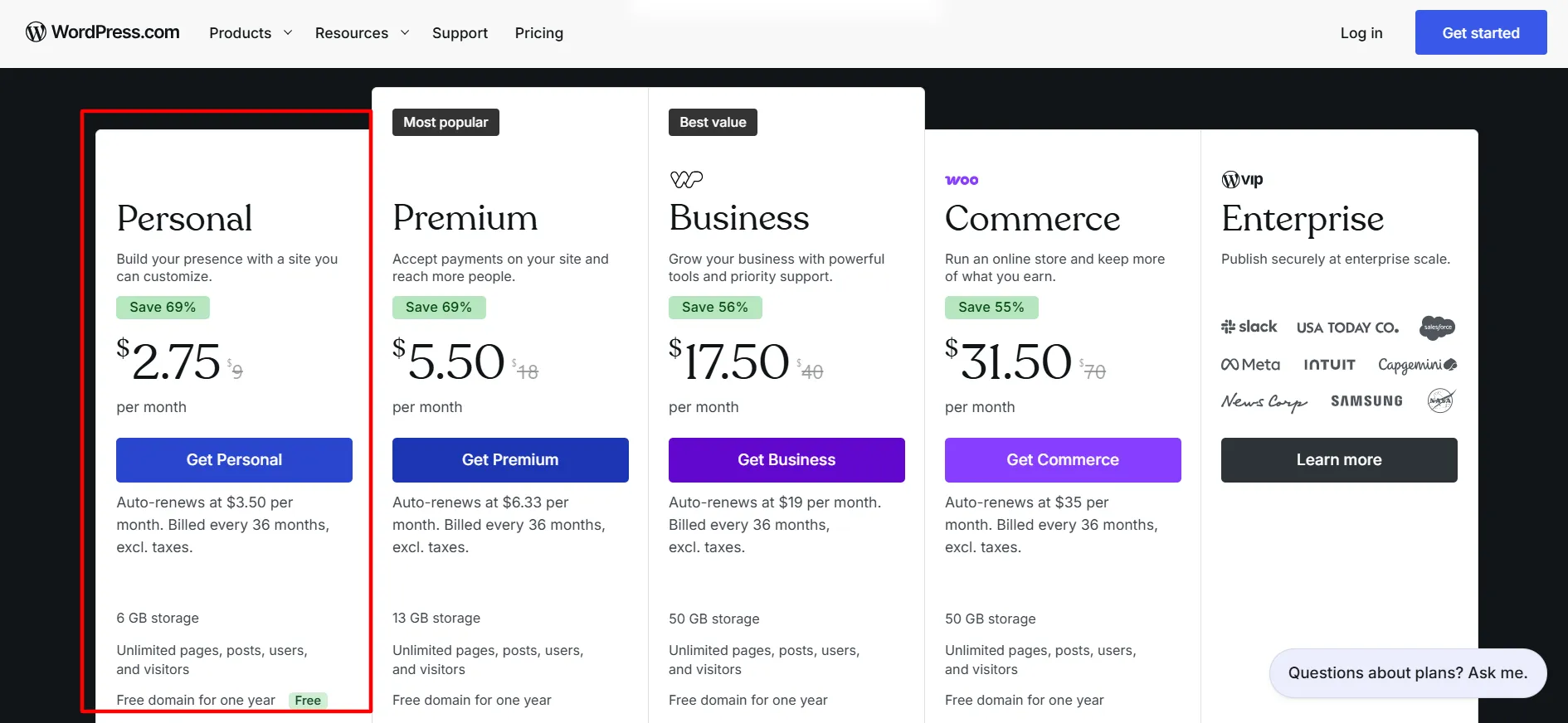
Best for: bloggers who want their own domain and a clean, ad free site.
3. WordPress.com Premium Plan
Premium costs $18 a month, $8 a month yearly, or $5.50 a month on the 3 year term. It raises storage to 13 GB and opens premium themes, more design control, and ways to earn from your content.
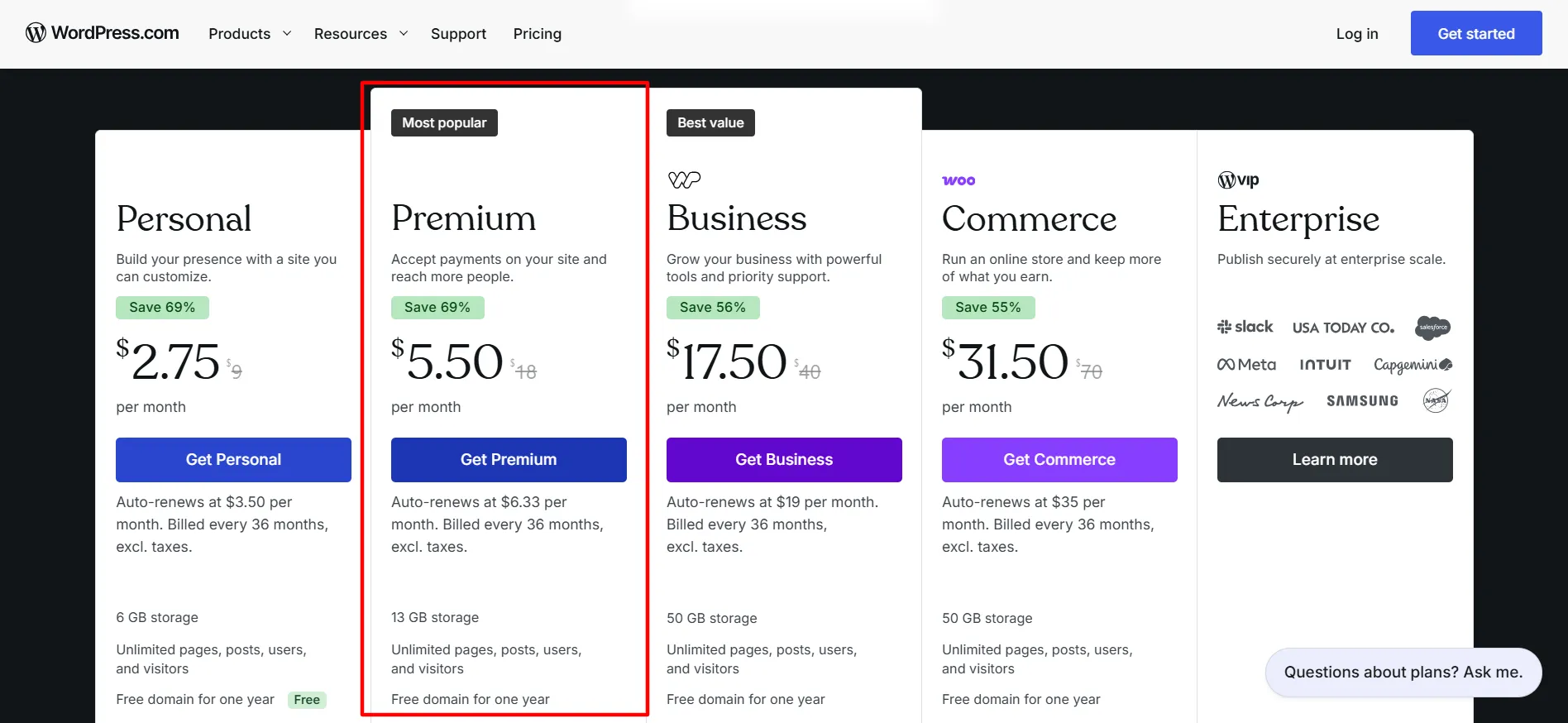
Best for: creators and freelancers who care about design and want to earn from their site.
4. WordPress.com Business Plan
Business costs $40 a month, $25 a month yearly, or $17.50 a month on the 3 year term. You get 50 GB of storage, all premium themes, priority support around the clock, and developer tools like SFTP, SSH, WP CLI, and GitHub deployments.
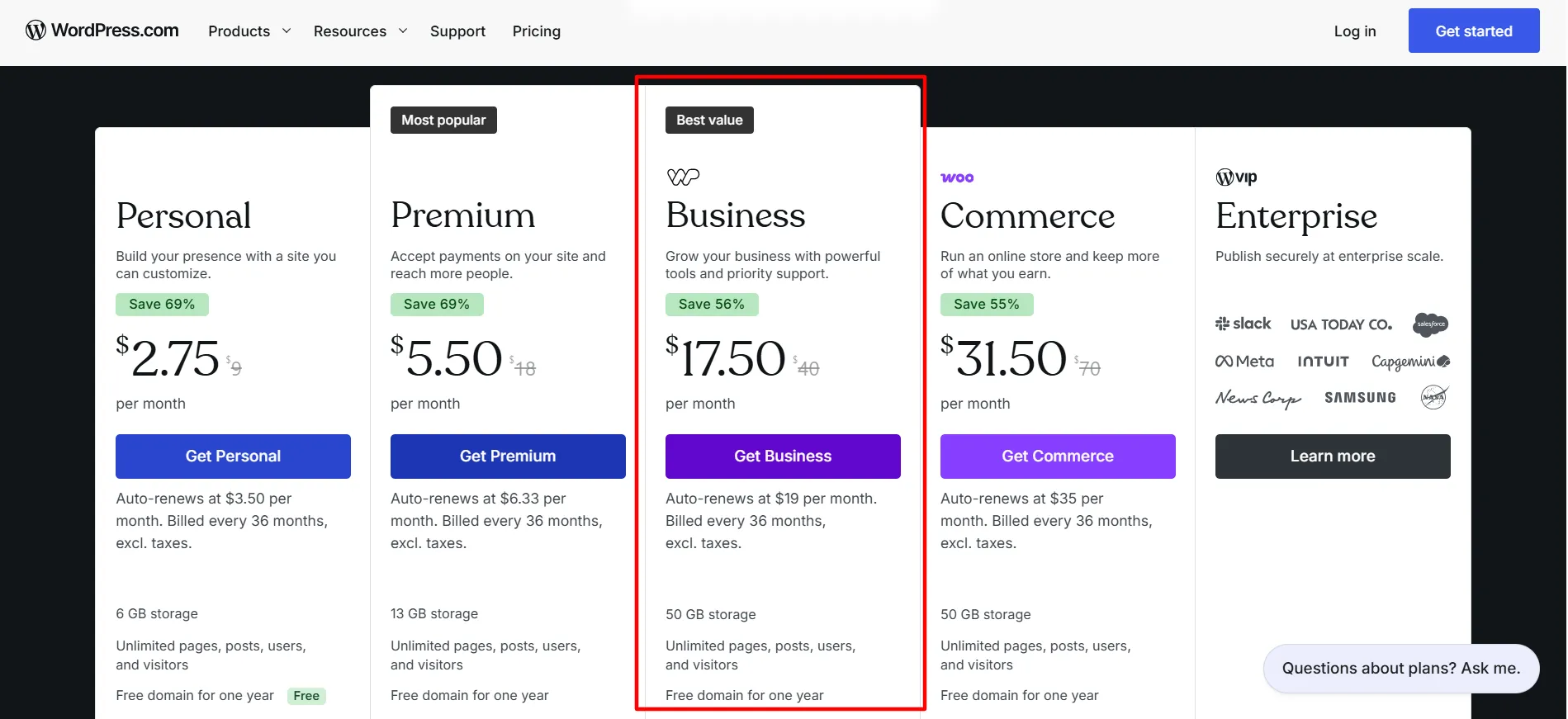
Best for: business sites, agencies, and anyone who needs custom plugins and full control.
5. WordPress.com Commerce Plan
Commerce costs $70 a month, $45 a month yearly, or $31.50 a month on the 3 year term. It has everything in Business plus a full WooCommerce setup with unlimited products, abandoned cart emails, upsells, bulk discounts, and stock tools.
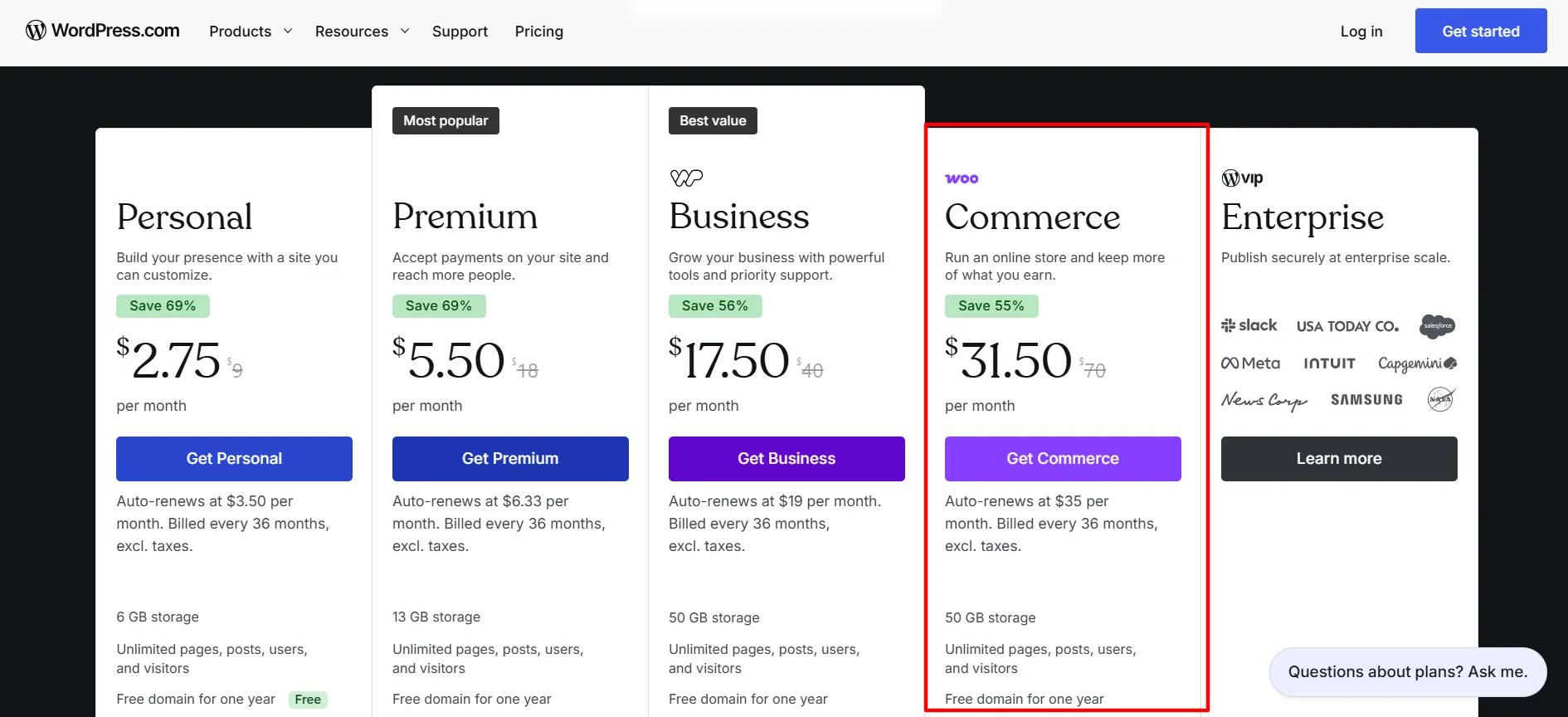
Best for: online stores that sell every day and want store tools built in.
How Much Does WordPress.com Cost Per Year?
The yearly total is the monthly rate times 12, and this is where WordPress Pricing gets interesting. Monthly billing is flexible, but it costs more than twice as much over a year on most plans.
| Plan | Monthly billing for 12 months | Yearly billing total | You keep |
|---|---|---|---|
| Personal | $108 | $48 | $60 |
| Premium | $216 | $96 | $120 |
| Business | $480 | $300 | $180 |
| Commerce | $840 | $540 | $300 |
On the 3 year term, Personal works out to $99 for three years and Business to $630. If you are sure about your site, the longer term is the cheapest path, and the free domain comes with it.
Want an extra cut on top of these rates? Our page on WordPress.com coupon codes lists the current deals for new plans.
Extra Costs That Change What You Pay
The plan price is only part of the bill if you sell online or need more than one domain. Here are the extras that sit outside the headline WordPress Pricing.
| Plan | Fee on payments you collect |
|---|---|
| Free | 10% |
| Personal | 8% |
| Premium | 4% |
| Business | 2% |
| Commerce | 0% |
That fee applies to paid subscriptions, paid posts, and other payments, and Stripe adds its own 2.9% plus 30 cents per payment. If your site earns real money, a higher plan can cost less overall because the fee drops.
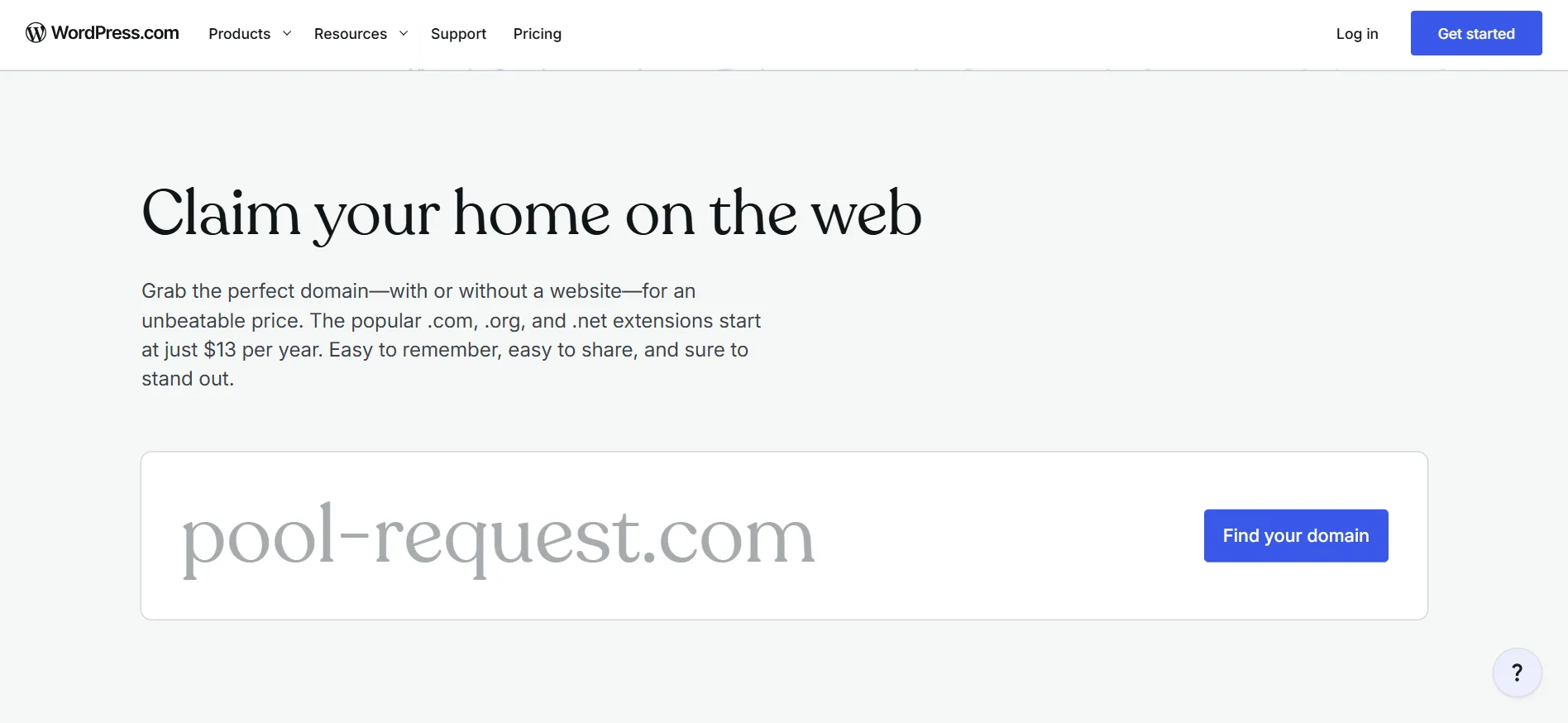
Domains are free for the first year on annual and multi year plans, then renew at the normal domain rate. Extra domains and add ons are billed on their own.
Can You Get a Refund on WordPress.com?
Yes, as long as you ask inside the refund window. You can claim the refund yourself from your account, and it usually reaches your bank in seven to ten business days.
- Annual, two year, and three year plans can be refunded within 14 days of purchase or renewal.
- Monthly plans can be refunded within 7 days of purchase or renewal.
- Add ons can be refunded within 14 days, while domain registrations have a much shorter window.
- Refunds are not prorated, so leaving after nine months of a yearly plan returns nothing.
The free plan is the zero risk way to test, and the refund window covers you once you pay. You can also downgrade inside the window and get the difference back, so try the WordPress Pricing ladder without stress.
Is WordPress Pricing Worth It?
For most people, yes. WordPress Pricing on yearly billing gets you hosting, security, backups, and updates for less than a lunch out each month.
Think about what a plan replaces. Hosting, an SSL certificate, a firewall, backups, and support would each cost something if you bought them one by one, and here they come bundled in a single bill.
Support also scales with the plan. Business and Commerce get priority help around the clock, which matters when a store is down at midnight and you are the only one awake.
The value grows on Business and Commerce if you sell online, since the payment fee drops to 2% or 0%. The weak spot is monthly billing, which costs more than twice the yearly rate.
Which WordPress.com Plan Should You Choose?
Pick the plan that matches what your site needs to do today, then move up later. Upgrading is easy, so there is no need to pay for tools you will not use.
- Free: Choose it to learn the editor and test an idea. Move up once you want your own domain.
- Personal: Choose it for a blog or portfolio with a custom domain. At $4 a month yearly, it is the cheapest paid start.
- Premium: Choose it if design matters and you want to earn from your content. Premium themes alone make the jump worth it for many creators.
- Business: Choose it if you need custom plugins, developer access, or priority support. Most growing business sites land here.
- Commerce: Choose it if you run a store every day. With 0% payment fees, the WordPress.com Commerce plan pays for itself once sales pick up.
WordPress.com Versus Self Hosted WordPress Costs
Many readers compare WordPress Pricing on WordPress.com with running WordPress on their own host. The software is free either way, so the real question is who handles the work.
On WordPress.com, hosting, security, backups, and updates are part of the plan price. On a self hosted setup, you pay a host, buy your own domain, and add paid plugins for backups or security when you need them.
- Time: WordPress.com handles updates and security for you, so you spend your hours on content instead of maintenance.
- Control: Business and Commerce give you plugins, SFTP, SSH, and WP CLI, which covers most needs of a self hosted site.
- Budget: Personal at $4 a month yearly is cheaper than many hosting plans once you add a domain and backups.
If you want the lowest effort for a fair price, WordPress Pricing wins. If you love tinkering with servers, a self hosted setup may suit you better.
Pros & Cons: WordPress Pricing
Pros
- A free plan lets you start with no card.
- Yearly billing cuts the monthly rate by more than half.
- Every paid plan includes hosting, security, and SSL.
- Annual plans add a free domain for the first year.
- Payment fees drop to 0% on Commerce.
Cons
- Monthly billing costs far more than yearly.
- Lower plans take a cut of the payments you collect.
FAQs: WordPress Pricing
Paid plans start at $9 a month on monthly billing, or $4 a month on yearly billing. Commerce tops out at $70 a month, or $31.50 a month on the 3 year term.
Yes. The Free plan costs nothing and never expires, but it has 1 GB of storage and uses a WordPress.com address instead of your own domain.
Annual and multi year paid plans include a free domain for the first year. After that, the domain renews at the regular domain rate.
The fee is 10% on Free, 8% on Personal, 4% on Premium, 2% on Business, and 0% on Commerce. Stripe adds 2.9% plus 30 cents per payment.
Annual and multi year plans are refundable within 14 days, and monthly plans within 7 days. Refunds are not prorated after that window.
Every paid plan includes plugin installation. Business adds developer tools like SFTP, SSH, and WP CLI for custom work.
It is the cheapest monthly rate on every plan. It makes sense if you know you will keep the site, since refunds close 14 days after purchase.
Quick Links:
Final Verdict: WordPress Pricing
WordPress Pricing starts free and runs from $9 to $70 a month on monthly billing, or $4 to $45 a month on yearly billing. For most readers, a yearly paid plan is the sweet spot, with hosting, security, and a free domain included.
Personal starts at $4 a month yearly, Business at $25, and Commerce at $45, with a free plan for testing.
Start on Free if you are unsure, move to Personal or Premium for a blog, and choose Business or Commerce once your site makes money. The refund window gives you 14 days to change your mind on yearly plans.
Last updated

Affiliate disclosure: In full transparency – some of the links on our website are affiliate links, if you use them to make a purchase we will earn a commission at no additional cost for you (none whatsoever!).



Discussion
Join the conversation
No comments yet. Start the discussion with a question or your own experience.