Leadpages review of the current features starts with the AI page builder available on every plan. Business is $25 a month when billed monthly. Grow is $50 a month. Optimize is $100 a month. Enterprise is custom-priced. Annual billing lowers the rate by 20 percent.

Leadpages helps you build, publish, and test landing pages for lead generation. An AI builder and templates help you launch quickly. Testing tools and integrations with email, CRM, and ad platforms make it useful for campaigns. Teams often pick it when they need pages and testing in one place. Check the pricing page before you choose a tier, since the plan figures I read differed between page loads.
Pros
- Fast page creation: The AI builder and ready templates help you launch pages quickly.
- Built in testing: A/B and multivariate tests let you compare page versions on your own.
- Consistent branding: A brand kit applies your logo, colours, and fonts across every page.
- Personalised pages: Pages can match the ad a visitor clicked, which may lift conversions.
- Wide integrations: You can connect email, CRM, ads, and analytics tools to your pages.
Cons
- Testing costs more: Testing and optimisation start at $99 a month, well above the publishing plans.
- Key features sit higher: Smart Traffic and heatmaps appear only on the $199 Optimize plan.
A 7-day free trial is available. Every plan includes the AI editor, SSL, custom domains within the plan limit, and the MCP connector. Unlimited traffic is listed with no overage fees.
The AI page builder is the core feature that most users notice first. It helps create landing pages from a description or template. Higher plans add A/B testing, Smart Traffic, and heatmaps. The verdict depends on whether you need only the builder or the full testing tools.
AI Page Builder: Core Features
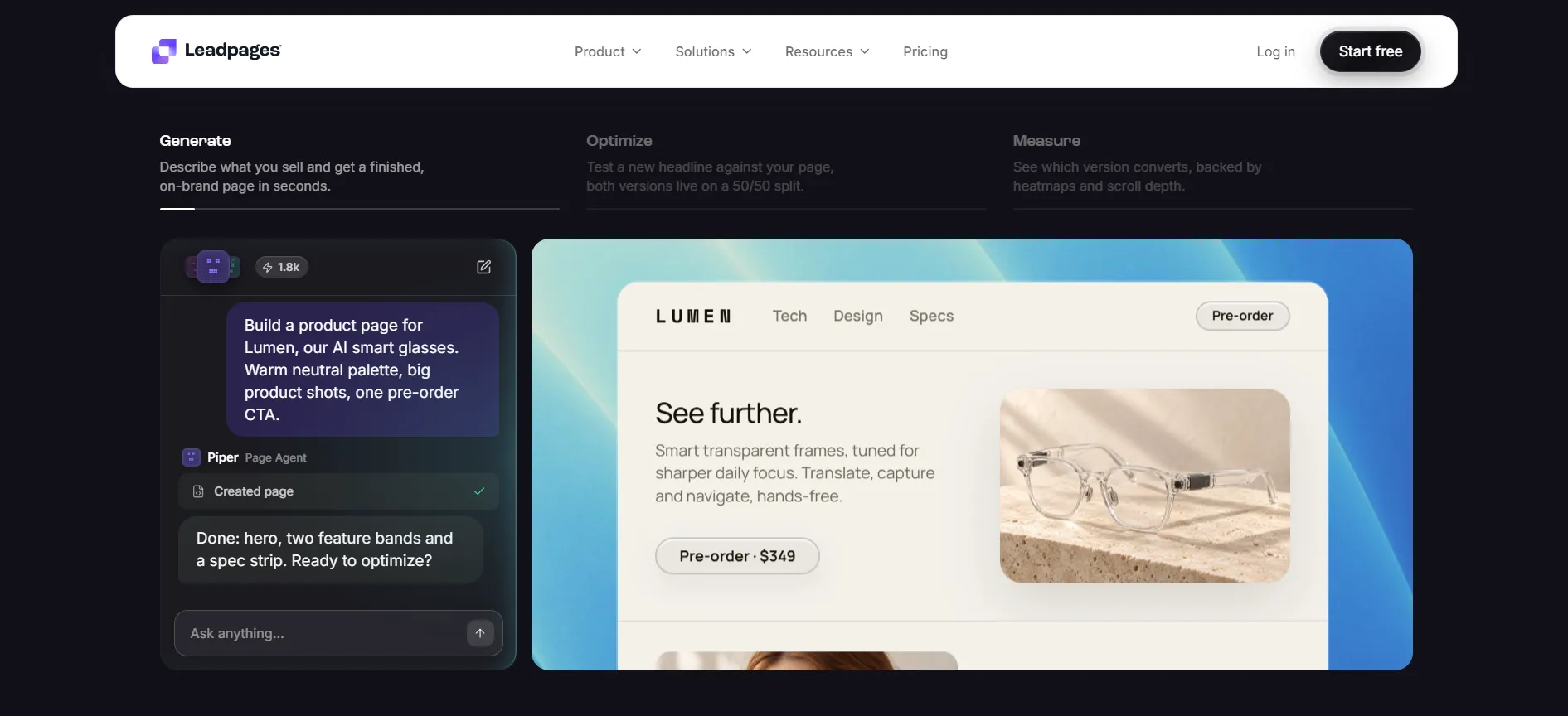
The AI page builder is included on Business, Grow, and Optimize. You describe the page you want, or you start from a template. The builder generates the layout, copy, and basic sections. You can then edit text, images, and buttons directly.
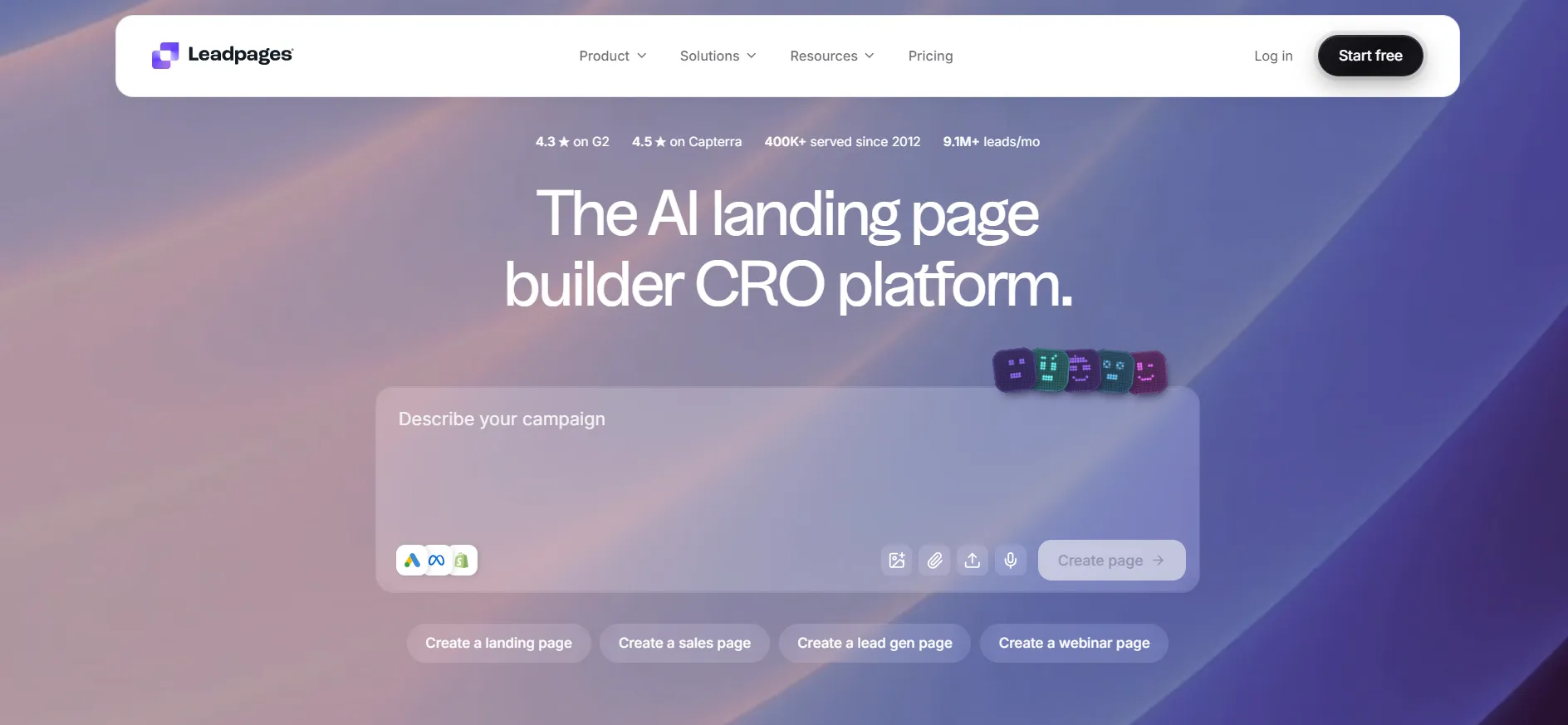
The MCP connector lets you work with Claude or ChatGPT to generate or refine pages. AI credits scale with the plan: 20,000 a month on Business, higher on Grow and Optimize. Top-up packs are available if you need more.
This feature is useful for marketers who want to publish pages quickly without design help. Most users can create a working landing page in a short session.
The builder is straightforward for campaign pages, lead forms, and simple sites. It is less useful if you need highly custom layouts that require heavy manual work. The trial lets you test the AI generation and editing tools before you pay.
Business Plan Features
Business is the entry plan at $25 a month on monthly billing. Annual billing lowers the rate by 20 percent. It includes 50 pages, 2 custom domains with SSL, 2 blogs, 10 GB storage, and 20,000 AI credits a month.
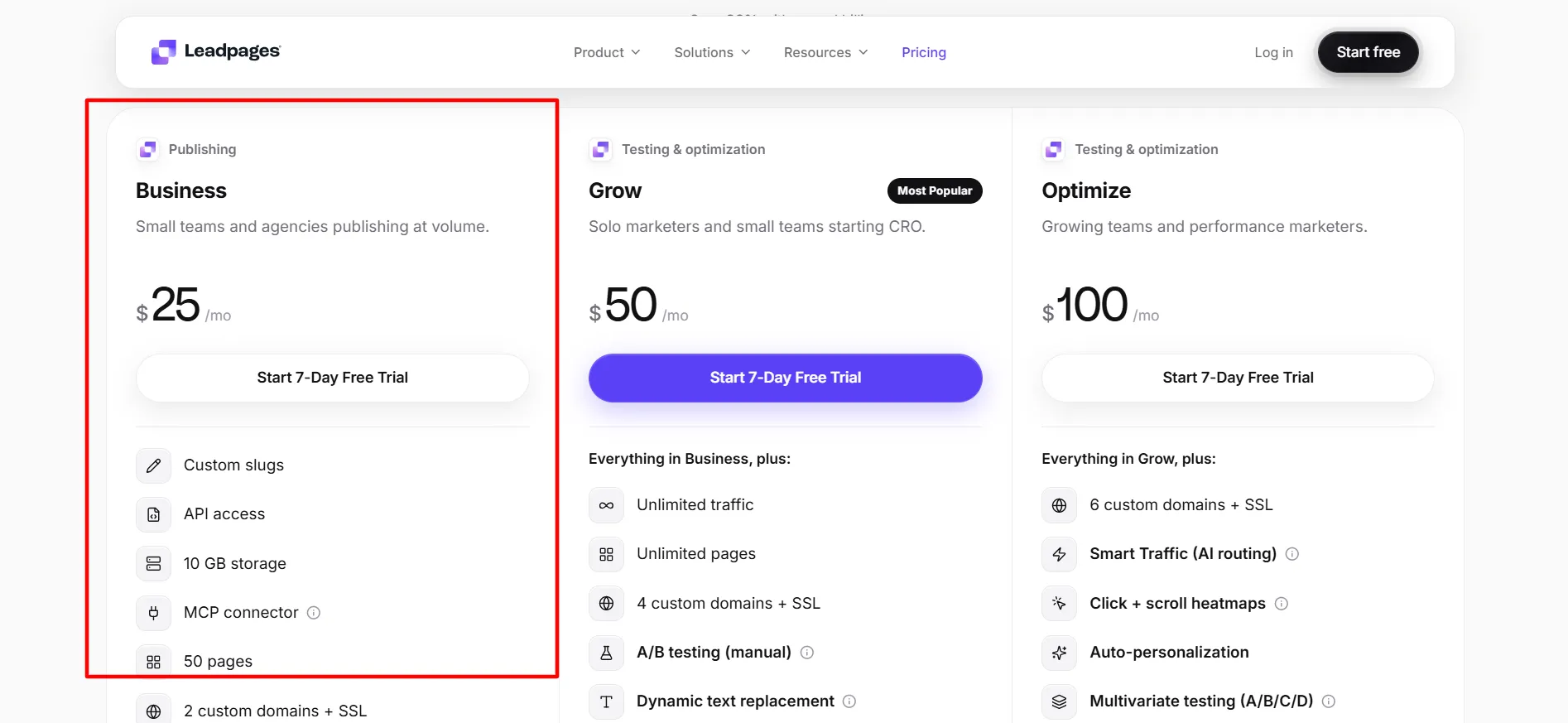
Custom slugs, API access, and the MCP connector are included. Analytics retention is listed at 1 year with UTM tracking and CSV exports. There is no A/B testing on this plan.
The AI page builder is the main tool here. You can generate and publish pages within the 50-page limit. The two domains and blogs cover basic multi-offer setups. CSV exports help move lead data.
This plan works for users who need the AI builder for publishing but do not yet need testing. Most users who stay on Business long-term have simple campaign needs. The trial lets you generate several pages and confirm the builder speed works for you.
Grow Plan Features
Grow is the most popular plan at $50 a month on monthly billing. Annual billing lowers the rate by 20 percent. It includes everything in Business plus unlimited pages and unlimited traffic.
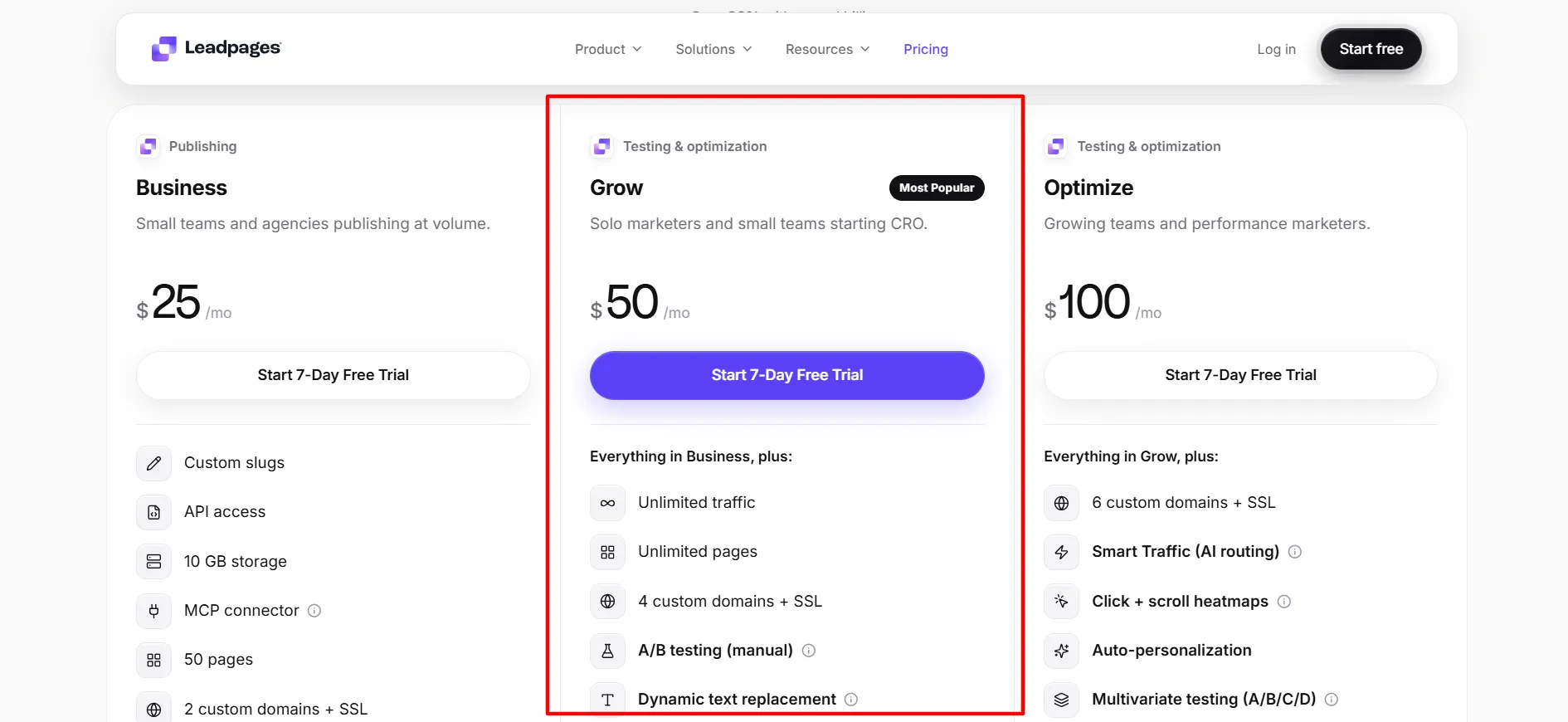
Four custom domains with SSL are available. Manual A/B testing is included. Dynamic text replacement and manual personalization are available.
Anonymous traffic detection and lead enrichment (1,000 a month) are listed. The AI page builder remains available with higher credit limits.
The AI page builder plus A/B testing is the main combination here. You can generate pages and then test variations. Dynamic text replacement and manual personalization let you adjust content for different traffic sources.
Unlimited pages remove the need to delete old campaigns. This plan works for marketers who want both fast page creation and basic testing.
Most users who need more than pure publishing settle here. The trial lets you generate a page and set up a simple A/B test before you commit.
Optimize Plan Features
Optimize is at $100 a month on monthly billing. Annual billing lowers the rate by 20 percent. It includes everything in Grow plus 6 custom domains with SSL.
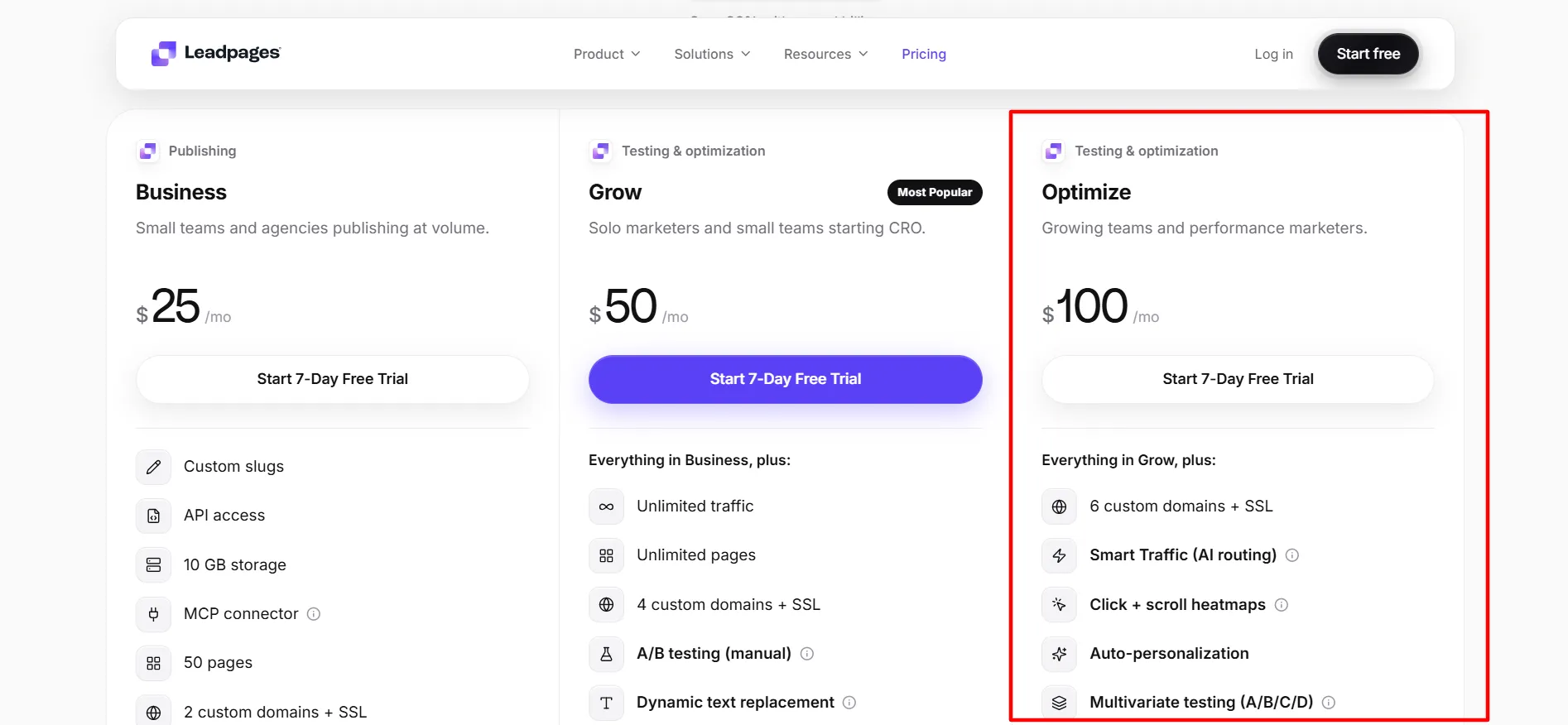
Smart Traffic AI routing, click and scroll heatmaps, auto-personalization, and multivariate testing (A/B/C/D) are included. Ten active integrations are available. Analytics retention rises to 24 months. The AI page builder remains available.
The AI page builder plus Smart Traffic and heatmaps is the main set of tools here. Smart Traffic routes visitors to the variant most likely to convert. Heatmaps show click and scroll behavior.
Auto-personalization and multivariate testing add more ways to improve pages. This plan works for teams that already use the AI builder and want automated optimization.
Most solo users do not need these extra tools until traffic volume grows. The trial lets you test Smart Traffic and heatmaps if your traffic allows.
Enterprise Features
Enterprise is custom-priced. It adds SSO, custom contracts, dedicated support, and volume publishing on top of the AI page builder and testing tools.
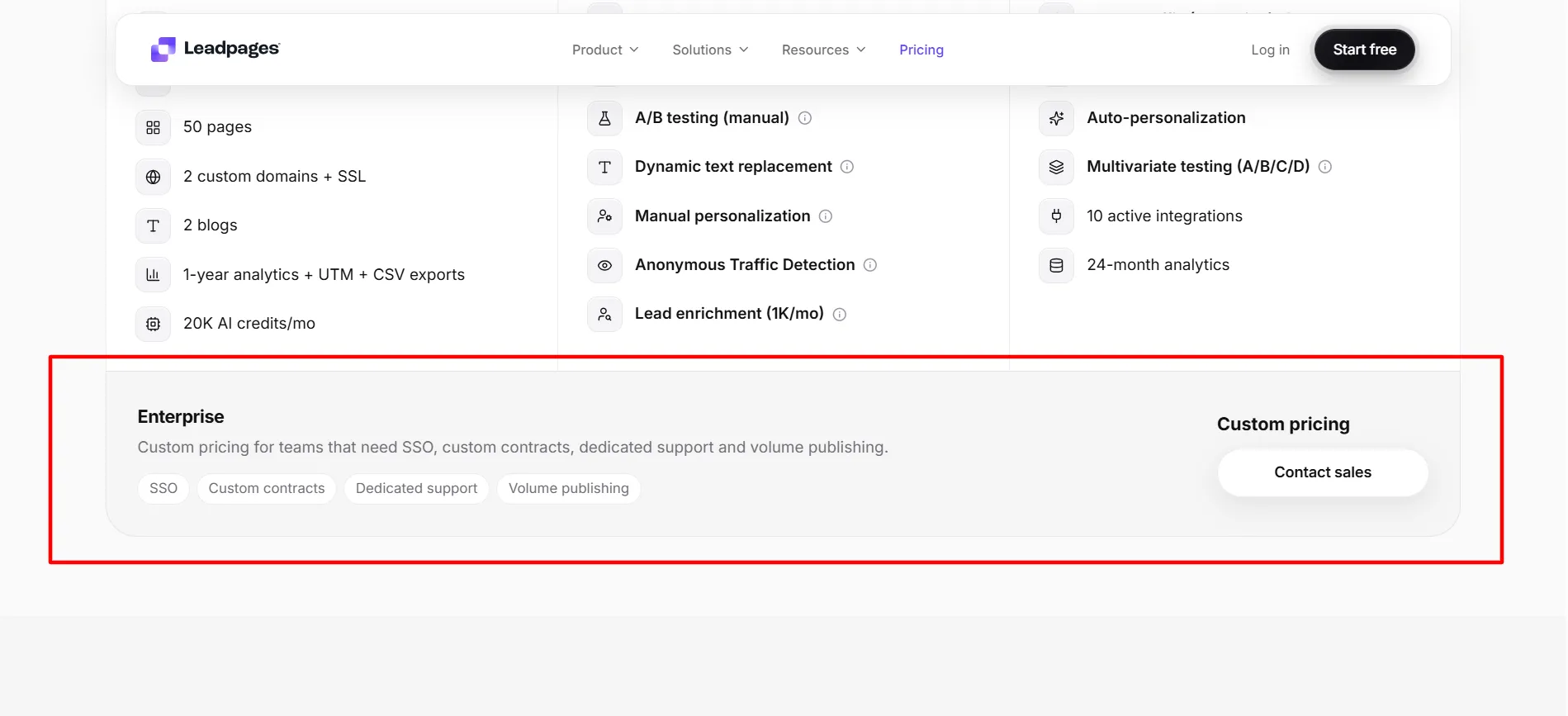
This option works for larger teams that need the extra security and support. Most individual marketers and small teams stay with Business, Grow, or Optimize. Contact the sales team for a quote that matches your volume.
How the AI Page Builder Fits the Verdict
The AI page builder is available on every plan and is the feature that makes page creation faster for most users. On Business it is enough for publishing. On Grow it pairs with A/B testing.
On Optimize it pairs with Smart Traffic and heatmaps. The builder does not replace the need for clear offers and traffic. It reduces the time spent on layout and basic copy.
Users who already know what they want to say usually finish pages faster. Users who need highly custom designs still spend time editing after the AI generates the first version.
Verdict on Each Plan
Business is the right plan if you mainly need the AI page builder for publishing up to 50 pages. Grow is the right plan for most people who want the AI builder plus A/B testing and unlimited pages.
Optimize is the right plan if you want the AI builder plus Smart Traffic and heatmaps and have the traffic to use them. Enterprise is the right plan only for larger teams that need custom support.
Annual billing lowers the rate by 20 percent if you plan to stay. The 7-day trial lets you test the AI page builder and the plan-specific tools before the card is charged.
Pros and Cons: Leadpages Review 2026
Pros
- AI page builder available on every plan.
- 7-day free trial available.
- Annual billing lowers the rate by 20 percent.
- Unlimited pages on Grow and Optimize.
- A/B testing available on Grow and above.
Cons
- Business has no A/B testing.
- A/B testing starts only on Grow.
FAQs: Leadpages Review 2026
Yes. The AI page builder is available on Business, Grow, and Optimize. It generates pages from a description or template.
Business is enough if you only need the builder for publishing. Grow is better if you also want A/B testing. Optimize is better if you want Smart Traffic as well.
Business is $25 a month monthly. Grow is $50 a month monthly. Optimize is $100 a month monthly. Annual billing saves 20 percent. Enterprise is custom.
Yes. A 7-day free trial is available. A credit card is required to start it, but you are not charged if you cancel before day 7.
A/B testing starts on the Grow plan.
Smart Traffic starts on the Optimize plan.
Quick Links:
Final Verdict: Leadpages Review 2026
Leadpages review of the features shows the AI page builder is the main reason many users start. It is available on every plan and helps create pages quickly. Business is the right choice if you mainly need the builder for publishing.
Grow is the right choice for most people who want the builder plus A/B testing and unlimited pages. Optimize is the right choice when traffic supports Smart Traffic and heatmaps.
Enterprise is the right choice only for larger teams. Annual billing lowers the rate by 20 percent if you plan to stay. Start the 7-day trial and test the AI page builder on the plan that matches your needs, then decide after you have generated pages and reviewed the results.
Check the current pricing page for the exact figures before you begin. For many campaign-focused businesses the Grow plan delivers the AI builder and testing tools they need.