



On this page23 sections
- 01Elementor Review: Quick Verdict
- 02What Is Elementor?
- 03How Does Elementor Work?
- 04Elementor Free Review
- 05Elementor’s Visual Editor
- 06Elementor Editor V4
- 07Elementor Theme Builder Review
- 08Dynamic Content: A Major Elementor Strength
- 09Elementor Responsive Design
- 10Elementor Templates and Components
- 11Elementor for WooCommerce
- 12Elementor for Bloggers
- 13Elementor Forms and Lead Generation
- 14Elementor AI Review
- 15What Is Elementor One?
- 16Elementor Site Management
- 17Elementor Performance Review
- 18Elementor Pricing in 2026
- 19Which Elementor Plan Should You Choose?
- 20Pros and Cons: Elementor Review
- 21Is Elementor Worth It in 2026?
- 22FAQs: Elementor Review 2026
- 23Final Verdict: Elementor Review 2026
- Comments
Elementor Review research often starts with a simple question: can Elementor make WordPress website creation easier without taking away design control?

Elementor powers over 22 million WordPress websites worldwide, with one new site launching every three seconds on the platform. Users access drag and drop visual editing, AI generated design suggestions, complete theme customization, mobile responsive building, automatic image enhancement, speed optimization features, and privacy consent tools. The platform also offers integrated hosting, domain registration, and email functionality. Elementor serves solo creators, design agencies, and large enterprises with pricing tiers starting completely free.
Pros
- Industry leading adoption across 22 million live sites demonstrates Elementor's proven stability, establishing it as the go to WordPress page builder with regular feature releases and thriving user communities worldwide.
- Artificial intelligence design generation creates finished page layouts from simple text descriptions, cutting design time significantly and enabling non-technical users to produce polished professional websites instantly.
- Built in optimization features automatically compress images, enhance search rankings through Core Web Vitals, scan for accessibility issues, and add privacy compliant cookie management without manual configuration.
- Single unified platform consolidates page design, web hosting, domain names, and email services into one integrated system, eliminating the need to manage separate vendor accounts and billing cycles.
Cons
- Feature rich plans carry premium pricing where advanced capabilities require substantial monthly investments, creating cost barriers for startups, small sites, or individuals experimenting with site building.
- Technical knowledge gaps remain even with the user friendly interface because building optimized sites still demands familiarity with WordPress systems, server management, and performance tuning principles.
After reviewing its current editor, free and paid features, WooCommerce tools, templates, AI capabilities, performance features, Elementor One plans, and overall usability, Elementor still stands out as one of the more capable WordPress website builders available in 2026.
Elementor lets you design WordPress websites visually instead of building every page through code. The free version provides the visual editor and a useful collection of widgets, while paid plans add tools for complete website design, dynamic content, forms, popups, ecommerce, custom CSS, and custom code.
There is also a newer side to Elementor that goes beyond page design. Elementor One combines the professional editor with tools for AI, image optimization, accessibility, email delivery, cookie consent, and site management.
The company has also introduced Editor V4, which adds Classes, Variables, Components, and a newer foundation designed to create cleaner and lighter websites.
That sounds impressive on paper, but features alone do not make a website builder worth buying.
You also need to know whether it is easy to learn, how much control it gives you, how it handles WooCommerce, whether it can produce fast websites, what the paid plans actually include, and whether beginners can use it without getting lost.
That is what this Elementor review covers.
Elementor Review: Quick Verdict
Elementor delivers professional page building for WordPress users at competitive pricing, with strong design tools, AI features, and flexible plans. It excels for designers seeking visual editing without coding, though self-hosted alternatives offer more technical control in this Elementor review.
Category | Rating |
|---|---|
Ease of use | 4.5/5 |
Design freedom | 4.8/5 |
Templates and widgets | 4.7/5 |
WooCommerce | 4.7/5 |
Responsive design | 4.6/5 |
AI features | 4.4/5 |
Performance tools | 4.3/5 |
Site management | 4.3/5 |
Free version | 4.6/5 |
Overall | 4.6/5 |
Our verdict: Elementor is an excellent choice for WordPress users who want visual control over their websites. It is especially useful for business websites, freelancers, agencies, landing pages, portfolios, blogs, and WooCommerce stores.
It is less appealing if you want the simplest possible WordPress setup and are already happy with the native WordPress editor.
What Is Elementor?
Elementor is a visual website builder for WordPress.
Instead of creating a page by working directly with code, you can use a visual editor to arrange content and design elements. You can add a heading, image, button, form, video, or other widget and then change its appearance from the editor.

Elementor works with WordPress themes that follow WordPress coding standards. The company also provides its own Hello Theme, which is designed as a lightweight starting point for people who want to build their site design themselves.
The platform is not limited to simple landing pages.
Depending on the plan, you can create:
Business websites
Blogs
Portfolio sites
Landing pages
Membership sites
Online stores
Service websites
Agency websites
Directory-style websites
Custom WordPress layouts
That range is one of Elementor’s biggest strengths.
You can begin with a simple homepage and later move into advanced templates, dynamic content, WooCommerce layouts, popups, forms, and custom code.
How Does Elementor Work?
Elementor follows a visual editing model.
You open a WordPress page and use the editor to create its layout. You can select an element, edit its content, change its design settings, and see the result as you work.
A typical workflow looks something like this:
Create or open a WordPress page.
Launch Elementor.
Select a container or existing layout.
Add widgets and content.
Adjust typography, spacing, colors, and other settings.
Check desktop, tablet, and mobile versions.
Publish the page.
You do not need to be a professional developer to get started.
That is one reason Elementor has become popular with people who want to manage their own websites.
The experience becomes more advanced once you start working with custom CSS, dynamic content, Theme Builder, responsive settings, global styles, reusable components, and other professional tools.
So the learning curve is real, but it is mostly caused by how much Elementor lets you control.
Elementor Free Review
Elementor has a free version called Elementor Core.
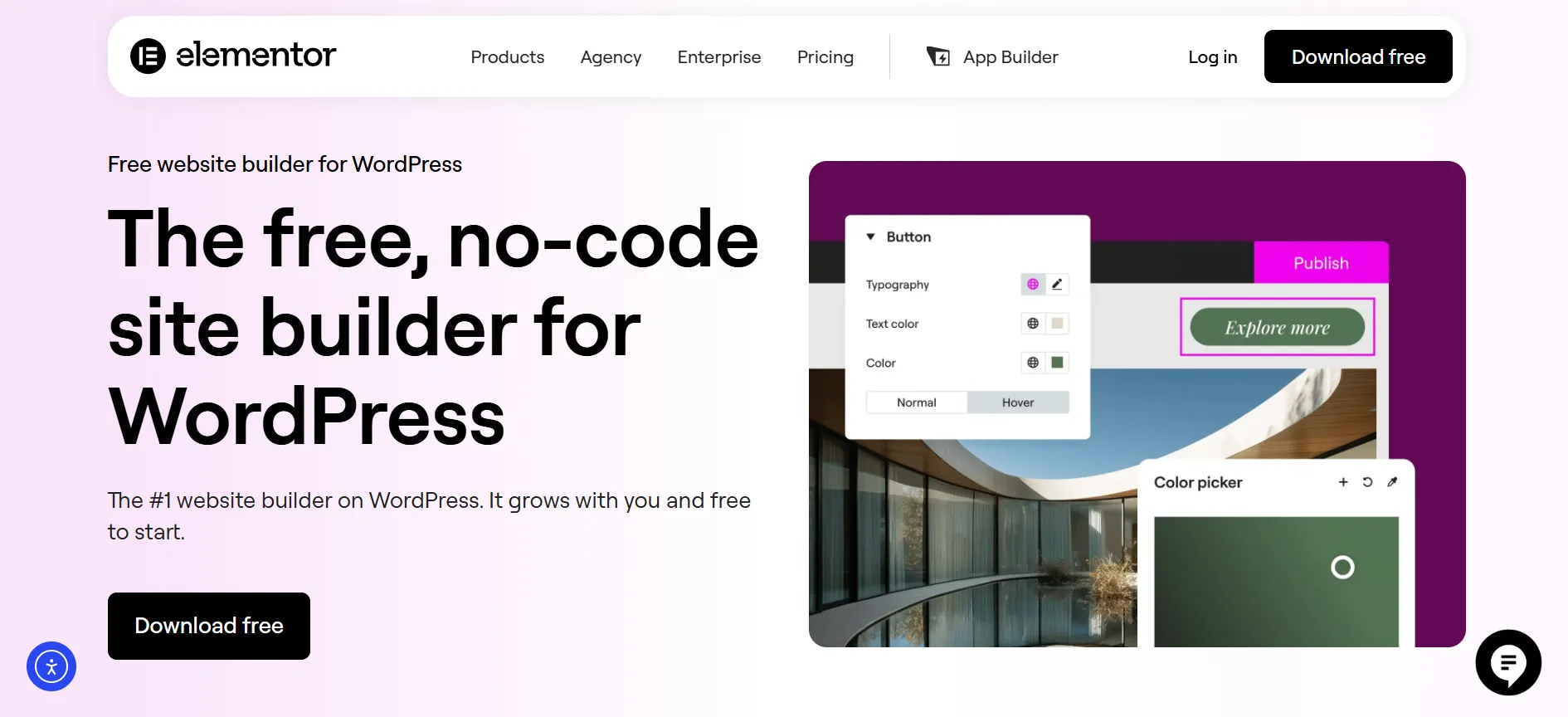
It includes the visual drag-and-drop editor and a collection of widgets that can be used to build pages. Elementor’s current comparison shows that the free version provides the starting tools needed to begin creating WordPress websites.
For some users, that may be enough.
You could use the free version for:
A personal homepage
A simple portfolio
A landing page
A basic service page
A small personal website
You can also use it to learn how the Elementor editor works before deciding whether you need a subscription.
The limitations become more obvious when you need advanced website-wide controls.
Elementor’s Visual Editor
The editor is arguably the main reason people choose Elementor.
You can work directly with the page rather than constantly switching between an editor screen and a preview window.
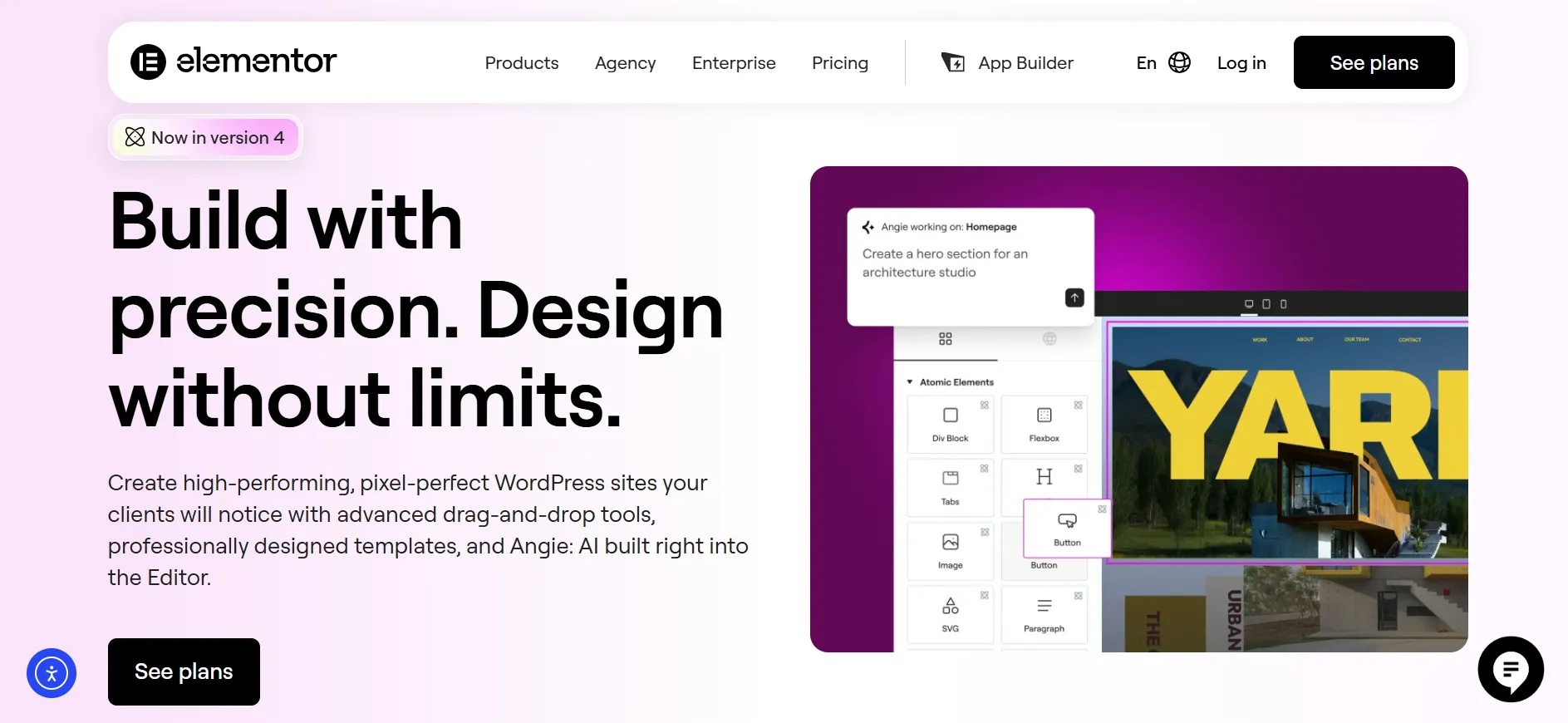
This makes design changes easier to understand.
If you want to make a heading larger, adjust its spacing, move an image, change a button, or rearrange a section, you can see what is happening as you make the change.
The editor also provides detailed controls for things such as:
Typography
Colors
Spacing
Borders
Backgrounds
Positioning
Responsive settings
Motion effects
Visibility
Custom attributes
This level of control is useful for designers who care about the small details.
It can also overwhelm a first-time user.
The good news is that you do not have to learn everything immediately. Most beginners can start with the basic widgets and gradually learn the more advanced controls.
Elementor Editor V4
One of the most interesting developments in Elementor’s current product is Editor V4.
The new foundation introduces concepts such as:
Classes
Variables
Components
Reusable design systems
Lighter element structures
More consistent styling
Elementor says Editor V4 uses a newer atomic foundation and is designed to make sites easier to manage while reducing unnecessary code and CSS. New sites have the new foundation enabled by default, while existing websites can activate it from Elementor’s settings.
This matters because older visual builders often become difficult to manage when every section has its own collection of styles.
Classes and Variables give experienced users a more organized way to handle repeated design choices.
For example, if several buttons use the same style, you can create a shared system instead of manually changing each button one by one.
That can make larger websites easier to maintain.
Elementor Theme Builder Review
Theme Builder is one of Elementor’s strongest paid features.
It lets you design parts of your WordPress theme visually instead of relying entirely on the theme’s built-in templates.
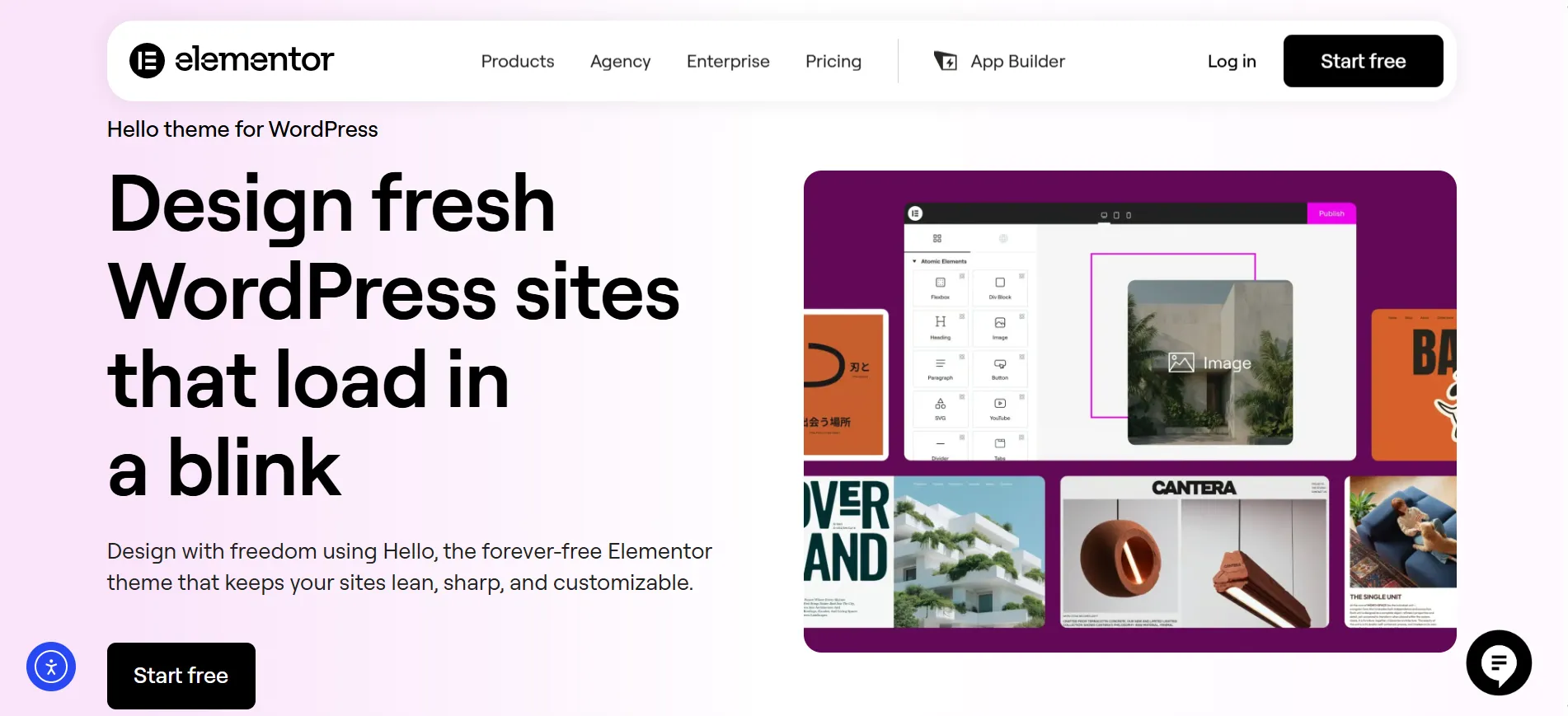
You can create layouts for:
Headers
Footers
Blog posts
Archives
Search results
Product pages
Other WordPress templates
This gives you much more control than a traditional page builder that only handles individual pages.
Imagine you have a blog with hundreds of posts.
Instead of designing every article separately, you can create one post template and let WordPress populate the relevant content.
Change the template, and the new design can appear across the posts using that template.
For content-heavy websites, this can save a lot of repetitive work.
Dynamic Content: A Major Elementor Strength
Dynamic Content is useful when your website contains information that changes from page to page.
Instead of manually entering every piece of information, you can connect design elements to WordPress content.
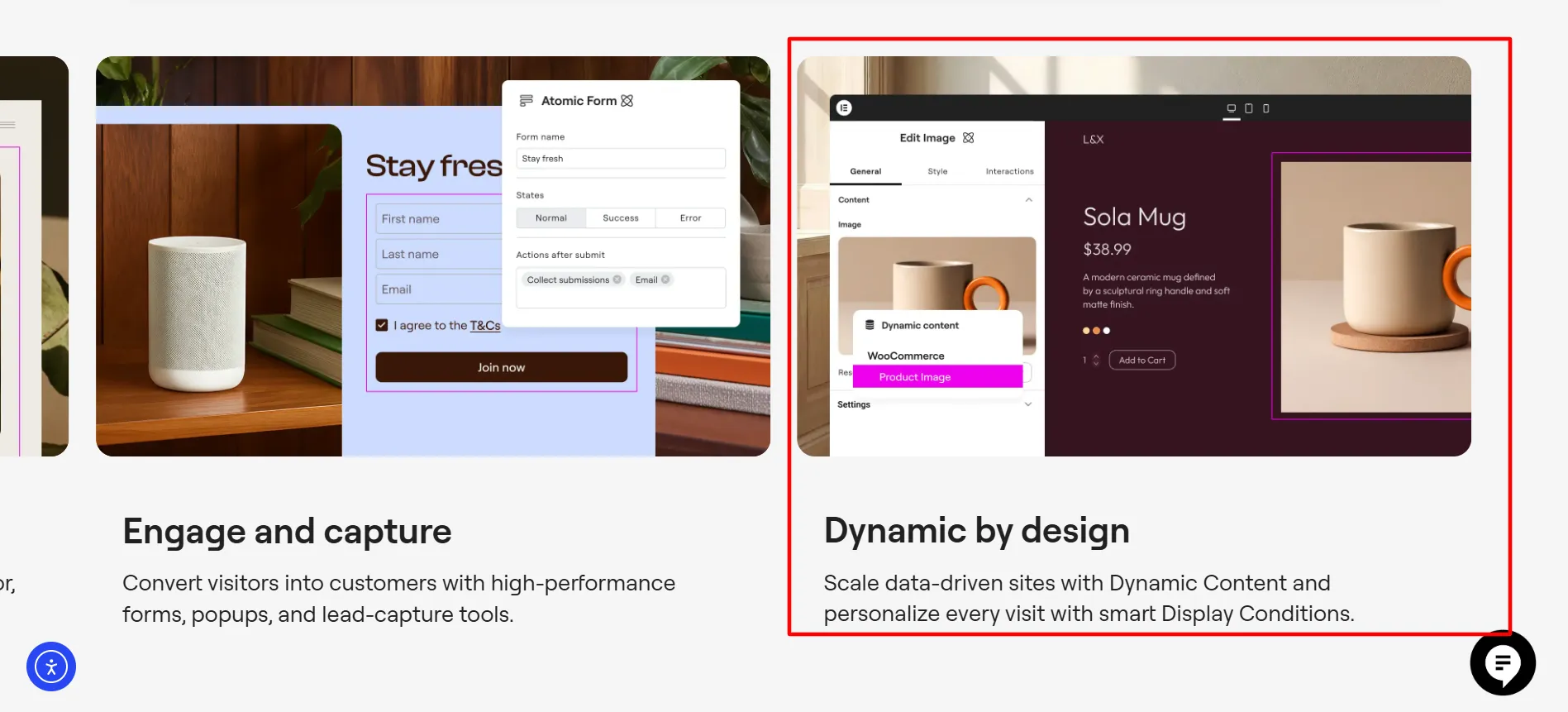
This is useful for websites such as:
Real estate directories
Job boards
Business directories
Staff directories
Product catalogs
Membership websites
Large blogs
Service databases
Higher Elementor plans can work with custom fields and post types. Essential does not include those advanced Dynamic Content connections.
This is one area where the difference between Essential and the higher plans becomes much easier to understand.
If you are building a small portfolio, you may never use custom fields.
If you are creating a large directory, they can become a major part of the website.
Elementor Responsive Design
A website has to work beyond a desktop screen.
Elementor gives you controls for different screen sizes so you can adjust layouts for desktop, tablet, and mobile displays.
You can change things such as:
Font sizes
Margins
Padding
Column widths
Alignment
Visibility
Spacing
Positioning
This means you can create a desktop design and then make specific adjustments for smaller screens.
That is useful because a layout that looks perfect on a large monitor can become cramped on a phone.
Elementor’s current website builder also emphasizes responsive design controls as part of its design system.
Elementor Templates and Components
Starting from a blank page can be intimidating.
Elementor’s templates make the process easier.
You can start with a professionally designed layout and then replace its text, images, colors, fonts, and other content.
Templates can be useful for:
Homepages
Landing pages
About pages
Contact pages
Service pages
Portfolio pages
Product pages
The newer Editor V4 direction also puts more attention on reusable Components and shared design settings.
This is useful for people who create multiple pages with similar elements.
For freelancers, reusable designs can also speed up client work.
Instead of recreating the same structure repeatedly, you can build a reusable component and make changes where needed.
Elementor for WooCommerce
Elementor is a strong option for WooCommerce users who want more control over store design.
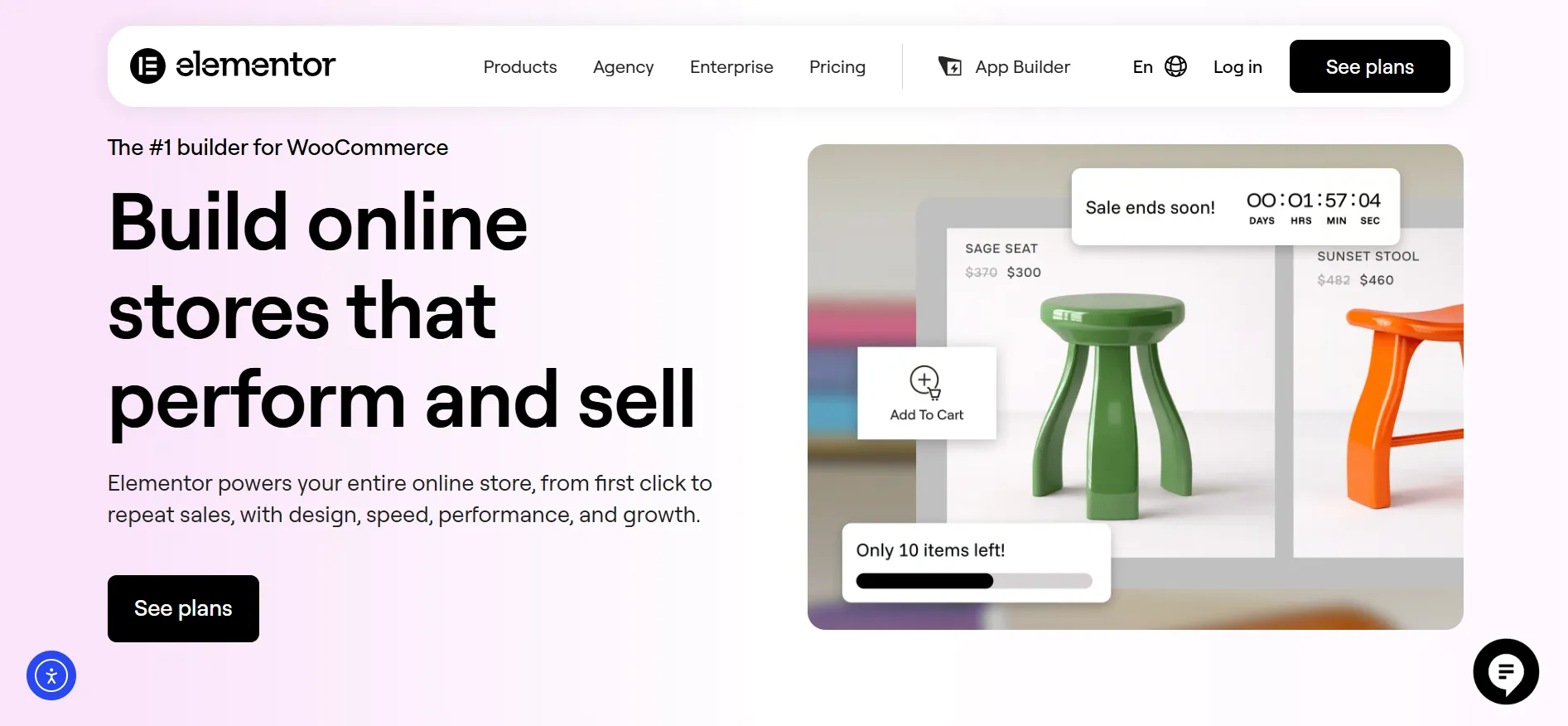
With the appropriate paid plan, you can customize areas such as:
Product pages
Product images
Product prices
Add-to-cart sections
Product ratings
Product metadata
Product tabs
Related products
Upsells
Product archives
Cart
Checkout
My Account
Purchase Summary
WooCommerce notices
Menu Cart
Elementor states that its Advanced plan and higher can edit the major parts of a WooCommerce store, including product pages, archives, cart, checkout, and customer account pages.
That gives store owners considerably more control than simply changing colors and fonts in a theme.
Is Elementor Good for Ecommerce?
Yes, especially if the visual presentation of your store matters.
You can create custom product layouts, improve category pages, design calls to action, and give checkout-related areas a more consistent appearance.
There is one warning, though.
More control does not automatically mean better sales.
A store still needs clear navigation, readable product information, simple checkout steps, fast loading pages, and mobile-friendly layouts.
A fancy product page cannot fix a confusing buying process.
Elementor for Bloggers
Elementor is also useful for bloggers, although the value depends on how much customization you want.
Elementor Pro is required if you want to edit blog posts with Elementor.
For a standard personal blog, the WordPress block editor may be enough.
But Elementor can make sense when you want:
Custom article templates
Special landing pages
Custom archive designs
Branded layouts
Dynamic content
Affiliate landing pages
Magazine-style layouts
The Theme Builder is especially useful because you can create a reusable article structure instead of formatting every post from scratch.
Elementor Forms and Lead Generation
Elementor is not just a design tool.
Its paid plans include form-building capabilities that can be used for lead generation.
Forms can be used for:
Contact requests
Newsletter signups
Consultation requests
Quote requests
Event registrations
Customer inquiries
Higher plans also include form submissions and integrations that are not available with Essential.
This is useful for businesses because a website can collect leads without requiring a separate page-building solution.
Popup Builder adds another option.
You can create popups for newsletter signups, promotions, announcements, or other campaigns directly through Elementor.
Elementor AI Review
Elementor has also brought AI into its website-building workflow.
Current Elementor One features include AI-generated:
Copy
Code
Images
Layouts
Containers
Elementor also highlights Angie, which can generate custom widgets, snippets, and extensions based on natural-language instructions.
This can be useful when you have a design idea but do not know how to code it.
For example, you might describe a particular widget or layout and use AI to create a starting point.
Still, AI-generated website content should not be published blindly.
You should check the copy, inspect generated code, review accessibility, test the design on mobile, and make sure the result fits your brand.
AI can speed up the first draft. It does not remove the need for human review.
What Is Elementor One?
Elementor One is aimed at users who want more than the website editor.
It combines Editor Pro with several additional services, including:
AI
Image Optimizer
Site Mailer
Ally accessibility tools
Cookiez
Manage
Future capabilities added to the package
Elementor describes One as a combined system for creating, improving, and managing websites.
The main attraction is that you can use one shared credit pool across supported services.
How Elementor One Credits Work
The current One system provides shared monthly credits.
They can be used across supported services instead of assigning a separate credit balance to each tool.
Current usage includes:
Action | One Credits |
|---|---|
Editor Pro | 0 |
Accessibility scans | 0 |
Site management | 0 |
Image optimization | 10 per image |
Email delivery | 10 per delivery |
Cookie consent | 1 per consent |
Cookie consent scan | 1 per scan |
Accessibility fix | 20 per fix |
AI actions | 1 to 40 per action |
The exact AI cost depends on the task. Elementor also says credit requirements can change.
Unused credits do not carry into the next month.
For someone who uses several of these services, the shared pool can be useful. Someone who only wants the page builder may have little reason to pay for One.
Elementor Site Management
Managing several WordPress websites can become repetitive.
Elementor One includes a site management dashboard that lets users handle tasks such as plugin and theme updates, performance checks, security-risk detection, and database maintenance from one place.
This is more useful for a freelancer or agency than someone with one personal blog.
If you manage 10 or 20 client websites, having a central management area can save time.
If you have one website, it is unlikely to be a deciding factor.
Elementor Performance Review
Performance is one area where Elementor deserves a realistic assessment.
A page builder gives you more design options, but a website can become slow if you create heavy pages.
Large images, unnecessary animations, excessive widgets, third-party scripts, poor hosting, and too many plugins can all contribute to slower loading.
That does not mean Elementor automatically produces slow websites.
In fact, the current Elementor V4 direction puts more attention on cleaner code, lighter CSS, reusable design systems, and performance. Elementor says the new foundation uses a lighter structure and aims to improve loading behavior.
The final result still depends heavily on how you build the website.
For better performance:
Compress large images.
Avoid unnecessary animations.
Keep third-party scripts under control.
Remove plugins you no longer use.
Choose reliable hosting.
Use caching where appropriate.
Test important pages on mobile.
Keep page layouts focused.
Elementor gives you the tools to build a fast website, but it cannot make poor design choices disappear.
Elementor Pricing in 2026
Elementor currently has four main Editor Pro plans plus the newer One plans.
Plan | Annual Price | Website Limit |
|---|---|---|
Essential | $60/year | 1 |
Advanced Solo | $84/year | 1 |
Advanced | $108/year | 3 |
Expert | $204/year | 25 |
One | $180 first year | 1 |
One Agency | $432 first year | Unlimited |
The standard Editor plans focus on Elementor’s professional website builder.
One adds the broader collection of AI, image, accessibility, email, cookie, and site management tools.
Current pricing can change, and Elementor applies taxes where required at checkout, so the live pricing page should be checked before purchasing.
The One plans also have higher renewal prices than their introductory first-year rates.
Which Elementor Plan Should You Choose?
The cheapest plan is not automatically the right plan.
Essential
Choose Essential if you have one website and want Elementor’s paid design features without ecommerce or advanced customization.
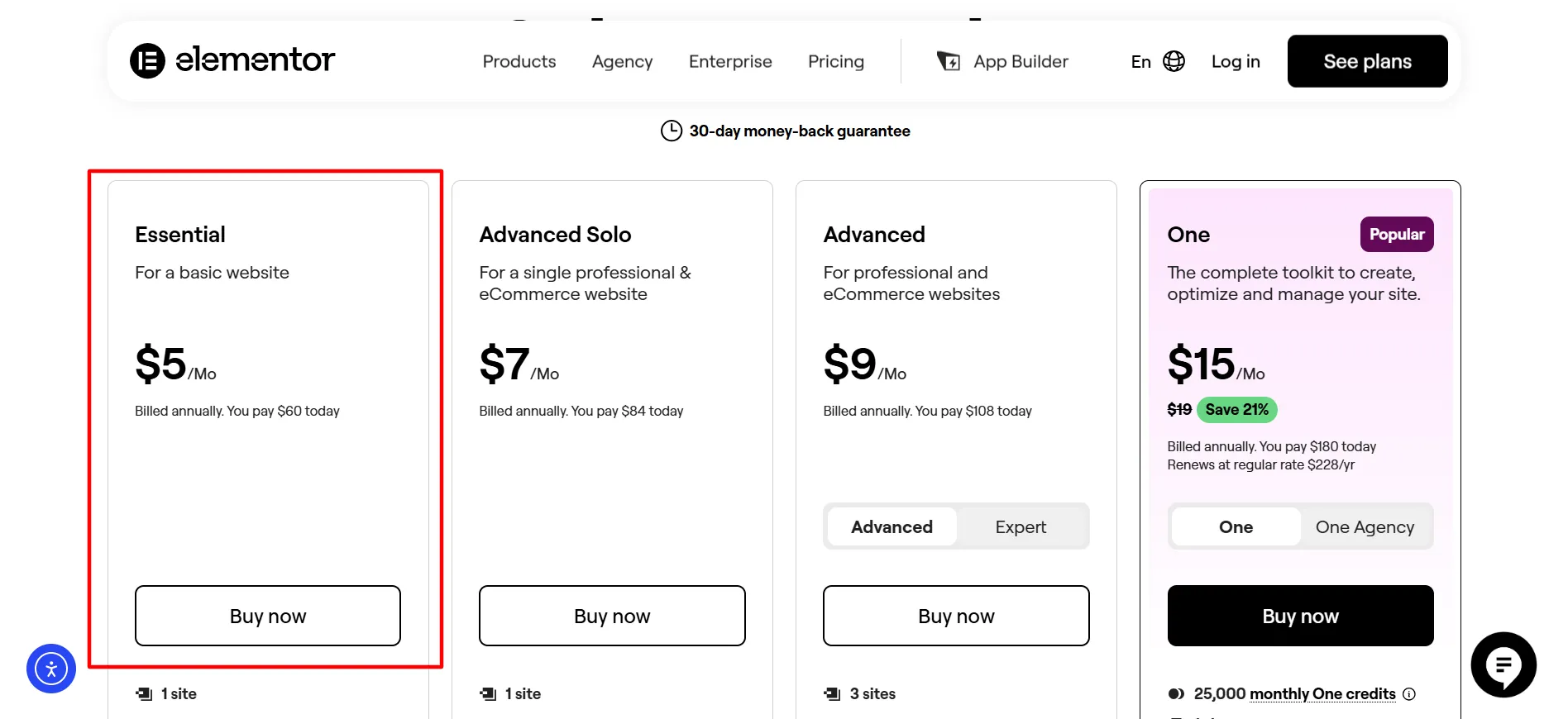
It includes Theme Builder and Dynamic Content but leaves out several higher-level tools.
Advanced Solo
Choose Advanced Solo for one professional website or ecommerce project.
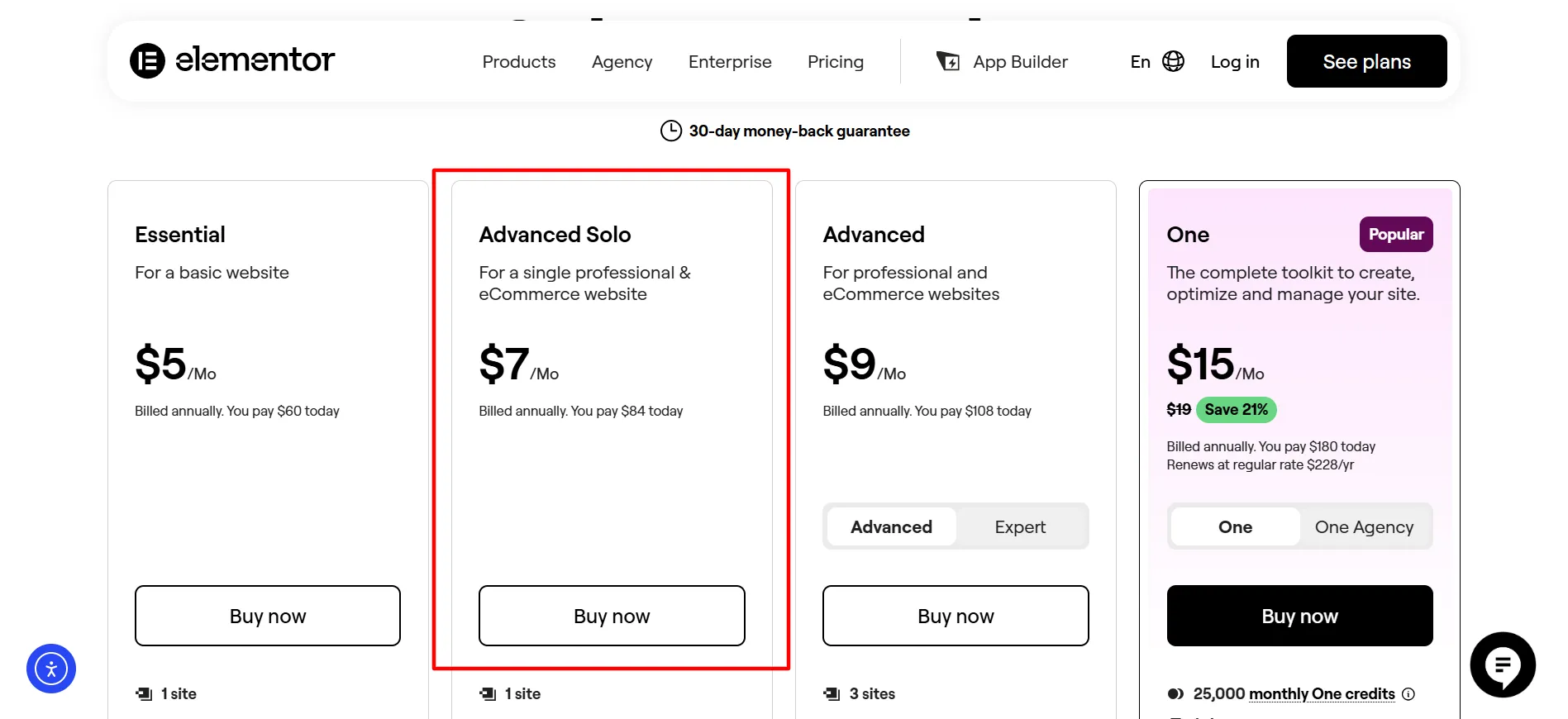
It adds Popup Builder, custom code and CSS, ecommerce features, advanced Dynamic Content, and other professional tools.
Advanced
Choose Advanced if you need Elementor on up to three websites.
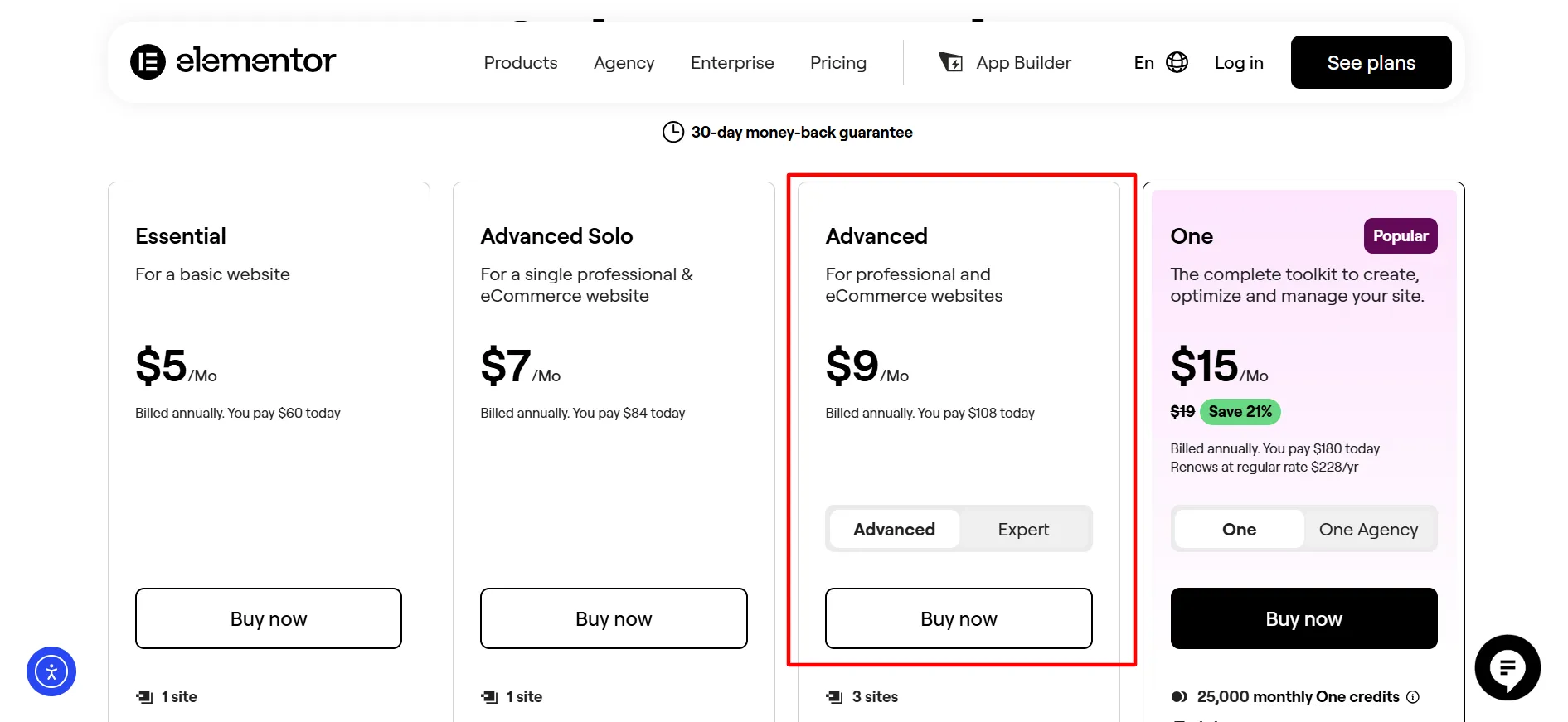
This can work well for freelancers or small businesses managing several websites.
Expert
Choose Expert if you manage up to 25 websites.
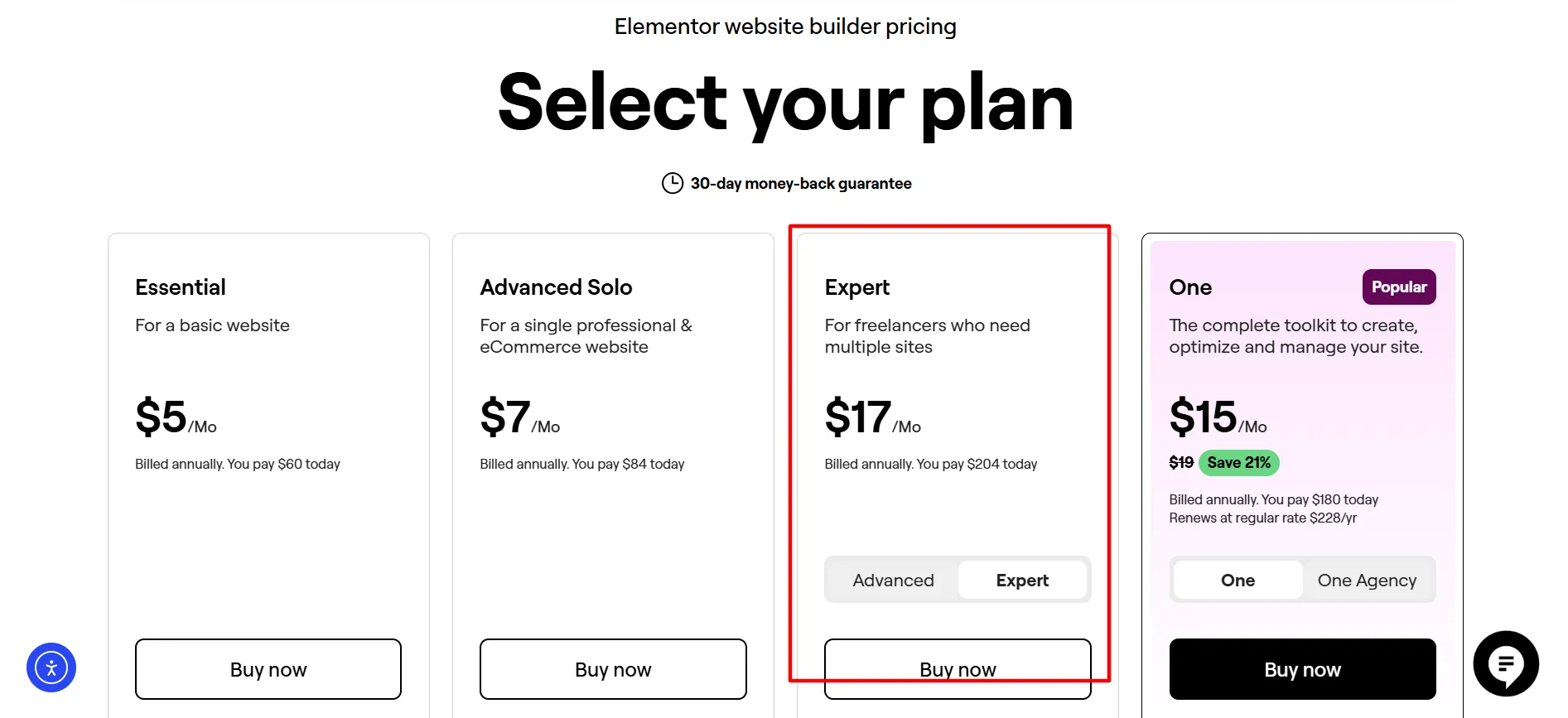
This is aimed more at freelancers, designers, and professionals working across multiple client projects.
One
Choose One if you want Elementor Pro plus its wider collection of website services.
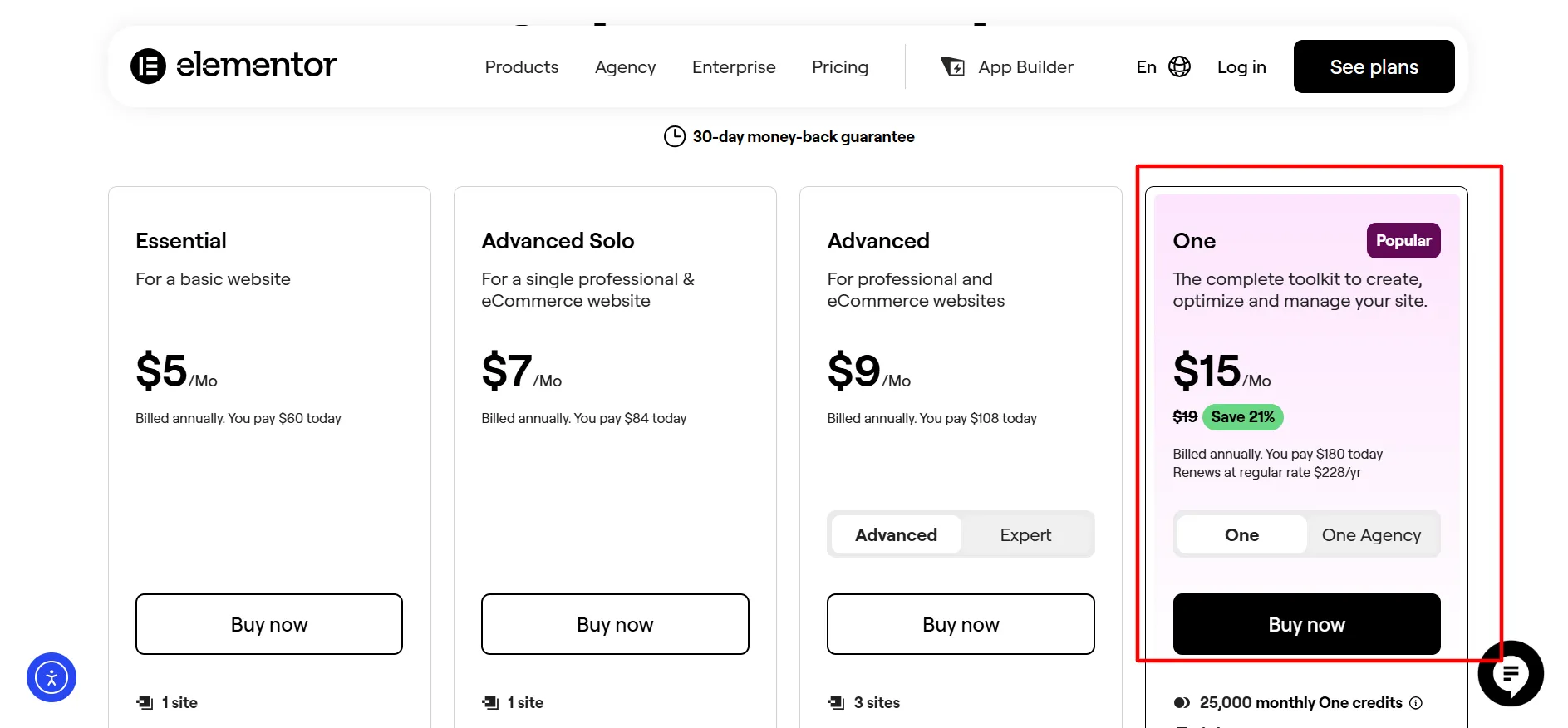
It includes one website and a shared monthly credit pool.
One Agency
Choose One Agency if you manage a larger client portfolio and need unlimited websites.
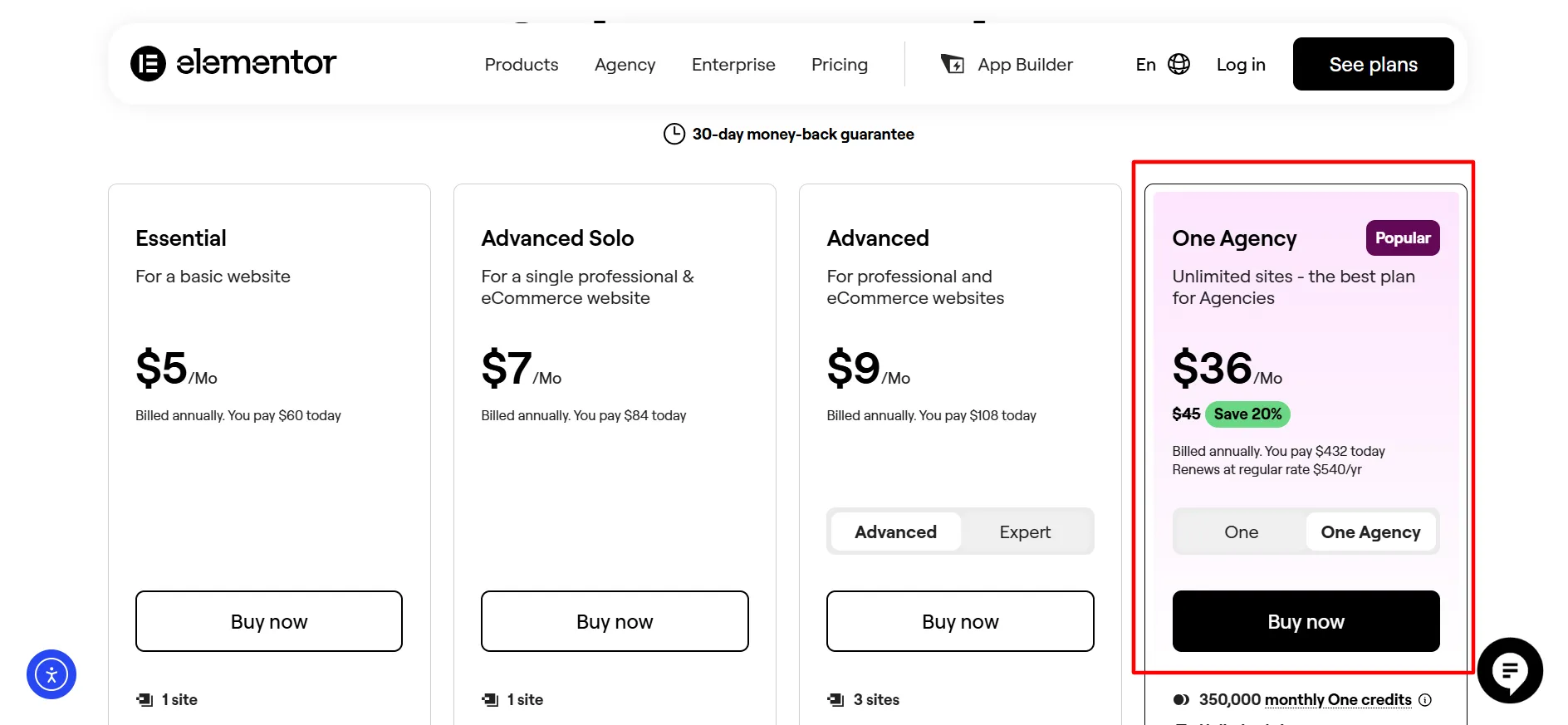
It also provides a much larger monthly credit allowance.
Pros and Cons: Elementor Review
Pros
- Strong visual editor: You can design pages without coding every component.
- Excellent design control: There are detailed controls for layouts, typography, spacing, responsive behavior, and visual effects.
- Useful free version: You can try the platform before purchasing.
- Theme Builder: You can design site-wide templates rather than only individual pages.
- Large widget collection: Elementor currently promotes more than 100 widgets across design, marketing, and ecommerce.
Cons
- The interface can feel overwhelming: New users may need time to learn where everything is.
- Performance still depends on the site: A poorly built Elementor page can become heavy.
Is Elementor Worth It in 2026?
For the right user, yes.
Elementor’s biggest selling point is the amount of control it puts into a visual workflow.
You can start with a simple landing page and eventually build a complete website system with reusable designs, custom templates, dynamic content, forms, popups, ecommerce layouts, responsive controls, and custom code.
The new Editor V4 direction also makes Elementor more interesting for experienced designers. Classes, Variables, and Components are designed to make large websites easier to maintain than a collection of individually styled sections.
The newer One plans are another major development.
If you already pay separately for image processing, email delivery, accessibility, cookie consent, AI, or site management, One can bring several of those services together. If you only want Elementor’s visual editor, the standard Pro plans are likely the better fit.
Performance is the main area where users need to take responsibility.
Elementor does not automatically make a website slow, but the freedom to add animations, widgets, images, scripts, and design effects can tempt users to build pages that are heavier than necessary.
Used carefully, Elementor can produce fast and polished websites.
FAQs: Elementor Review 2026
Elementor ranks among top WordPress page builders with millions of active users globally. It shines for visual designers needing drag and drop simplicity, though the best choice depends on your skill level, budget, and specific requirements when compared to competitors like Divi or Beaver Builder.
No coding required. Elementor's primary advantage is its visual drag and drop interface that anyone can use. Higher pricing tiers include custom code access for advanced users wanting complex customizations and technical integrations.
Free Elementor includes basic visual editing and standard widgets only. Paid plans unlock theme builder, code editing, form tools, WooCommerce integration, AI design assistance, and priority customer support.
Elementor works on any standard WordPress hosting provider without issues. Elementor's Host Cloud Plus offering provides hosting specifically tuned for Elementor sites with included updates, automatic backups, and dedicated support.
Yes. The Sell XL plan integrates full WooCommerce support, letting you design custom product displays, shopping cart flows, and checkout pages entirely within Elementor's visual builder.
Quick Links:
Final Verdict: Elementor Review 2026
Overall rating: 4.6/5
Elementor remains a strong WordPress website builder in 2026.
Its greatest strength is the balance between visual editing and detailed control. Beginners can create pages without writing code, while experienced users can work with Theme Builder, Dynamic Content, custom CSS, custom code, reusable designs, WooCommerce, and the newer Editor V4 system.
The free version is a good starting point for users who want to test the editor. Essential is suitable for smaller one-site projects, Advanced Solo is more suitable for professional or ecommerce websites, and Advanced and Expert make more sense when several websites are involved.
Elementor One is worth considering if you want the editor alongside AI, image optimization, accessibility, email delivery, cookie consent, and site management.
There are downsides. The number of controls can be intimidating, premium features require a subscription, and careless page design can hurt performance.
Still, those drawbacks do not outweigh the benefits for users who actually need Elementor’s level of control.
Our final verdict: Elementor is a strong choice for business owners, freelancers, agencies, designers, bloggers, and WooCommerce store owners who want to create highly customized WordPress websites visually.
If you only need a handful of simple pages, the native WordPress editor may be all you need. But if your website is an important part of your business and you want more control over its appearance and structure, Elementor deserves serious consideration.
The smartest way to decide is to start with the free version, build a few pages, and see whether the workflow suits you. If you find yourself needing Theme Builder, advanced widgets, ecommerce tools, dynamic content, popups, or custom styling, upgrading to the appropriate paid plan can make sense.
Last updated

Affiliate disclosure: In full transparency – some of the links on our website are affiliate links, if you use them to make a purchase we will earn a commission at no additional cost for you (none whatsoever!).



Discussion
Join the conversation
No comments yet. Start the discussion with a question or your own experience.