
Best For | Best for creators who want full control over pricing, branding, and student experience. | Best for instructors seeking a ready-made audience with built-in marketing and easy setup. |
Price | $19.9 | $39 |
Features | Full pricing control | Large student base |
Pros | Advanced marketing tools | Multiple payment options |
Cons | Requires self-promotion | High revenue cuts |


Each day, many skilled people choose to turn what they know into online courses and earn from their knowledge. When they look for a place to launch and sell these courses, two platforms stand out. Teachable and Udemy.
Both allow you to share lessons. Both allow you to earn from your work. Still, each one follows its own rules and leads to very different outcomes.
This brings one main question for every new creator. Which platform matches my goals at this stage? Here is a clear, plain look at Teachable Vs Udemy in 2026 for anyone who wants to turn skills into income. Let’s see Ultimate Comparison.

Teachable Vs Udemy 2026: What’s the Difference?
About Teachable
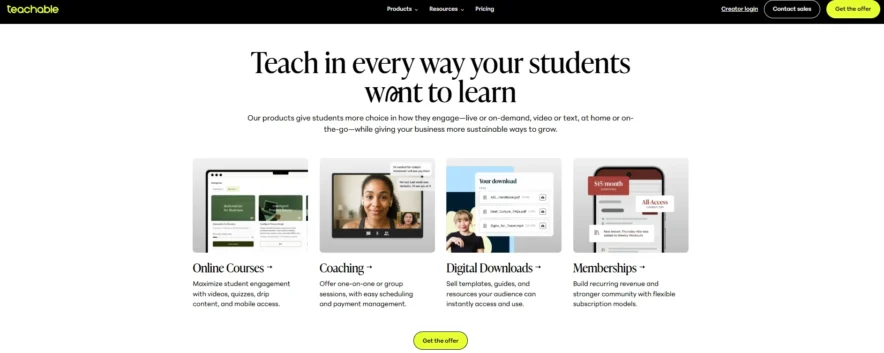
Teachable is an online platform that enables creators to build, market, and sell their own courses. It gives you full control over your content, pricing, and branding, so you can design a personalized learning experience for your students.
With Teachable, you can easily upload videos, quizzes, assignments, and other learning materials. The platform also allows you to create a community, offer coaching, and build memberships.
Unlike many other platforms, Teachable lets you keep ownership of your student base and provides the tools to grow a long-term online business. It’s a great choice for creators who want to turn their expertise into a profitable and sustainable brand.
About Udemy
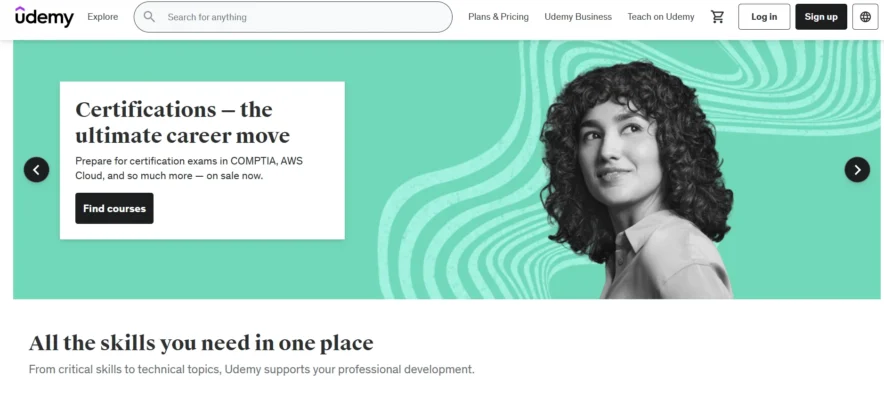
Udemy is an online learning platform where anyone can create and sell courses. It offers a large marketplace where students can browse and purchase courses on a variety of topics.
As a teacher, you upload your lessons, and Udemy helps you reach a wide audience by promoting your course to its large user base.
While Udemy handles the marketing, pricing, and student management, you earn money based on course sales. It’s a good choice for creators who want to quickly reach a large number of learners without focusing too much on building their own brand.
 Choose Teachable if you prefer full control over course pricing, branding, and marketing strategies.
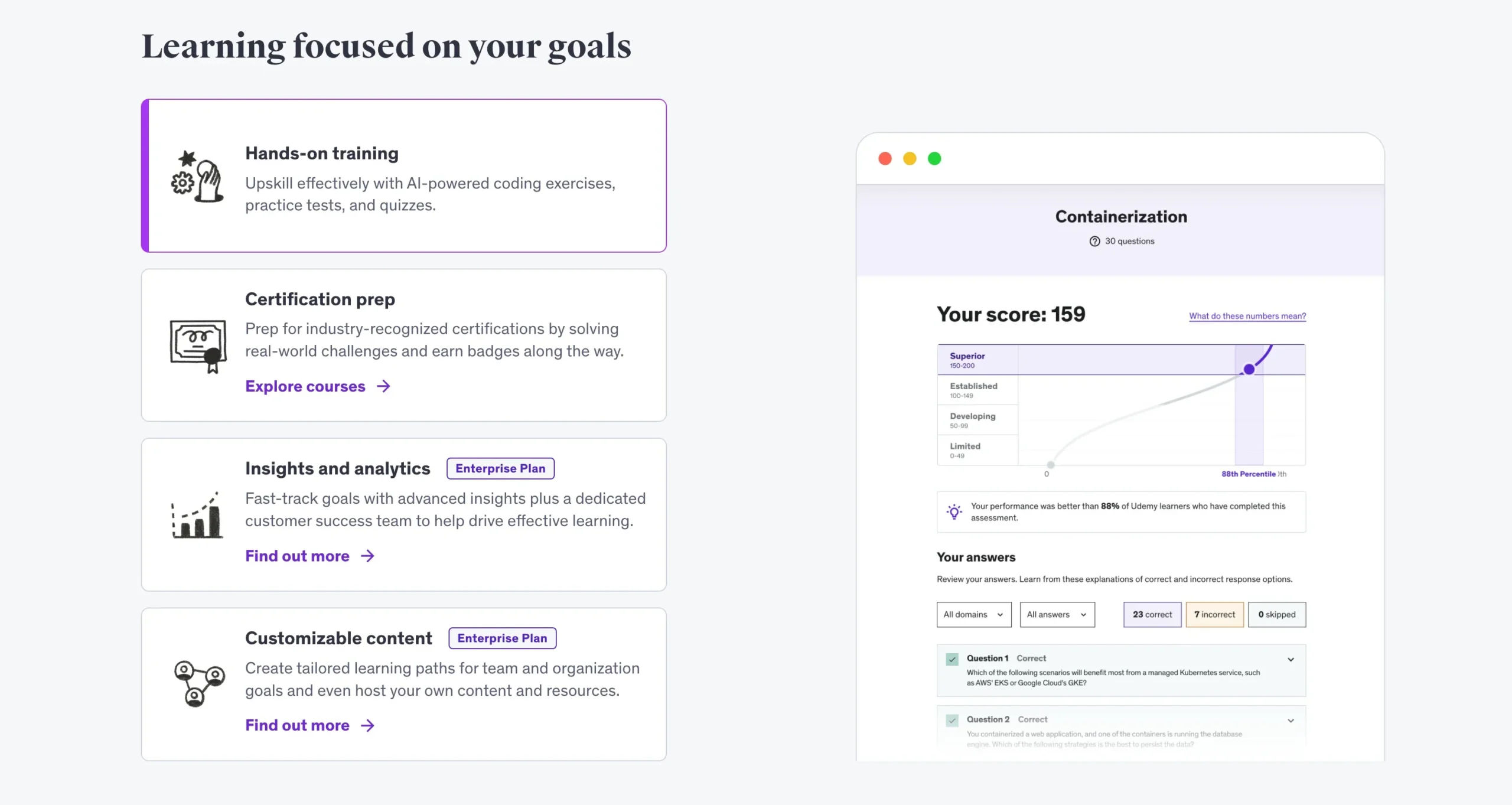 Choose Udemy if you want an easy way to publish and sell courses with built-in marketing and student interaction.
Teachable Vs Udemy Course Creation Dashboard
If you are designing a curriculum, you will want a framework with a well-organized interface with all the significant elements. Teachable and Udemy each have a portal where you can do the following:
- View all of your lessons, both available and unpublished.
- Make material for the course.
- Check out the sales statistics.
- Organize your comments.
Teachable Dashboard
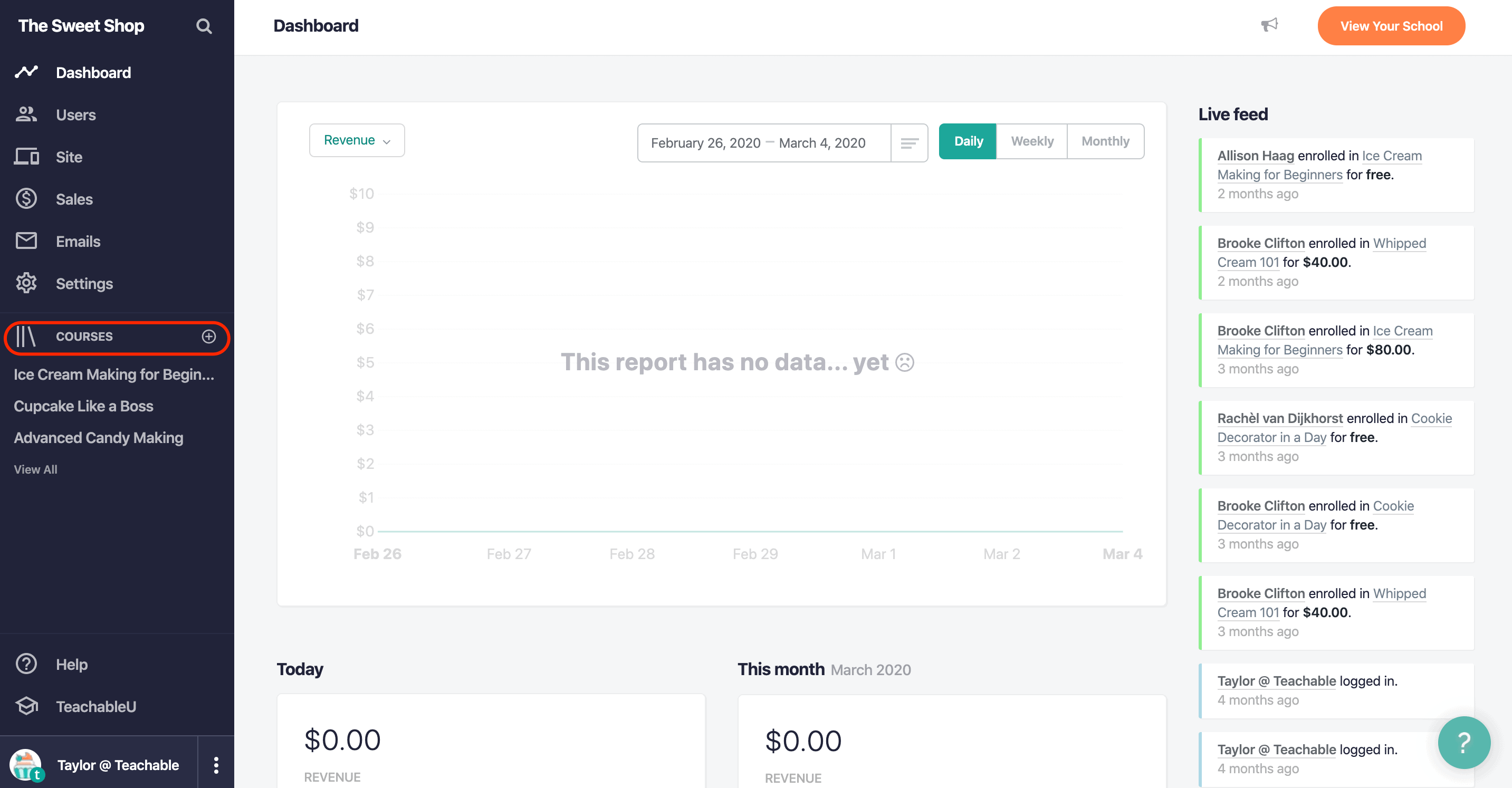
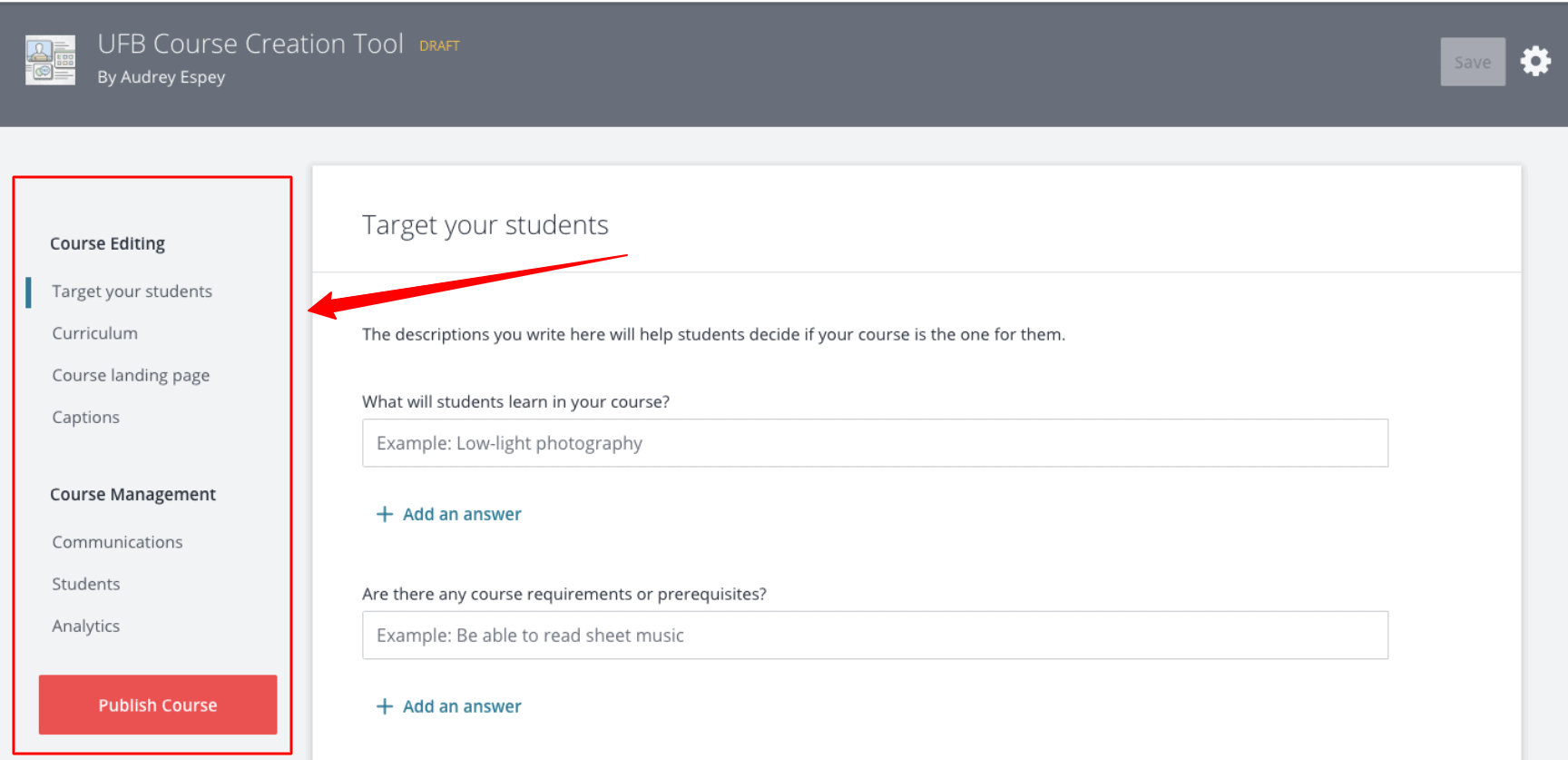
The interface is far bigger and has a lot of platform choices. Teachable gives you complete control over the development of your course.
You still get additional features such as Drip, which allows you to drop material gradually.
Udemy Dashboard
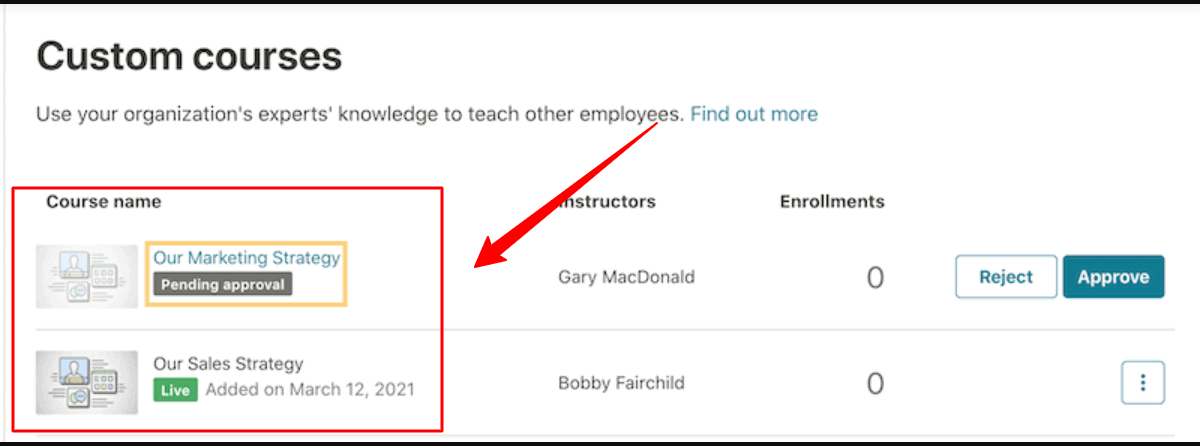
Udemy is a user-friendly platform. The only drawback is that you can’t change the style of your page because it’s branded with Udemy’s logo.
For your program to be registered, you must also follow certain conditions, which can be tedious.
Course Analytics: Teachable Vs Udemy
Regarding program analytics, most platforms give adequate knowledge to assist you in figuring out where your profits are coming from and enable you to connect with Google Analytics for more data.
The most severe issue is that Udemy does not allow you to add custom code fragments, such as in a Facebook Pixel or Google Tag, which seem important for businesses monitoring consumer behavior & improving conversions.
Teachable
You will get a detailed revenue report and information about how the learners were assigned (if you are using the Teachable Affiliate function).
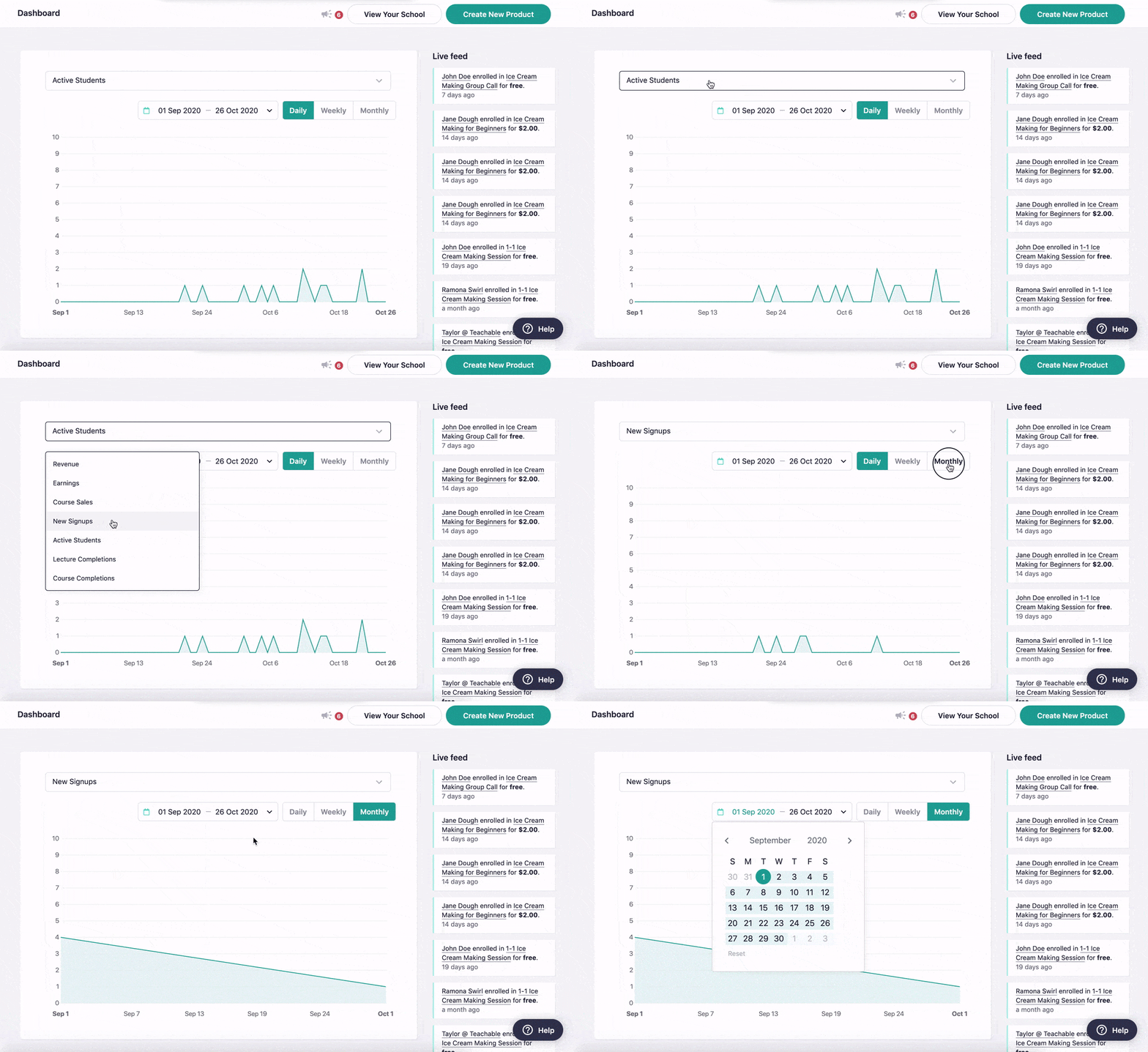
Through Teachable, you can also access the Reports function.
It allows you to monitor student progress, including the information regarding the most shared videos or where learners are slipping out so that you can refine your classes.
Teachable’s content is much superior to Udemy’s. Additionally, you can use Facebook Pixel and Google Tag to monitor and acquire far more data!
Udemy
You can see your ranking and the total income generated by the program. It could even tell you where the profits come from regarding traffic, which is quite helpful.

Creating Pages Or A Blog: Teachable Vs Udemy
You may need to build additional sites if you’re conducting online classes. These may be the pages:
- Blog posts
- Guides or articles that are free
- Terms of Service or Privacy Policy information pages
- Support and Frequently Asked Questions
- Affiliation sign ups
And the list goes on.
Teachable
You can design a curriculum and sections for refund policies or affiliate signups.
Teachable even allows you to make blog content, which would be an excellent opportunity for different people to discover you.
If you are attempting to develop a post, I suggest using a CMS framework like Webflow (and that is how I created this homepage).
Udemy
You are restricted only to building a program on Udemy. Support, Terms of Service, Policies, and FAQ sections will be available.
Email Marketing: Teachable Vs Udemy
A function you expect to see is the ability to interact with your clients and students.
In this manner, you can always inform them if-
- You have published fresh content
- Recently launched product
- Wish to share some free information with them to strengthen your client relationship.
Teachable

You will have connections to a simple email marketing platform that you can utilize to communicate with customers and advertise your programs.
ConvertKit is an excellent email marketing strategy that I use to develop my mailing list.
Udemy
You have a created messaging service. However, you can’t use it to advertise your courses or share links.
Third-Party Integrations: Teachable Vs Udemy
Teachable
You can link Google Analytics, Facebook Pixel, and many other applications and use Zapier to connect much more.
You could also link your email marketing software, including ConvertKit, to instantly give learners notifications and other relevant information by adding them to a series.
Udemy
You can only use Google Analytics, which is a straightforward process to set up.
Sell & Market Your Course: Teachable Vs Udemy
You must learn marketing strategy to be competitive when making sales.
Let us look at how you can use advertising campaigns and resources across both channels to boost your profits and develop your label’s reach.
Teachable Marketing
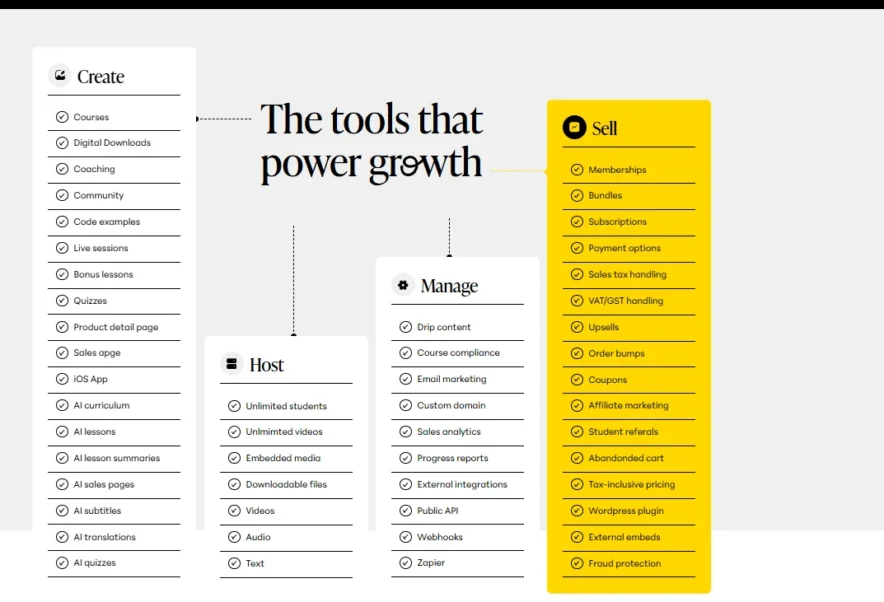
You are in charge of your very own branding with Teachable. This is beneficial since it empowers you and helps you to:
- Know about ads, funnels, and generating traffic.
- Make headlines and marketing content that are catchy.
- Figure out who you want to reach out to.
- Understand your target audience, where they reach out socially, and their expectations and desires before creating marketing material.
The major issue with Udemy, as we previously mentioned, is that they need a 50% profit share of the total income.
And you have zero clue or knowledge about what they are thinking about your program, who they will talk to, and what they are looking for.
On the other hand, Teachable gives more leverage to your sales and advertising material. As a result of this, you have a very good understanding of just how and where your sales occur.
Plus, since you were the one who signed the offer, you will tend to be more satisfied!
“Learn how to promote your items. You will develop a greater sense of your particular demographic wants and requirements while creating a personal link and guiding them to your brand.”
Udemy Marketing
Your course will be promoted by Udemy on its own website. Most users fall into the trap of creating a program and then depending on Udemy to sell it.
While Udemy has many ways to advertise your course:
- You will only appear in the top rankings if a customer browses for a specific phrase, including the “Facebook Advertising for Beginners,” and you created a curriculum with that word or phrase in the description.
- Udemy also produces its own Facebook marketing strategies to promote programs they assume would be effective.
- Affiliates on Udemy may also advertise your courses for a commission.
- You shouldn’t aim to make much money, mainly because Udemy splits profit 50/50.
However, you could also sell courses to supplement your earnings. If you send visitors to your program sales page link and sell, you will receive 100 percent of the overall revenue instead of splitting it with Udemy.
The main drawback is that all these transactions occur without a discount. As a result of this, your income has been slashed.
“In fact, 90% of purchases take place with a discount code for much less than $50.” – VP Content of Udemy –
This is due to Udemy’s popularity for giving discounts. Users prefer to buy mostly when they think they are getting a fair deal.
Pros and Cons: Teachable Vs Udemy
Teachable
| Pros | Cons |
| Easy course creation | Limited design options |
| Customizable course websites | No built-in community or discussion forum |
| Built-in payment processing | |
| Integrated email marketing | |
| Student progress tracking |
Udemy
| Pros | Cons |
| Diverse instructor pool | No refund policy |
| Lifetime access to courses | Potential for unauthorized course sharing |
| Community interaction and feedback | |
| Multiple language support | |
| Regular discounts and promotions |
Customer Review: Teachable Vs Udemy
Teachable
Udemy
Major Difference: Teachable Vs Udemy
The distinction between these two services is that Teachable is an online service that allows users to create their unique curriculum page and offer courses online.
Udemy is just an online store where you can display and offer your programs.
Another significant distinction between Udemy and Teachable would be that the Udemy website is targeted toward students rather than creators.
References for being a teacher and using Udemy for your company can be found at the bottom.
But once you move into Udemy’s teacher tab, you will immediately discover that it’s severely lacking in curriculum development software.
This is in contrast to Teachable, which has nearly every resource and function you need to create and manage a program.
It is tough to come up with a thorough listing of all the curriculum development tools available.
Even though Udemy appears to be much more targeted towards learners than authors, program creators aren’t given much anyway – or at least evident – instructions.
FAQs
🙆♀️ What is Udemy?
Udemy is a platform that enables its users to share their opinions with other people. You may also use Udemy to deepen your understanding of your favorite activities by exchanging knowledge with a particular community and soliciting reviews. Some users still use Udemy to enhance their professions.
💁♀️ What is Teachable?
Teachable is a platform for developing and selling online classes that users can access from anywhere in the world. They agree that everybody has useful capabilities and knowledge to share. You can share your opinions with those who want to know by designing a visually beautiful course platform.
🤟 What would Teachable help me with?
On Teachable, you can create and sell courses featuring audio, photos, PDFs, presentations, text, and video clips. You can also include quizzes to assess progress and summarize key points, while customizing your profile, lessons, and sales pages.
✌️ Is it possible to integrate Teachable with third-party software?
You can use Zapier to connect various applications such as Facebook Pixel and Google Analytics. It also allows you to integrate your marketing program, like ConvertKit, to automatically send alerts and notifications to participants.
🙌 Does Teachable support third-party integrations?
You can connect Google Analytics, Facebook Pixel, and other applications, as well as use Zapier for additional integrations. Also, integrate your email marketing software like ConvertKit to automatically notify learners and share relevant information.
💵 How much does Teachable cost?
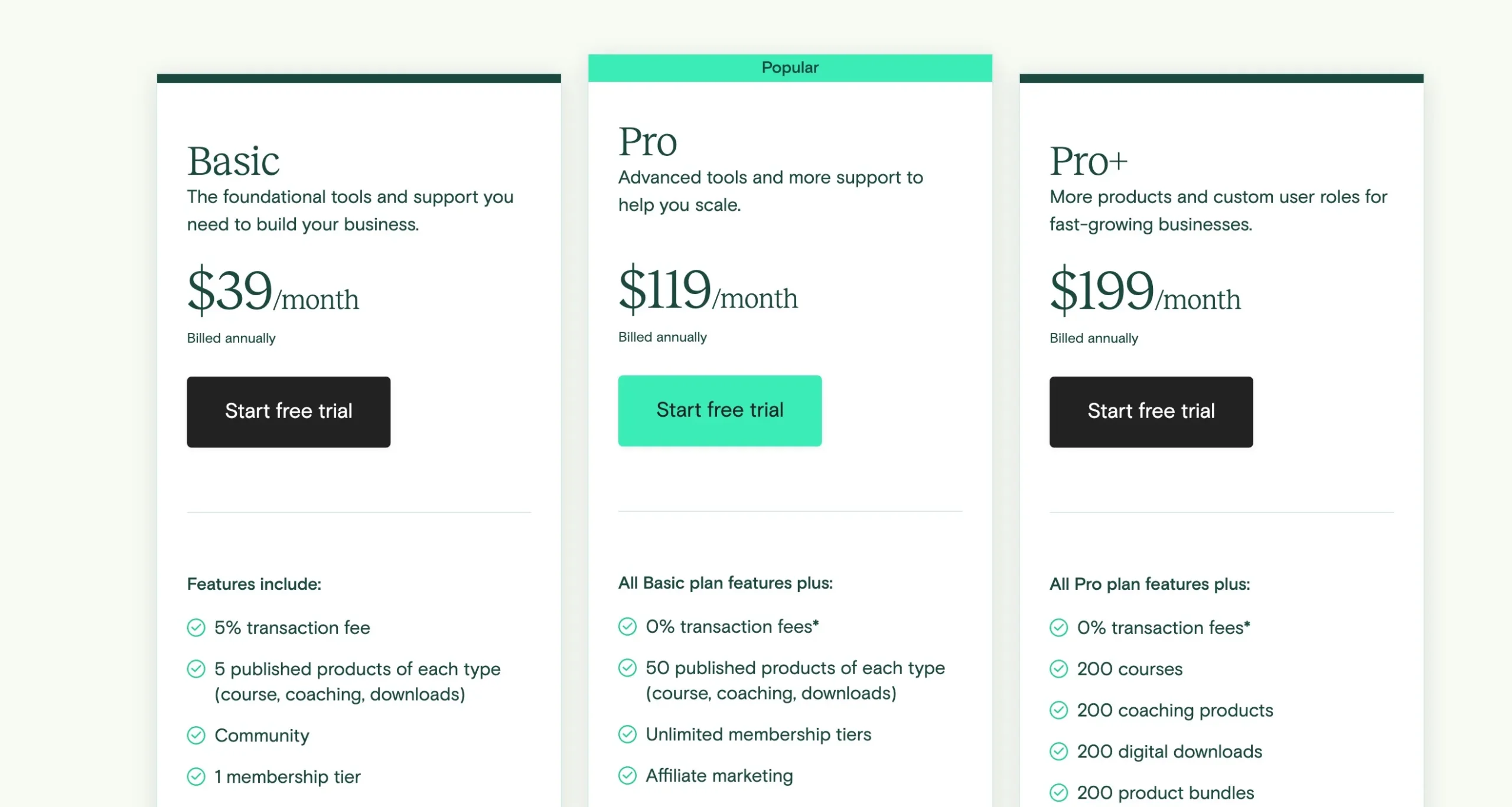
Teachable offers subscription services that can be paid weekly or annually, with discounts for annual billing and a free trial available. You can build and launch your class at no cost, without setup fees. The packages are priced as follows: Basic for $39/month, Professional for $99/month, and Business for $499/month. Each package includes unlimited classes, hosting, learners, and videos, allowing for easy growth as your student base expands.
🤚 How much does Udemy cost?
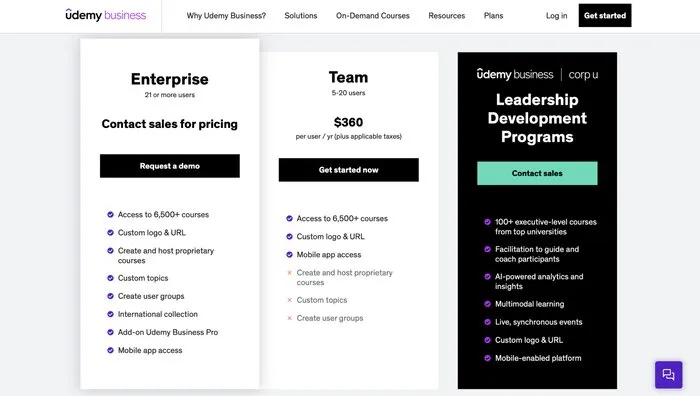
Hosting a course on Udemy, whether free or premium, is free of charge, and you can manage unlimited courses. There is a profit-sharing model to consider. For businesses, Udemy offers Team and Enterprise Plans for engaging multiple users.
✋ How is Udemy’s customer support?
You can connect with other trainers in the Udemy community, including the Facebook group, for support and feedback while developing your curriculum. The Instructor Support Team is available 24/7, but you need to submit a ticket to contact them. For further assistance, consult the Teacher Hub or access Studio U for mentor support.
👉 Do I get future updates in Teachable?
Teachable staff tracks all 24 hours a day, 7 days a week to ensure that any issues are resolved quickly and that the school remains available at all times. You will also receive updates instantly and automatically, without the need for a manual upgrade.
🤩 Does Teachable provide course analytics?
You can get a detailed revenue report and information on learner assignments if you use the Teachable Affiliate feature. Teachable's Reports function also helps you monitor student progress, highlighting popular videos and areas where learners drop off, so you can improve your classes.
Quick Links,
- Udemy Vs Udacity
- Udemy vs Coursera
- Udemy vs Pluralsight
- SoloLearn vs Codecademy
- Codecademy vs Treehouse
- Simpliv Learning Vs Udemy
- Lynda vs Coursera
Conclusion: Teachable Vs Udemy 2026
So now that I’ve shared all the good and the bad points. You might be wondering which platform to choose. To be honest, both platforms have their ups and downs.
I like Teachable the most since this platform has the most freedom and advantages with fewer restrictions than Udemy.
If you want to start creating your first online course, Teachable is the best way to do so.

I used udemy once, But some courses are good but some aren’t that much worth it.
I have always used mainly the udders and I even have a few certificates from this platform. On the other hand, for the first time I can talk about it, but I am happy to check this portal too 🙂
That’s really great. I am always like to build the quality back-links. You provide a nice post for link-building.
A years ago I got my certificate from Udemy for free. Although the courses are free, but now we have to pay to get certificate.